
Windows 10 LTSC English Version Install Other Language
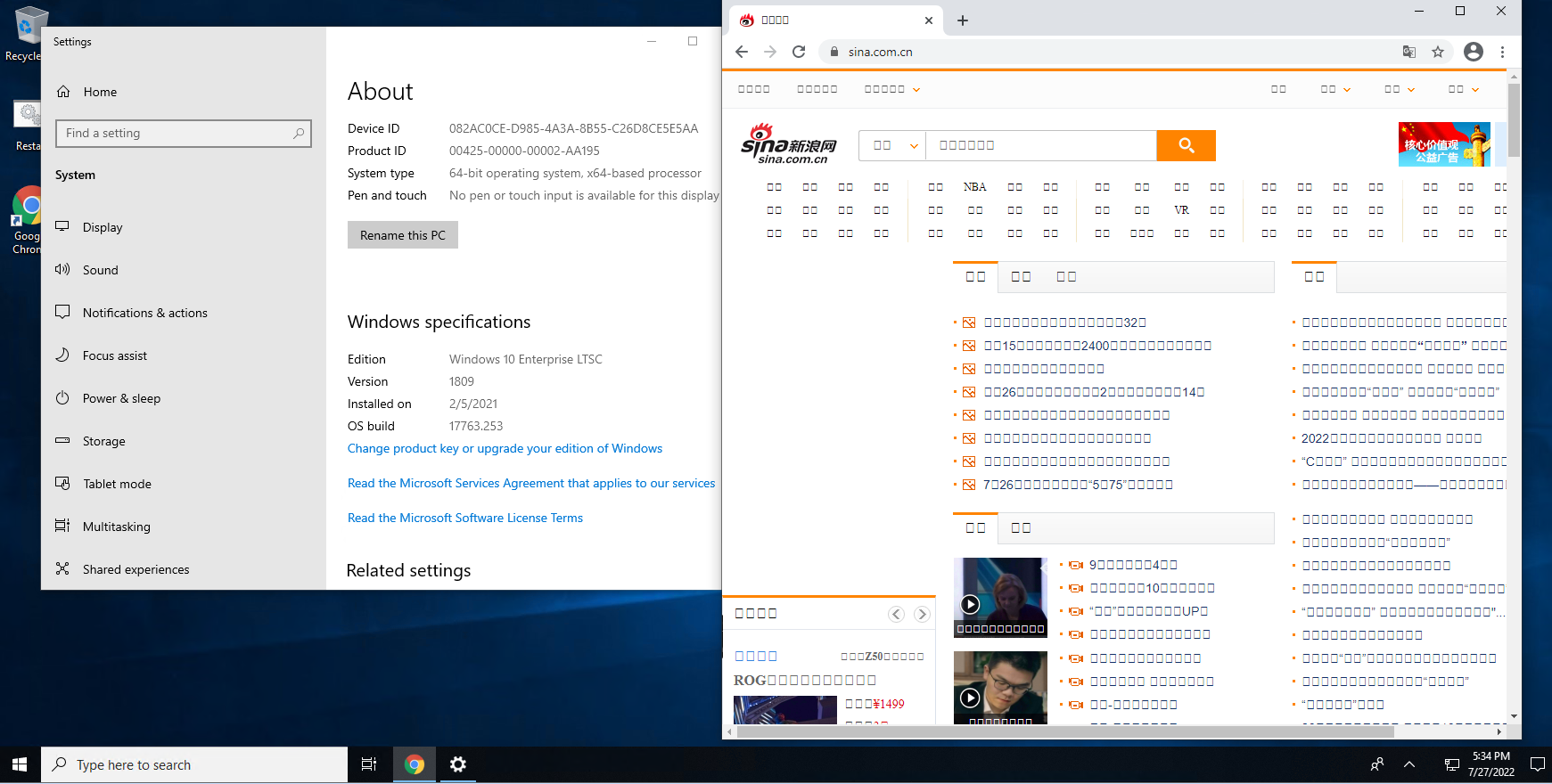

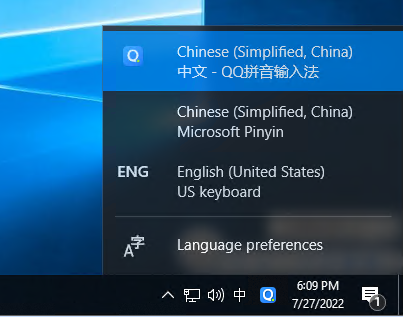
Now this original English LTSC Windows 10 is supporting full Chinese function.
via Blogger http://blog.51sec.org/2022/07/windows-10-ltsc-english-version-install.html
July 27, 2022 at 06:10PM Windows
There are many reasons why some tech people like to use Windows LTSC version. It is light, small, stable and fast, comparing to regular Windows version.
Some features might not installed by default and it might need a bit tuning to get it working properly. In this post, I am showing some steps to get your Windows 10 LTSC English version to display other language such as Chinese properly.Issue
By default, it wont show Chinese Characters properly in browser, file explorer, or applications.
Here are some steps to fix this issue.
Steps
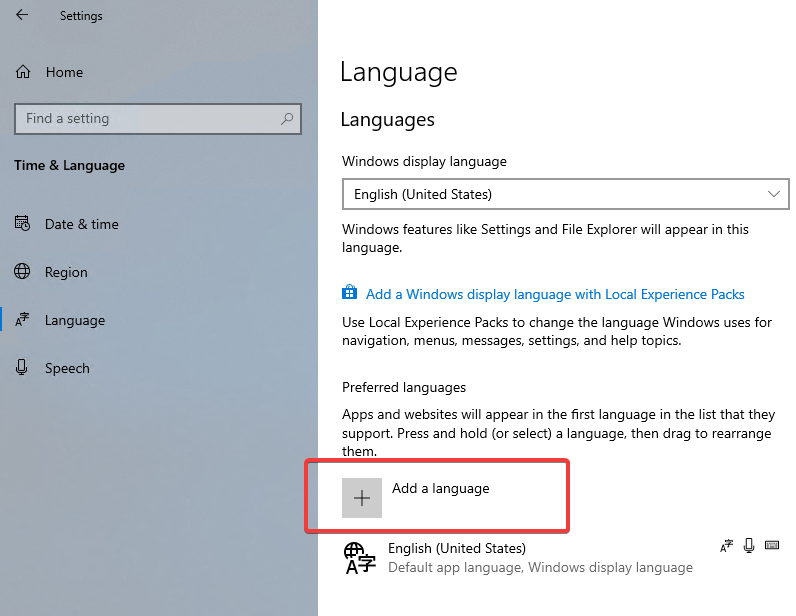
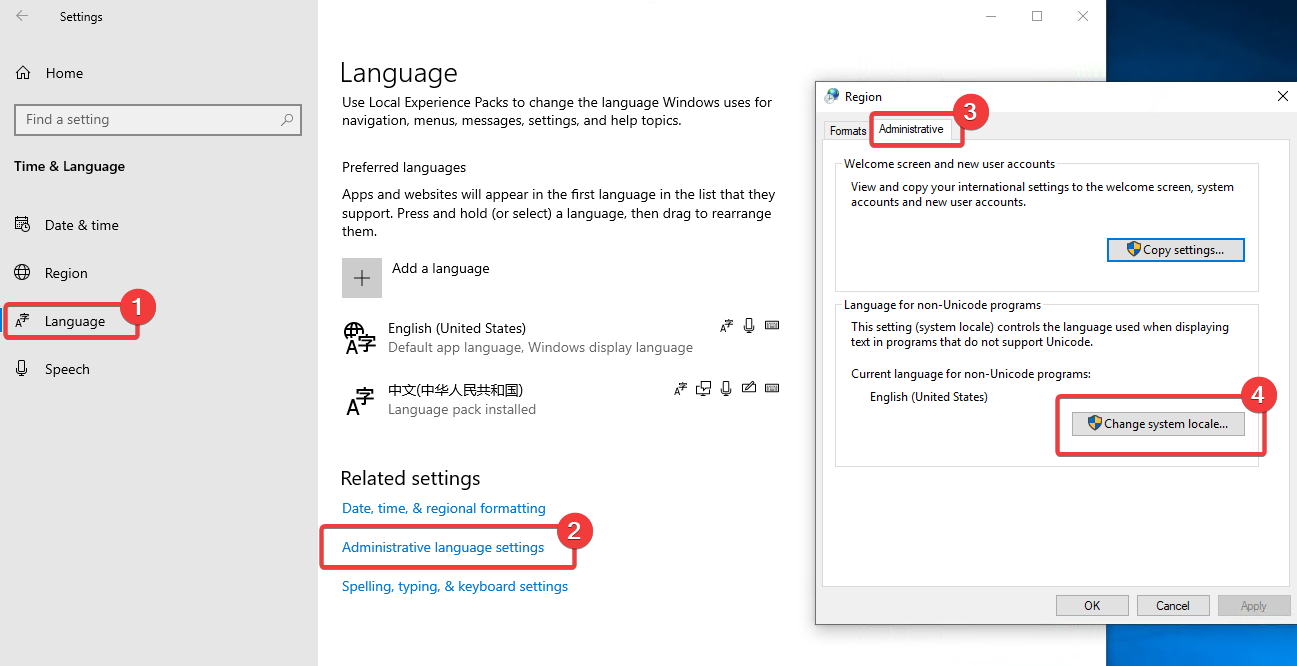
1 Add Chinese Language from Windows Settings - Time & Language - Language
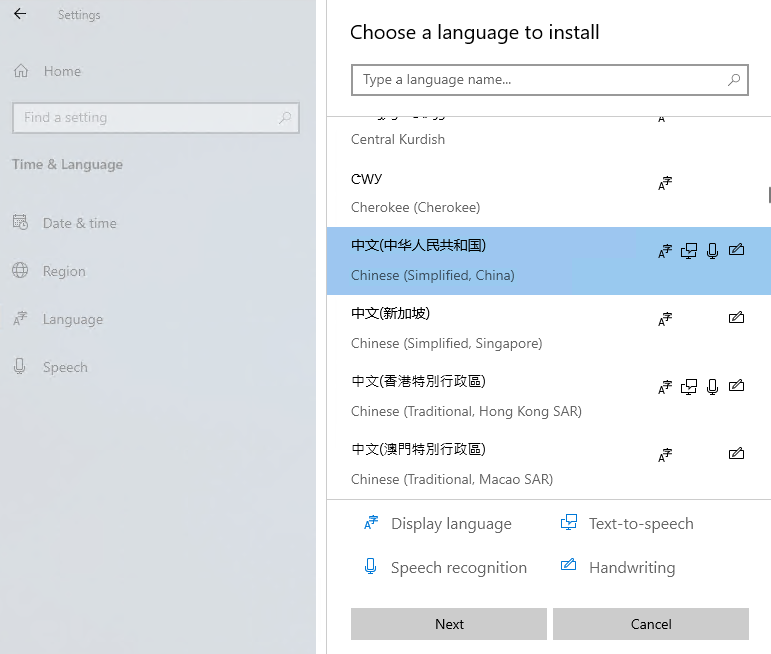
2 Click next , then select install button to start installation. It will take some minutes to get all installed.
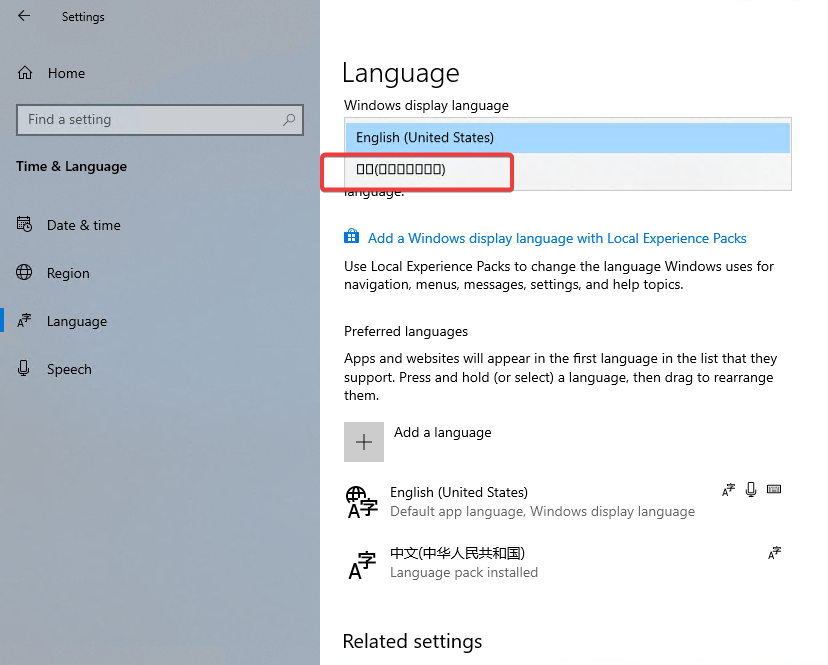
3 Once done, you will find Windows display language has a new option, but it shows square character only.
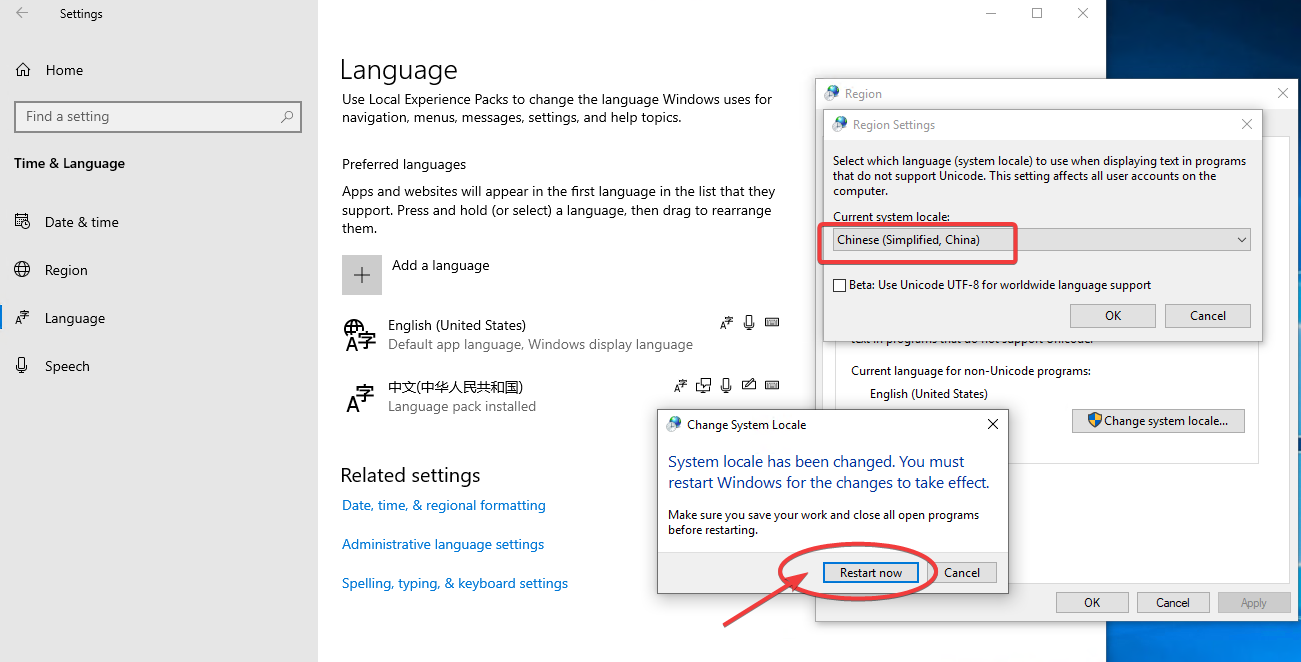
4 Change Language for non-Unicode program to Chinese
5 Reboot machine as prompted.
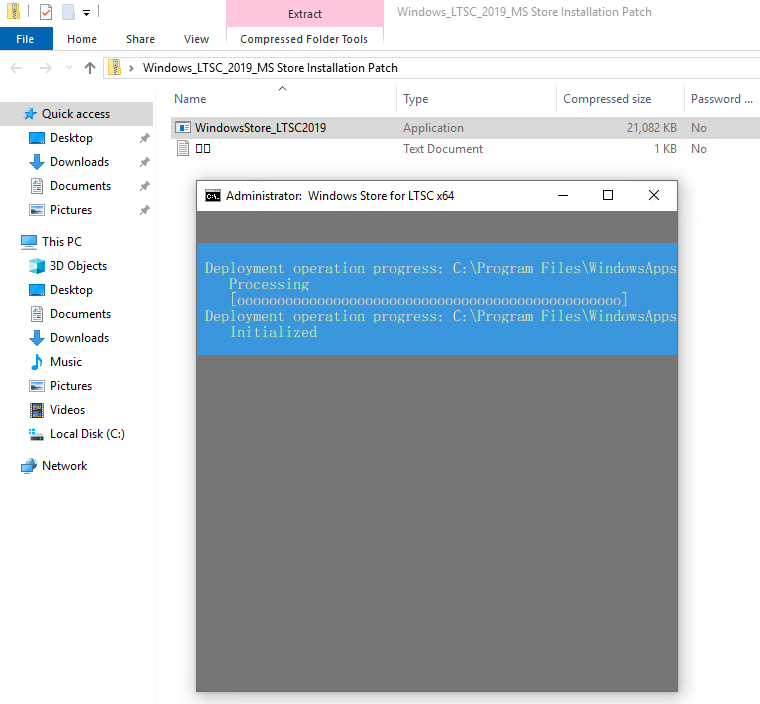
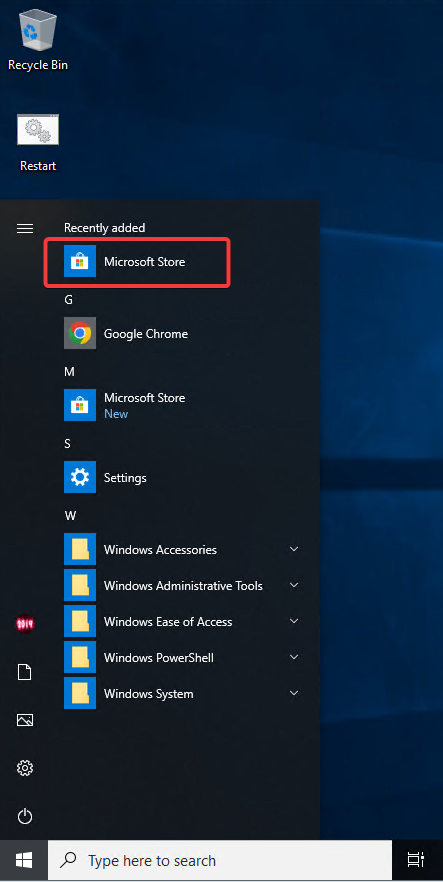
6 You will need a new app to open this ms-windows-store. LTSC version does not have Microsoft Store installed and it can't be added through built-in programs. Here is a special patch which will add MS store. You can download it from this link.
Double Click WindowsStore_LTSC2019.exe file. It will automatically launch Windows CMD Console to get it installed.
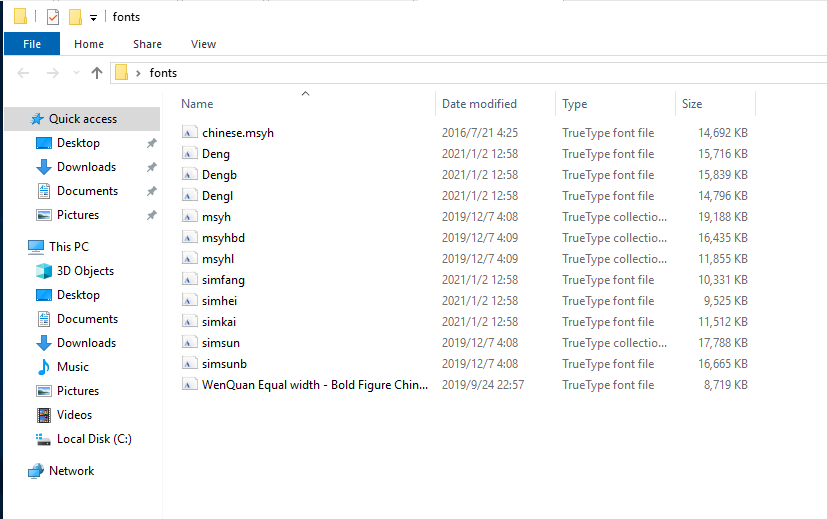
7 LTSC version is also missing Chinese fonts to show those Chinese Characters correctly. Lets copy those fonts in which I found from online and another non-LTSC windows 10 machine.
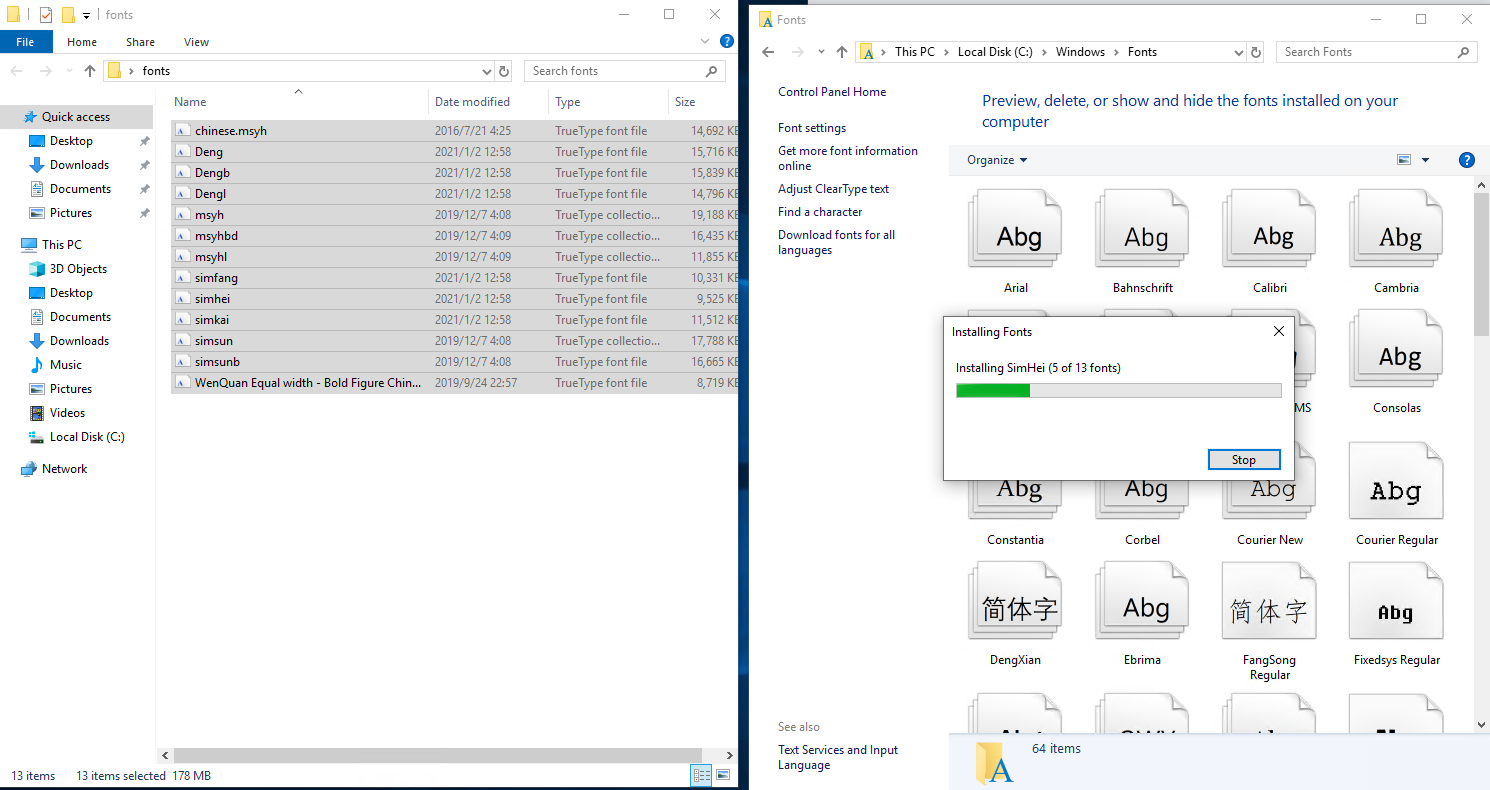
8 Just drag those fonts into LTSC Windows - Fonts folder to install them. It will be automatically installed for those new fonts.
9 Restart system to get all changes taken into effects
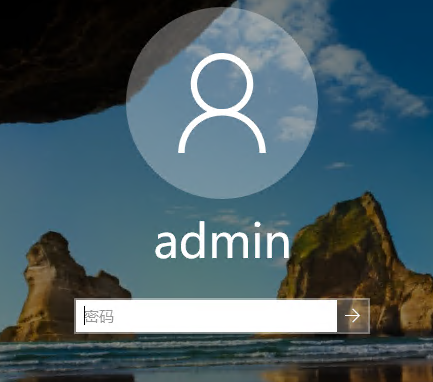
Welcome login windows already showing Chinese properly now.
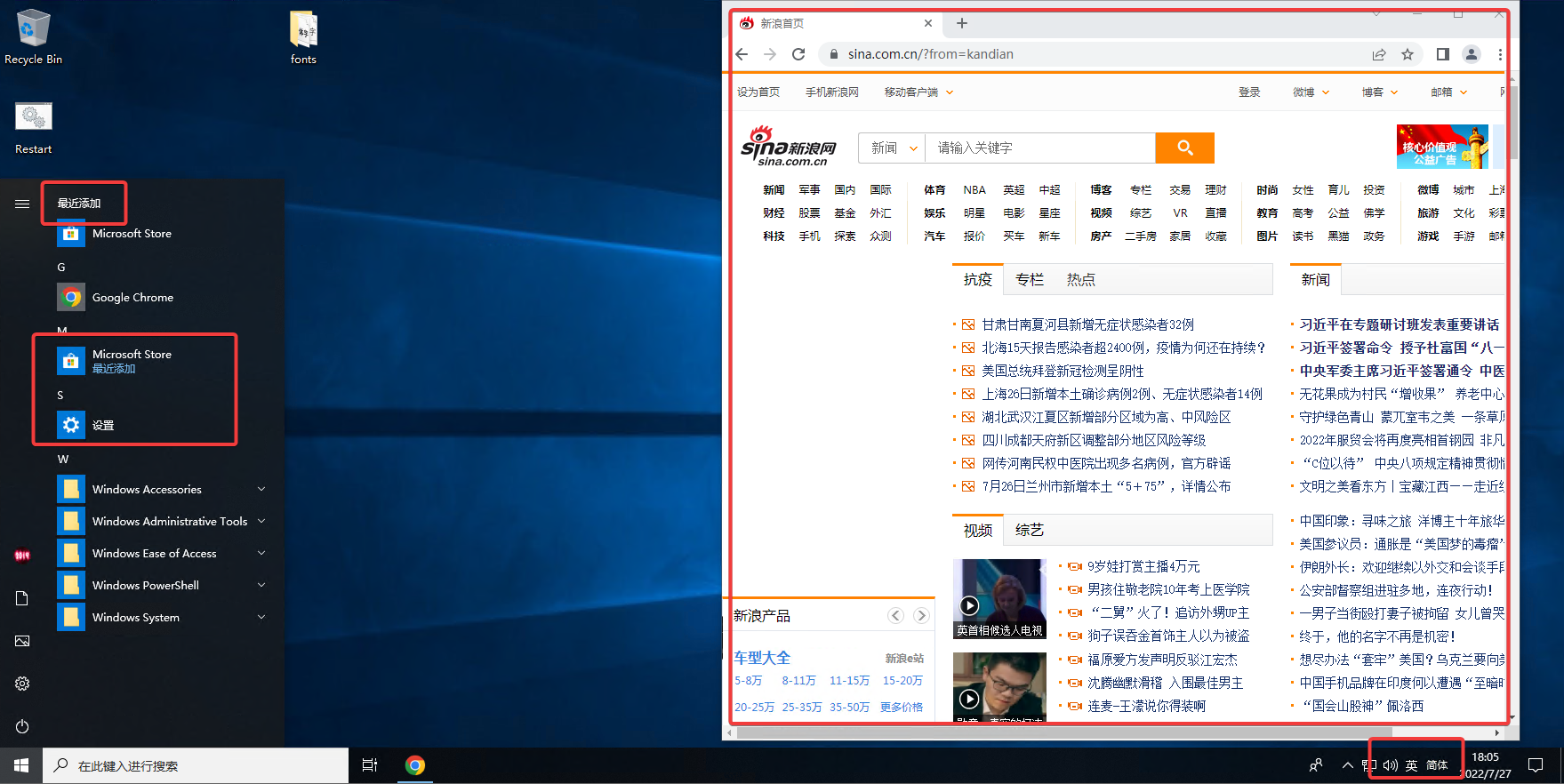
10 All of those square characters are gone now
11 Default Chinese inputs does not work properly although it shows on your taskbar and seems waiting you to use it. But based on my test, it does not give you right inputs.
The alternation is to install other Chinese inputs, such as QQ pingying It works fine.
Videos
References
via Blogger http://blog.51sec.org/2022/07/windows-10-ltsc-english-version-install.html
July 27, 2022 at 06:10PM Windows

 RSS Feed
