
Info Security Memo
  • Blog
  • Sitemap
    • Categories
  • Contact
  • About
  • Resources
  • Tools
  • 51sec.org

Build Confidence

Focusing on Information Security 

Info Security Notes

Use RobCop (RoboCopy) to Migrate Files

9/14/2022

0 Comments

 
Use RobCop (RoboCopy) to Migrate Files

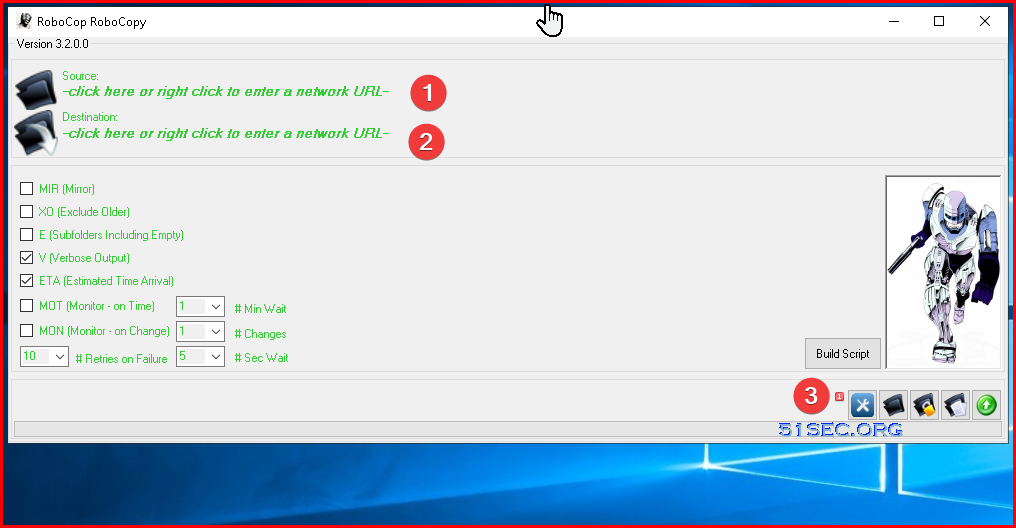
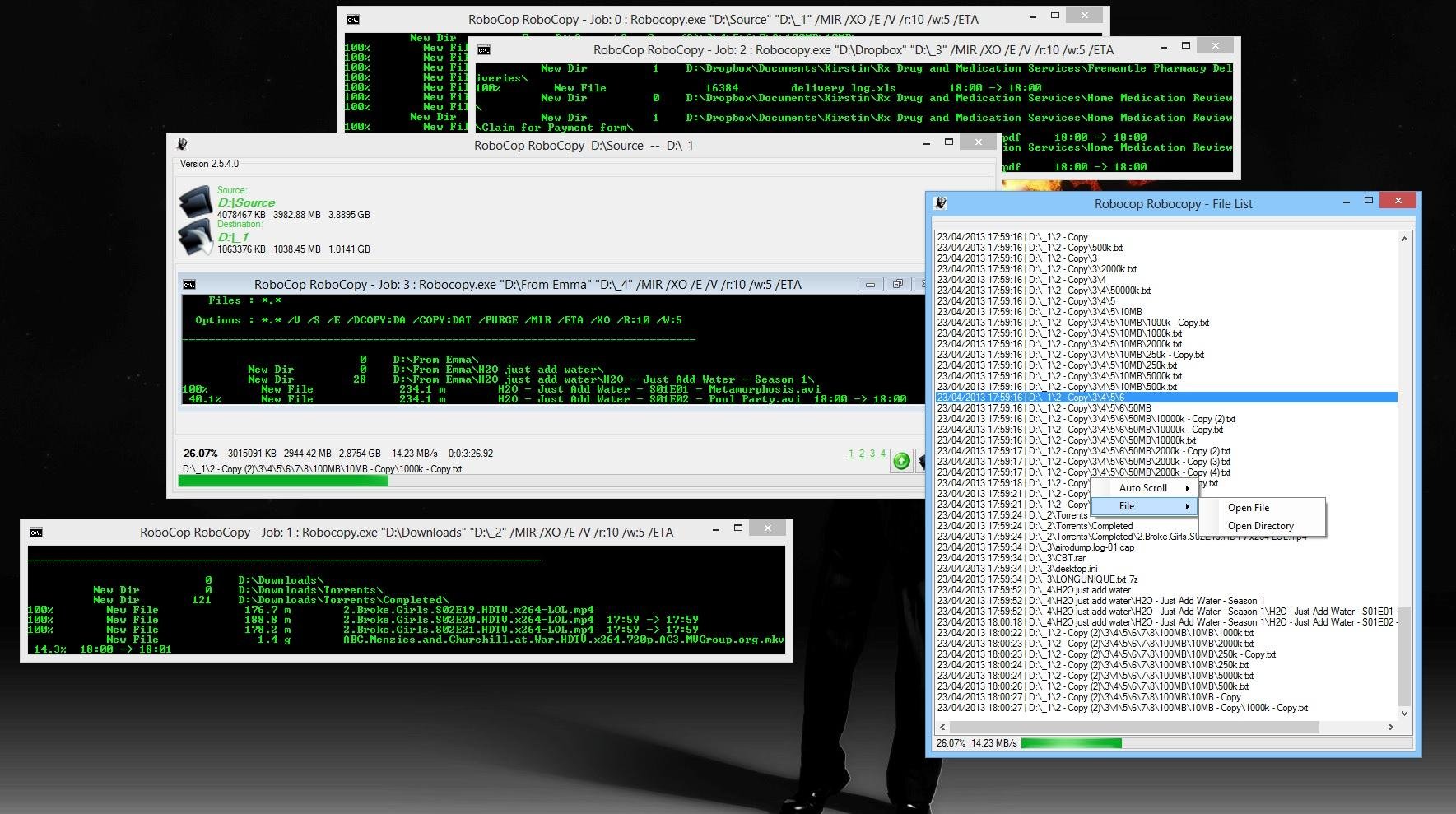
RoboCop RoboCopy is a GUI skin and script generator for Robocopy.exe (Win NT Resource Kit). RoboCop RoboCopy is unlike any other robocopy script generator available since it has the ability to monitor the progress of the robocopy job. It shows real time monitoring of all its running robocopy jobs.


What is Robocopy?

Robocopy is a robust file copying program built into Windows similar to UNIX rsync. It is a much better method of copying large datasets or lots of files across volumes and is a great tool for backing up data. It has the ability to resume copies if interrupted, various options and logging during copying. Using a scheduled task can automate this, so backups are done every night, without interaction from you.

Robocopy has some advantages over the standard copy-paste, it depends what you want it for. Advantages:

  • multiple threads, thus copies faster and more effectively uses your bandwidth. It starts copy immediately without scanning entire whole source folder 

  • you can set it to verify the copy job, make sure no errors during process

  • Exclude certain files or folders 

  • Mirror 1 folder to another with copy/pasete/delete files in the destination.

  • It can resume if interrupted

  • Speificy file and folder attibutes and permissions

  • logging, hash checks, etc...

  • all variables customizable

  • there is also a GUI version for Windows

Full Microsoft robocopy documentation is here: https://technet.microsoft.com/en-us/library/cc733145.aspx

Robocop Robocopy is a GUI version of Robocopy.

Robcop Robocopy Features

  • Real time progress monitoring of source and destination targets.
  • Real time ETA and TX speed for the current running robocopy job.
  • The ability to monitor and run multiple scripts simultaneously.
  • Unique dock feature to dock and lock running scripts into the RoboCop RoboCopy skin frame.
  • Advanced view options that display and list the current copied files with options to jump to the location or open the file.
  • Simple selection options to help tailor build the right robocopy script.
  • Windows Explorer integration with easy to use right click options for source and destination targets.
  • Regular updates and support.
  • All advanced options available.
  • Certified 100% virus and malware free by Softpedia.com  - http://www.softpedia.com/get/Programming/Other-Programming-Files/RoboCop-RoboCopy.shtml


Steps to create script and run it

1. Download from : https://sourceforge.net/projects/robocoprobocopy/
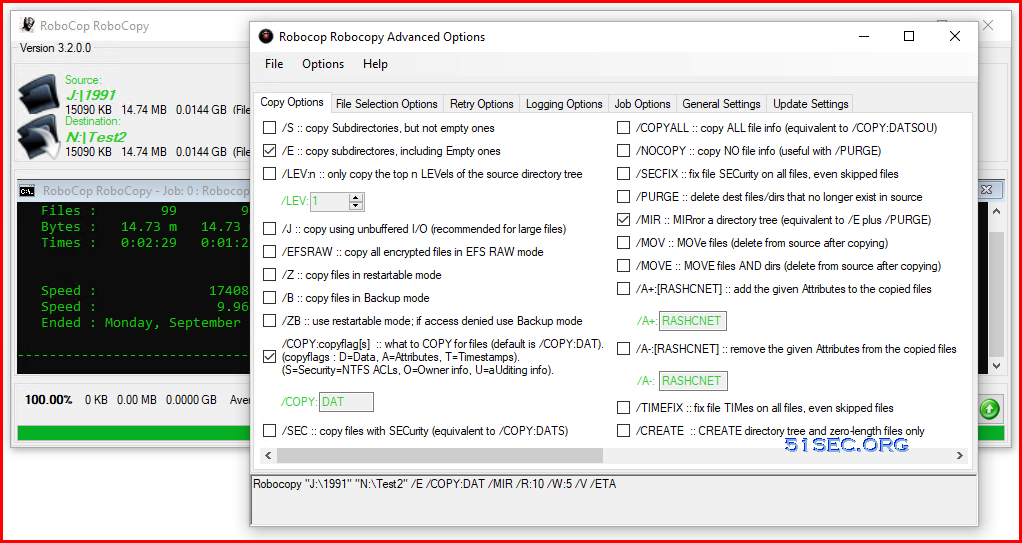
2. Double click downloaded RoboCopRoboCopy.exe.  It will require .NET Framework 3.5 to run. If system does not have it, it will launch a download/install window to get it downloaded and installed.  

3. If .NET installed, the Web GUI shows up, choose source folder and destination folder


4. Click Setting Icon to customize the copy options:


Copy with attributes:
Robocopy "J:\1991" "N:\Test3" /COPY:DAT /MIR /R:10 /W:5 /V /ETA

Copying progress screenshot:
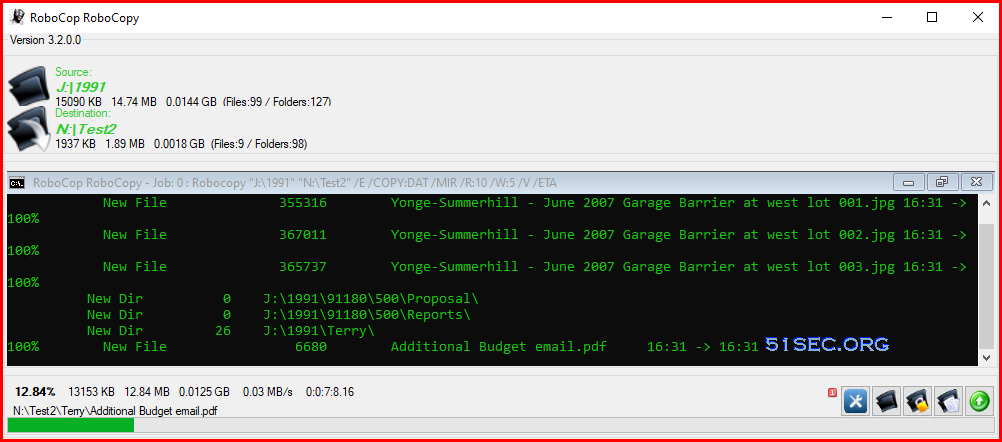


Copy with files/folders attributes and also NTFS security permissions. 
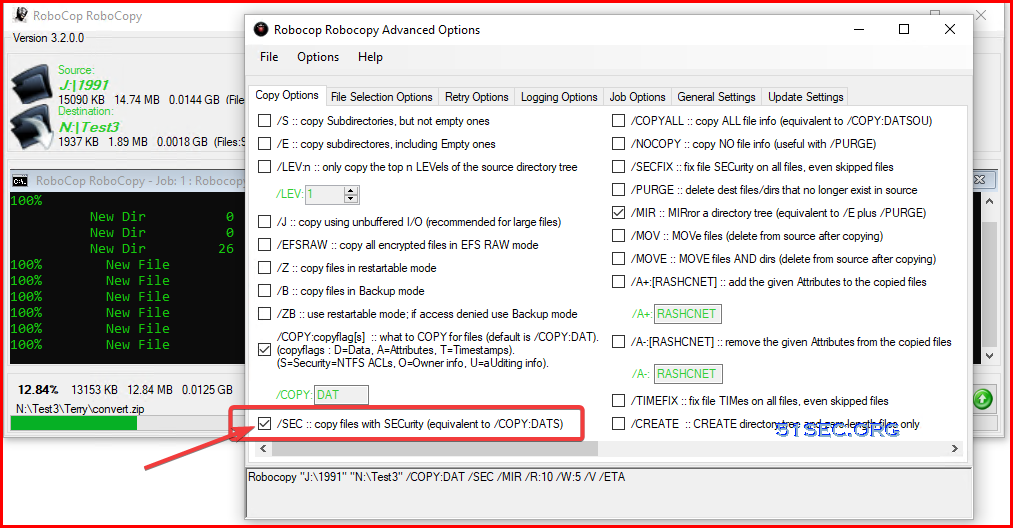


Robocopy "J:\1991" "N:\Test3" /COPY:DAT /SEC /MIR /R:10 /W:5 /V /ETA


References

  • https://sourceforge.net/projects/robocoprobocopy/
  • Guide for using Robocopy: script and schedule

via Blogger http://blog.51sec.org/2022/09/use-robcop-robocopy-to-migrate-files.html
September 14, 2022 at 08:24AM Software
0 Comments


Leave a Reply.

    Categories

    All
    Architecture
    Blog
    Checkpoint
    Cisco
    Cloud
    CyberArk
    F5
    Fortigate
    Guardium
    Juniper
    Linux
    Network
    Others
    Palo Alto
    Qualys
    Raspberry Pi
    Security
    SIEM
    Software
    Vmware
    VPN
    Wireless

    Archives

    March 2024
    February 2024
    January 2024
    December 2023
    November 2023
    October 2023
    September 2023
    August 2023
    July 2023
    June 2023
    May 2023
    April 2023
    March 2023
    February 2023
    January 2023
    December 2022
    November 2022
    October 2022
    September 2022
    August 2022
    July 2022
    June 2022
    May 2022
    April 2022
    March 2022
    February 2022
    January 2022
    December 2021
    November 2021
    October 2021
    September 2021
    August 2021
    July 2021
    June 2021
    May 2021
    April 2021
    March 2021
    February 2021
    January 2021
    December 2020
    November 2020
    October 2020
    September 2020
    August 2020
    July 2020
    October 2019
    September 2019
    June 2019
    July 2018
    May 2018
    December 2017
    August 2017
    April 2017
    March 2017
    January 2017
    December 2016
    November 2016
    October 2016
    September 2016
    August 2016
    July 2016
    June 2016
    May 2016
    April 2016
    March 2016
    February 2016
    January 2016
    December 2015
    November 2015
    October 2015
    September 2015
    August 2015
    July 2015
    June 2015
    May 2015
    April 2015
    March 2015

    Print Page:

    RSS Feed

    Email Subscribe
Powered by Create your own unique website with customizable templates.
  • Blog
  • Sitemap
    • Categories
  • Contact
  • About
  • Resources
  • Tools
  • 51sec.org
