
It is a great tool if you need to expose your internal web application to Internet. Fast, easy, and most important, it is free.
Here is the Announcement from Cloudflare Blog on April 15 2021
"In the past, Argo Tunnel has been priced based on bandwidth consumption as part of Argo Smart Routing, Cloudflare’s traffic acceleration feature. Starting today, we’re excited to announce that any organization can use the secure, outbound-only connection feature of the product at no cost. "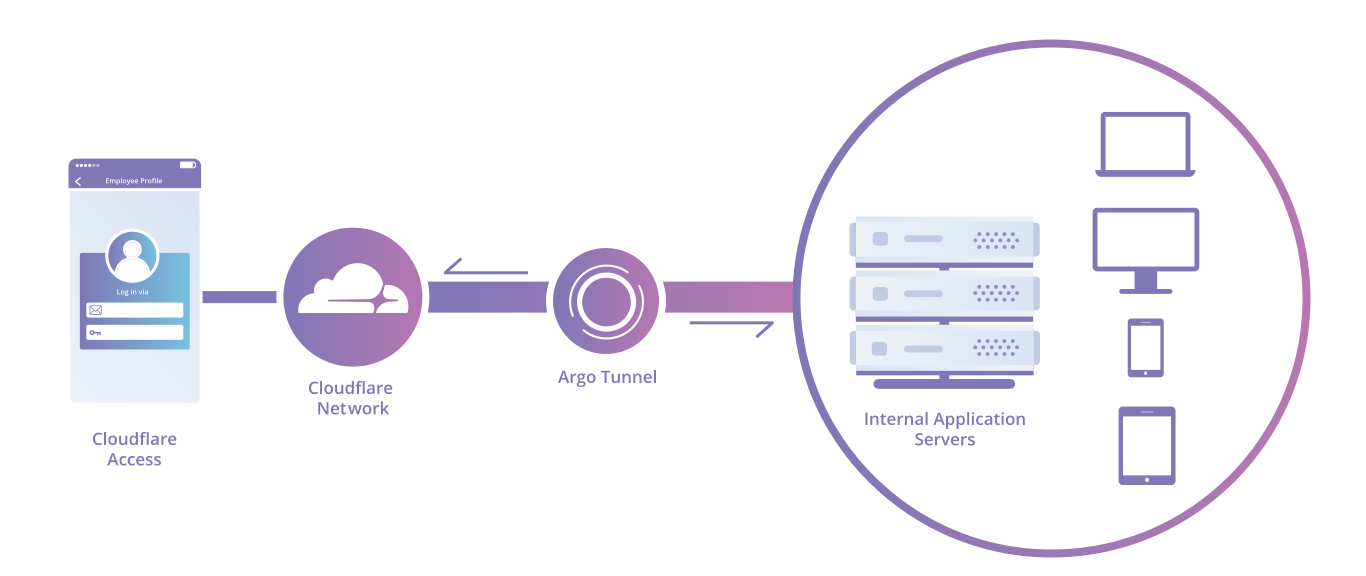
More explaination about how Argo Tunnel works from Clouflare Docs:
"Argo Tunnel runs a lightweight daemon (cloudflared) in your infrastructure that establishes outbound connections (Tunnels) between your service and the Cloudflare edge. When Cloudflare receives a request for your chosen hostname, it proxies the request through those connections to cloudflared. In turn, cloudflared proxies the request to your applications.
This forces any requests to access your applications to go through Cloudflare. This way, you can be sure attack traffic is stopped with Cloudflare’s WAF and Unmetered DDoS mitigation, and authenticated with Access if you’ve enabled those features for your account.
Argo Tunnel can connect HTTP web servers, SSH servers, remote desktops, and other protocols. Additionally, a single connector, the cloudflared daemon, can connect multiple applications of different types."
Step 1. Download and Install Coudflared
Releases can be found on GitHub . Downloads are available as standalone binaries or packages like Debian and RPM.
​Linux
​.deb install (Ubuntu, Linux Mint)
Use the deb package manager to install cloudflared on compatable machines. amd64 / x86-64 package in this example.
wget -q https://bin.equinox.io/c/VdrWdbjqyF/cloudflared-stable-linux-amd64.deb
dpkg -i cloudflared-stable-linux-amd64.deb
.rpm install (CentOS, Fedora, RHEL)
Use the rpm package manager to install cloudflared on compatable machines. amd64 / x86-64 is used in this example.
wget -q https://bin.equinox.io/c/VdrWdbjqyF/cloudflared-stable-linux-amd64.rpm
rpm -ivh cloudflared-stable-linux-amd64.rpm
Docker
A Docker image of cloudflared is available on DockerHub .
​macOS
You can install cloudflared on macOS systems via Homebrew:
$ brew install cloudflare/cloudflare/cloudflared
Alternatively, you can download the latest Darwin amd64 release directly.
​Windows
| Type | 32-bit | 64-bit | |
|---|---|---|---|
| ZIP | Download |
Download
|
​Updating cloudflared
You can update cloudflared by running the following command.
Cloudflared update
The update will cause cloudflared to restart which would impact traffic currently being served. You can perform zero-downtime upgrades by using Cloudflare's Load Balancer product or by using multiple cloudflared instances.
Step 2. Create Tunnel for your Internal Web Application
Assuming your local web application is running on port 9000, such as my portainer web page.
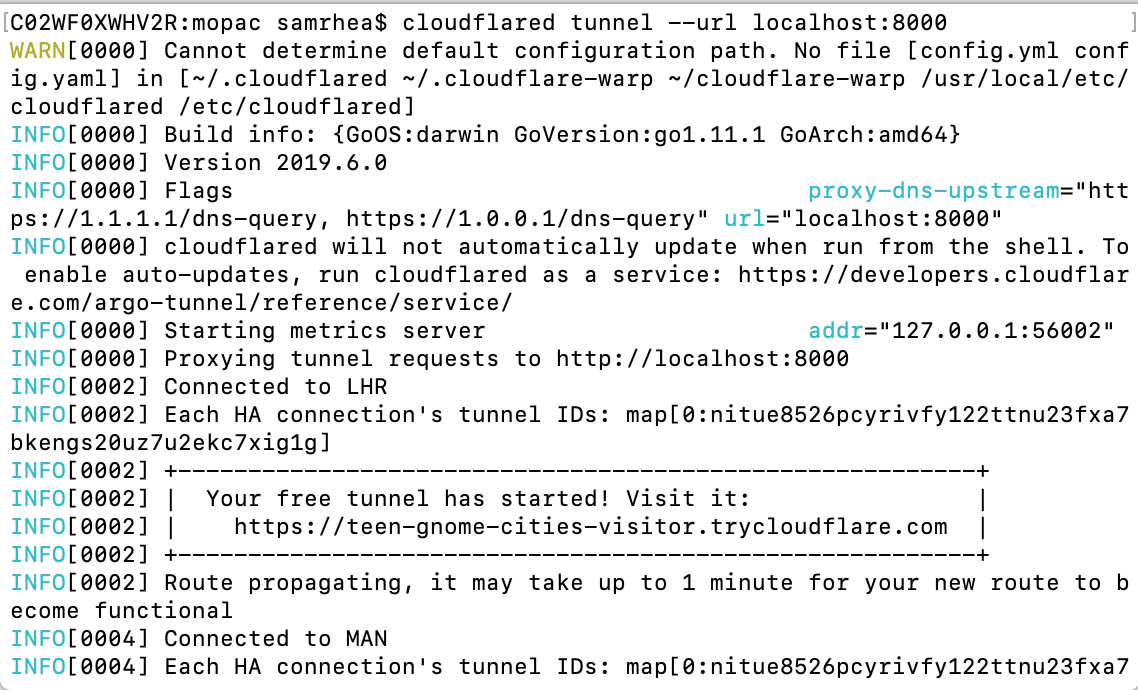
cloudflared tunnel --url localhost:9000
Step 3. Test public url from Internet
Please check this YouTube video for all steps:
References
- Connect applications
- A Boring Announcement: Free Tunnels for Everyone
- A free Argo Tunnel for your next project
via Blogger https://ift.tt/3elNMiz
May 05, 2021 at 11:44AM VPN

 RSS Feed
