
This post introduces UPPTIME this Github project which is an open source site monitoring tool completely based on Github.
Demo
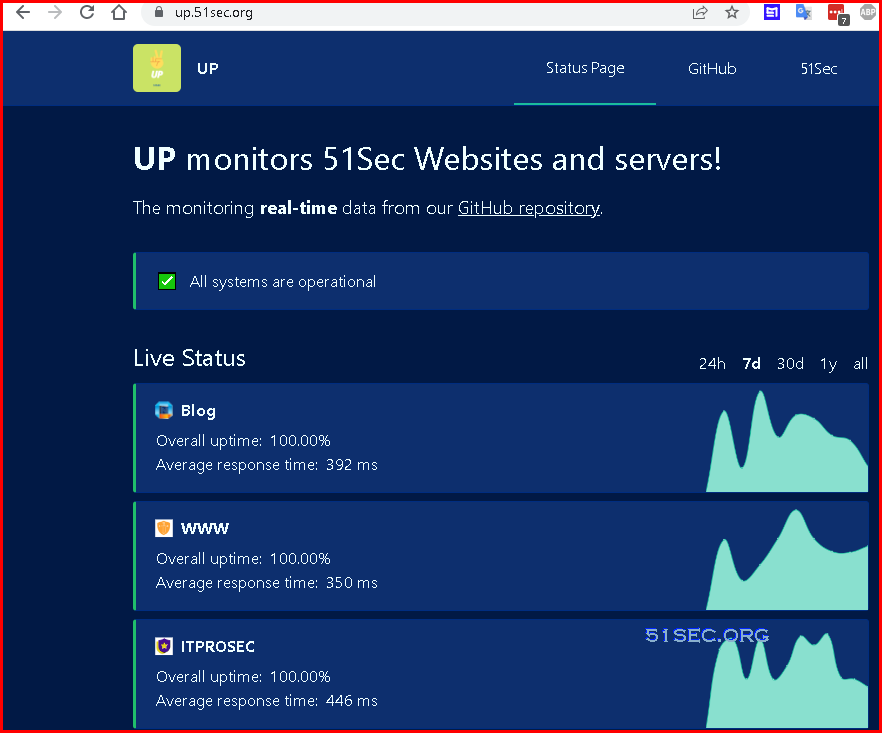
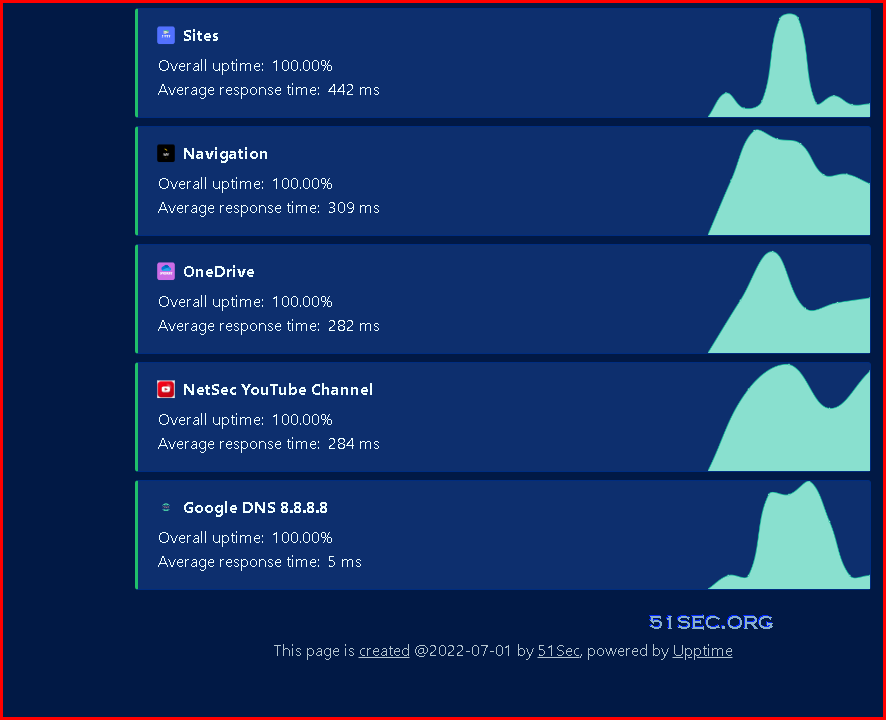
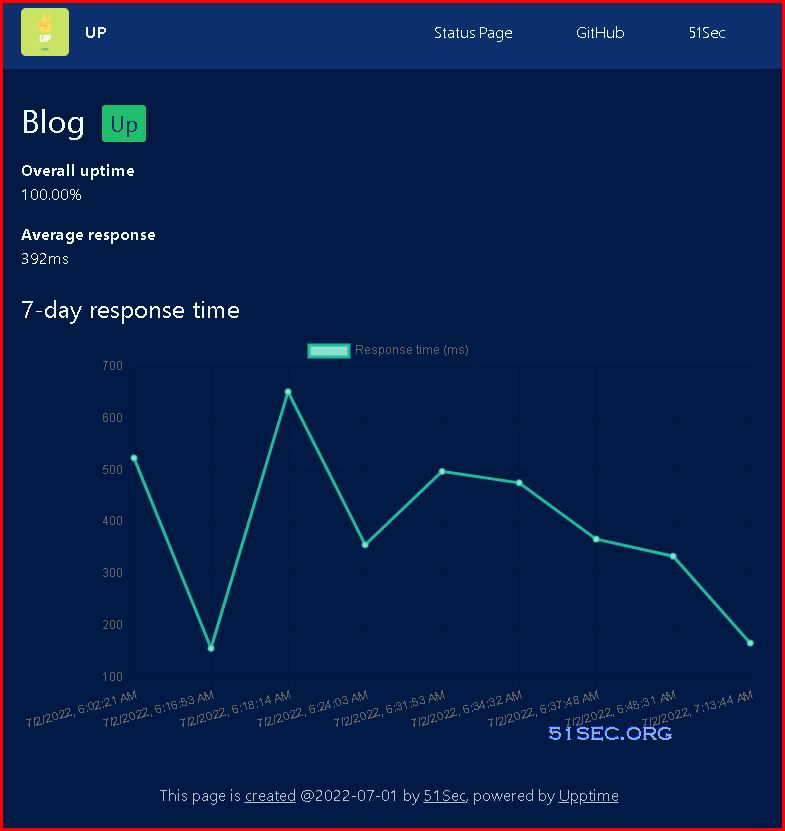
Main features
1 Create a repository from the template
- Click "Create a new repository"
- Enter repository name and check "include all branches"

2 Publishing Page
By default, it has been published automatically with right source and folder settings.
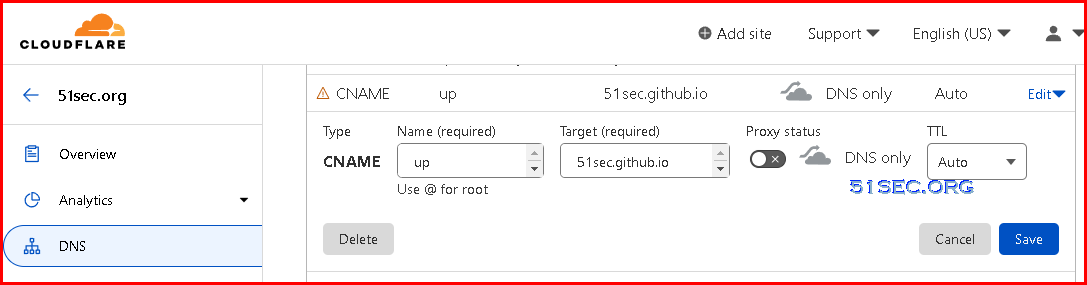
Only thing you might want to add is a custom domain name,

Custom domain name will require a cname record added into your domain registrar.
3 add repository secrets
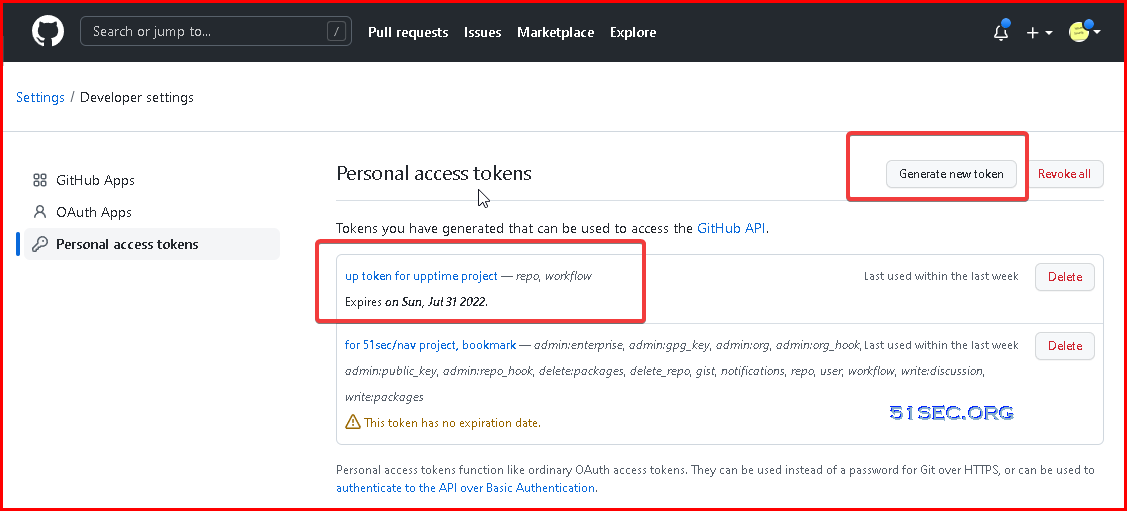
- Click on your profile picture on the top-right corner and select "Settings"
- In the left sidebar, select "Developer settings"
- In the left sidebar, click "Personal access tokens"
- Click "Generate new token"
- Select the "repo" and "workflow" scopes
- Click "Generate token"
4 Add secret into your repository settings
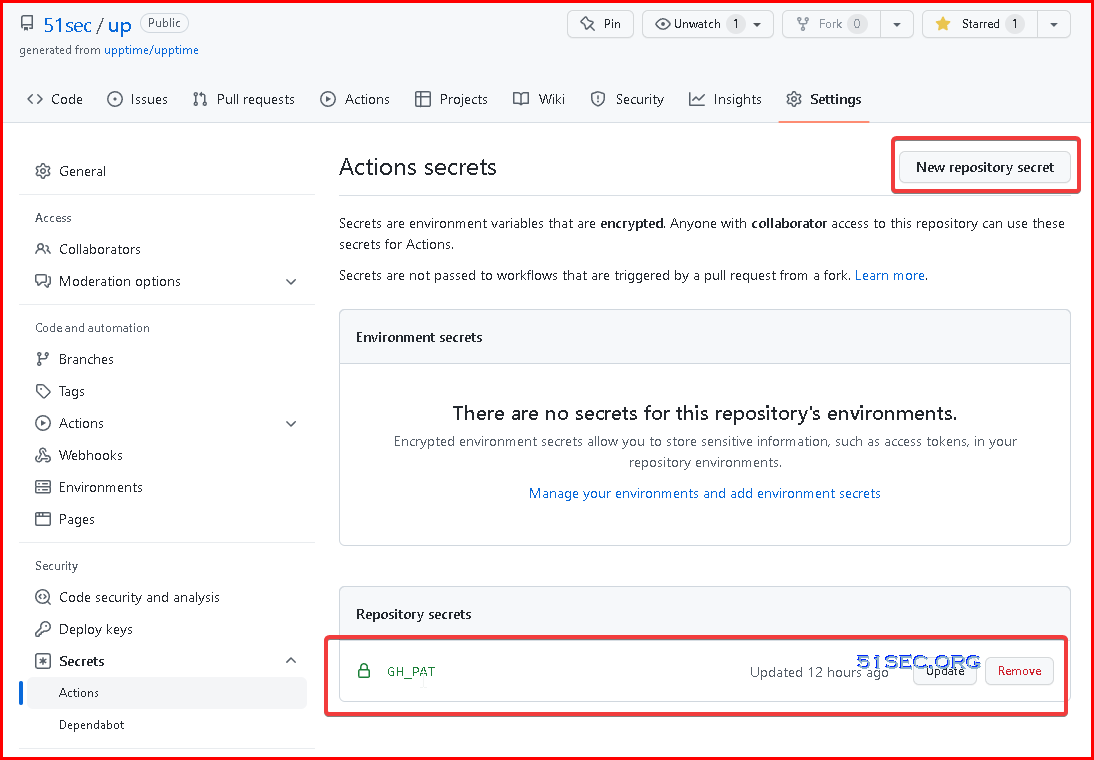
- After generating your token, copy it (you will not see it again). Then, add it as a repository secret:
- In your Upptime repository, select "Settings"
- In the left sidebar, click "Secrets"
- Press the button "New repository secret"
- Enter the name of the secret as
GH_PAT - Paste your personal access token into the Value field
- Be sure there are no spaces before or after the token and/or linebreaks after your token
- Save your PAT by selecting "Add secret"
5 Update configuration
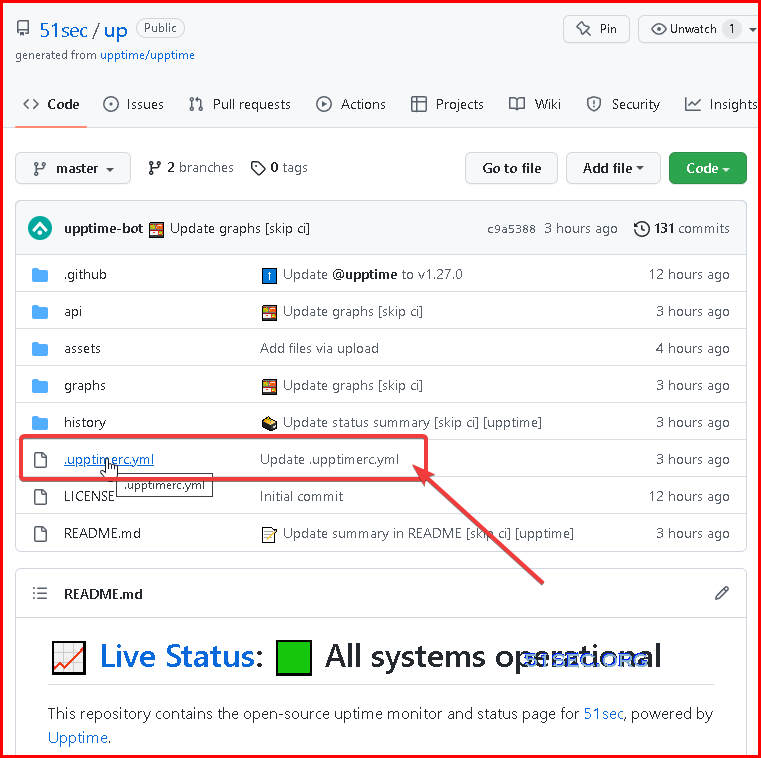
# Change these first
owner: 51sec # Your GitHub organization or username, where this repository lives
repo: up # The name of this repository
sites:
- name: Blog
url: https://blog.51sec.org
icon: https://blog.51sec.org/favicon.ico
- name: WWW
url: https://www.51sec.org
icon: https://www.51sec.org/favicon.ico
- name: ITPROSEC
url: https://www.itprosec.com
icon: https://itprosec.com/wp-content/uploads/2020/03/ITPROSEC-No-Transparent-Icon-Only-small.jpg
- name: Sites
url: https://sites.51sec.org
icon: https://photos.51sec.org/file/test1-51sec/2021/10/sites%20-%20round%20-500.png
- name: Navigation
url: https://nav.51sec.org
icon: https://photos.51sec.org/file/test1-51sec/2021/10/Black%2C%20White%20and%20Yellow%20Lightning%20-%20Round%20corner-350.png
- name: OneDrive
url: https://od.51sec.org
icon: https://photos.51sec.org/file/test1-51sec/2021/10/OneDrive%20OD%2051sec-roundcorner%20-%20Copy.png
- name: NetSec YouTube Channel
url: https://www.youtube.com/c/NetSec
icon: https://image.similarpng.com/very-thumbnail/2020/05/Logo-YouTube-realistic-icon-transparent-PNG.png
- name: Google DNS 8.8.8.8
check: "tcp-ping"
url: 8.8.8.8
port: 53
icon: https://icons.veryicon.com/png/o/application/app-general-icon-01/dns-1.png
status-website:
# Add your custom domain name, or remove the `cname` line if you don't have a domain
# Uncomment the `baseUrl` line if you don't have a custom domain and add your repo name there
cname: up.51sec.org
# baseUrl: /your-repo-name
logoUrl: https://raw.githubusercontent.com/51sec/up/master/assets/up-icon.png
name: UP
introTitle: "**UP** monitors 51Sec Websites and servers!"
introMessage: The monitoring **real-time** data from our [GitHub repository](https://github.com/51sec/up).
favicon: https://raw.githubusercontent.com/51sec/up/master/assets/up-icon.png
theme: ocean
# Available themes are light, dark, night or ocean.
navbar:
- title: Status Page
href: /
- title: GitHub
href: https://github.com/$OWNER/$REPO
- title: 51Sec
href: https://blog.51sec.org
# Upptime also supports notifications, assigning issues, and more
# See https://upptime.js.org/docs/configuration
i18n:
footer: This page is [created]($REPO) @2022-07-01 by [51Sec](www.51sec.org), powered by [Upptime](https://upptime.js.org)
Videos
- Freshping - https://youtu.be/dtKEgwAVzKk
- UptimeRobot - https://youtu.be/Fk5Y3WMqWB0
References
- https://github.com/51sec/up
- https://github.com/upptime/upptime
via Blogger http://blog.51sec.org/2022/07/upptime-github-based-free-opensource.html
July 02, 2022 at 10:11AM Network

 RSS Feed
