
One of our Internal Website is always having a Security Warning message when using Internet Explorer https to it, but this message is not showing when using Google Chrome.
 Click More Information link:
 The Warning message will warm you a Risk;
 From the certificate chain, we can see the local certificate was issued by Verisign G4, Verisign G4 certificate was issued by Verisign G5 (expiring date is Jul 16 2036).

I were able to find out this G5 certificate from Certificate button at IE's Content tab:

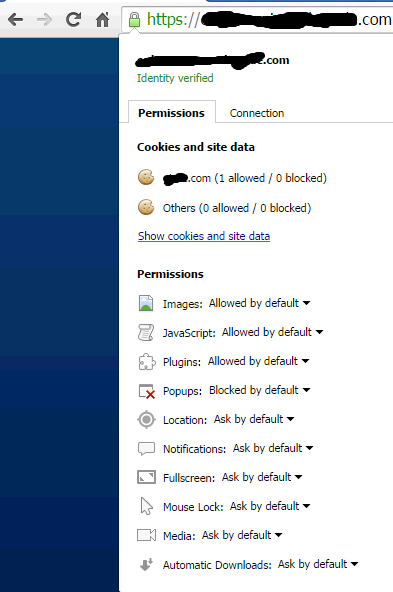
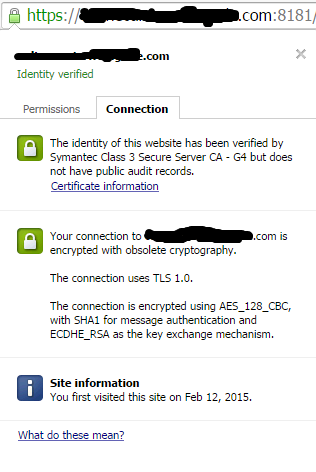
Interesting thing is when I use Google Chrome, there is no warning at all. But If I do find an Interesting thing on this Google Chrome connection:
The connection to this website is using TLS1.0 , which is obsolete cryptography.
I went back to Java Control Panel and found out there is one setting for "TLS Certificate Revocation". After changed it to Do not check. This warning message is gone.

Symptoms:
As following screenshot shows, a pop-up window will ask you "Do you want to Continue? The connection to this website is untrusted".
"This application will run with unrestricted access which may put your computer and personal information at risk. The information provided is unreliable or unknown so it is recommended not to run this application unless you are familiar with its source.
Unable to ensure the certificate unsed to identify this application has not been revoked.
The digital signature for this application was generated with a certificate from a trusted certificate authority, but we are unable to ensure that it was not revoked by that authority."Lets drill down again to view Certificate Details:
I were able to find out this G5 certificate from Certificate button at IE's Content tab:
Interesting thing is when I use Google Chrome, there is no warning at all. But If I do find an Interesting thing on this Google Chrome connection:
The connection to this website is using TLS1.0 , which is obsolete cryptography.
Solutions:
From previous More Information of warning message screenshot, we could find out it is coming from Java, since at the bottom, it lets us to visit Java.com for more details. Also it mentioned the certificate could not be verified if revoked before. This warning message must relate to Java's TLS Revocation Settings.
I went back to Java Control Panel and found out there is one setting for "TLS Certificate Revocation". After changed it to Do not check. This warning message is gone.
Another solution for this is to change server side to use ssl only. I will keep post once get more information regarding this Java security warming message issue. If you have any better idea why Google Chrome is always fine before any change, please let me know. Appreciated it.

 RSS Feed
