
This post summarize some basic accounts onboarding tasks in Thycotic Secret Server.
Manually Onboard Your Secrets
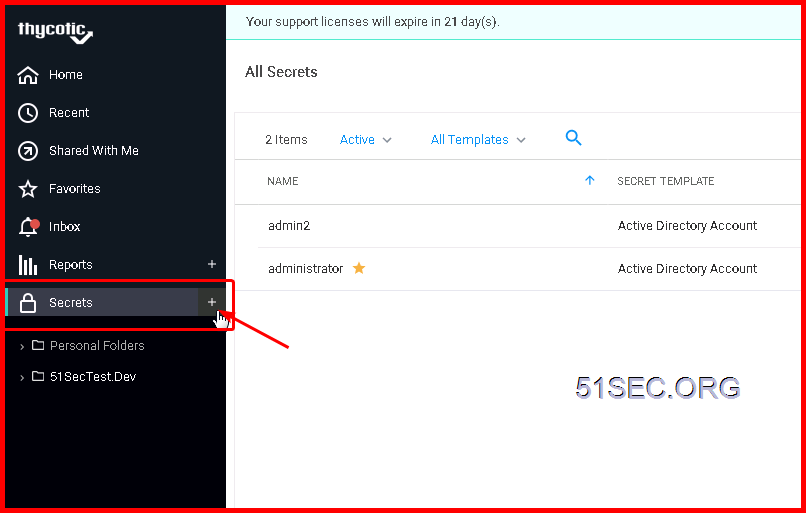
Click + sign to add a new secret account into Thycotic Secret Server:
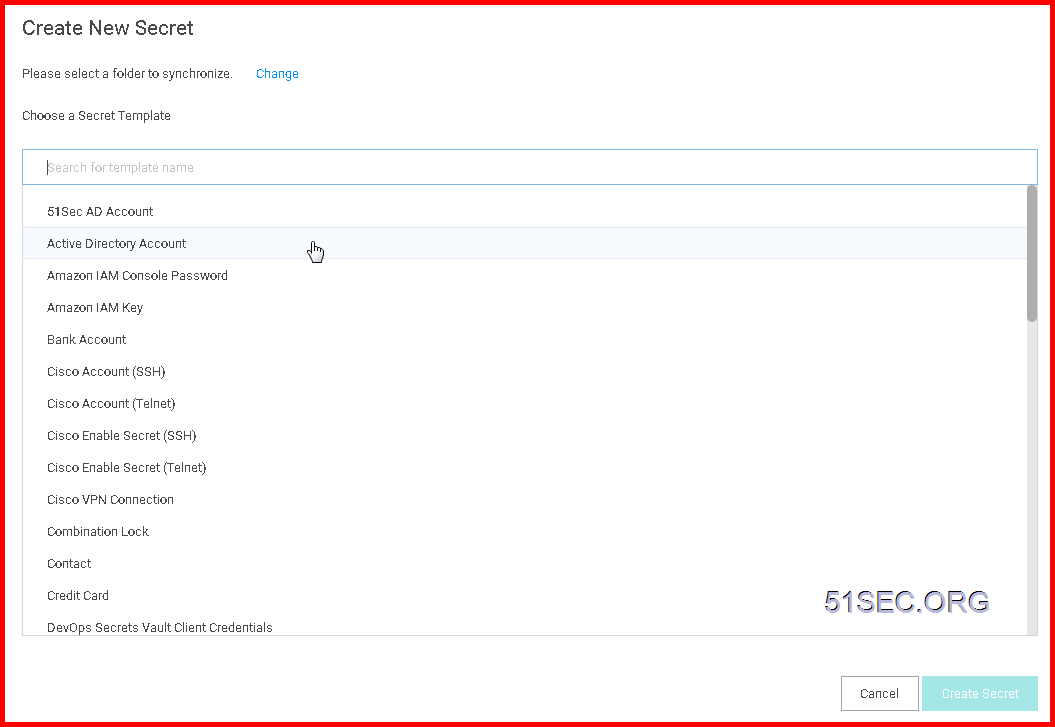
Choose a secret template for your New Secret:
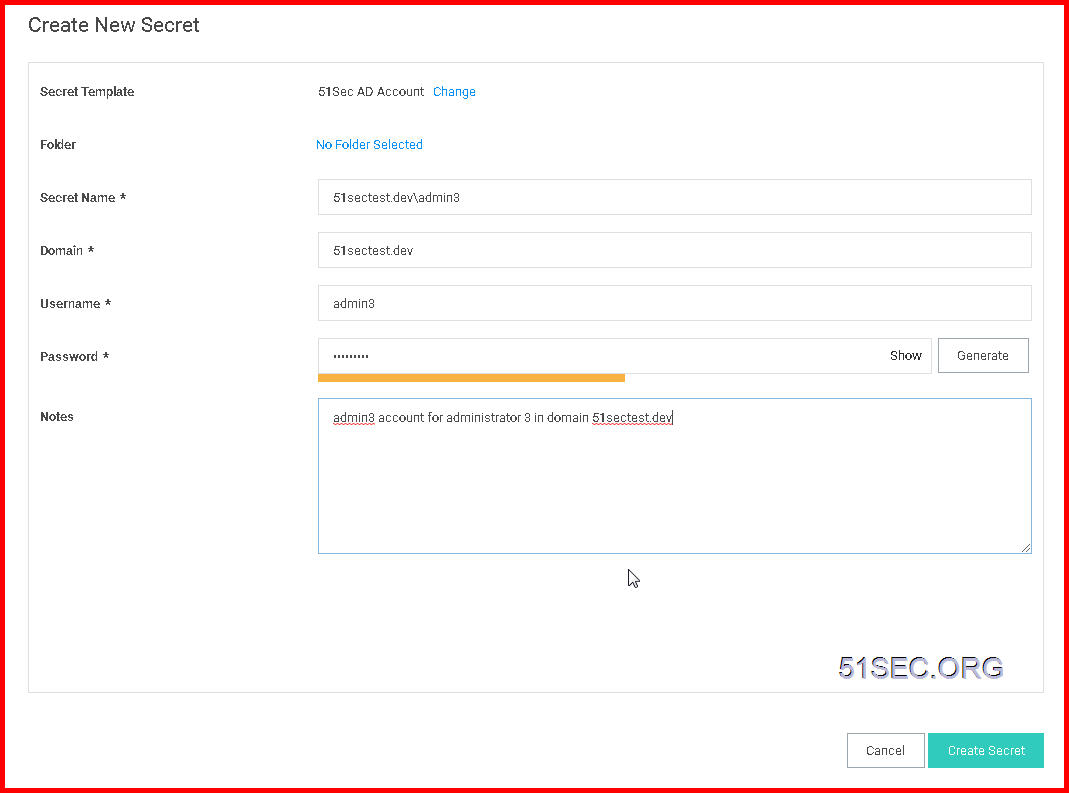
Enter your secret account information and choose a folder to save
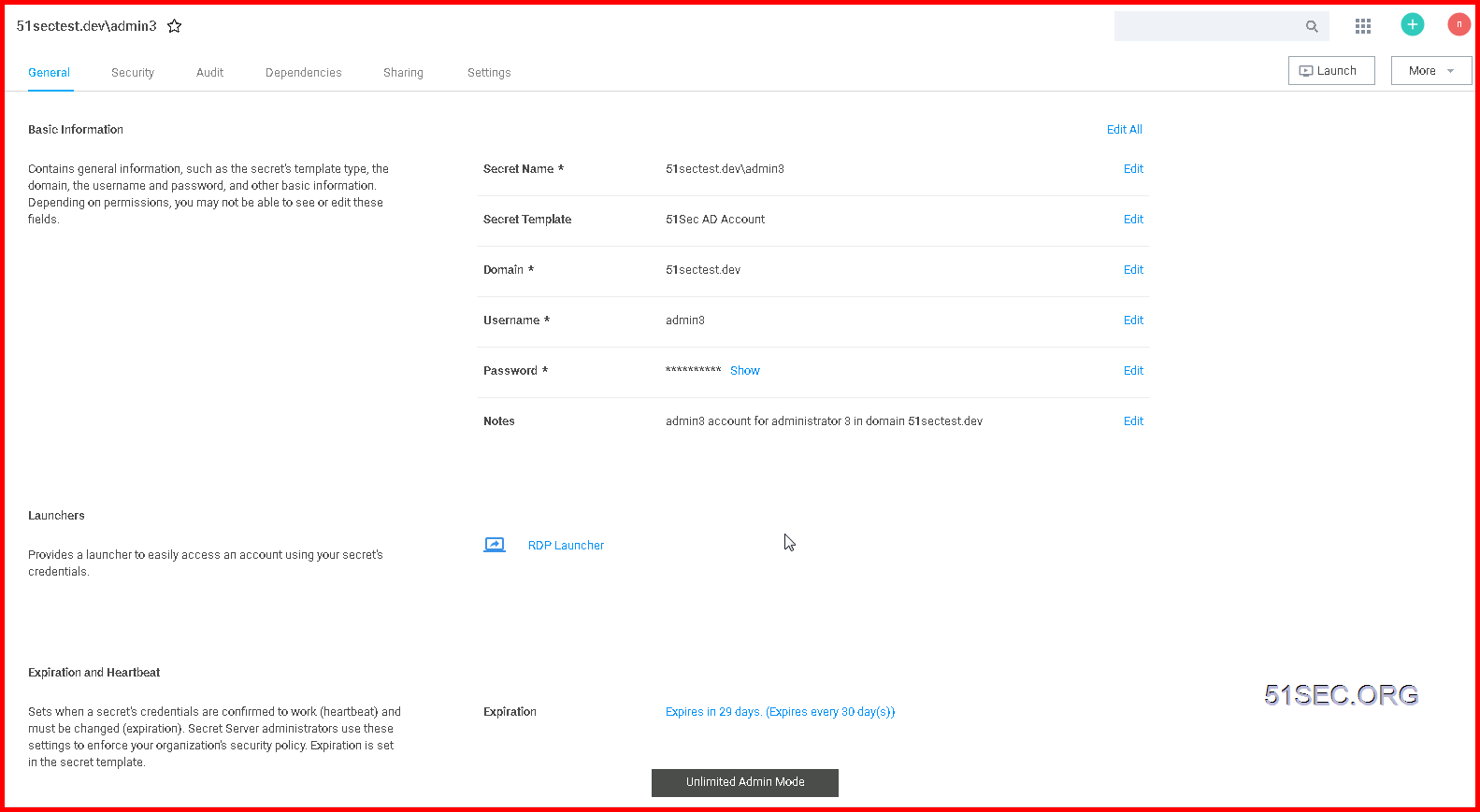
Secret Account Detailed Information:
Onboard Windows Accounts
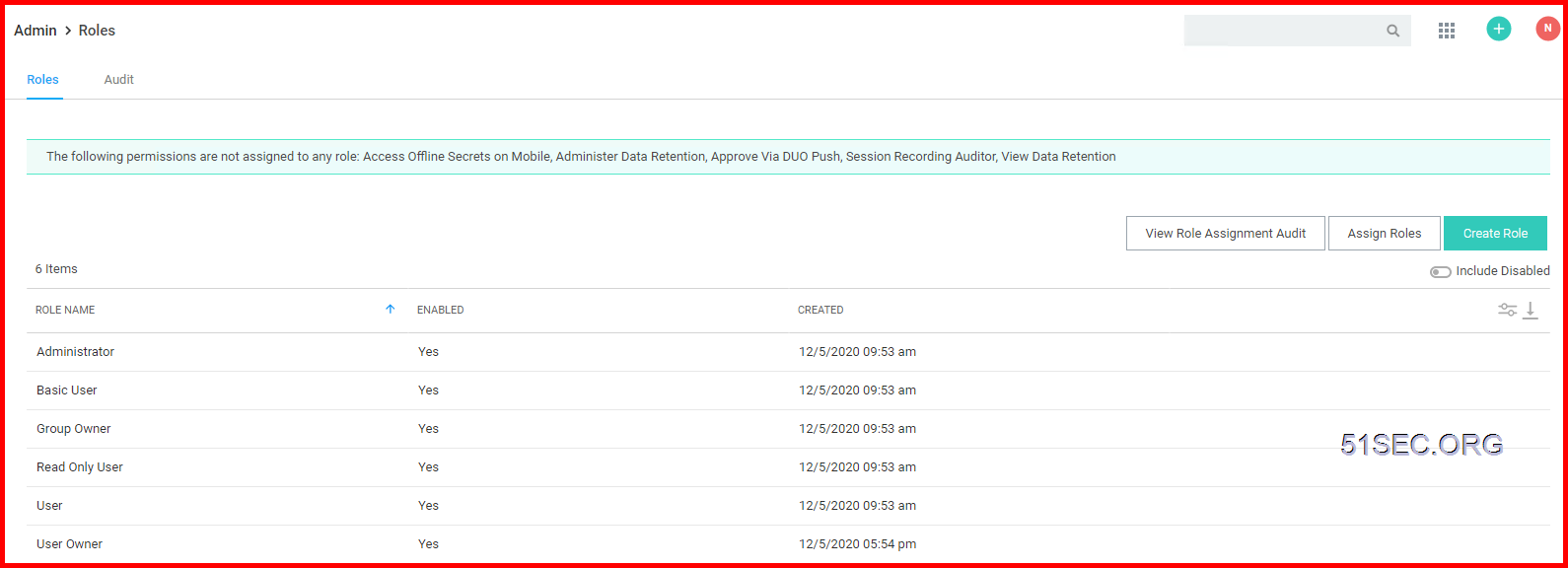
1 Define your own roles for your environment
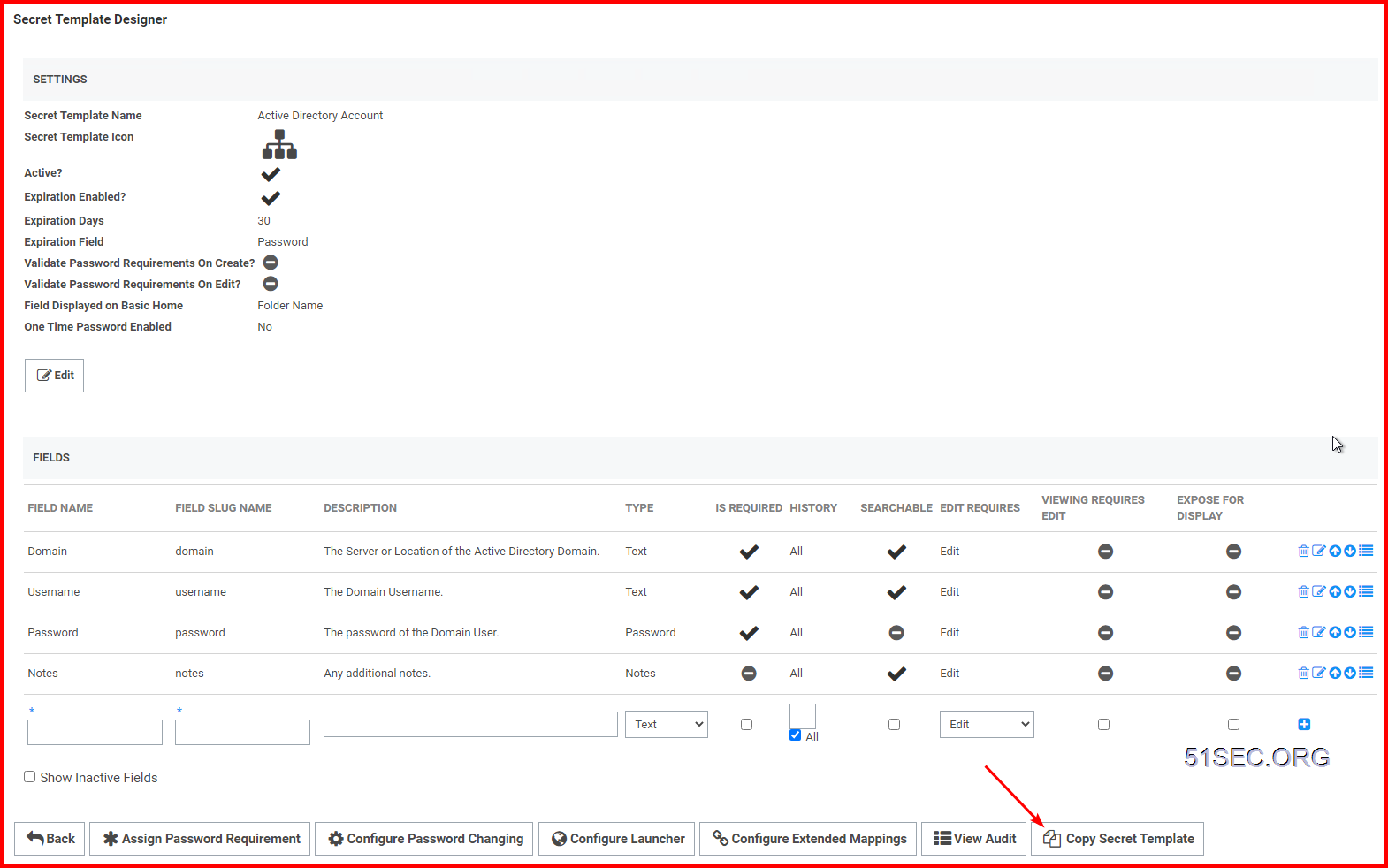
2 Create your own secrete templates
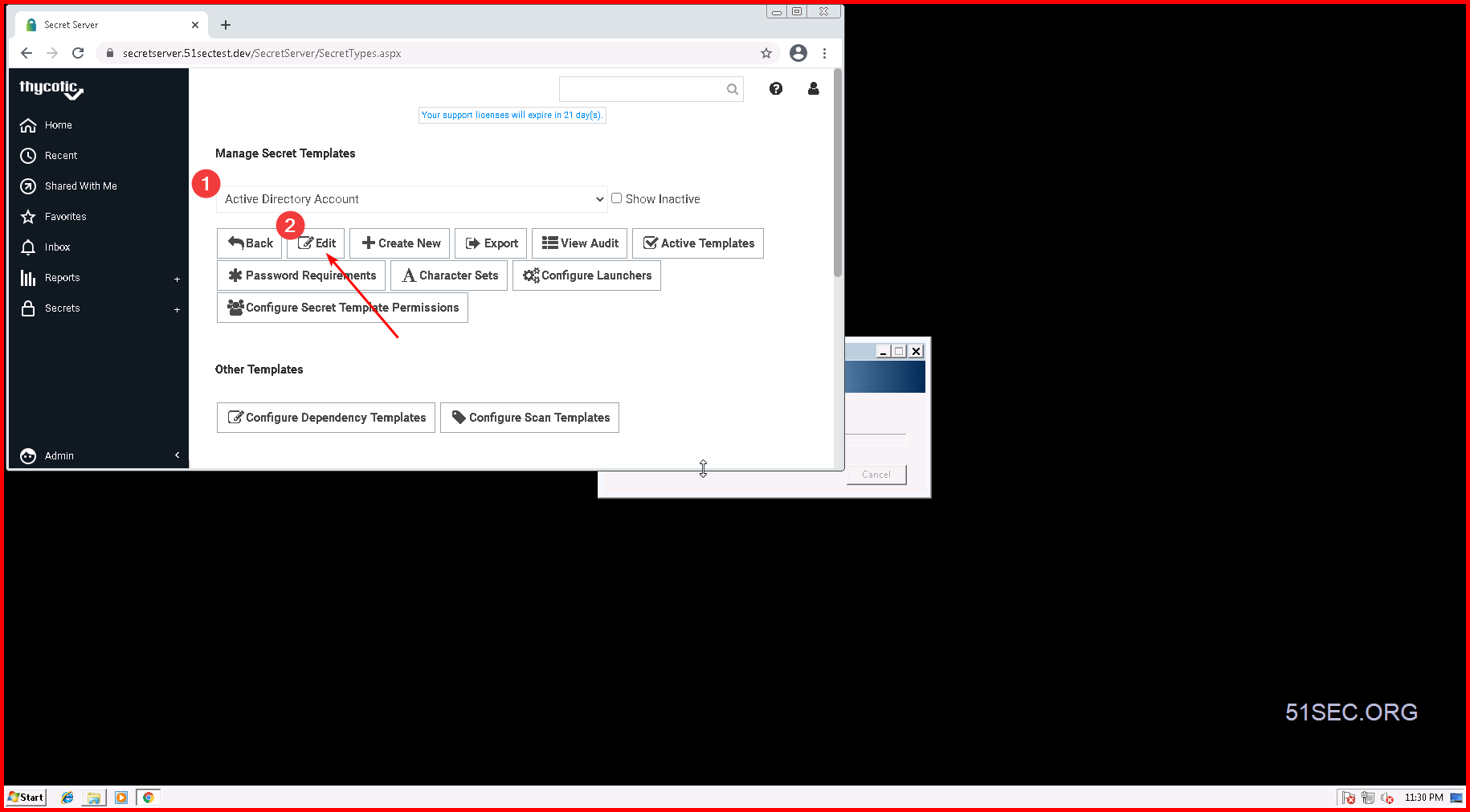
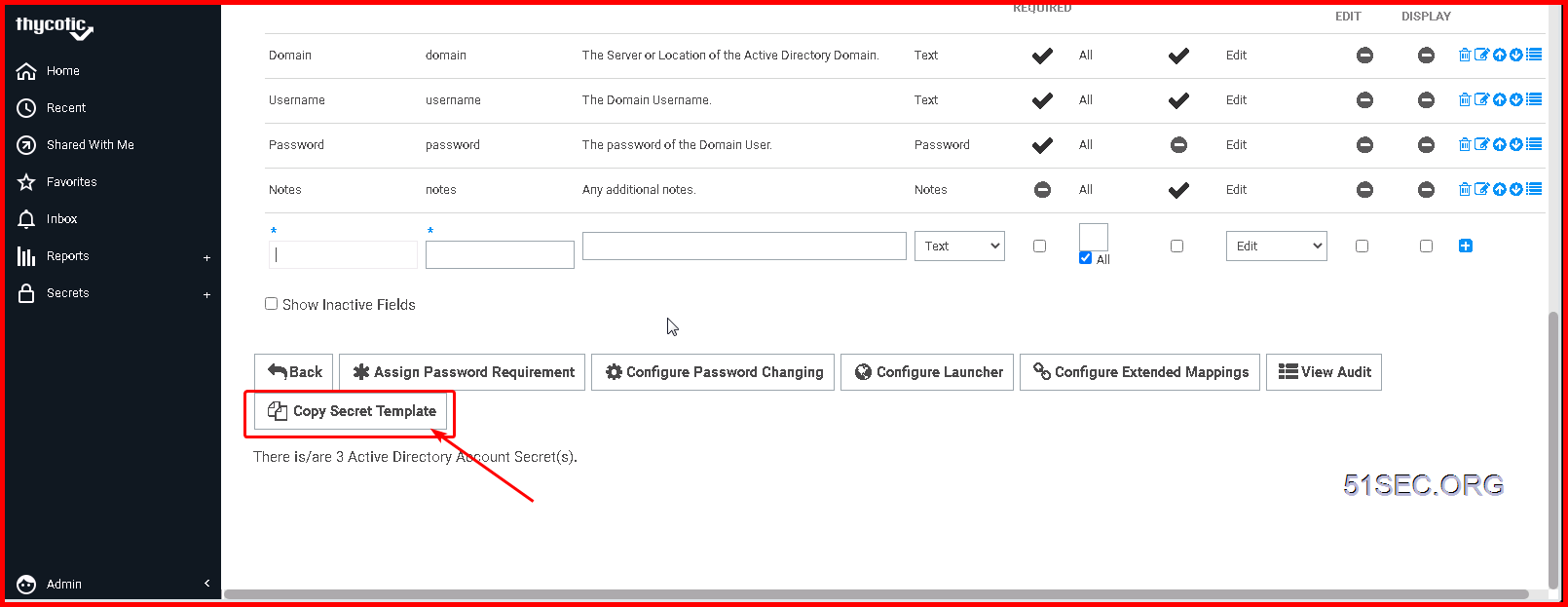
Click "Copy Secret Template" to save a copy of your current template
3 Create Security Policies
- <Not Set> will cause a setting to stay off
- <Default> will cause the setting to be on, but editable in the future by users with edit permissions on secret
- <Envorced> will cause the setting to be on and be uneditable, it will be locked onto any secret with this policy
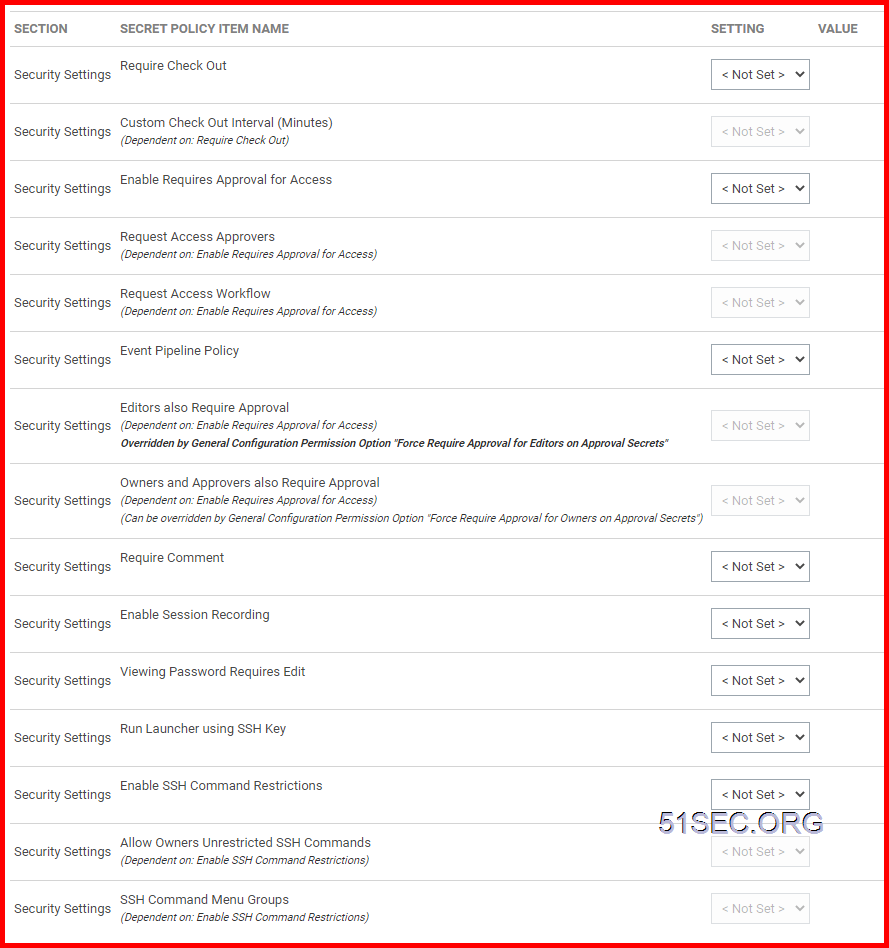
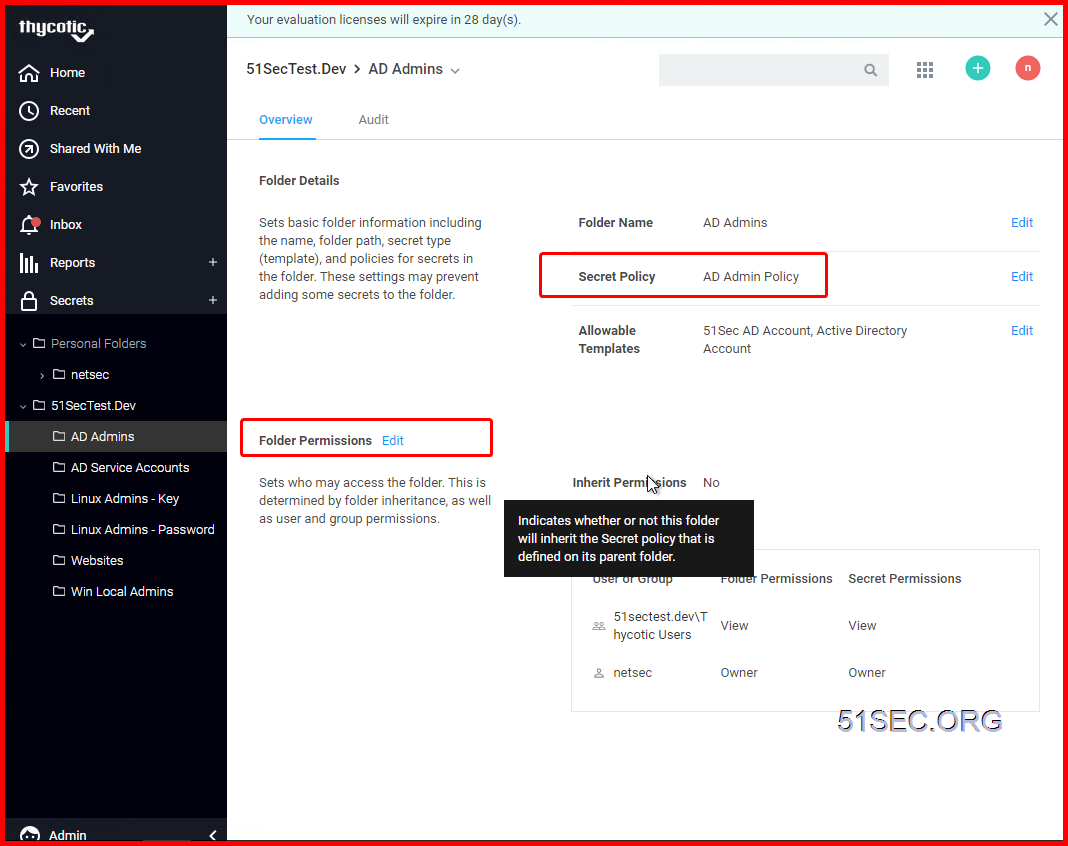
4 Create Secret folder structure and assign permission & Policy to corresponding folder
The most typical configuration is to break out the folders based on the teams that need to use those folders with the most restrictive permissions at the outer most “leaf” folders of the tree.
For Example:
-
Information Technology
-
Technical Services
-
Systems
- Windows
- UNIX
- Network Infrastructure
-
Database
- Oracle
- SQL Server
-
Systems
-
Development Services
- Programmers
-
Technical Services
- Vendors
- Human Resources
- Customers
An Oracle DBA might have the following permissions on the below folders:
-
Information Technology (VIEW)
-
Technical Services (VIEW)
-
Database (VIEW)
- Oracle (VIEW / EDIT / OWNER)
- SQL Server (VIEW / EDIT)
-
Database (VIEW)
-
Technical Services (VIEW)
Note: A user will not be able to see the full folder structure unless they have View permissions on all the parent folders of a particular folder. For example, a user with View on the “Oracle” folder, would also need View on “Database”, “Technical Services” and “Information Technology” to be able to see the full folder path.
There are settings under ADMIN > Configuration > Folders to control whether inheritance on folders and Secrets should be turned on and also whether users should always see all folders. There are many ways to configure this for your organization. The most common approach is:
- Use inheritance to get Parent Folder's permission list. Then break inheritance to customize special group's permission. This always has to be done at the last level.
- Don’t allow users to see folders unless they explicitly have View permissions
- Require all Secrets to have a Folder
This allows different teams or even different departments within your organization to use the same Secret Server instance independently.
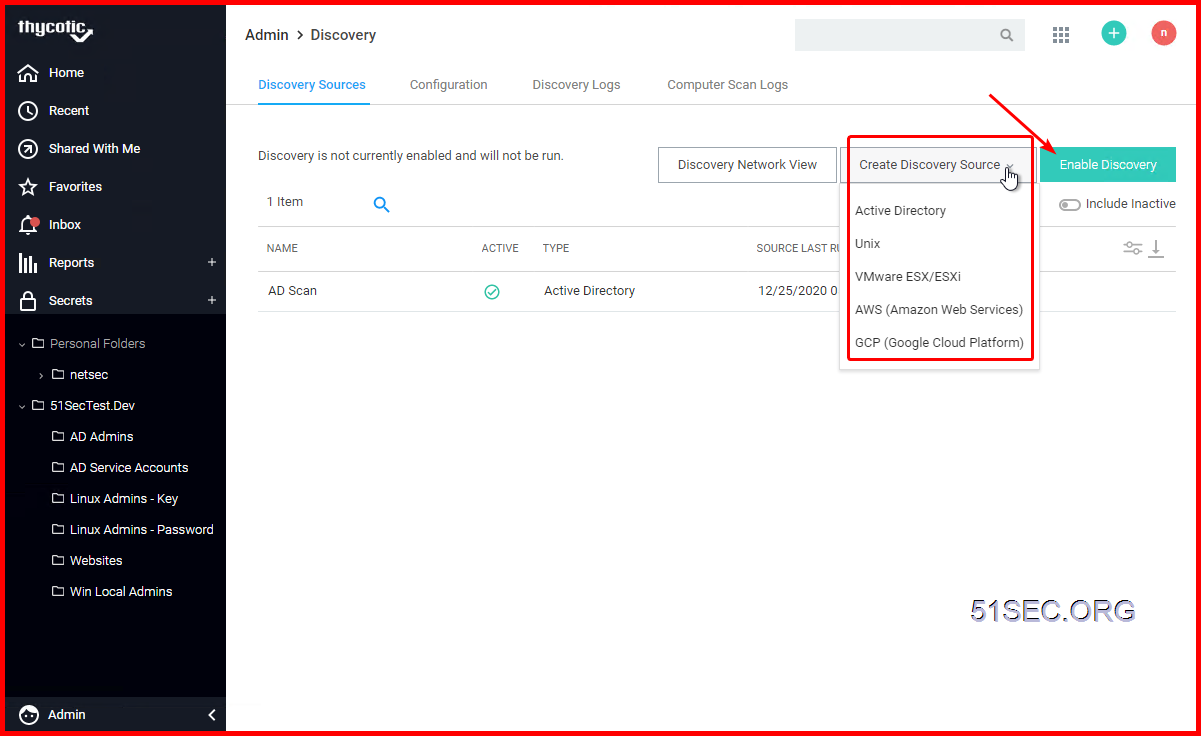
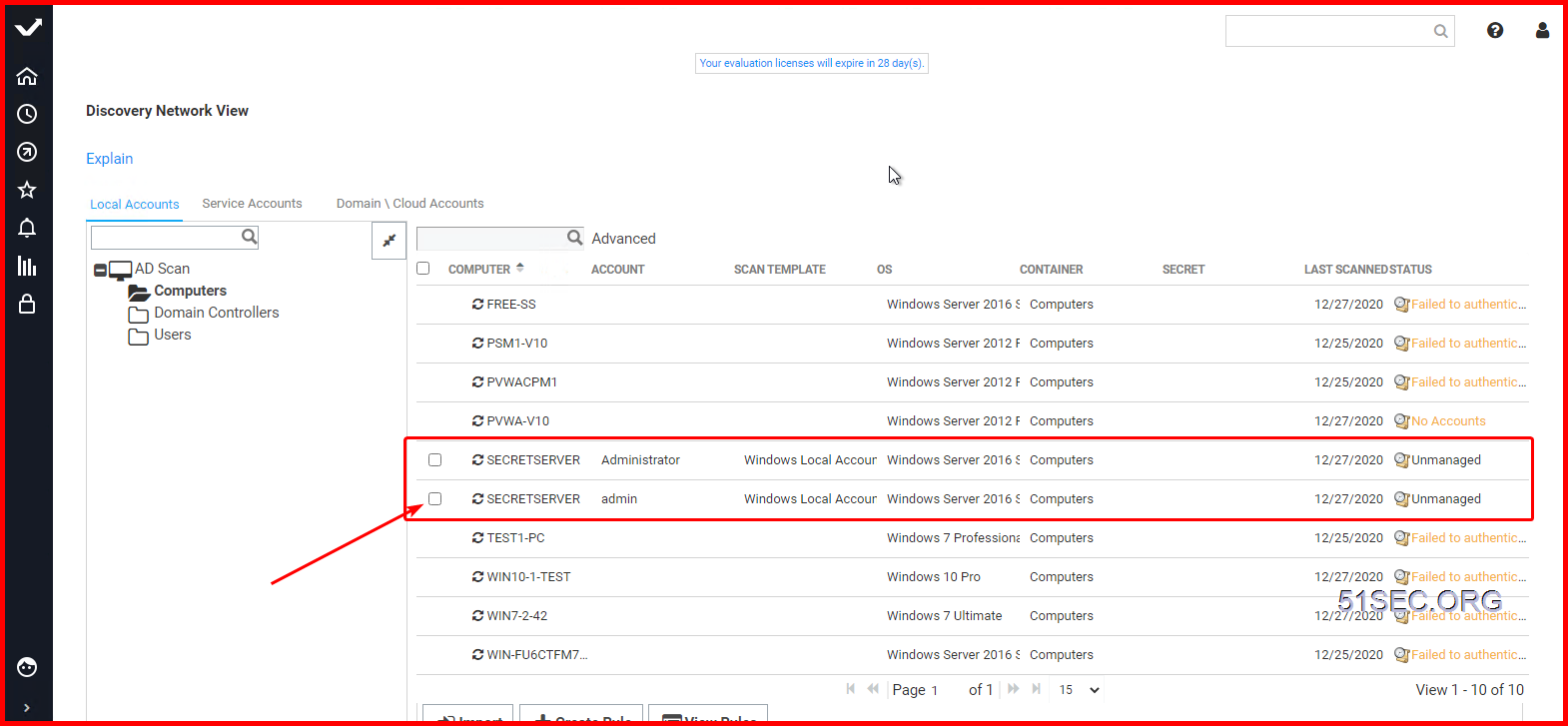
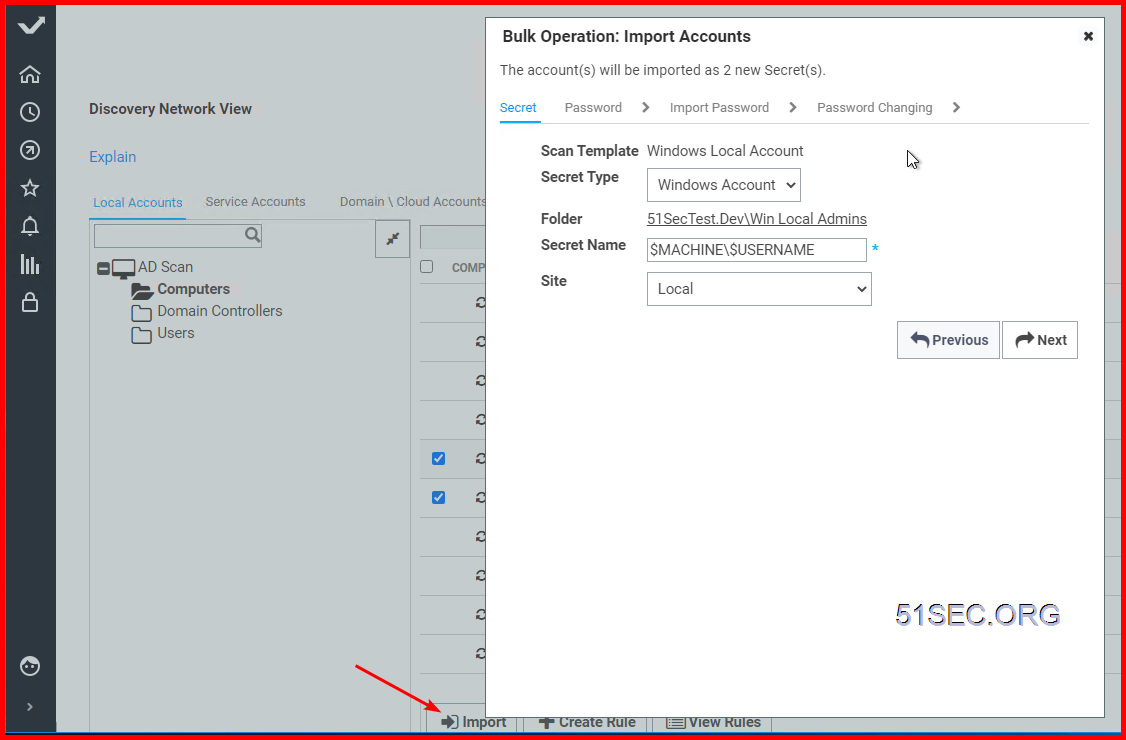
5 Discovery & Import
Onboard Linux Accounts
1 Create your own secrete templates
2 Create Own Security Policies
3 Create Own Secret folder and assign permission & Policy to corresponding folder
4 Onboard Account with SSH Key but no Password.
Onboard Network Device Accounts
1 Create your own secrete templates
2 Create Own Security Policies
3 Create Own Secret folder and assign permission & Policy to corresponding folder
4 Onboard Account with SSH Key but no Password.
via Blogger https://ift.tt/3pCVKXt
December 31, 2020 at 06:20PM Thycotic

 RSS Feed
