
Palo Alto User-ID™ enables you to identify all users on your network using a variety of techniques to ensure that you can identify users in all locations using a variety of access methods and operating systems, including Microsoft Windows, Apple iOS, Mac OS, Android, and Linux®/UNIX. Knowing who your users are instead of just their IP addresses enables.

The User-ID agent queries the Domain Controller and Exchange server logs using Microsoft Remote Procedure Calls (MSRPCs), which require a complete transfer of the entire log at each query.
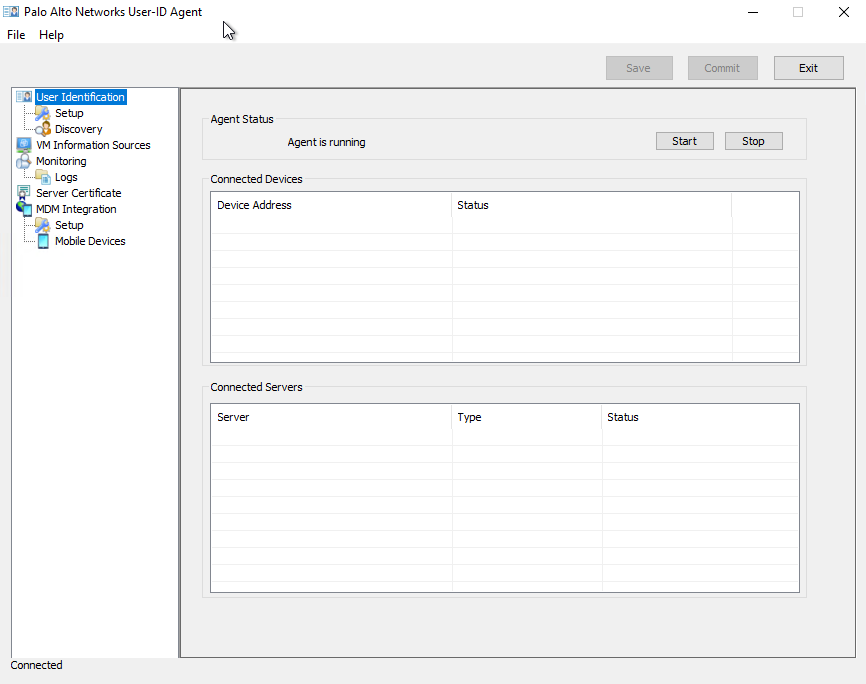
Open the Windows Start menu and select User-ID Agent.
User-ID
To enforce user- and group-based policies, the Palo Alto firewall must be able to map the IP addresses in the packets it receives to usernames. User-ID provides many mechanisms to collect this User Mapping information. For example, the User-ID agent monitors server logs for login events and listens for syslog messages from authenticating services. To identify mappings for IP addresses that the agent didn’t map, you can configure the firewall to redirect HTTP requests to a Captive Portal login. You can tailor the user mapping mechanisms to suit your environment, and even use different mechanisms at different sites to ensure that you are safely enabling access to applications for all users, in all locations, all the time.
To enable user- and group-based policy enforcement, the firewall requires a list of all available users and their corresponding group memberships so that you can select groups when defining your policy rules. The firewall collects Group Mapping information by connecting directly to your LDAP directory server, or using XML API integration with your directory server.
To enable user- and group-based policy enforcement, the firewall requires a list of all available users and their corresponding group memberships so that you can select groups when defining your policy rules. The firewall collects Group Mapping information by connecting directly to your LDAP directory server, or using XML API integration with your directory server.
The User-ID agent queries the Domain Controller and Exchange server logs using Microsoft Remote Procedure Calls (MSRPCs), which require a complete transfer of the entire log at each query.
Download User-ID Agent Installer:
- Log in to the Palo Alto Networks Customer Support web site.
-
Select
Software Updatesfrom the Manage Devices section.
-
Scroll to the User Identification Agent section of the screen and
Downloadthe version of the User-ID agent you want to install.
-
Save the
UaInstall-x.x.x-xx.msifile on the system(s) where you plan to install the agent.
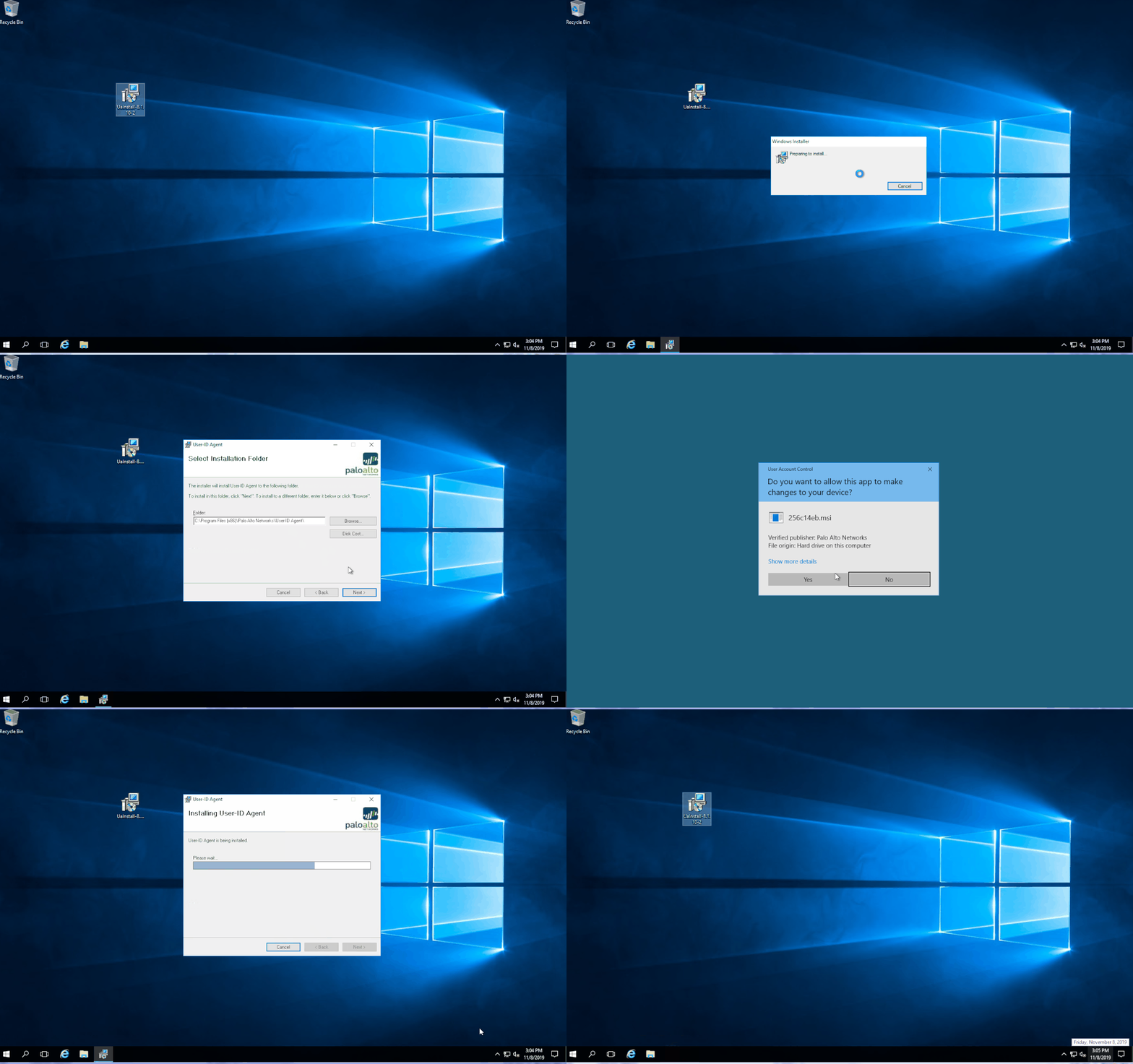
Installation of Palo Alto User-ID Agent:
Launch Palo Alto User-ID Agent:
Open the Windows Start menu and select User-ID Agent.
References:
- Install the User-ID Agent (Version 7.1)

 RSS Feed
