
After you configured your on-prem domain (Local AD DS) to sync with Azure Active Directory (AAD), next step is to get your clients to choose which one to log in, you can use only local AD or only Azure AD or both.
By default, after you completed your ADConnect setup, as instructed in previous post "Set Up On-Prem Domain For Identity Synchronization With Azure AD (AAD)", you will not be in Hybrid mode, which means you only can choose either local AD or AAD to log in, but not both as shown below screenshot:
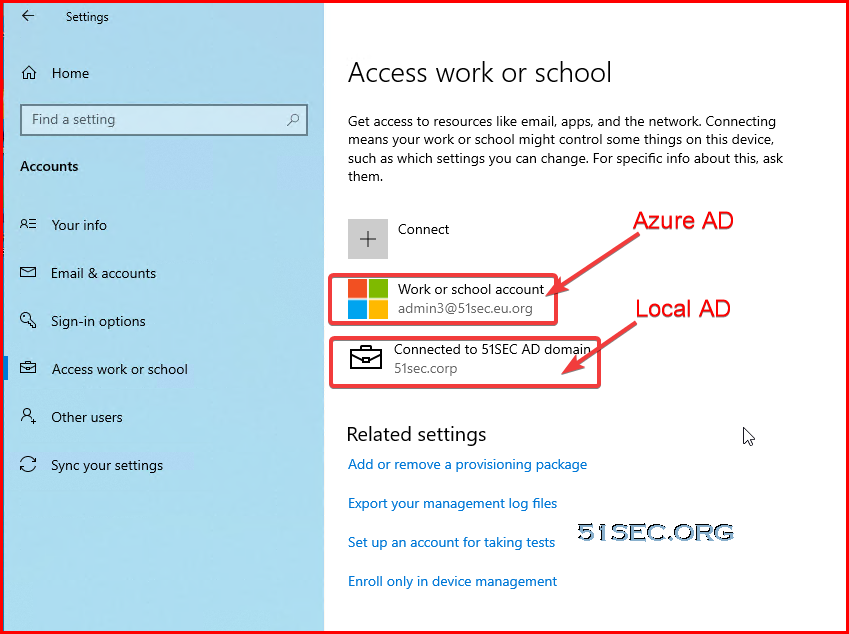
In this post, I am going to show you the steps how you can enable this Hybrid AD login for your client machines.
More details can be found from Microsoft doc: Tutorial: Configure hybrid Azure Active Directory join for managed domains
Basically if you have an on-premises Active Directory (AD) environment and you want to join your AD domain-joined computers to Azure AD, you can accomplish this by doing hybrid Azure AD join.
Pre-requisites
This is assume ADConnect configuration has been completed, user is able to log in with AAD account.Following post shows all steps to configure on-prem domain to sync with AAD.
Since Hybrid mode has been enabled, if you machine has not been joined into local AD, you should be able to directly join into AAD like shows in following screenshot:
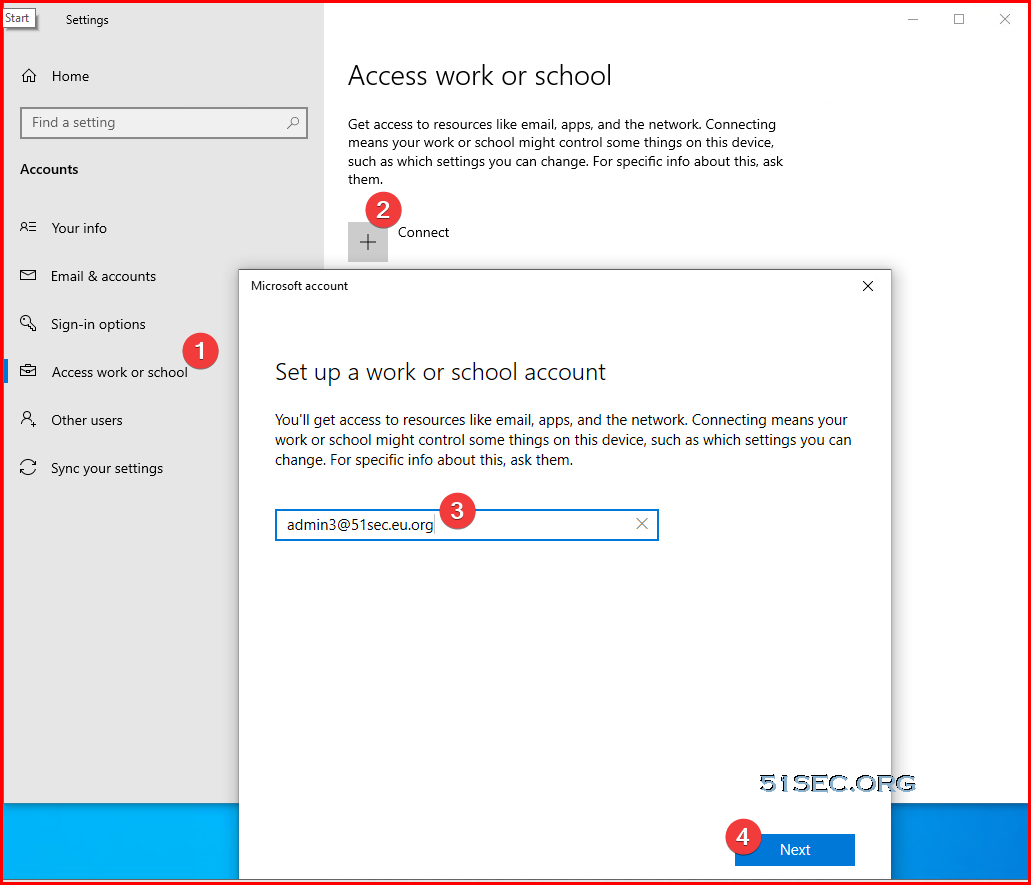
If you joined into domain already, you might want to dis-join it from local ad first, then join into AAD. Vice versa for the machine already joined AAD, you will disconnect from AAD to join into local AD. Not having both joined at the same time, since hybrid mode not enabled.
Enable Hybrid Mode
To configure a hybrid Azure AD join by using Azure AD Connect:
-
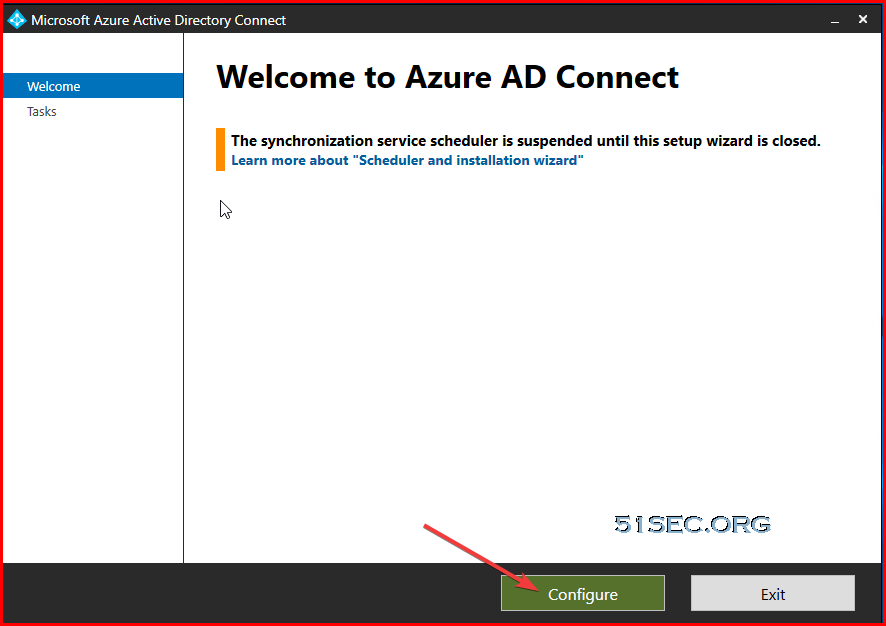
Start Azure AD Connect, and then select Configure.
-
-
In Additional tasks, select Configure device options, and then select Next. This will configure device registration (Hybrid Azure AD join) and synchronization (device writeback).

-
In Overview, select Next.
-
In Connect to Azure AD, enter the credentials of a global administrator for your Azure AD tenant.
-
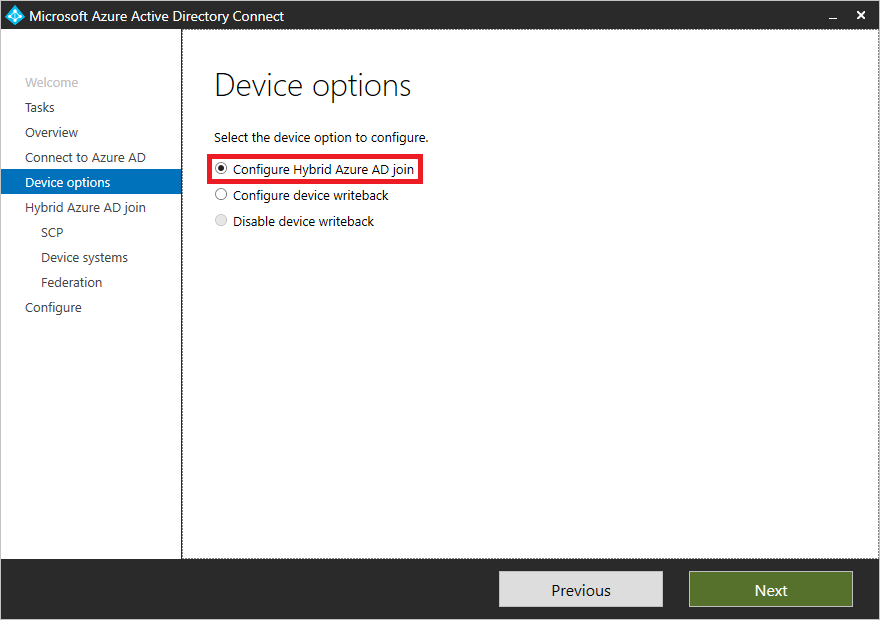
In Device options, select Configure Hybrid Azure AD join, and then select Next.
-
In Device operating systems, select the operating systems that devices in your Active Directory environment use, and then select Next.
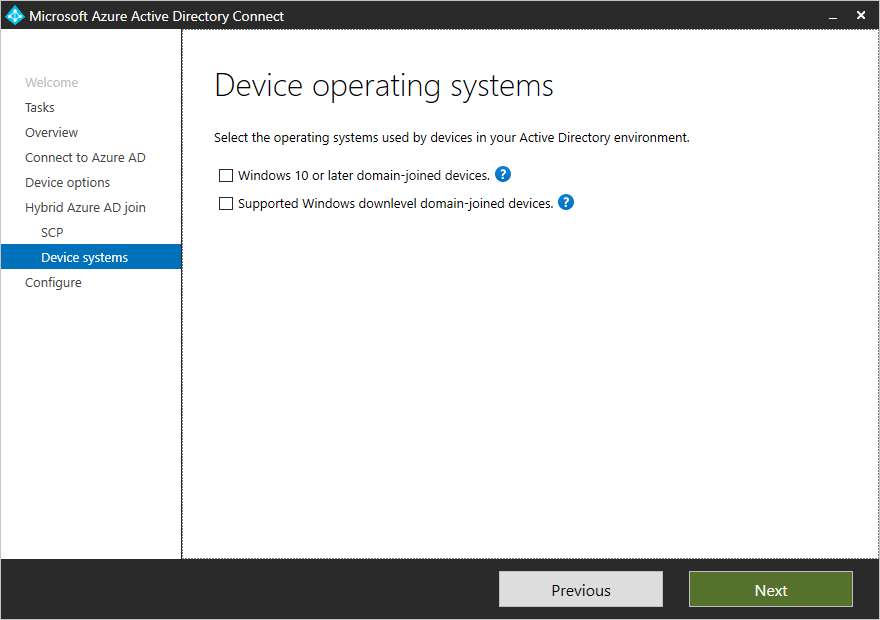
-
In SCP configuration, for each forest where you want Azure AD Connect to configure the SCP, complete the following steps, and then select Next.
- Select the Forest.
- Select an Authentication Service.
- Select Add to enter the enterprise administrator credentials.
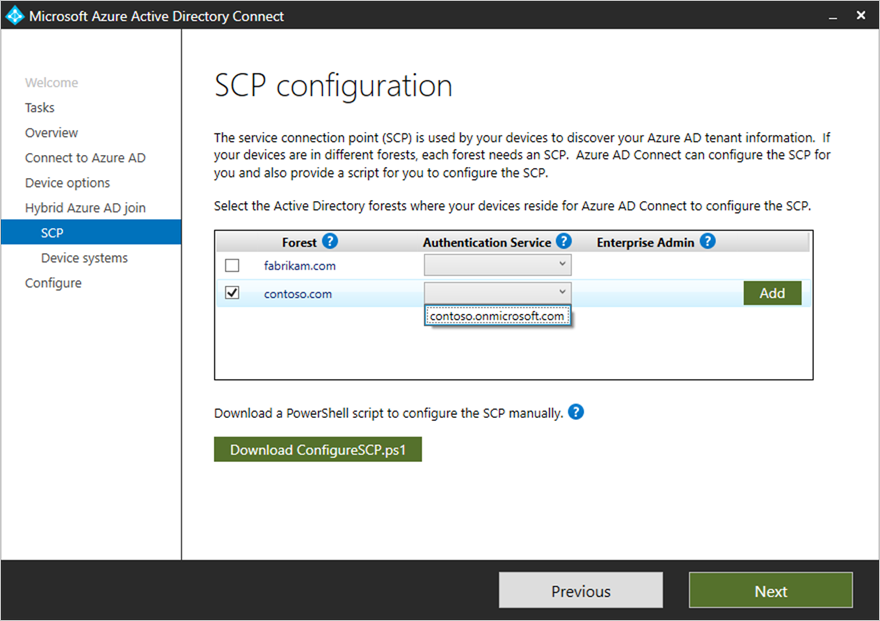
-
In Ready to configure, select Configure.
-
In Configuration complete, select Exit.
Get Machine Join into AAD and Local AD
No matter if you machine has joined into AAD or local AD or none of them, you can get your machine to join into both and use both of them to log in.
After joined into both, you can switch to either one of log in methods to log into your machine.
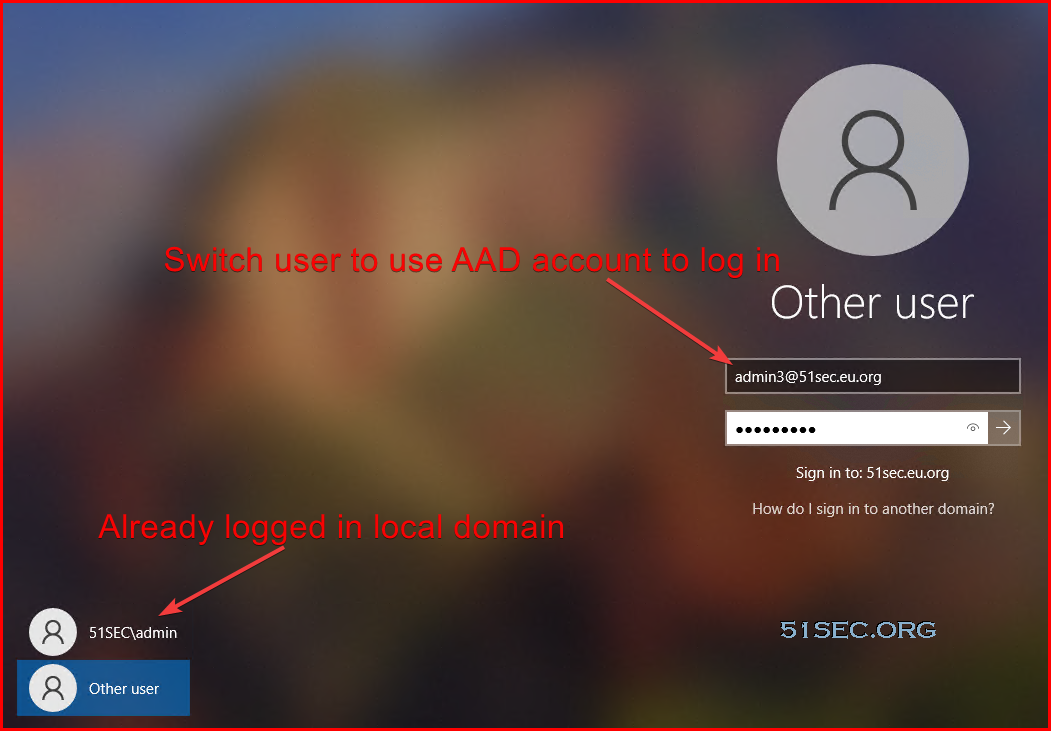
If they are same user, you will use same profile after logged in. If they are different user, they will use different profile.
References
via Blogger http://blog.51sec.org/2021/11/setup-hybrid-azure-active-directory.html
November 06, 2021 at 08:01PM Cloud

 RSS Feed
