
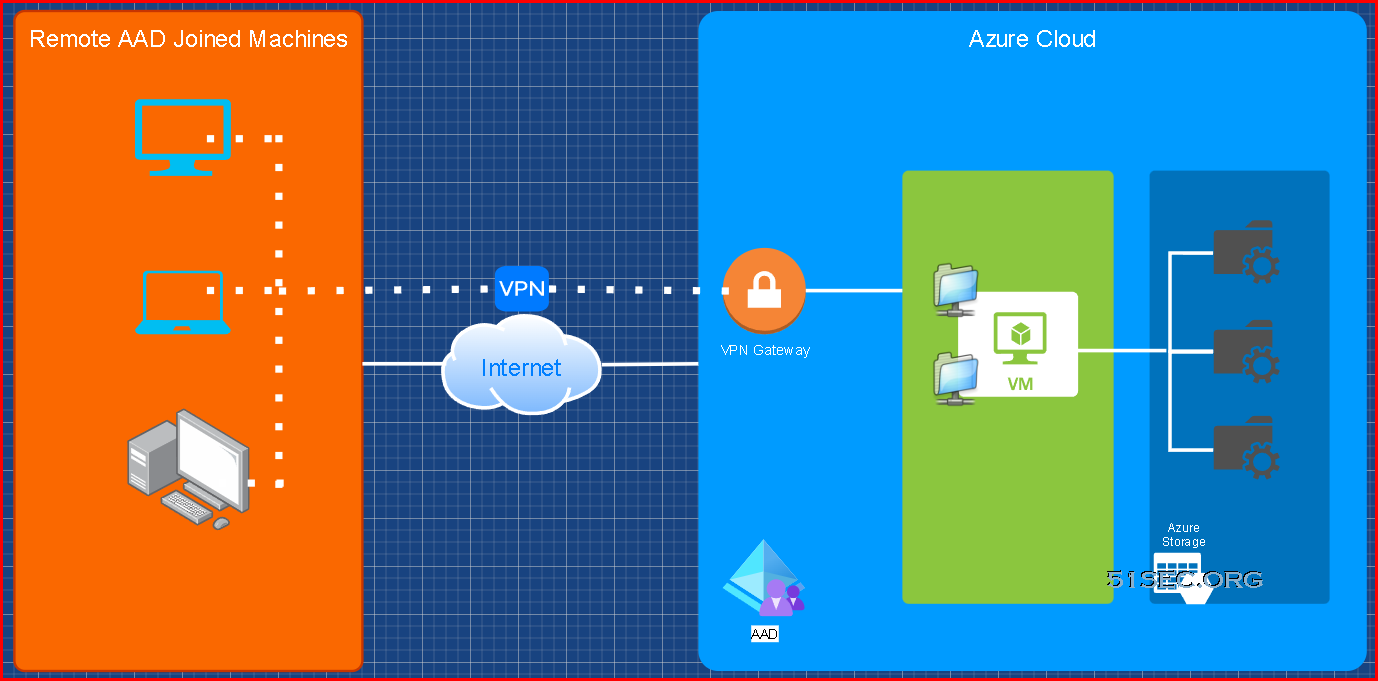
This post is to summarize the steps to have your remote AAD joined Windows machine to access Azure storage file shares with proper access control.
Diagram
Create AAD Users & Groups
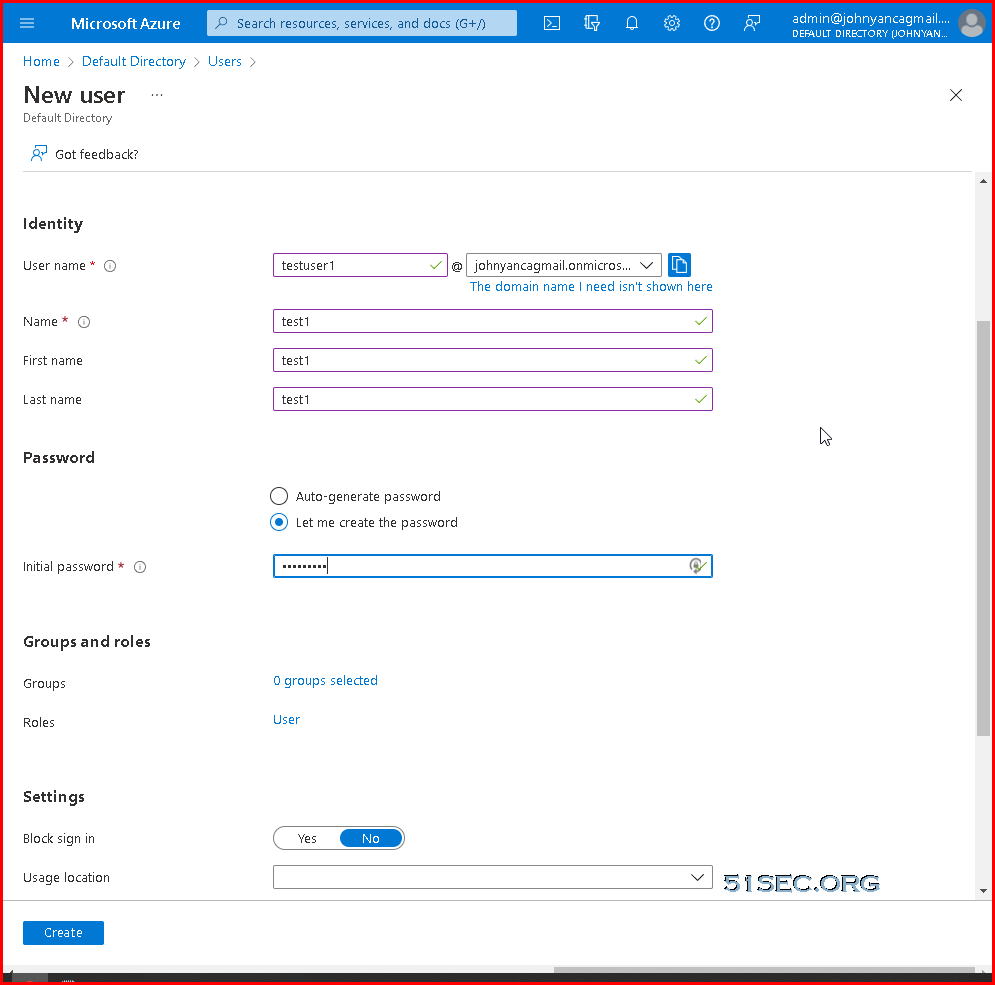
Create AAD Users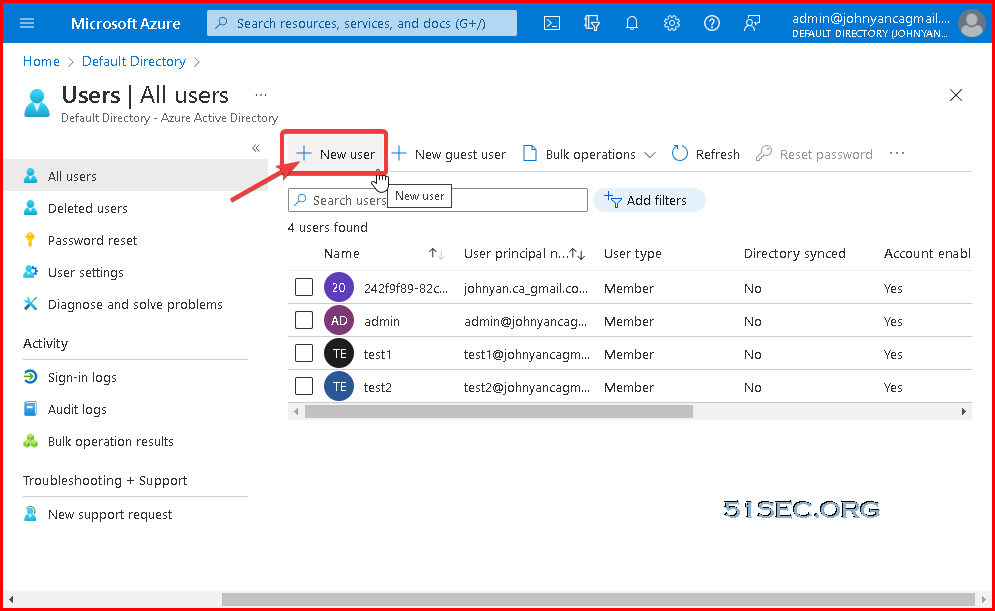
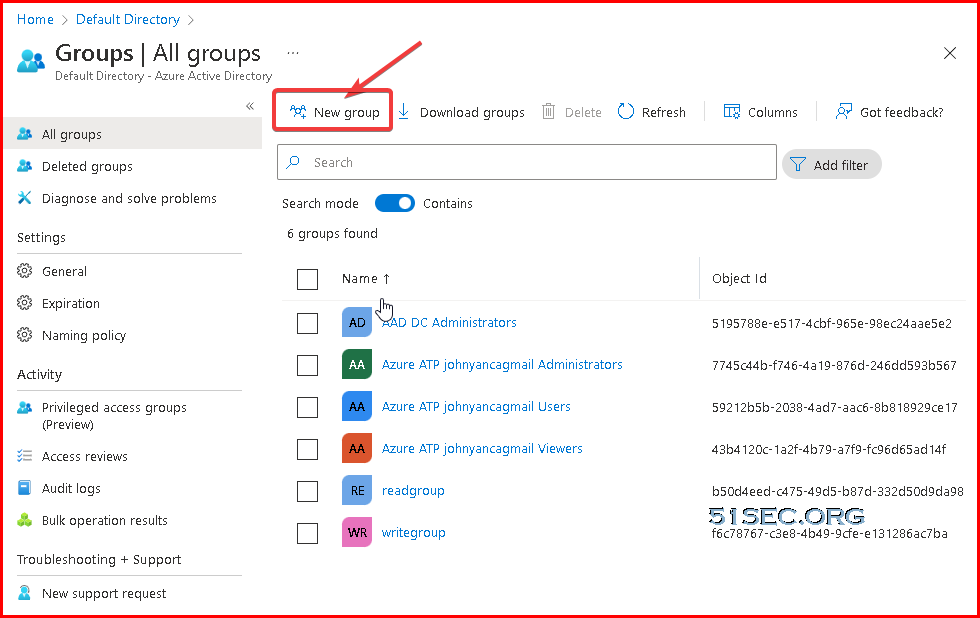
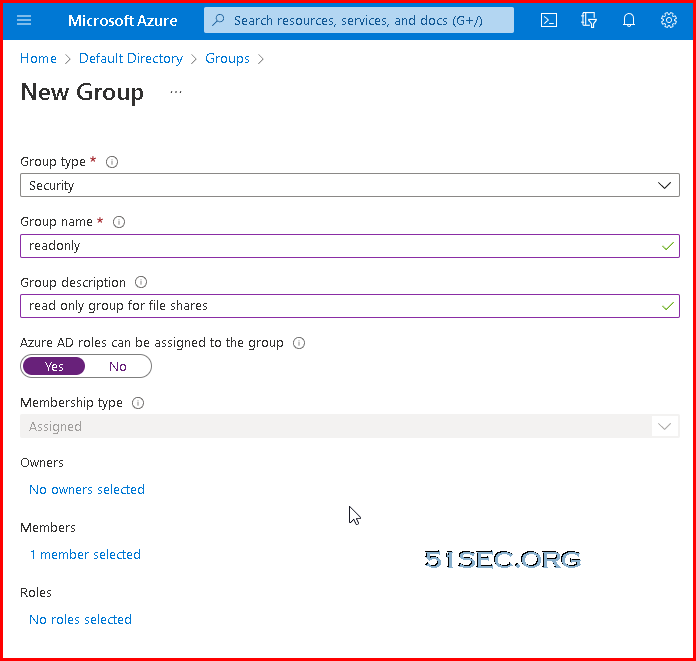
Create AAD Groups
Get Windows Client AAD Joined
Prerequisites
| Operating Systems | All Windows 11 and Windows 10 devices except Home editions |
| Windows Server 2019 Virtual Machines running in Azure (Server core isn't supported) |
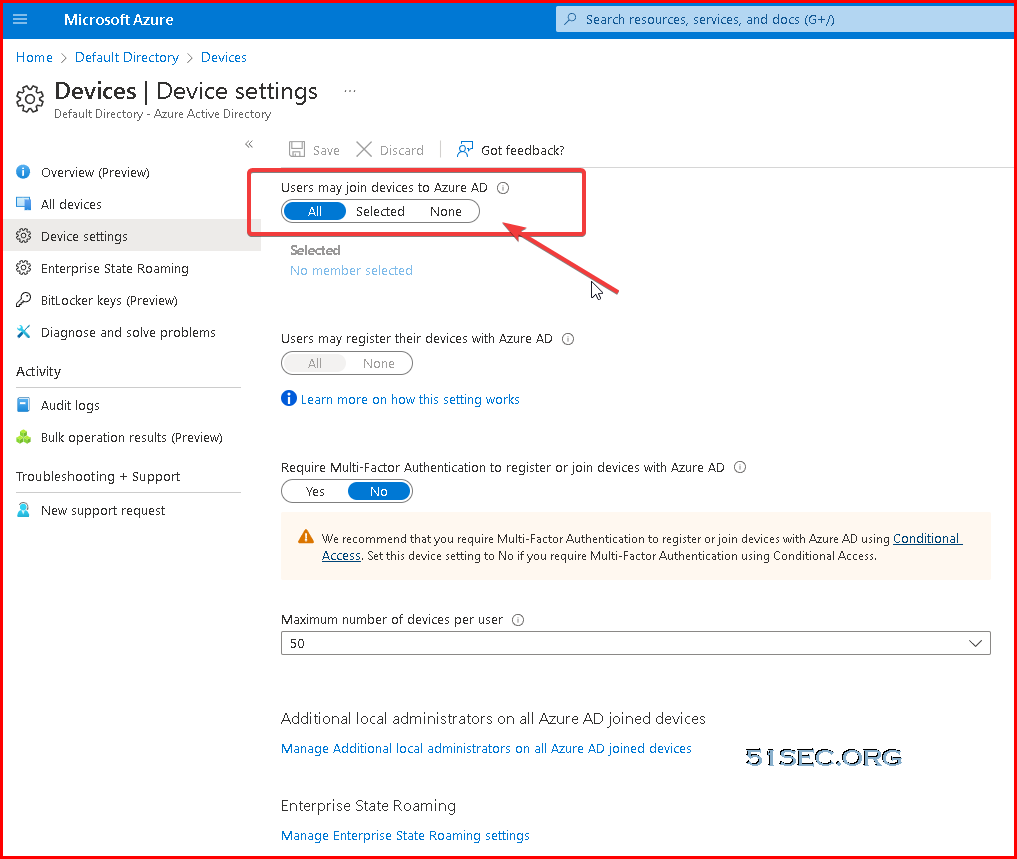
Azure AD join can be used in various scenarios like:
- You want to transition to cloud-based infrastructure using Azure AD and MDM like Intune.
- You can’t use an on-premises domain join, for example, if you need to get mobile devices such as tablets and phones under control.
- Your users primarily need to access Microsoft 365 or other SaaS apps integrated with Azure AD.
- You want to manage a group of users in Azure AD instead of in Active Directory. This scenario can apply, for example, to seasonal workers, contractors, or students.
- You want to provide joining capabilities to workers who work from home or are in remote branch offices with limited on-premises infrastructure
Difference between Domain / Hybrid / Azure AD Joined / Azure AD registered device:

Verify
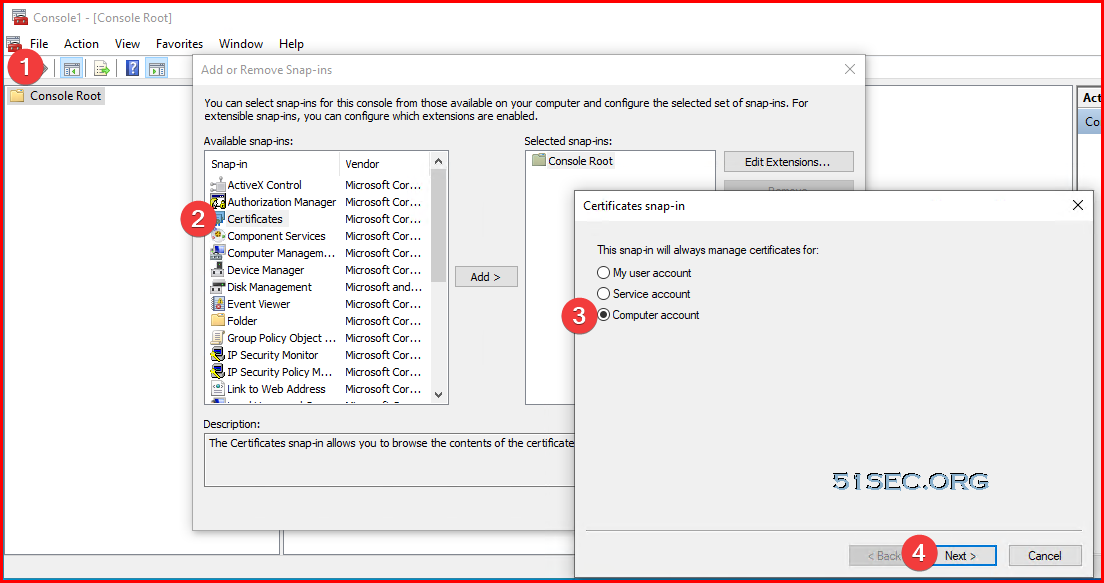
MMC - Add/Remove Snap-in - Certificate - Computer account - Local computer
Certmgr.msc
dsregcmd /status
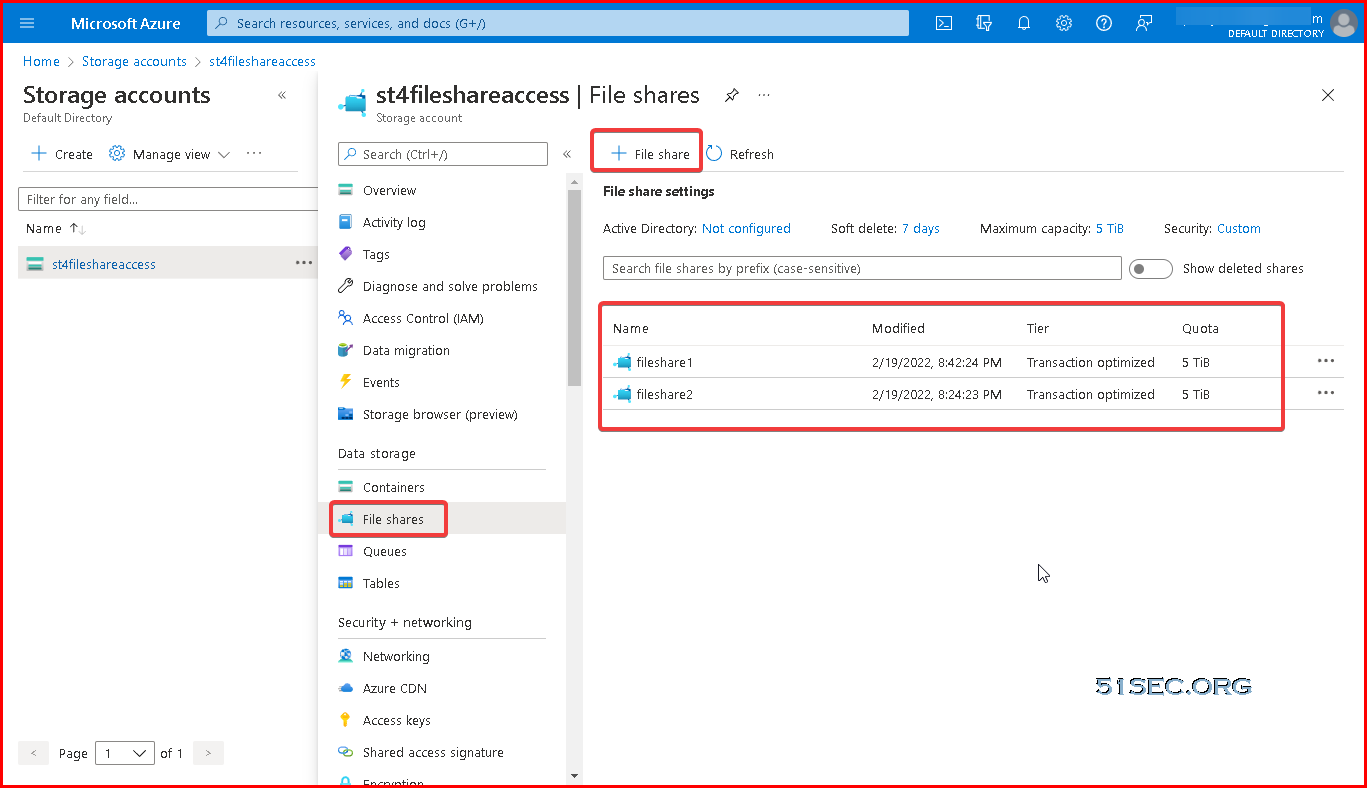
Create Storage Accounts and File Shares
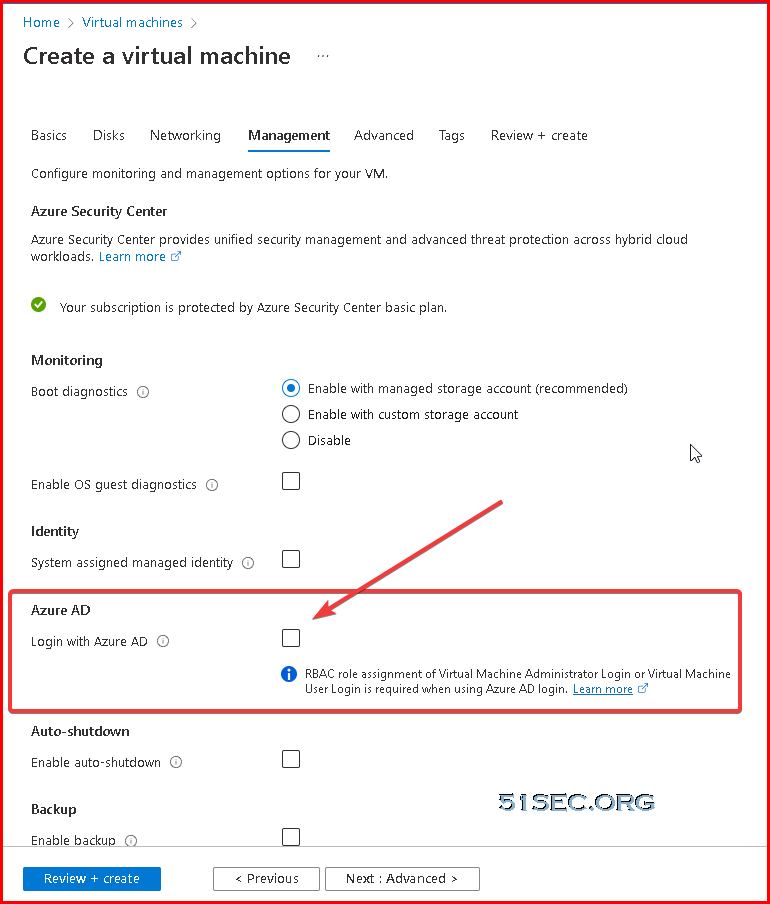
Create AAD Joined Windows 2019 Azure VM and Assign AAD Users Permission to VM
You can now join Windows 2019 Server to Azure AD using Azure AD domain Join. This uses Azure Active Directory (AD) authentication for Azure virtual machines running Windows Server 2019 Datacenter edition or Windows 10 1809 and later.
This provides a centrally controlled, policy driven method for logging on to VMs and authenticating using Azure AD.
This is carried out by using Azure tools such as Azure AD Conditional Access for MFA and Azure Role-Based Access Control (RBAC) to control access.
Create Storage Sync Service and Set up Tiered Sync and Shares
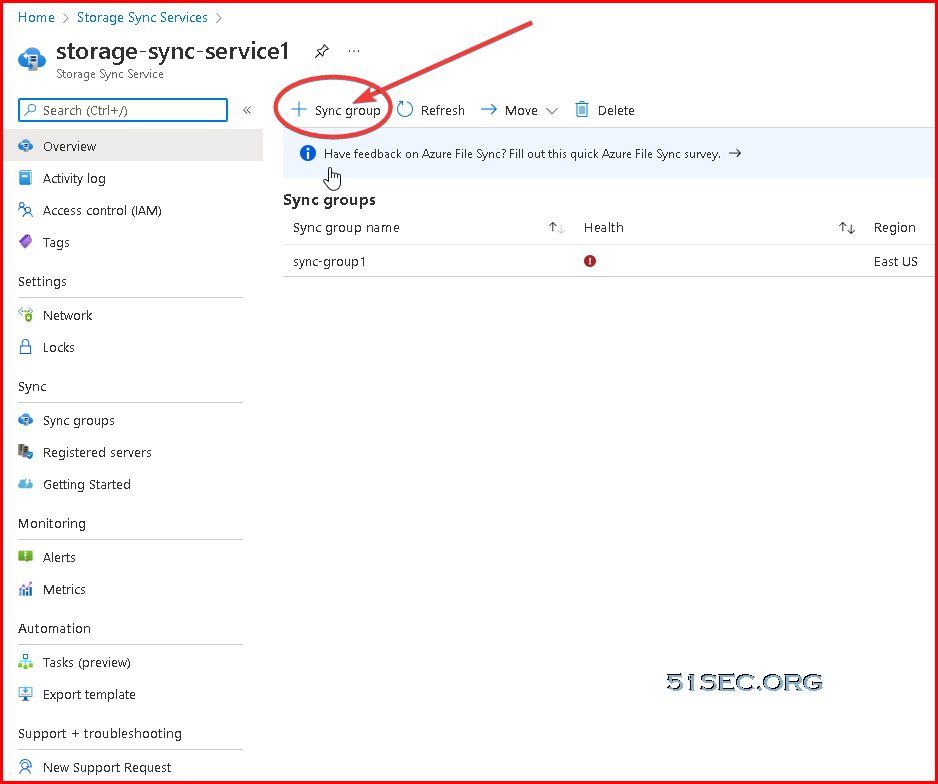
Create storage sync service:
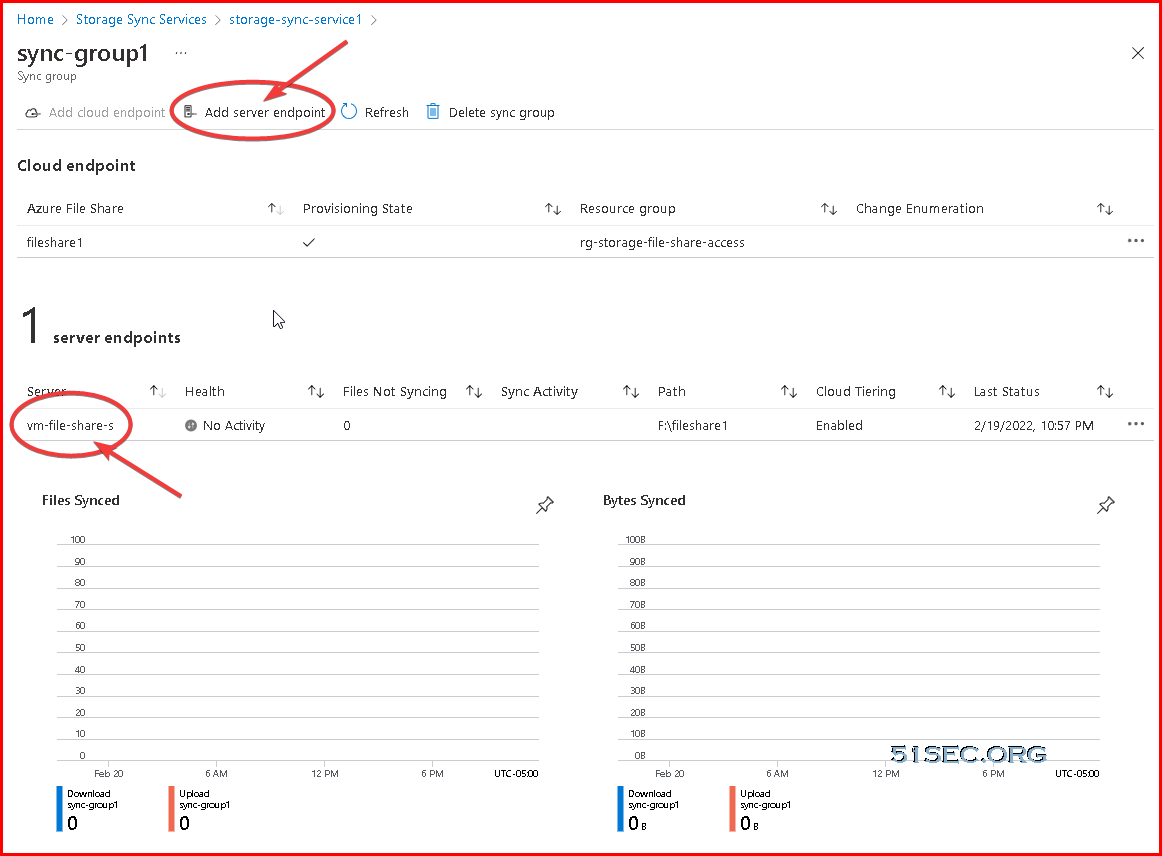

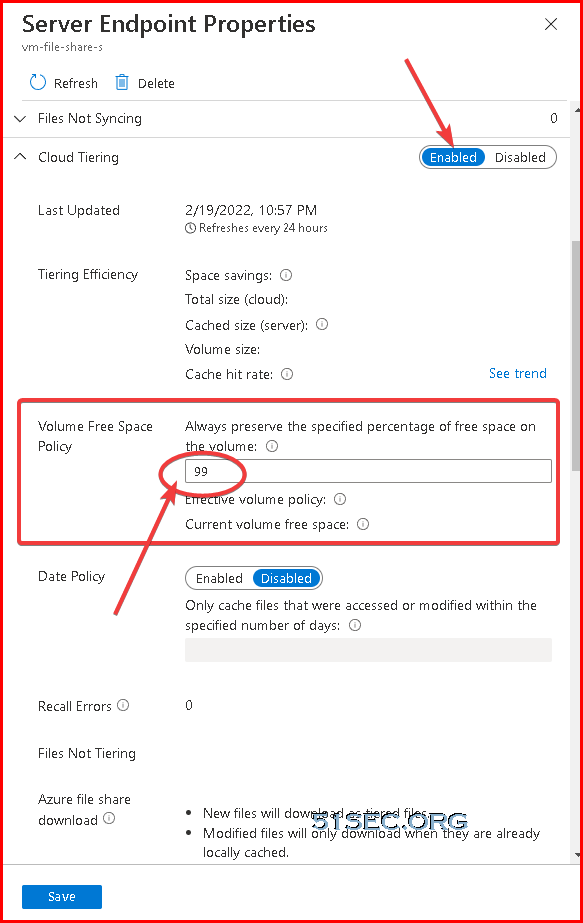
Cloud Tiering :
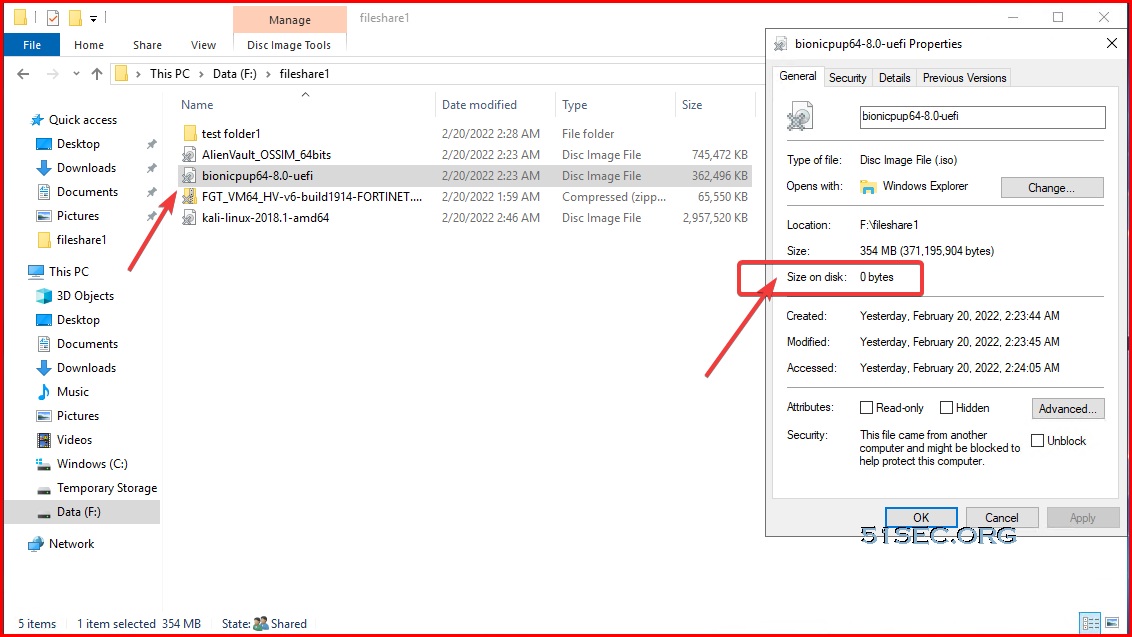
Assign AAD Users Permission to Share Folder
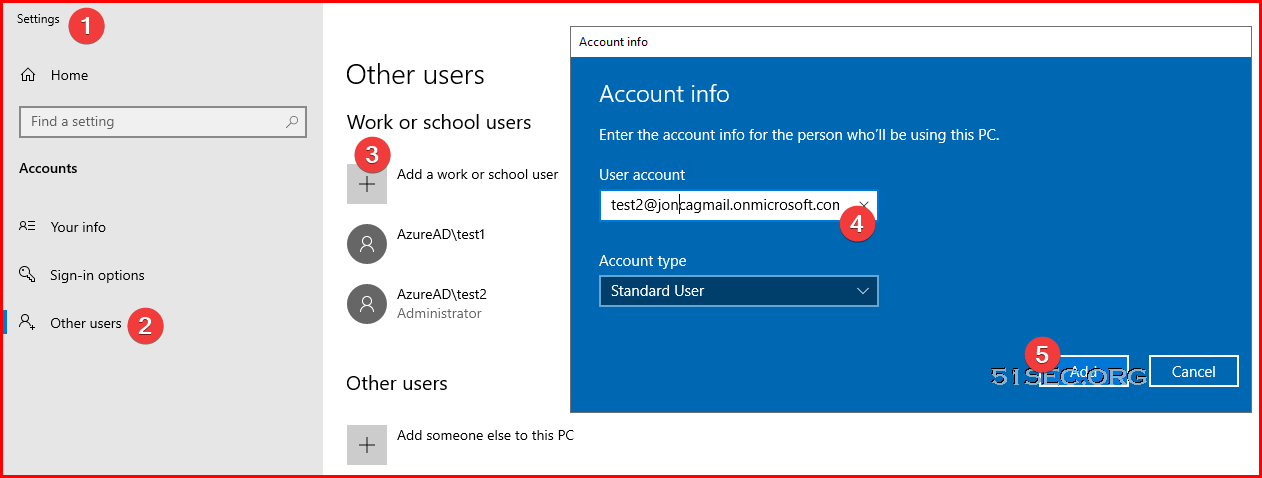
Add AAd accounts to have access to virtual machine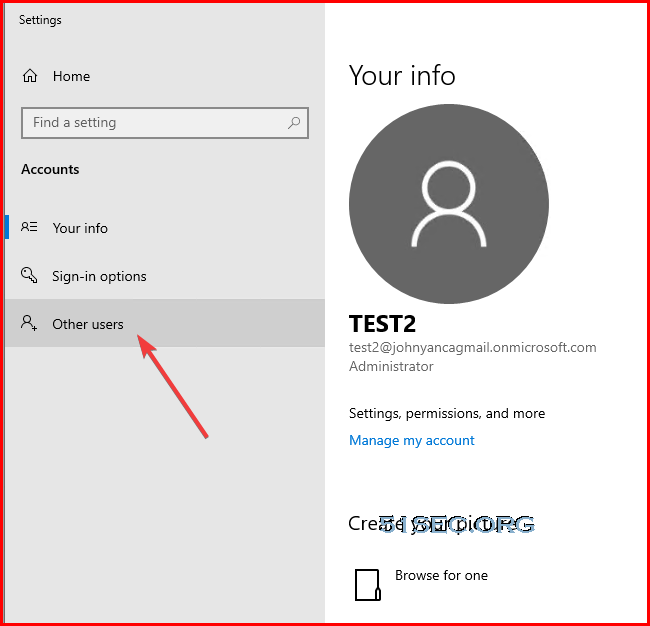
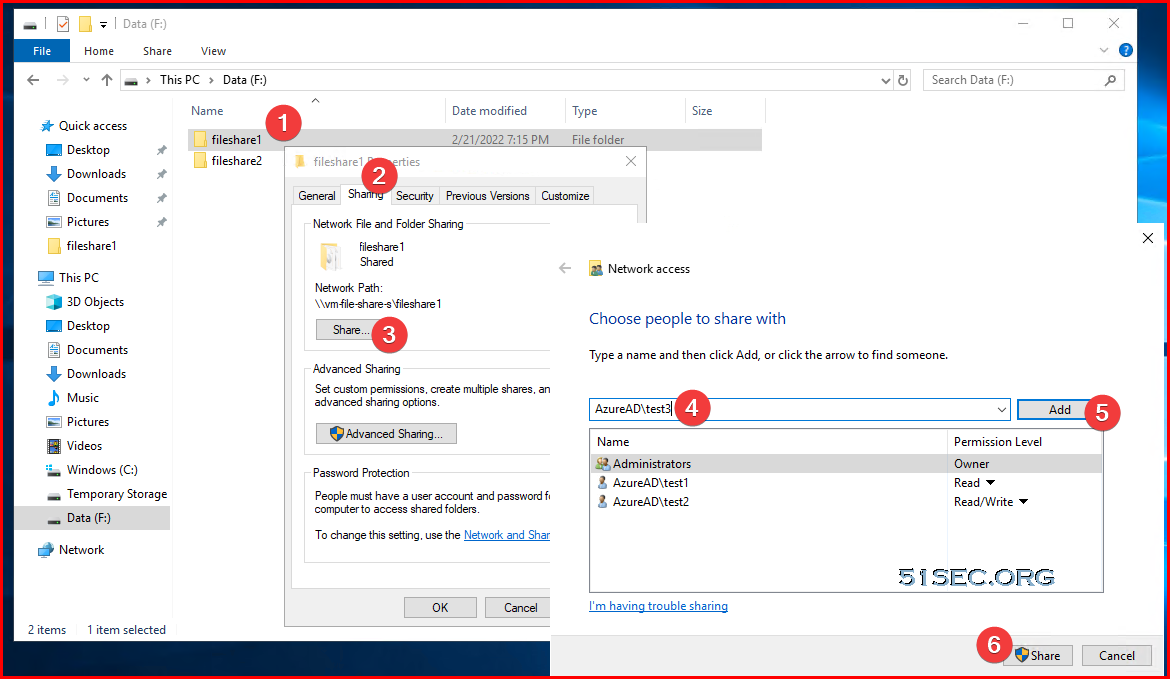
Assign permission to share folders
Create P2S VPN
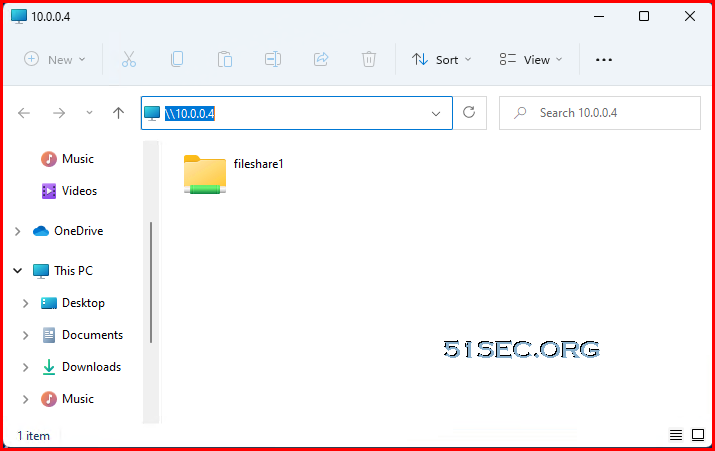
Please refer to this post:Access Azure VM's File Share
PS C:\Users\test2> ipconfig
Windows IP Configuration
Ethernet adapter Ethernet0:
Connection-specific DNS Suffix . : lan
Link-local IPv6 Address . . . . . : fe80::fd79:1858:9a7c:5a4f%4
IPv4 Address. . . . . . . . . . . : 192.168.2.71
Subnet Mask . . . . . . . . . . . : 255.255.255.0
Default Gateway . . . . . . . . . : 192.168.2.1
PPP adapter rg-storage-file-share-access-vnet:
Connection-specific DNS Suffix . :
IPv4 Address. . . . . . . . . . . : 172.16.0.3
Subnet Mask . . . . . . . . . . . : 255.255.255.255
Default Gateway . . . . . . . . . :
PS C:\Users\test2> ping 10.0.0.4
Pinging 10.0.0.4 with 32 bytes of data:
Reply from 10.0.0.4: bytes=32 time=28ms TTL=127
Reply from 10.0.0.4: bytes=32 time=27ms TTL=127
Reply from 10.0.0.4: bytes=32 time=29ms TTL=127
Reply from 10.0.0.4: bytes=32 time=30ms TTL=127
Ping statistics for 10.0.0.4:
Packets: Sent = 4, Received = 4, Lost = 0 (0% loss),
Approximate round trip times in milli-seconds:
Minimum = 27ms, Maximum = 30ms, Average = 28ms
PS C:\Users\test2>
References
- Join your work device to your work or school network
- Azure AD joined devices
- https://www.youtube.com/watch?v=Dj3zOaQ3oUk
- Disable Mandatory Windows Hello for Business Prompt on Azure AD joined Devices
via Blogger http://blog.51sec.org/2022/02/remote-aad-joined-machine-access-azure.html
February 21, 2022 at 03:38PM Cloud

 RSS Feed
