Info Security Memo
  • Blog
  • Sitemap
    • Categories
  • Contact
  • About
  • Resources
  • Tools
  • 51sec.org

Build Confidence

Focusing on Information Security 

Info Security Notes

Methods to Deploy AriaNg (Dockerhttphttps)

10/13/2022

0 Comments

 
Methods to Deploy AriaNg (Docker,http,https,)
AriaNg is a modern web frontend making aria2 easier to use. AriaNg is written in pure html & javascript, thus it does not need any compilers or runtime environment. There are lots of ways to deploy AriaNg. In this post, I summarizes some typical ways to do that especially for https configuration on some Serverless platforms such as Cloudflare.


Diagram
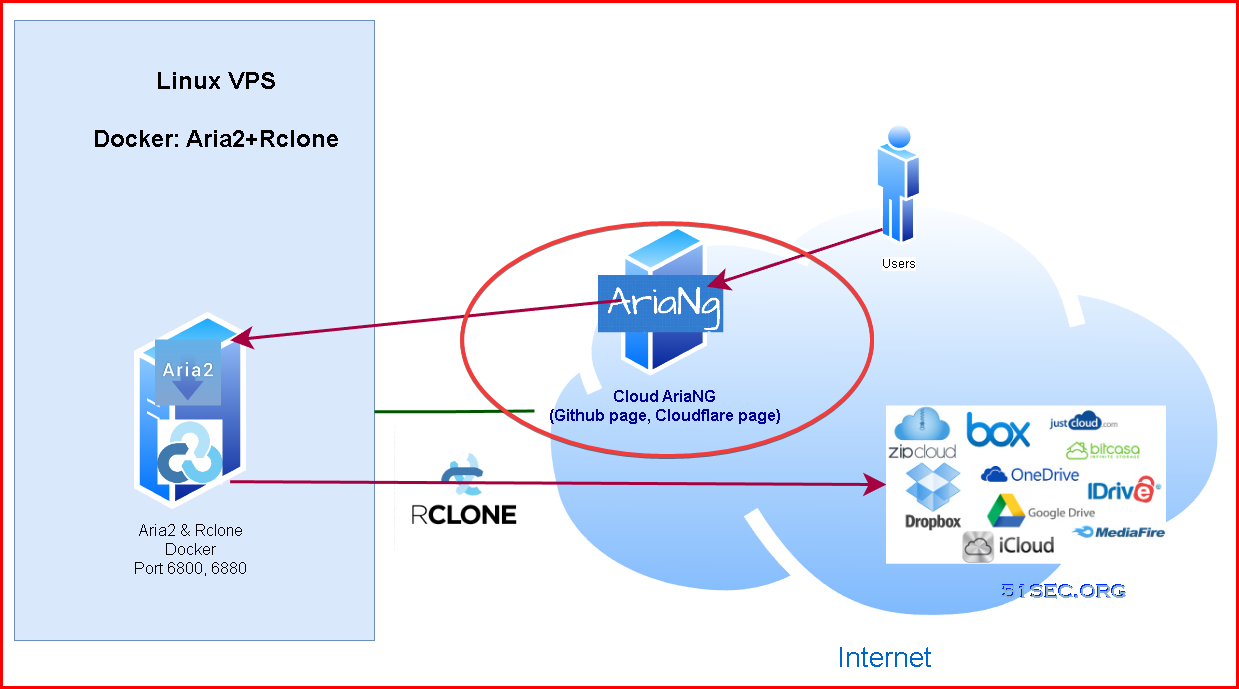


Cloud AriaNg (No Need Deployment)

Online Cloud AriaNg Sites:
  • http://ariang.mayswind.net/latest
  • http://ariang.js.org
  • http://ariang.eu.org
  • http://p3terx.gitee.io/ariang
  • http://download.51sec.org
Tips: The Aria2 RPC configuration including RPC password will not be saved on AriaNG server. All those settings are cached into your local browser. AriaNG is just used to send the commands to Aria2 to execute. 

Docker

If you already has a server and installed docker, you can use following docker command to deploy it yourself:

docker run -d \
    --name ariang \
    --log-opt max-size=1m \
    --restart unless-stopped \
    -p 6880:6880 \
    p3terx/ariang
Make sure port 6880 is opened on your firewall. 

Log into Docker 
docker exec -it ariang bash

Other docker commands:

Reboot:
  • docker restart aria2-pro

Re-deploy: 
  • docker rm -f aria2-pro
  • docker rmi p3terx/aria2-pro
  • rm -rf ~/aria2-config
  • docker pull p3terx/aria2-pro
  • docker run <...>

Check Logs
  • Realtime logs:
    • docker logs -f --tail 30 aria2-pro
  • Export logs
    • docker logs aria2-pro > ~/aria2-pro.log


https - Github Page


1 Go to AriaNg's official Github site to download AriaNg-AllInOne zip file from url : https://github.com/mayswind/AriaNg/releases
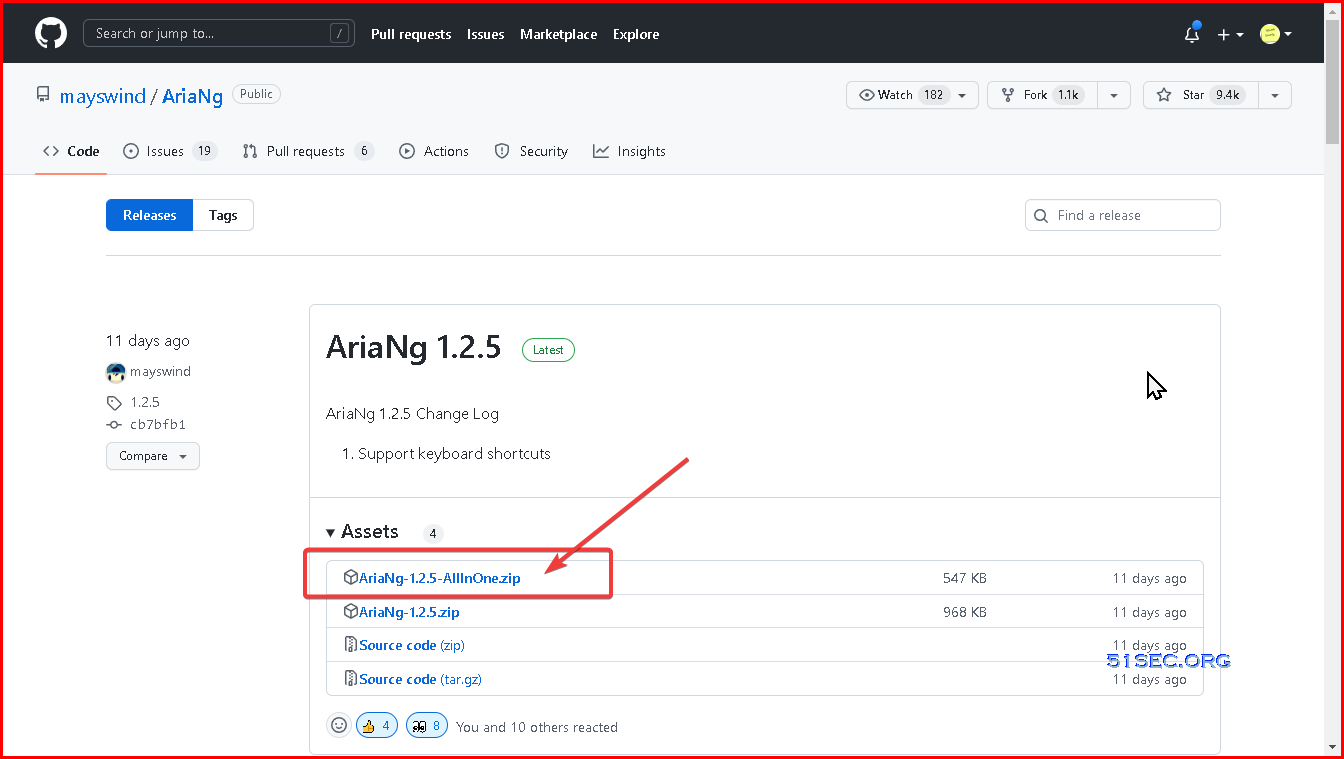

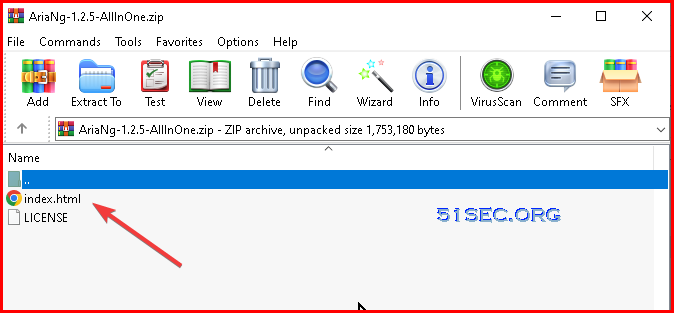
2 Unzip and get index.html file

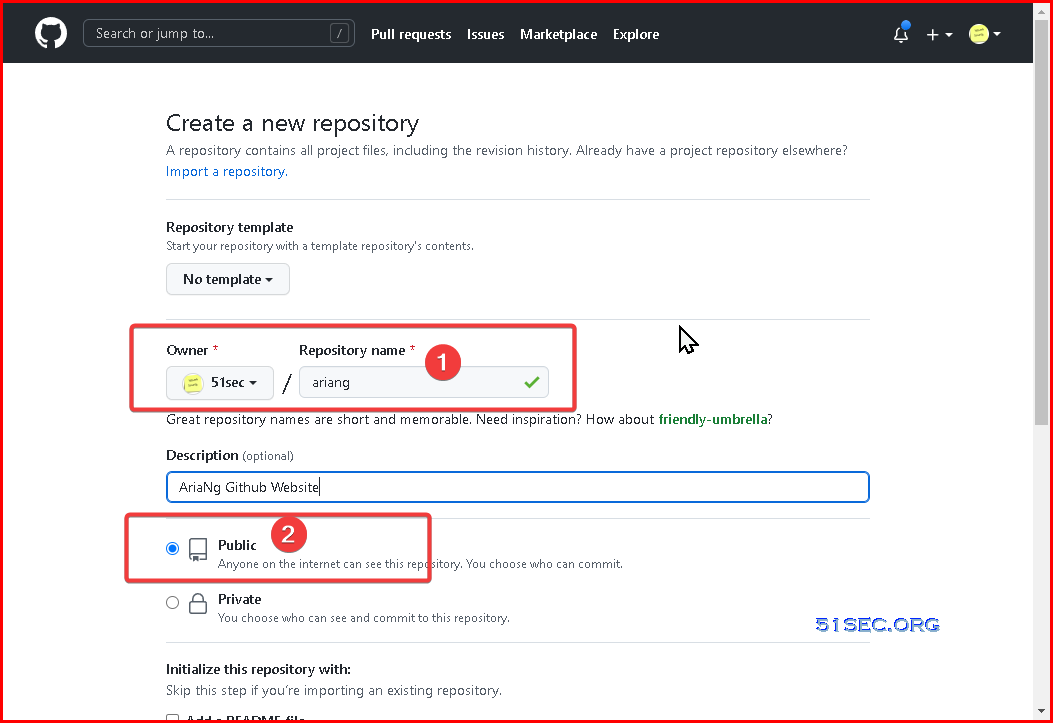
3 Create a new Github repository


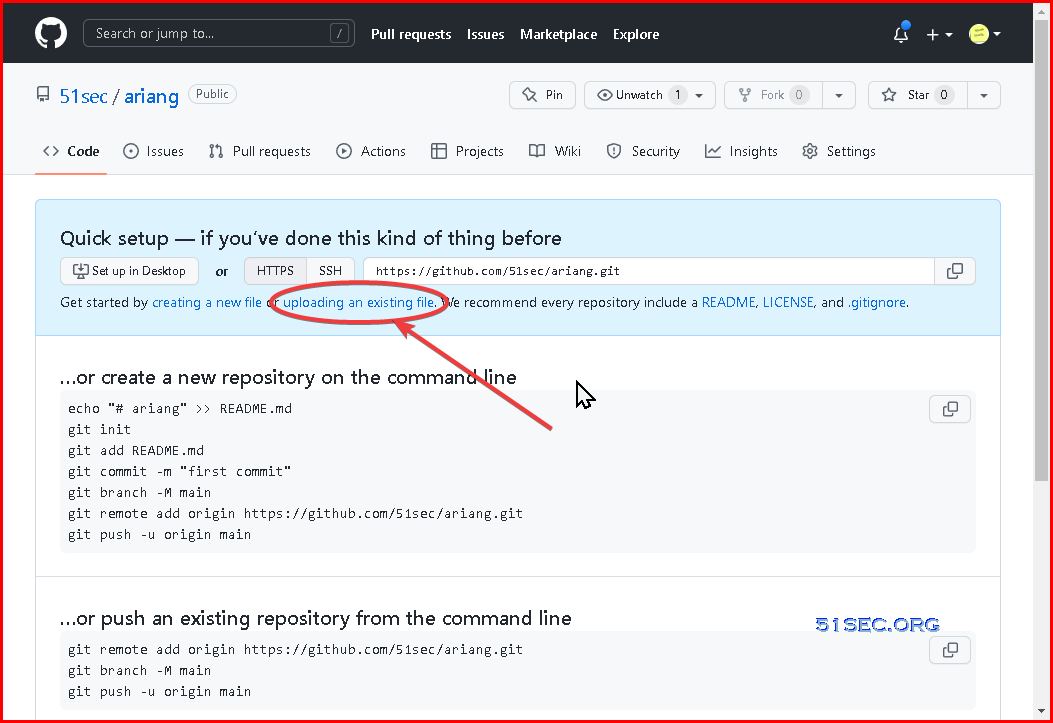
4 Upload unzipped index.html file to this repository

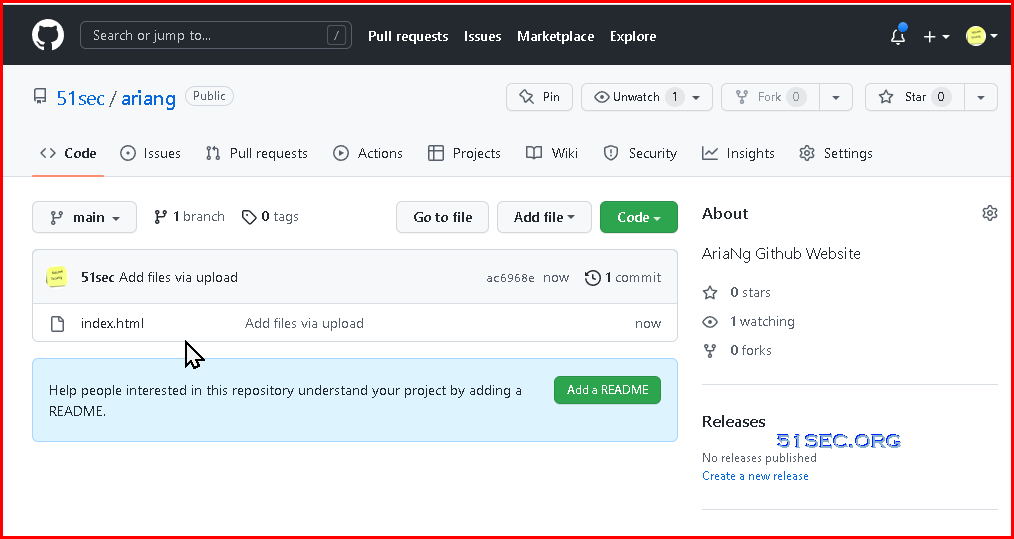
5 That is only file you will need to add. You might want to add another readme file to describe your repository and usage.
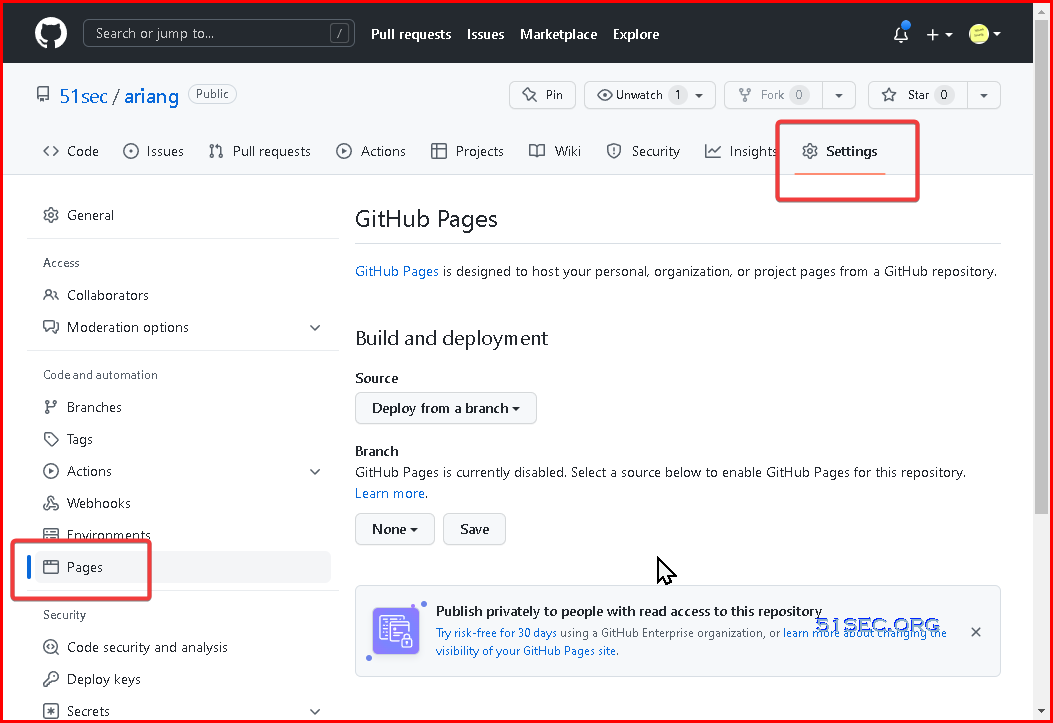
6 Go to your repository's settings and choose page


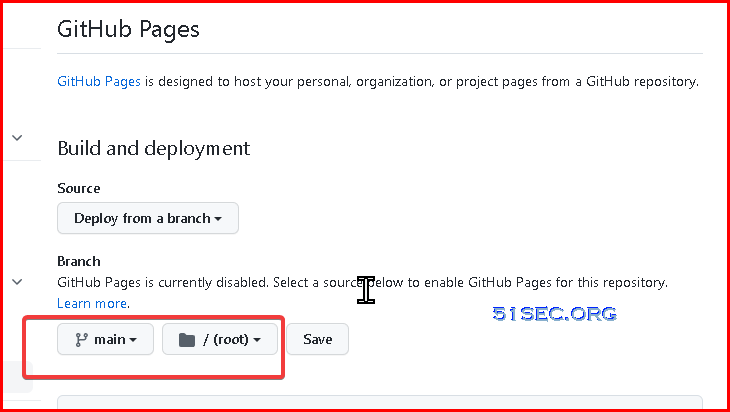
7 Choose main branch and root folder, then save


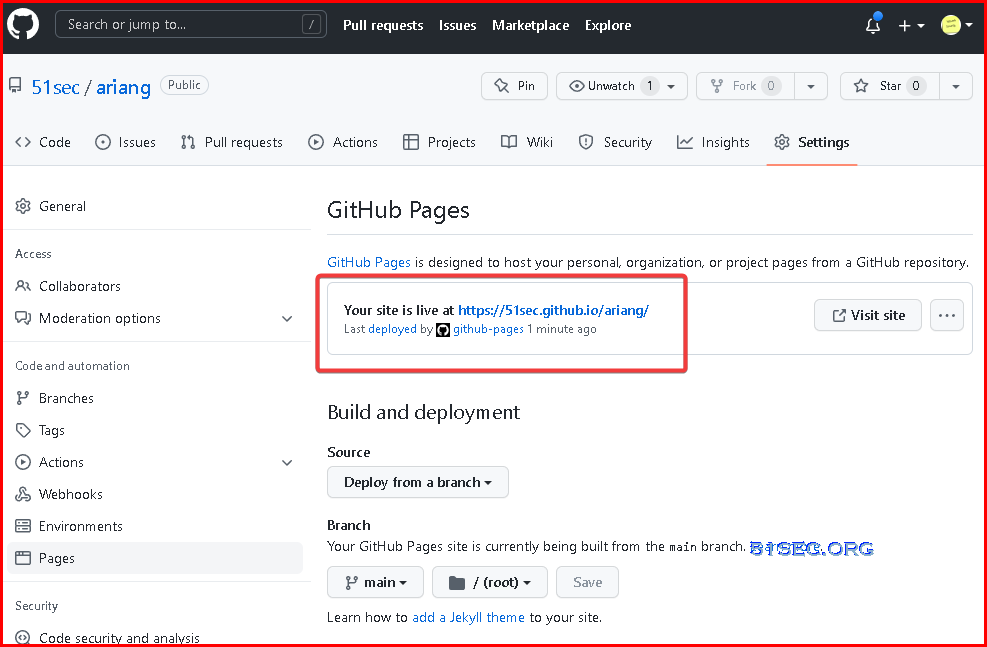
8 wait a couple of seconds then refresh your page, you should be able to get a message to say your site is live at URL as show below:


9 Now you can visit your AriaNg page using assigned the url from Github

Tips: This simple settings will only get you a default https AriaNg, not able to change to http. You can read next section to get http configuration.

http - Github Page with Custom Domain

Since AriaNg https connection will only allow you to connect to https RPC port of Aria2, it might not meet lots of people's requirement if they are still using http for Aria2. We can use custom domain and not enable https for this Github page to achieve this setting. 

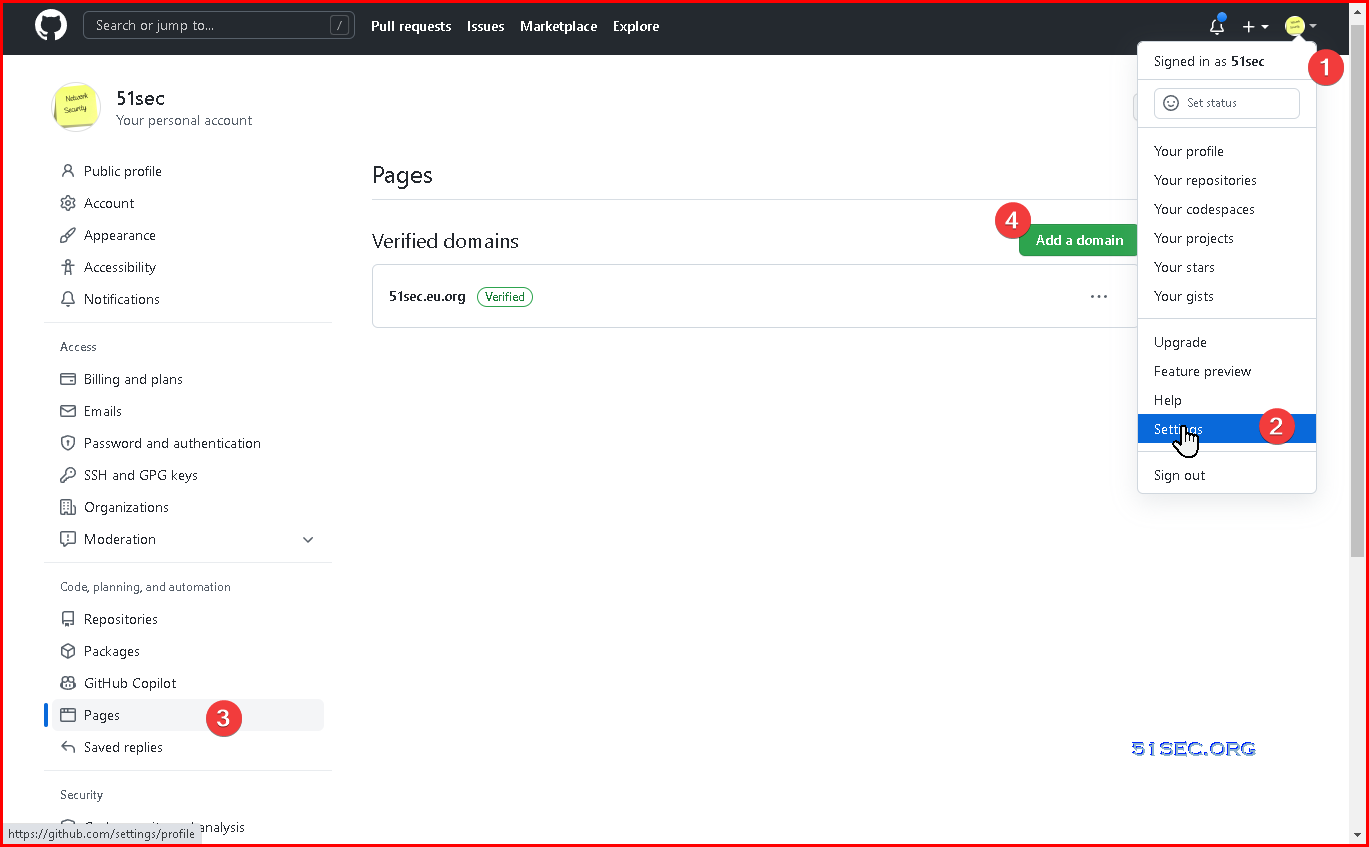
1 Verify your own domain

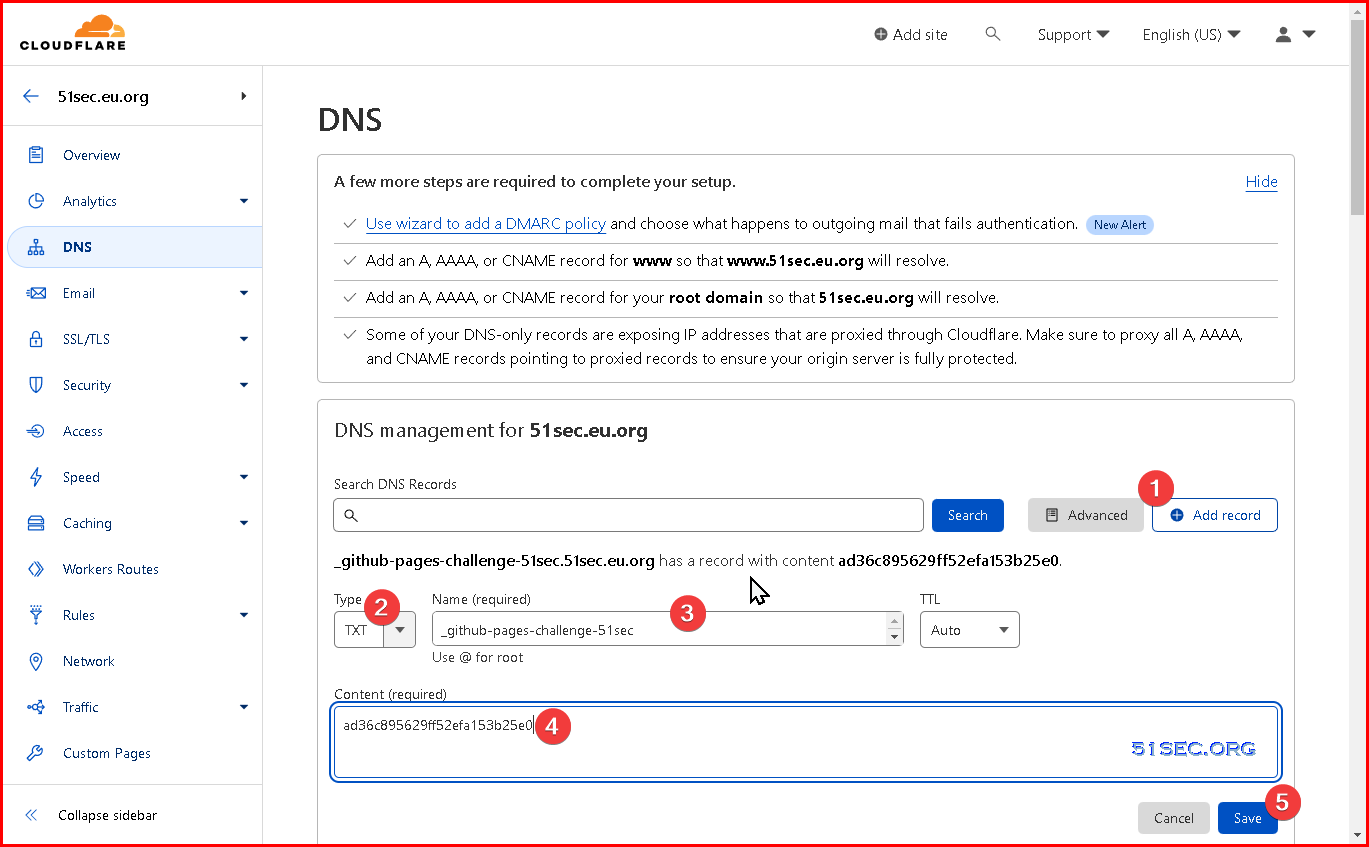
You will need to add a txt record in your domain provider. In my case, it is Cloudflare.

2 After verified your domain for your github account, you can add custom domain into your repository's page:
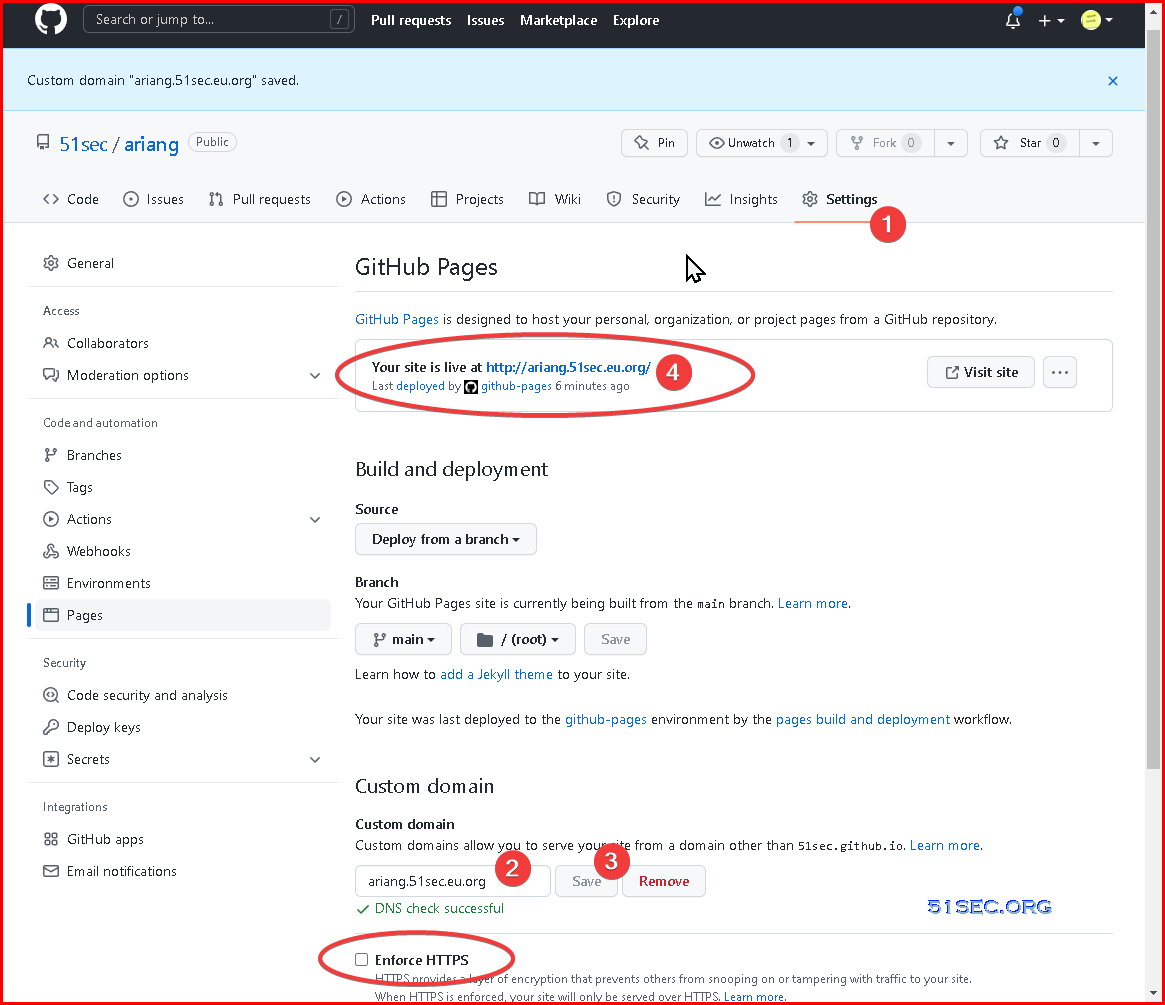

Tips: Don't enable https for your page since you want to access your AriaNg page on http. 

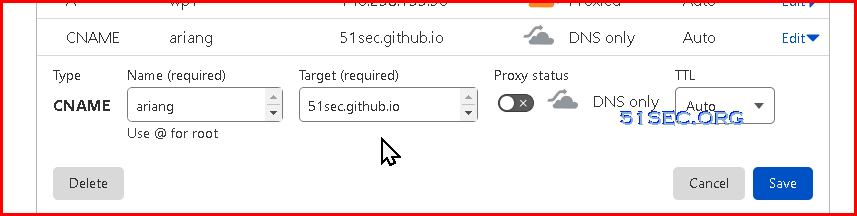
3 add a cname record in Cloudflare (that is my domain provider). 


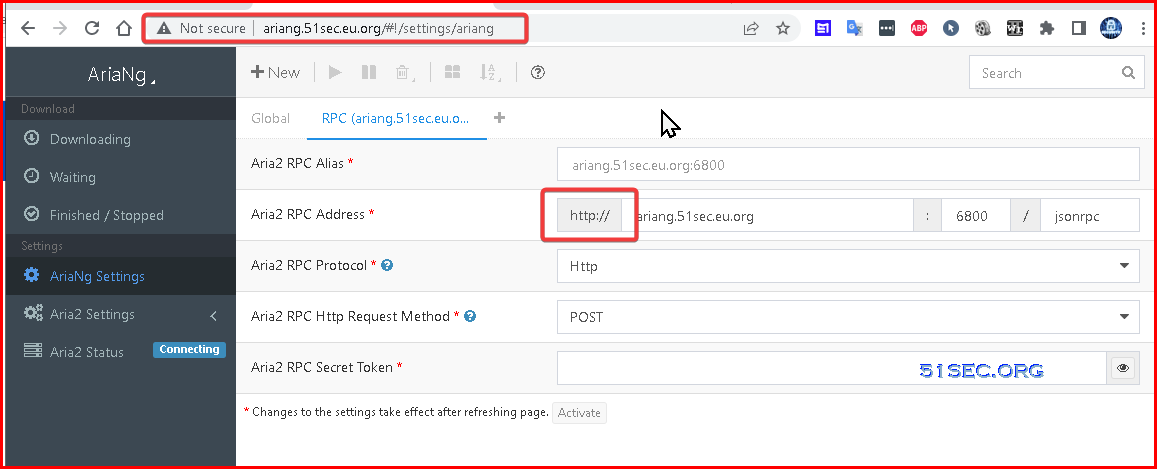
4 Visit your new Github Ariang page on http:

https - Cloudflare page and certificates


1 Create 


2 Create 


3 Create 


4 test


https - Docker + NPM (Nginx Proxy Manager)


1 Create 


2 Create 


3 Create 


4 test


Videos


References

  • AiraNg Github
  • AriaNg Docker from p3terx


via Blogger http://blog.51sec.org/2022/10/methods-to-deploy-ariang-dockerhttphttps.html
October 13, 2022 at 09:46AM Cloud
0 Comments


Leave a Reply.

    Categories

    All
    Architecture
    Blog
    Checkpoint
    Cisco
    Cloud
    CyberArk
    F5
    Fortigate
    Guardium
    Juniper
    Linux
    Network
    Others
    Palo Alto
    Qualys
    Raspberry Pi
    Security
    SIEM
    Software
    Vmware
    VPN
    Wireless

    Archives

    March 2024
    February 2024
    January 2024
    December 2023
    November 2023
    October 2023
    September 2023
    August 2023
    July 2023
    June 2023
    May 2023
    April 2023
    March 2023
    February 2023
    January 2023
    December 2022
    November 2022
    October 2022
    September 2022
    August 2022
    July 2022
    June 2022
    May 2022
    April 2022
    March 2022
    February 2022
    January 2022
    December 2021
    November 2021
    October 2021
    September 2021
    August 2021
    July 2021
    June 2021
    May 2021
    April 2021
    March 2021
    February 2021
    January 2021
    December 2020
    November 2020
    October 2020
    September 2020
    August 2020
    July 2020
    October 2019
    September 2019
    June 2019
    July 2018
    May 2018
    December 2017
    August 2017
    April 2017
    March 2017
    January 2017
    December 2016
    November 2016
    October 2016
    September 2016
    August 2016
    July 2016
    June 2016
    May 2016
    April 2016
    March 2016
    February 2016
    January 2016
    December 2015
    November 2015
    October 2015
    September 2015
    August 2015
    July 2015
    June 2015
    May 2015
    April 2015
    March 2015

    Print Page:

    RSS Feed

    Email Subscribe
Powered by Create your own unique website with customizable templates.
  • Blog
  • Sitemap
    • Categories
  • Contact
  • About
  • Resources
  • Tools
  • 51sec.org