
Managers and compliance auditors often ask IT admins or security admins to present a report listing file share permissions granted to a group or a particular user. To save them some time, I have tried to find out some useful tools or scripts to put them together in this post for easy to choose which one to use.
List for folders
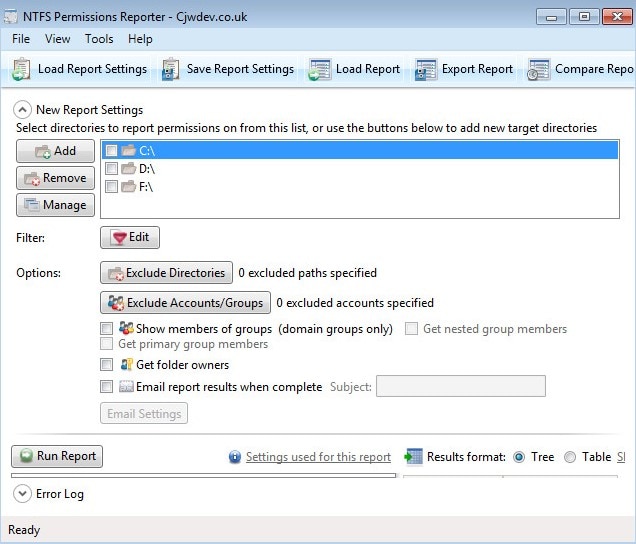
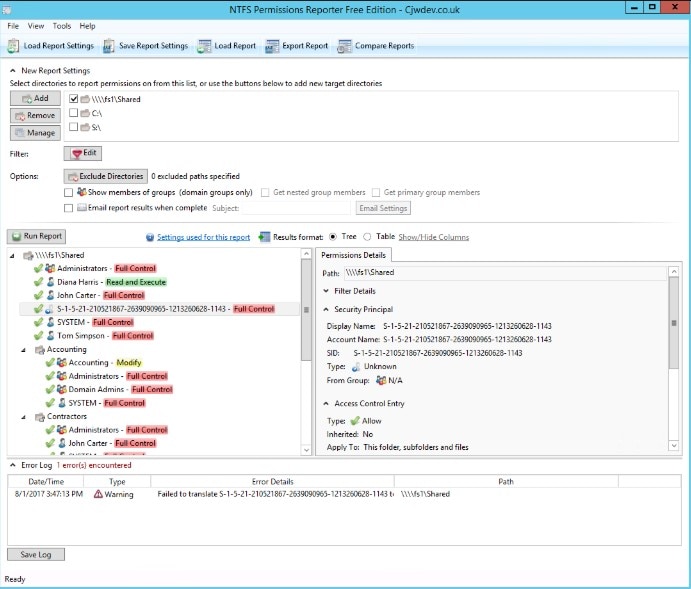
The NTFS Permissions Reporter by CJWDEV is an extremely adept tool for tracking access permissions. It displays group users with either direct or nested access for an entire file system directory. The report can be generated in either a tree or table format with color-coded access levels.
Only issue to me is not showing the file's permission.
List for specific user or group
Netwrix Effective Permissions Reporting Tool is excellent freeware for basic needs. While it misses out on many of the more comprehensive functions included in similar software, it does help admins ensure compliance on a user-by-user basis.
With Netwrix Effective Permissions Reporting Tool, admins can search a user or group throughout their entire IT infrastructure. The tool then generates a permissions report for an active directory or file share, including how users gained access, that can be exported as an HTML file. This information, though much more limited than reports generated by other tools, allows admins to guard against excessive user permissions by making sure they only have the appropriate permissions for their roles at the company.
Microsoft tool - AccessEnum
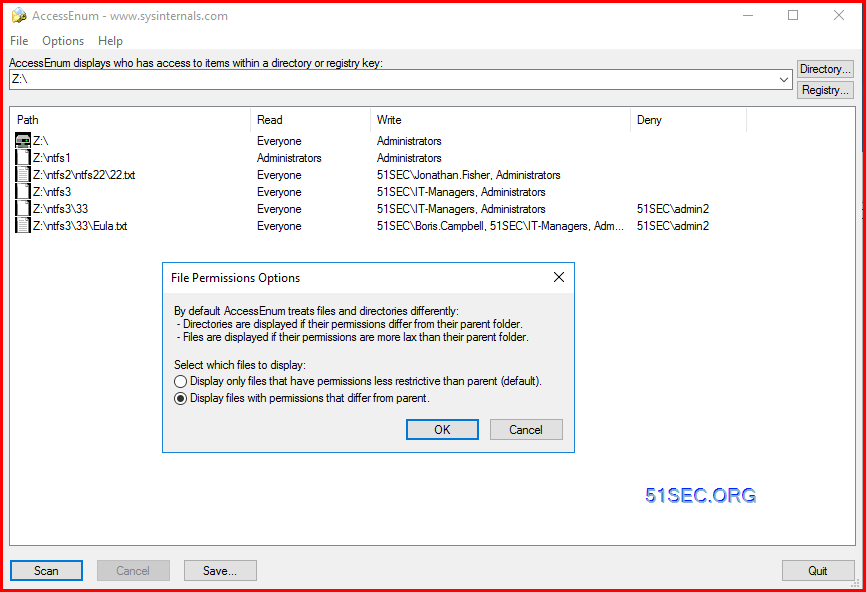
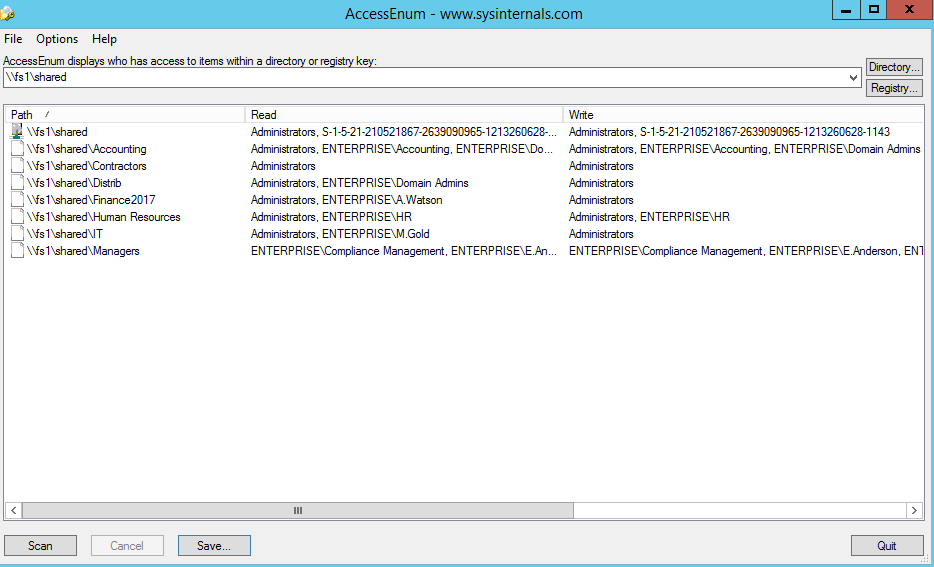
As there’s no built-in way to quickly view user accesses to a tree of directories or keys, Microsoft Windows SysInternals tools may come handy. AccessEnum is one of SysInternals tools which gives you a full view of your file system and Registry security settings in seconds, and provides a table view of all permissions on your file share or registry. However, you can export only to .txt format, which is rather complicated to read. If you want the information in .xls format, you’ll need to copy it from the .txt file manually.
Other tools I did quick test

Scripts
Here is a quick powershell one liner commands to export the NTFS permissions for a root folders or with Sub folders, or folders and files.
For folders:
Get-Childitem -path z:\ -recurse | Where-Object {$_.PSIsContainer} | Get-ACL| Select-Object Path -ExpandProperty Access | Export-CSV C:\Temp\Ntfs_Subfolders.csv
For Folders and Files
Get-Childitem -path z:\ -recurse | Get-ACL| Select-Object Path -ExpandProperty Access | Export-CSV C:\Temp\Ntfs_Subfolders.csv
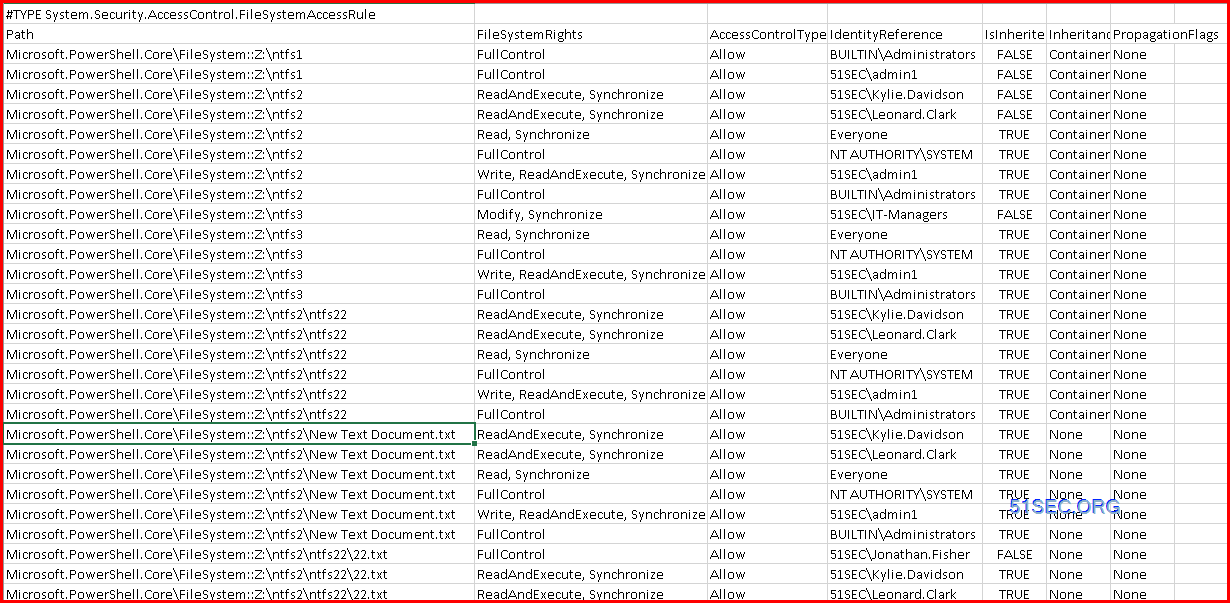
Another script to export folder permission:
$OutFile = "C:\Temp\permissions.csv"
$Header = "Folder Path,IdentityReference,AccessControlType,IsInherited,InheritanceFlags,PropagationFlags"
Del $OutFile
Add-Content -Value $Header -Path $OutFile
$RootPath = "\\fs1\shared"
$Folders = dir $RootPath -recurse | where {$_.psiscontainer -eq $true}
foreach ($Folder in $Folders){
$ACLs = get-acl $Folder.fullname | ForEach-Object { $_.Access }
Foreach ($ACL in $ACLs){
$OutInfo = $Folder.Fullname + "," + $ACL.IdentityReference + "," + $ACL.AccessControlType + "," + $ACL.IsInherited + "," + $ACL.InheritanceFlags + "," + $ACL.PropagationFlags
Add-Content -Value $OutInfo -Path $OutFile
}}
References
- Export folder permission using PowerShell
- https://renjithmenon.com/export-folder-and-sub-folder-permissions-to-csv/
via Blogger http://blog.51sec.org/2023/02/list-your-folder-files-ntfs-permission.html
February 03, 2023 at 03:42PM Security

 RSS Feed
