
 Here are some collections for bloggers from my blogger experience:
1. Adjust Right Sidebar margin width
2. Add youtube Playlist into blogger
3. Add Third Party Domain
4. Redirect Blogspot Site from One to Another
5. Put images side by side in Blogger's posts without any codes
6. Add a table into Blogger post
7. Add a code section into your post
There are one related post in this blog:
1. Adjust Right Sidebar margin width
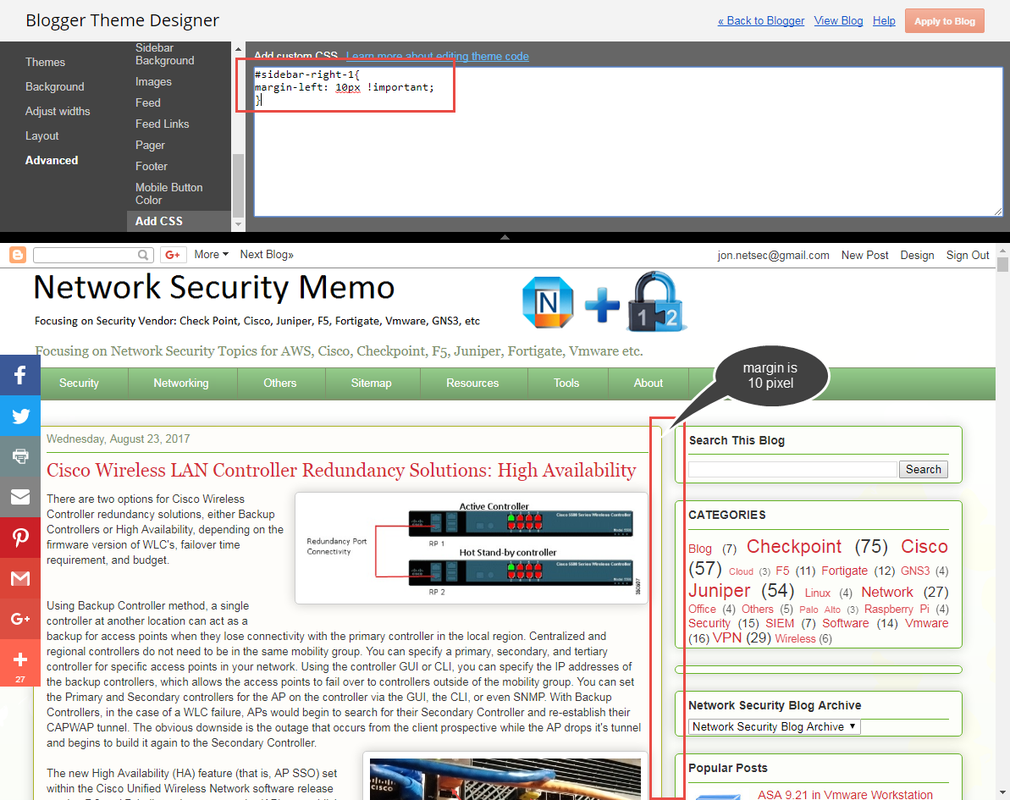
Sometimes, the space between main body posts section and right side bar is too wide. You may want to change it from 40px to 10 px. Here is the code I found from here:
#sidebar-right-1{Add the code to Blogger Them Designer - Advanced - Add CSS section as show below.
position: relative;
left: 40px !important;
}
2. Add youtube Playlist into blogger
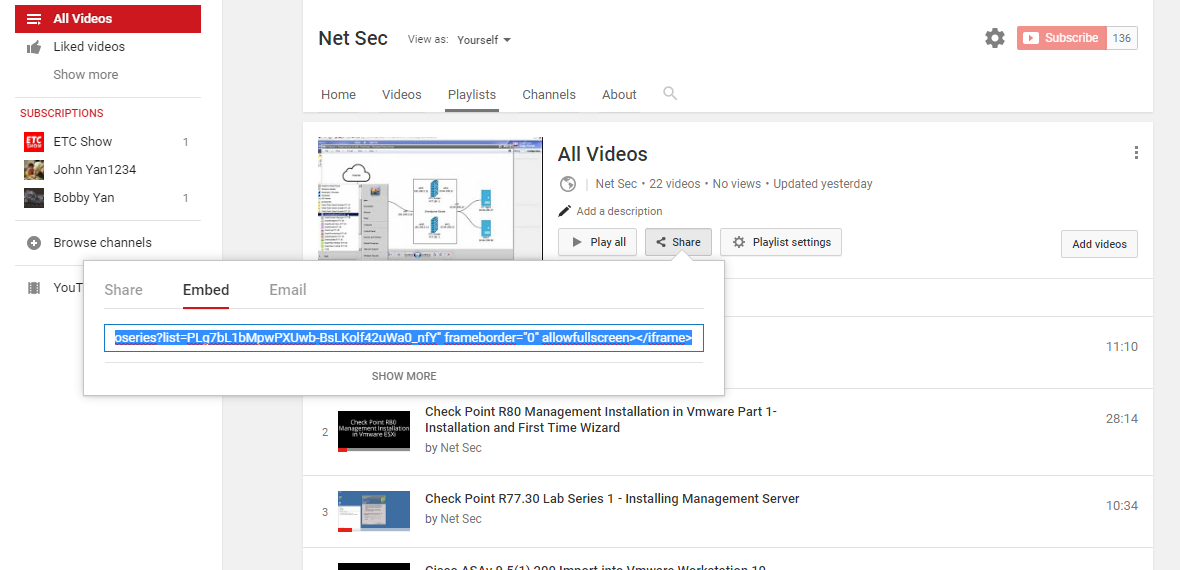
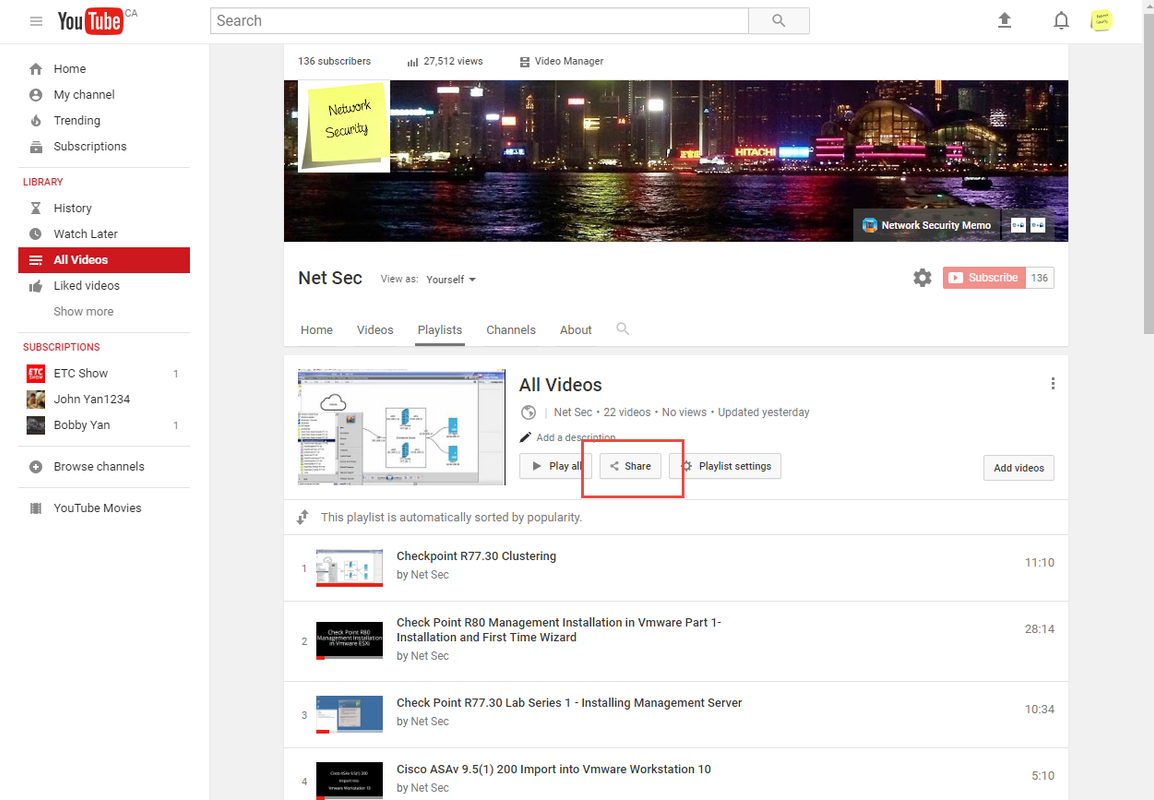
2.1 Generate html code from your youtube playlist
2.2 Add html code into your Blogger layout
It is best to put code between <center> and </center> to get better center location in your page.
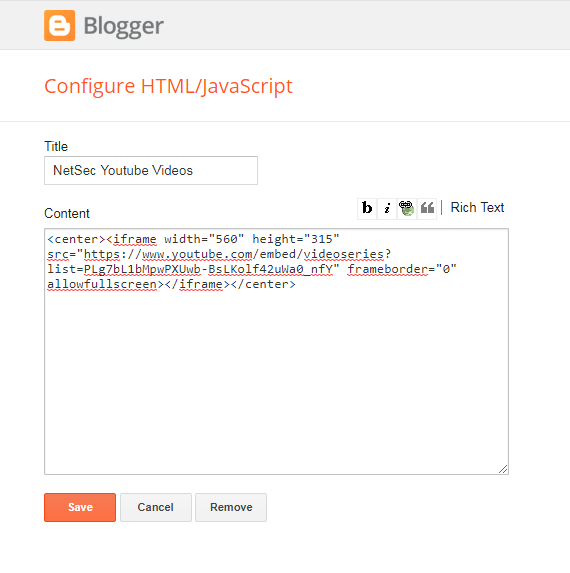
<center><iframe width="560" height="315" src="https://www.youtube.com/embed/videoseries?list=PLg7bL1bMpwPXUwb-BsLKolf42uWa0_nfY" frameborder="0" allowfullscreen></iframe></center>
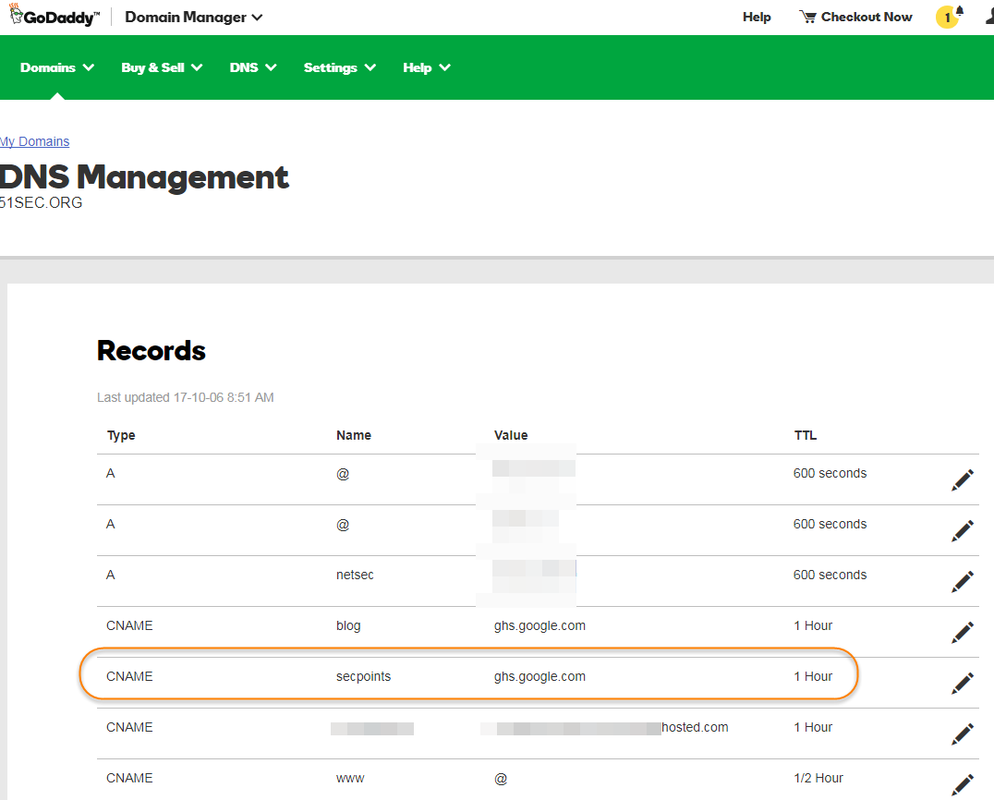
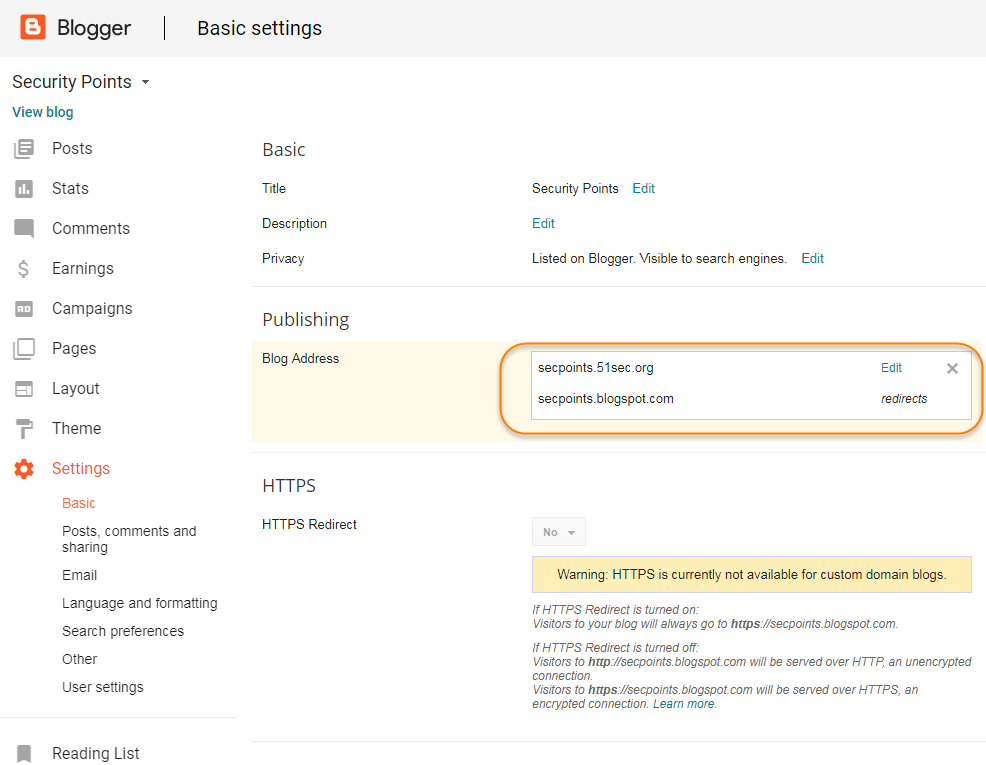
3. Add Third Party Domain
|
| GoDaddy CNAME Setting |
|
| Blogger Domain Settings |
4. Redirect Blogspot Site from One to Another
During migrating my site from 51sec.blogspot.com to 91sec.blogspot.com, I have found following ways to do redirection from one blogspot site to another. The code will be inserted between <head> and </head>
a. This is current way I am using and found it is best so far.
<script>
var oldURL = "51sec.blogspot.com";
var newURL = "blog.51sec.org";
var url = location.href;
var newURL = url.replace(document.domain,newURL);
window.location = newURL
</script>
b. It will only redirect all posts or pages to the homepage site, not passing url parameters.
<meta content='0;url=http://91sec.blogspot.com' http-equiv='refresh'/>
c. The code works on some of URLs but some were got messed up.
<script type='text/javascript'>
var d='<data:blog.url/>';
d=d.replace(/.*\/\/[^\/]*/,'');
location.href='http://91sec.blogspot.com'+d;
</script>
5. Put images side by side in Blogger's posts without any codes
5.1. Put both images' size into small format to make editor easier to preview the layout of both images. 5.2. Move any one of your images up or down to align well with anther one side by side. 5.3. If they did not align very well, you can put your cursor in front of the image, press enter to make it align better. 5.4. last step, change image size back to medium if you want them look bigger than small. 5.5. The blogger's editor view is wrong since the editor size. But you can update and save your changes. It will become normal side by side images in regular view.
Note: If you got three images to align side by side, the process is same as the steps shown above.
Youtube Videos:
Three Images Side by Side Two Images Side by Side
6. Add a table into Blogger post
Table 3x2 Example Code
<table>
<tbody>
    <tr>
        <td>Cell 1.1</td>
        <td>Cell 1.2</td>
    </tr>
    <tr>
        <td>Cell 2.1</td>
        <td>Cell 2.2</td>
    </tr>
    <tr>
        <td>Cell 3.1</td>
        <td>Cell 3.2</td>
    </tr>
</tbody>
</table>
7. Add a code section into your post
7.1 HTML Code 1
<table style="background-color: black; border-collapse: collapse; border-color: rgb(51, 102, 0); border-style: solid; border-width: 0px; font-family: "helvetica neue","arial","helvetica",sans-serif; width: 100%;"> <tbody> <tr> <td><div style="text-align: justify;"> <span style="color: lime;"><br /></span> <span style="color: lime;">test </span></div> <div style="text-align: justify;"> <span style="color: lime;">john </span></div> </td> </tr> </tbody></table>
7.2 HTML Code 2
<pre class="putty" style="background-color: rgb(0, 0, 0) !important; color: rgb(0, 255, 0) !important; font-family: "Courier New", monospace !important; font-size: 12px; margin: auto; padding: 2px; text-align: justify; white-space: pre-wrap; width: 650px;"> </pre>
References:
- Add a Read More button to Popular Blog Platforms
- Wordpress Attitude Theme Menu Bar Customize
- Add “Related Links” Widgets for Your Websites and Blogs
- Use Godaddy Domain with Openshift Apps
- Create a Sitemap Page or Table of Contents Page for Blogger
- Add Dropdown Menu in Blogger Website
- Collection of Website and Tools for Bloggers (Tips and Tricks)

 RSS Feed
