
Execute Security Assessment Using Free Tool - CIS-CAT® Lite
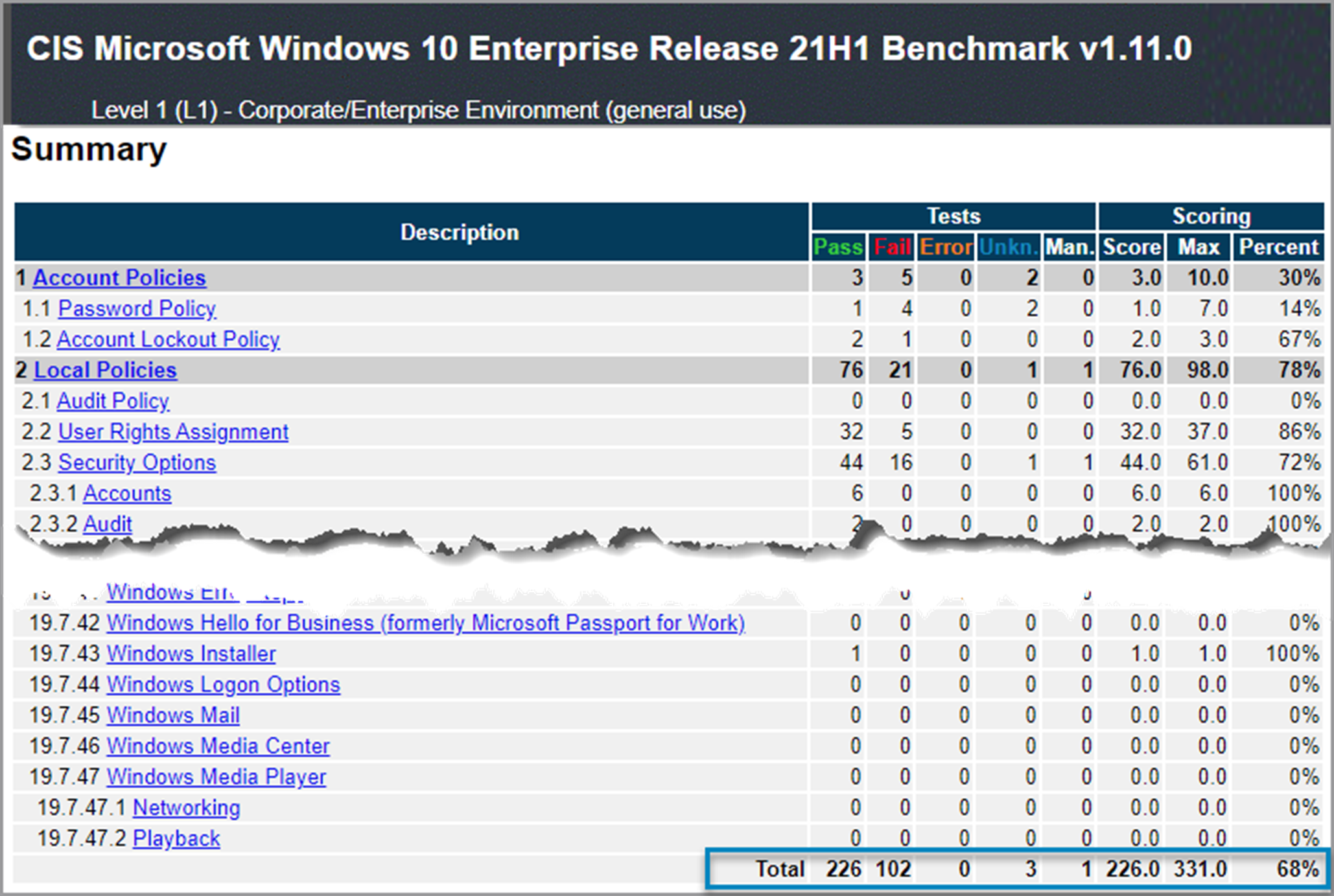
CIS-CAT Lite is available as a preview for users. It offers HTML-based reporting output and a limited set of CIS Benchmarks (Microsoft Windows 10, Google Chrome, and Ubuntu). Review the full list of comparisons between the versions of Lite and Pro.
Access to CIS PDF documents is free, but using the official content requires a relatively significant effort of manually walking through the PDF documents and parsing them into something machine-readable. Of course, a CIS membership drastically eases that pain and energy, and enables some remediation capabilities, too.
To access CIS-CAT Pro, your organization must be a CIS SecureSuite Member. Members can download CIS-CAT Pro from our community platform, CIS WorkBench. Log in to CIS WorkBench with your work email address (registration required) and click on the “Downloads” tab.
CIS-CAT Pro Assessor v4 and v4 Service require a license to unlock full features and CIS Benchmark content. See our deployment guide on how to apply your organization’s license key.
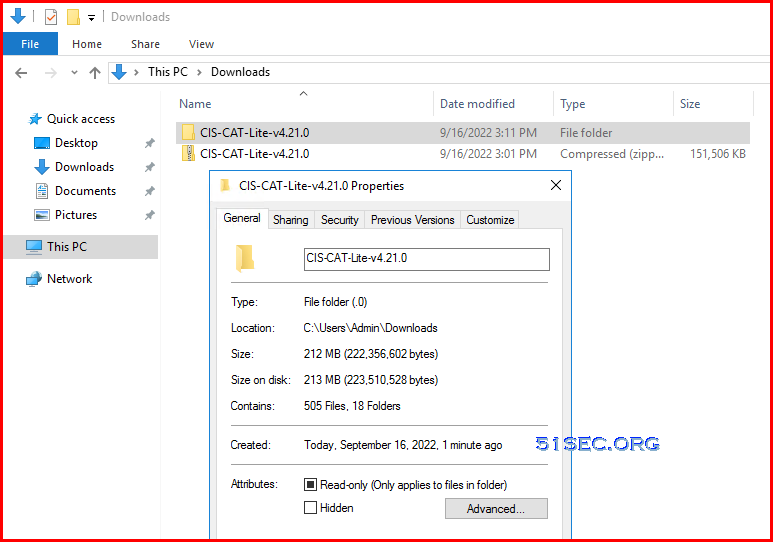
Here is version v4.1.0 folder content screenshot:
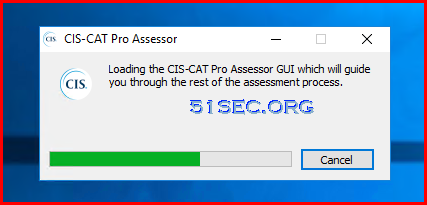
5. If there is profile which includes some questions added into selected list, you might get some interactive window to enter value or answer for those questions
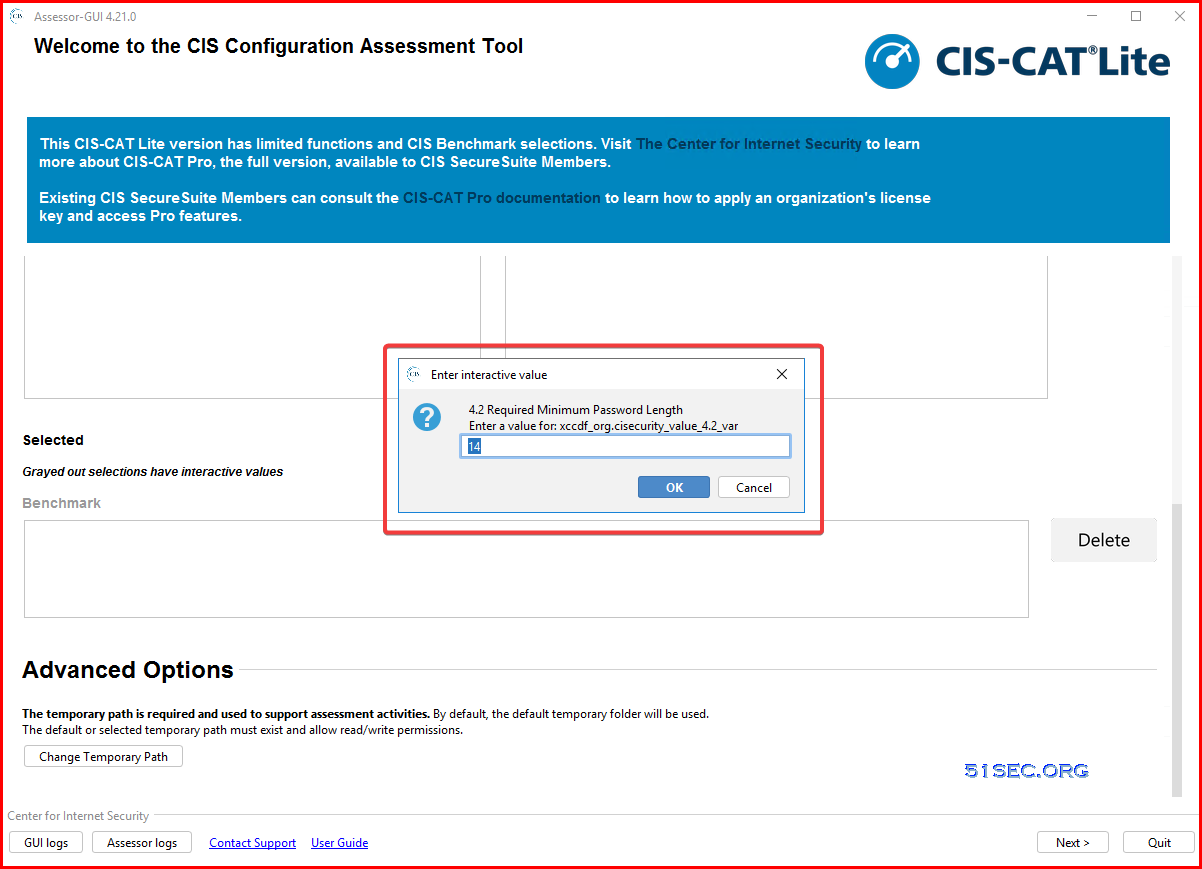 There are pre-defined default value set for those questions.

1. IG1 (Minimum, 56 Safeguards) - essential cyber hygiene and represents an emerging minimum standard of information security for all enterprises.Every enterprise should start with IG1. IG1 is defined as “essential cyber hygiene,” the foundational set of cyber defense Safeguards that every enterprise should apply to guard against the most common attacks.
2. IG2 (Recommended, 56 + 74 Safeguards) -IG2 builds upon IG1, and is comprised 74 additional safeguards , which help security teams cope with increased operational complexity.
3. IG3 (Full, 56 + 74 + 23 Safeguards) - comprised of all the Controls and Safeguards. IG3 assets and data contain sensitive information or functions that are subject to regulatory and compliance oversight. An IG3 enterprise must address availability of services and the confidentiality and integrity of sensitive data.
Most CIS Benchmarks include multiple configuration profiles. A profile definition describes the configurations assigned to benchmark recommendations. Sometimes, profile can be treated as baseline.
The Level 1 profile is considered a base recommendation that can be implemented fairly promptly and is designed to not have an extensive performance impact. The intent of the Level 1 profile benchmark is to lower the attack surface of your organization while keeping machines usable and not hindering business functionality.
The Level 2 profile is considered to be “defense in depth” and is intended for environments where security is paramount. The recommendations associated with the Level 2 profile can have an adverse effect on your organization if not implemented appropriately or without due care.
The STIG profile replaces the previous Level 3. The STIG profile provides all recommendations that are STIG specific. Overlap of recommendations from other profiles, i.e. Level 1 and Level 2, are present in the STIG profile as applicable.
Notes: The two most common system configuration baselines for cybersecurity are the Center for Internet Security’s CIS Benchmarks, and the US Department of Defense Systems Agency (DISA) Security Technical Implementation Guides (STIG).
via Blogger http://blog.51sec.org/2022/09/test-your-security-configuration-with.html
September 16, 2022 at 07:04PM Security
CIS-CAT Lite is the free assessment tool developed by the CIS (Center for Internet Security, Inc.). CIS-CAT Lite helps users implement secure configurations for multiple technologies. With unlimited scans available via CIS-CAT Lite, your organization can download and start implementing CIS Benchmarks in minutes.
Features
With CIS-CAT Lite, You Can Easily:
- Instantly check your systems against CIS Benchmarks.
- Receive a compliance score 1-100.
- Follow remediation steps to improve your security.
CIS-CAT Lite vs CIS-CAT Pro
CIS-CAT Pro offers multiple assessment reporting output formats (TXT, CSV, HTML, XML, JSON) that provide a conformance score for 80+ CIS Benchmarks.CIS-CAT Lite is available as a preview for users. It offers HTML-based reporting output and a limited set of CIS Benchmarks (Microsoft Windows 10, Google Chrome, and Ubuntu). Review the full list of comparisons between the versions of Lite and Pro.
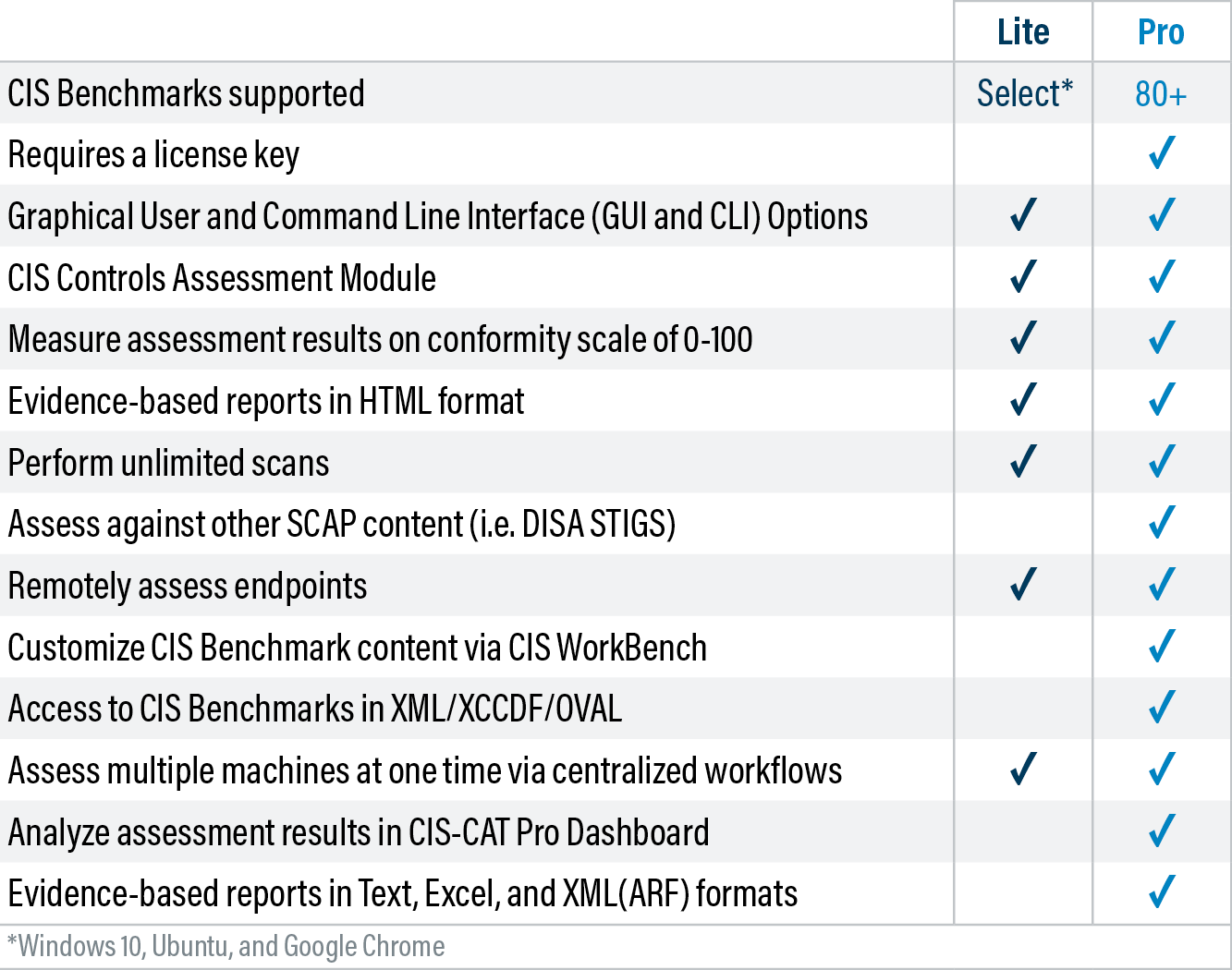
Compare Key Features (CIS-CAT Lite vs CIS-CAT Pro)
Compare the key features of CIS-CAT Lite and CIS-CAT Pro to understand the differences between the various versions:
CIS-CAT Pro Assessor v4 and v4 Service require a license to unlock full features and CIS Benchmark content. See our deployment guide on how to apply your organization’s license key.
Download
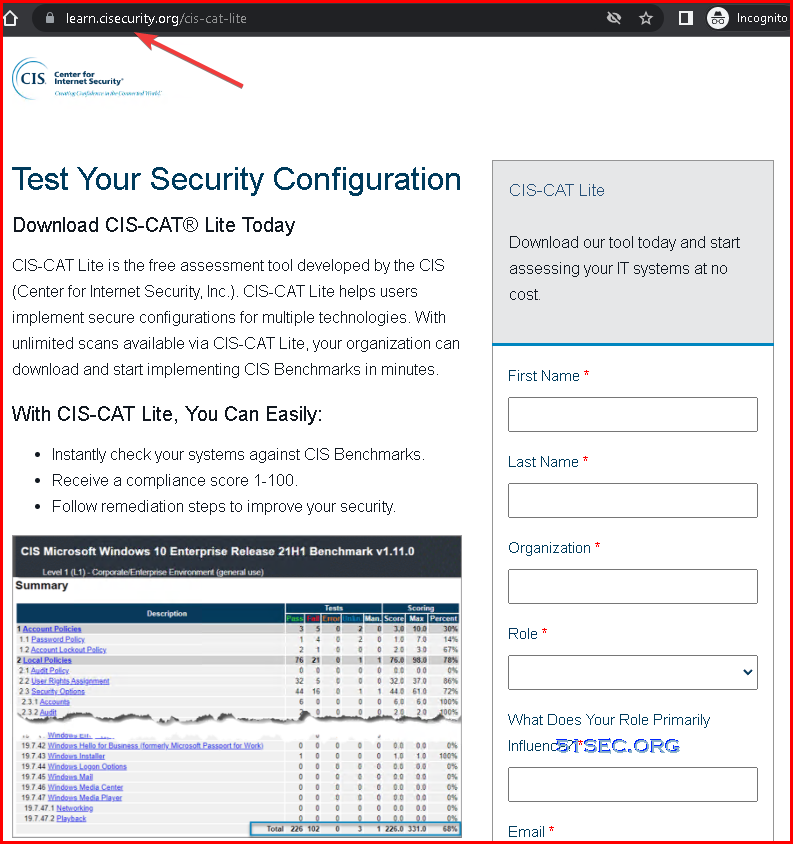
Try CIS-CAT Lite for free by signing up to download. It does not require a license key. However, features and content are limited. You can Google CIS CAT Lite to find out following download page link: CIS-CAT Lite download page address: https://learn.cisecurity.org/cis-cat-lite
You will be asked to fill in some information to get download link in email.
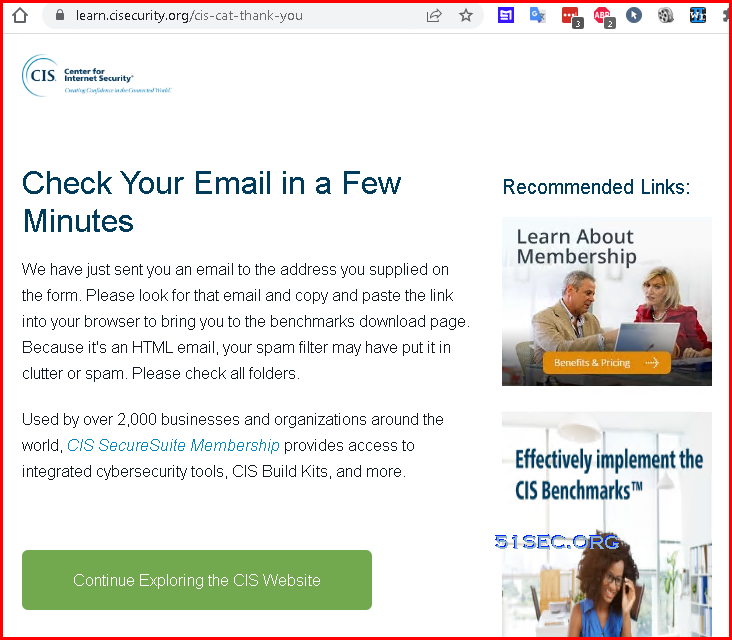
After you submit the form , you will get a thank you page and ask you to check your email in a few minutes:
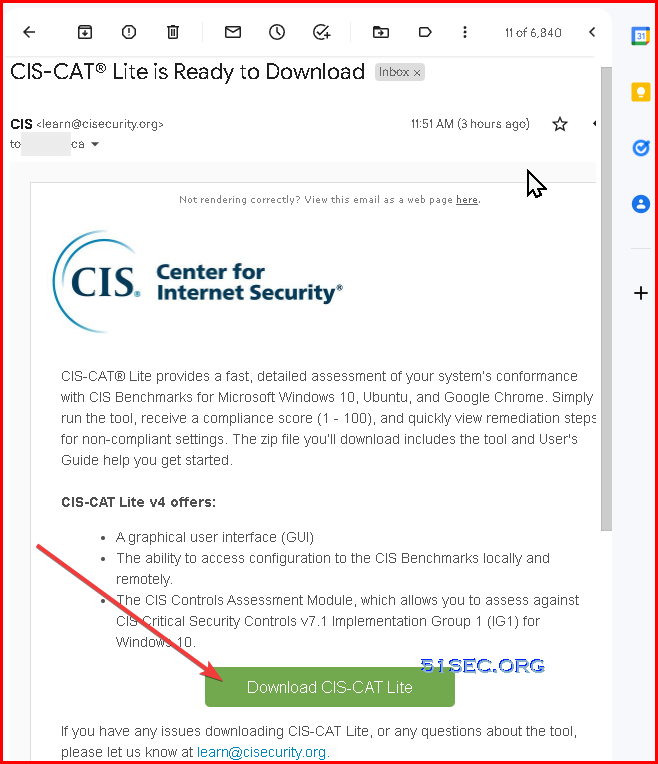
Your email inbox will get an email like this in a few minutes:
To make things much simpler for my blog reader, here is the download link I got from the email. I am hoping it will be still working:
Download Link: https://learn.cisecurity.org/e/799323/l-799323-2019-11-15-3v7x/2mnnf/466068160?h=obkEDgLFWSJIYMScLM33jw7hlaNnzd1fvJSmc8su7Vw
For my downloading, I got a zip file which name is CIS-CAT-Lite-v4.21.0.zip. It is 147MB file. After extracted, the fold size is about 212MB.
Execute Security Assessment
When using the GUI, there’s no need to set up additional software components (no Java Runtime Environment (JRE) needed) or configurations to utilize the basic workflow. In order to successfully execute assessor commands, admin or elevated access is still required. (https://www.cisecurity.org/insights/blog/the-evolution-of-cis-cat-and-a-new-gui-in-cis-cat-v4-1-0)Here is version v4.1.0 folder content screenshot:
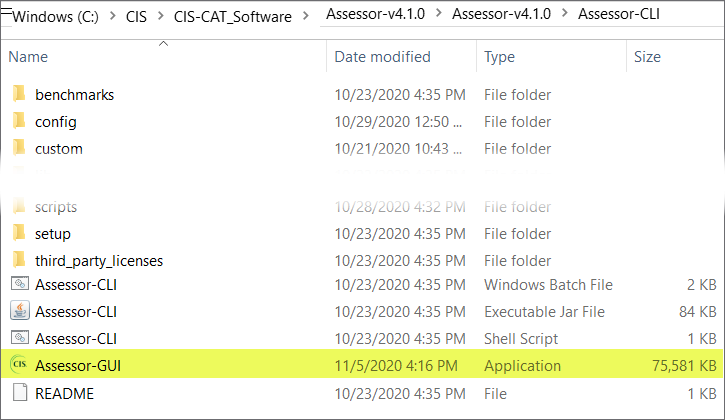
1. Right Click Assessor-GUI to run it as an administrator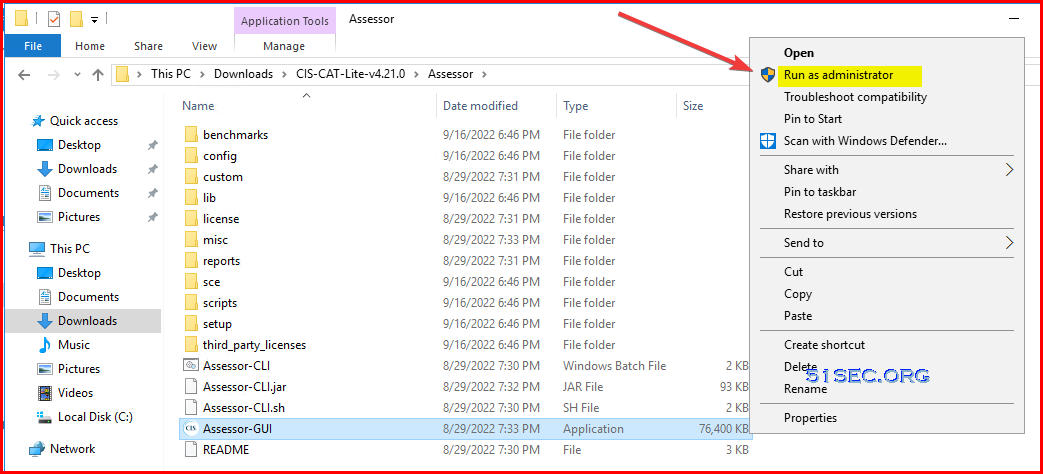
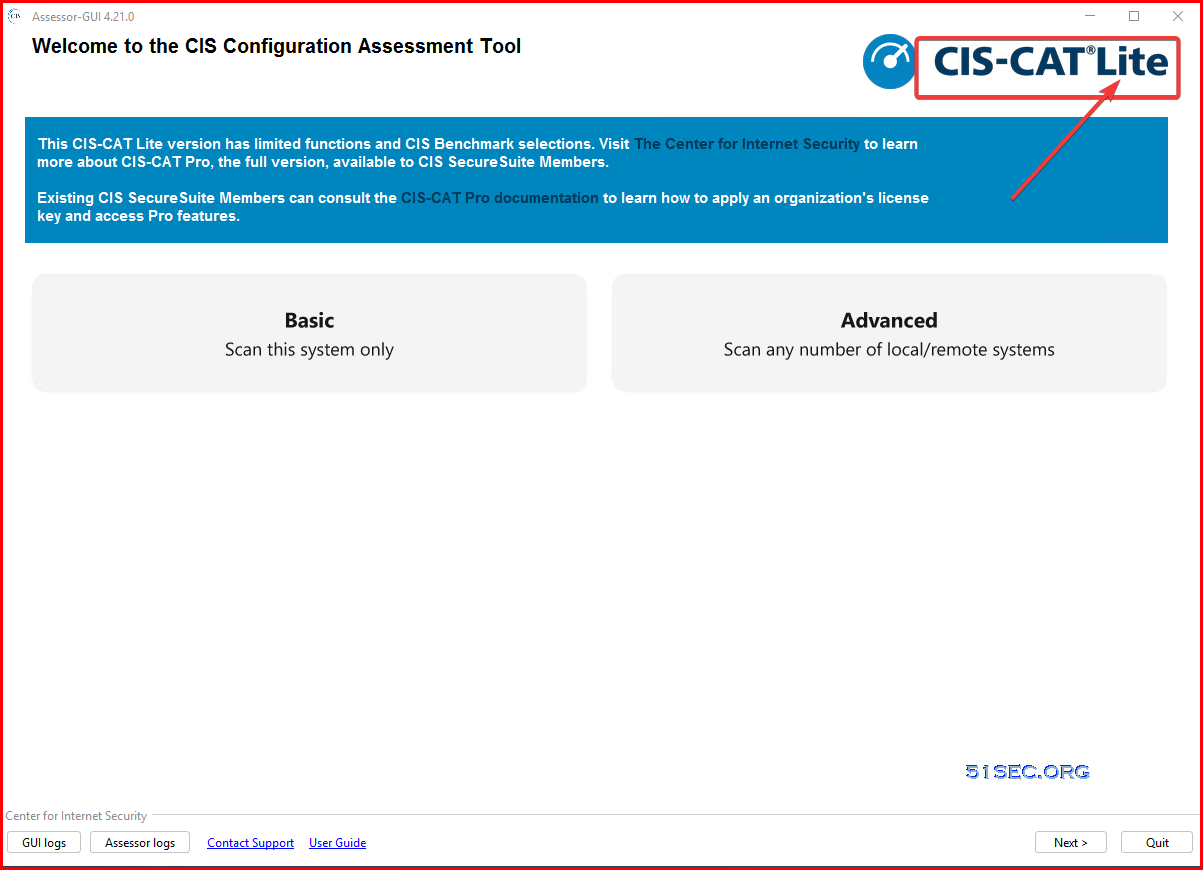
3. Main Window shows Lite version
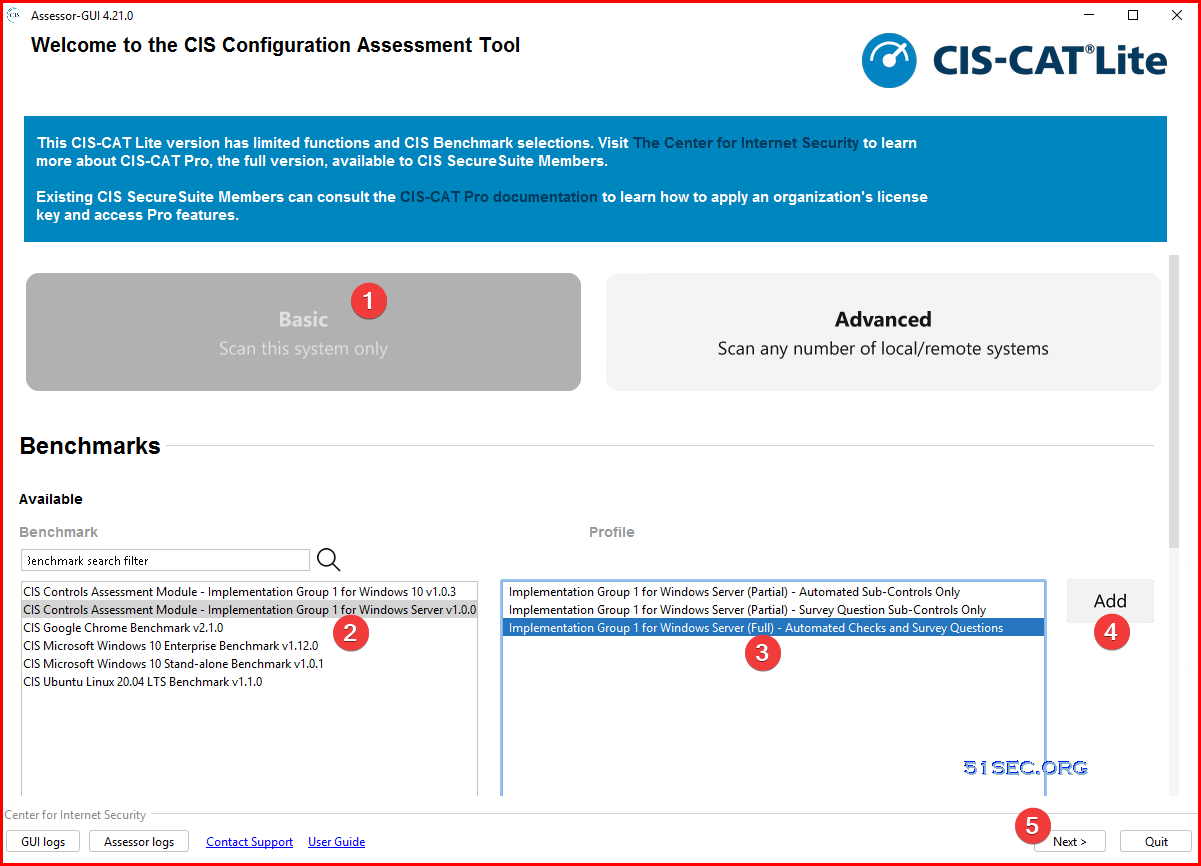
4. Choose your benchmark, profile, then add it into selected list. Since we are using lite version, there are limited benchmark we can choose from.
For Win10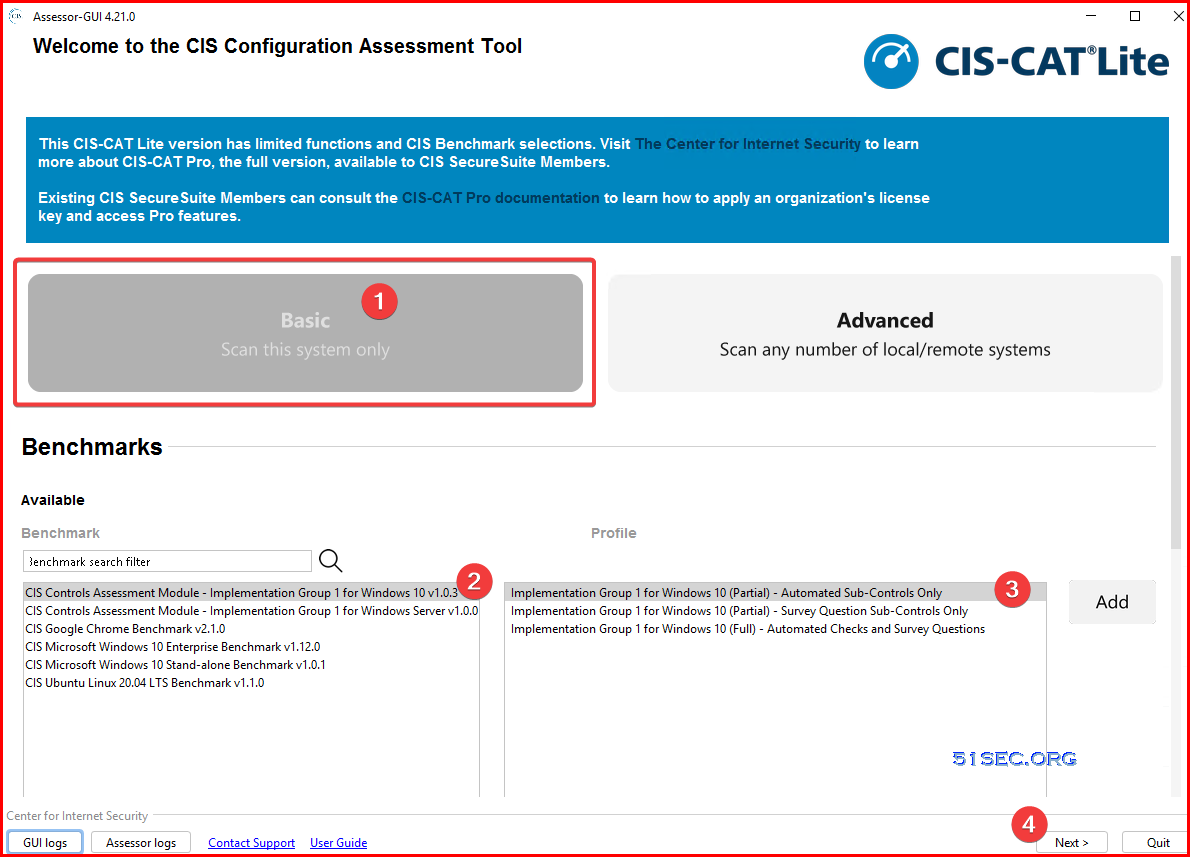
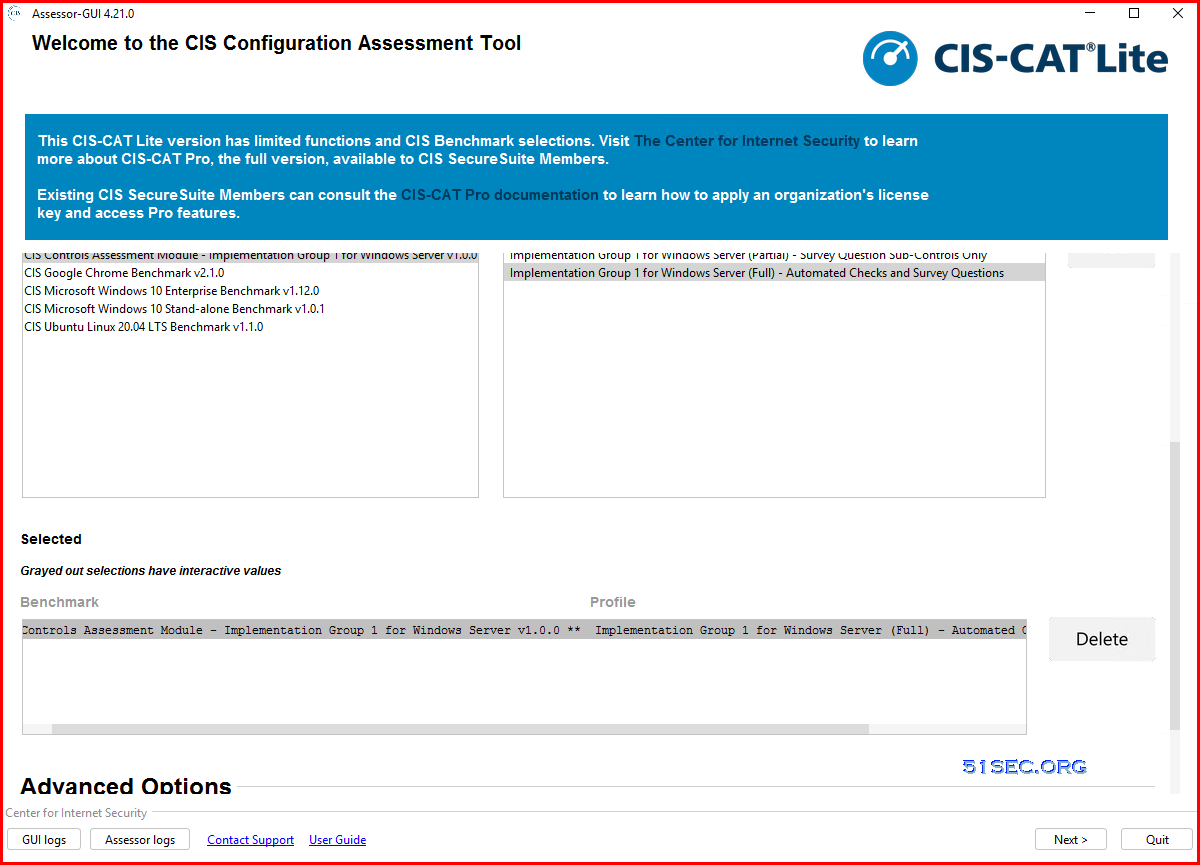
6. Now benchmark and profile has been selected, you can go to next step
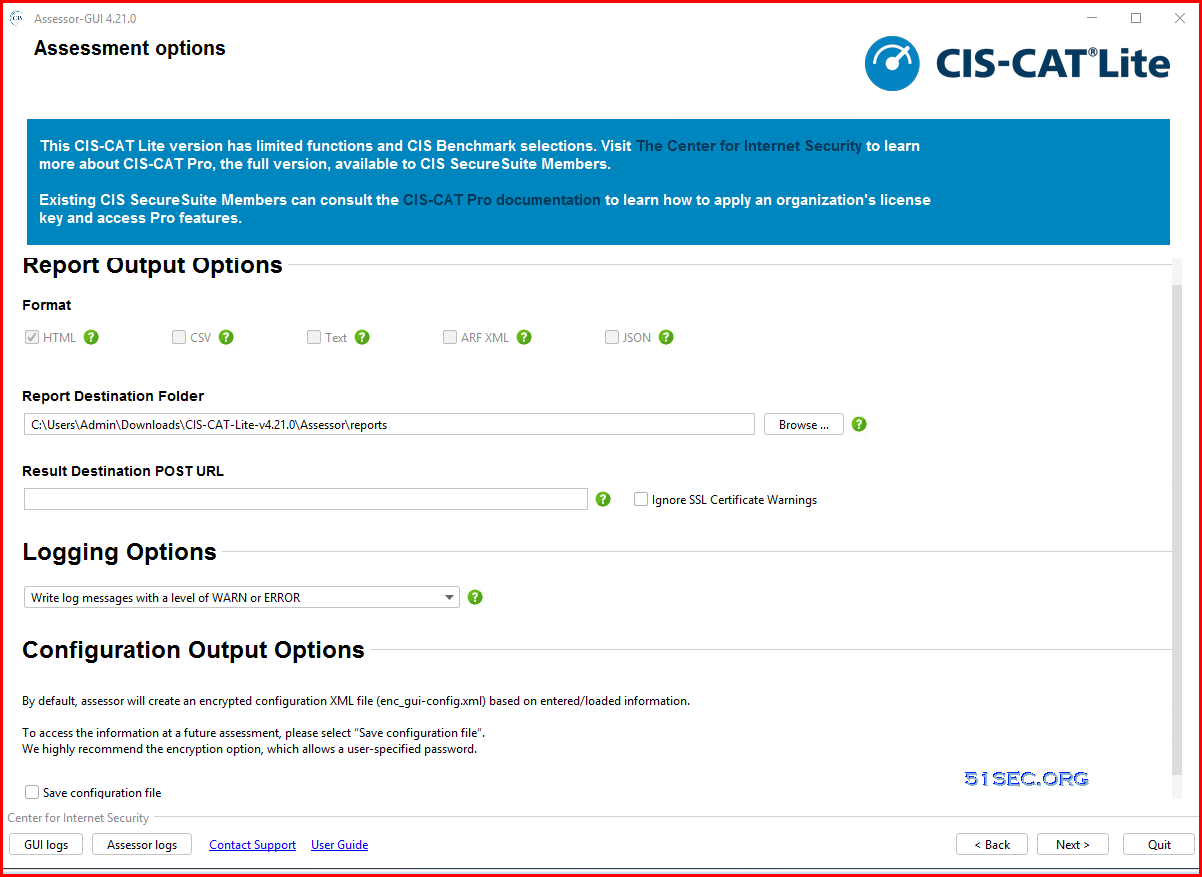
7. Next window is for assessment options. You can directly click next since we are using lite version, we wont be able to choose format.
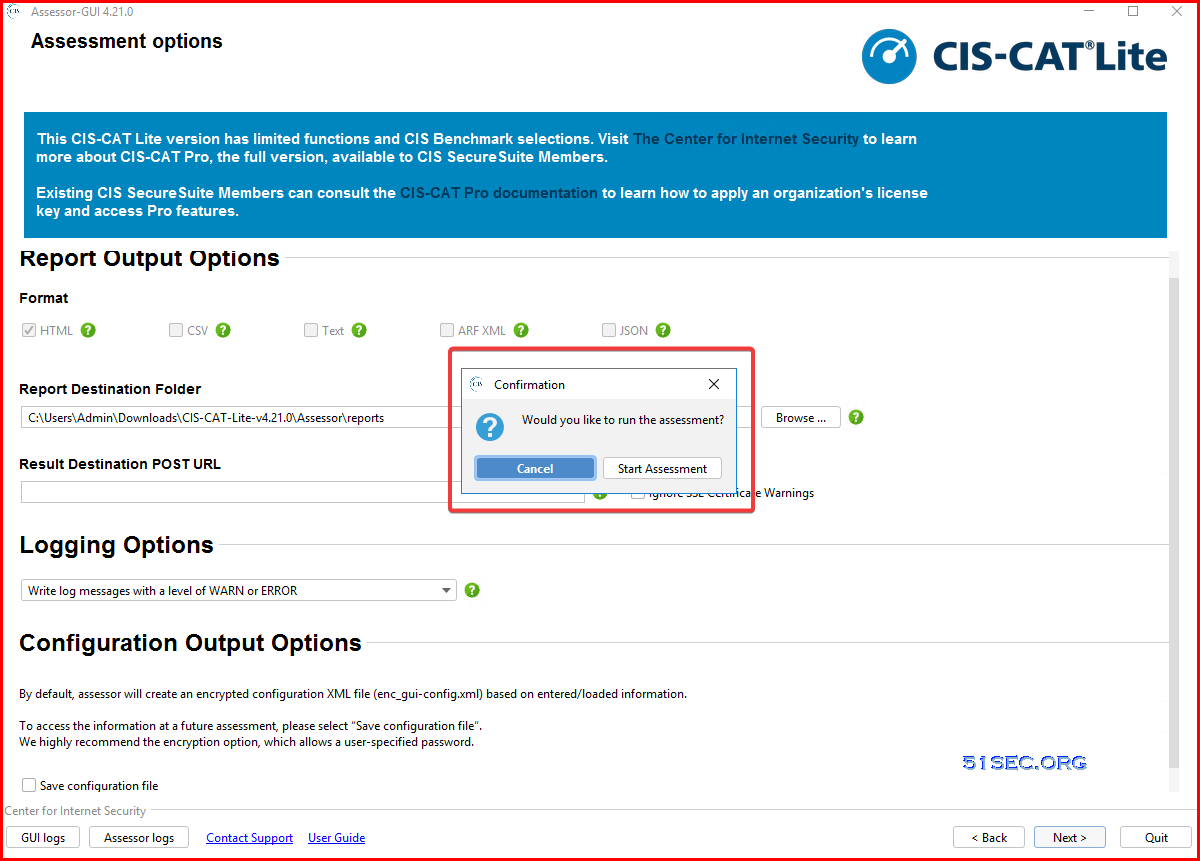
8. Start Assessment
9. In the progress of assessing your local computer
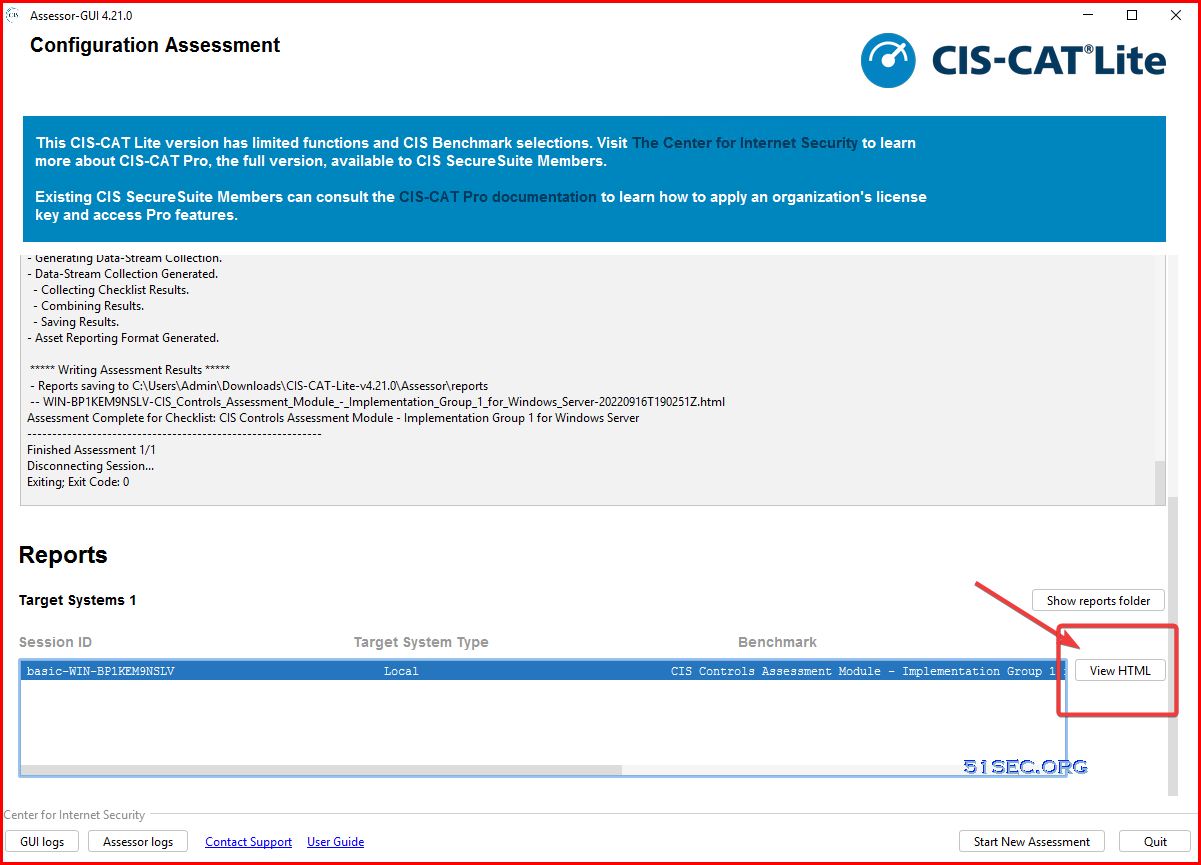
10. Assessment completed.
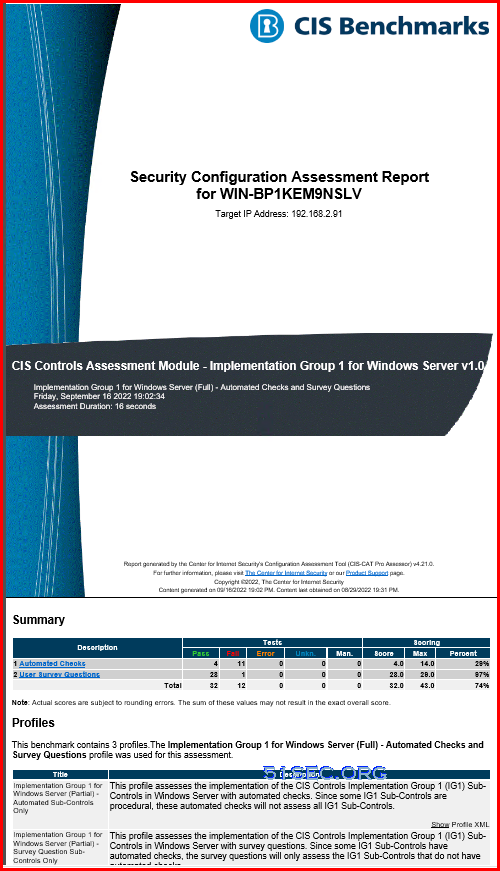
11. View HTML Report
CIS Critical Security Control Types
Implementation Group (IG)
Implementation Groups (IGs) are the recommended guidance to prioritize implementation of the CIS Critical Security Controls (CIS Controls). In an effort to assist enterprises of every size, IGs are divided into three groups. They are based on the risk profile and resources an enterprise has available to them to implement the CIS Controls. Each IG identifies a set of Safeguards (previously referred to as CIS Sub-Controls), that they need to implement. There is a total of 153 Safeguards in CIS Controls v8.1. IG1 (Minimum, 56 Safeguards) - essential cyber hygiene and represents an emerging minimum standard of information security for all enterprises.Every enterprise should start with IG1. IG1 is defined as “essential cyber hygiene,” the foundational set of cyber defense Safeguards that every enterprise should apply to guard against the most common attacks.
2. IG2 (Recommended, 56 + 74 Safeguards) -IG2 builds upon IG1, and is comprised 74 additional safeguards , which help security teams cope with increased operational complexity.
3. IG3 (Full, 56 + 74 + 23 Safeguards) - comprised of all the Controls and Safeguards. IG3 assets and data contain sensitive information or functions that are subject to regulatory and compliance oversight. An IG3 enterprise must address availability of services and the confidentiality and integrity of sensitive data.
CIS Profiles - Level 1, 2, STIG (3)
Most CIS Benchmarks include multiple configuration profiles. A profile definition describes the configurations assigned to benchmark recommendations. Sometimes, profile can be treated as baseline.
The Level 1 profile is considered a base recommendation that can be implemented fairly promptly and is designed to not have an extensive performance impact. The intent of the Level 1 profile benchmark is to lower the attack surface of your organization while keeping machines usable and not hindering business functionality.
The Level 2 profile is considered to be “defense in depth” and is intended for environments where security is paramount. The recommendations associated with the Level 2 profile can have an adverse effect on your organization if not implemented appropriately or without due care.
The STIG profile replaces the previous Level 3. The STIG profile provides all recommendations that are STIG specific. Overlap of recommendations from other profiles, i.e. Level 1 and Level 2, are present in the STIG profile as applicable.
Videos
via Blogger http://blog.51sec.org/2022/09/test-your-security-configuration-with.html
September 16, 2022 at 07:04PM Security

 RSS Feed
