
On April 15, 2021, Oracle blog announced "We’re pleased to announce that you can now configure IPv6 in Oracle Cloud Infrastructure (OCI)."
One year ago, Azure has announced "IPv6 for Azure Virtual Network is now generally available"
On March 2017, Google Cloud Platform also started supporting IPv6 in a different way based on this post, although it is still not at VPS level. Here is a guide how to do it. .
" Google Cloud supports IPv6 clients with HTTP(S) Load Balancing, SSL Proxy Load Balancing, and TCP Proxy Load Balancing. The load balancer accepts IPv6 connections from your users, and then proxies those connections to your backends.".
On Dec 1, 2016, AWS already Announced " Internet Protocol Version 6 (IPv6) support for EC2 instances in Amazon Virtual Private Cloud (VPC)"
In this post, I am going to walk you through all steps needed to enable your IPv6 on Oracle Cloud environment and how to assign IPV6 address to your VPS.
Enable IPv6
1. Log into your Oracle Cloud account. Choose networking -> Virtual Cloud Networks
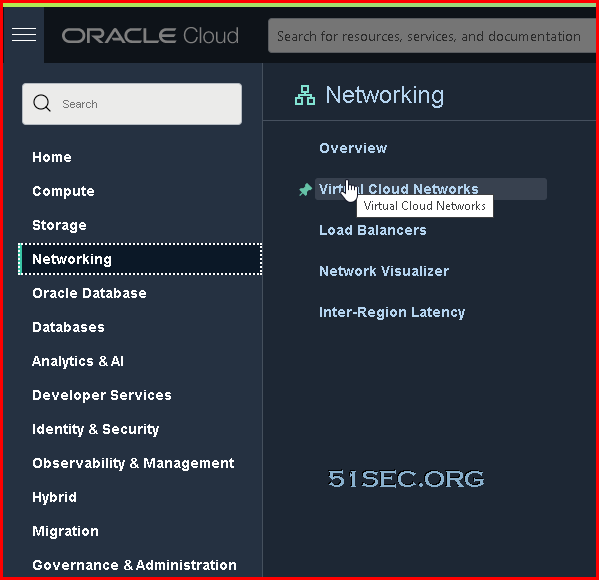
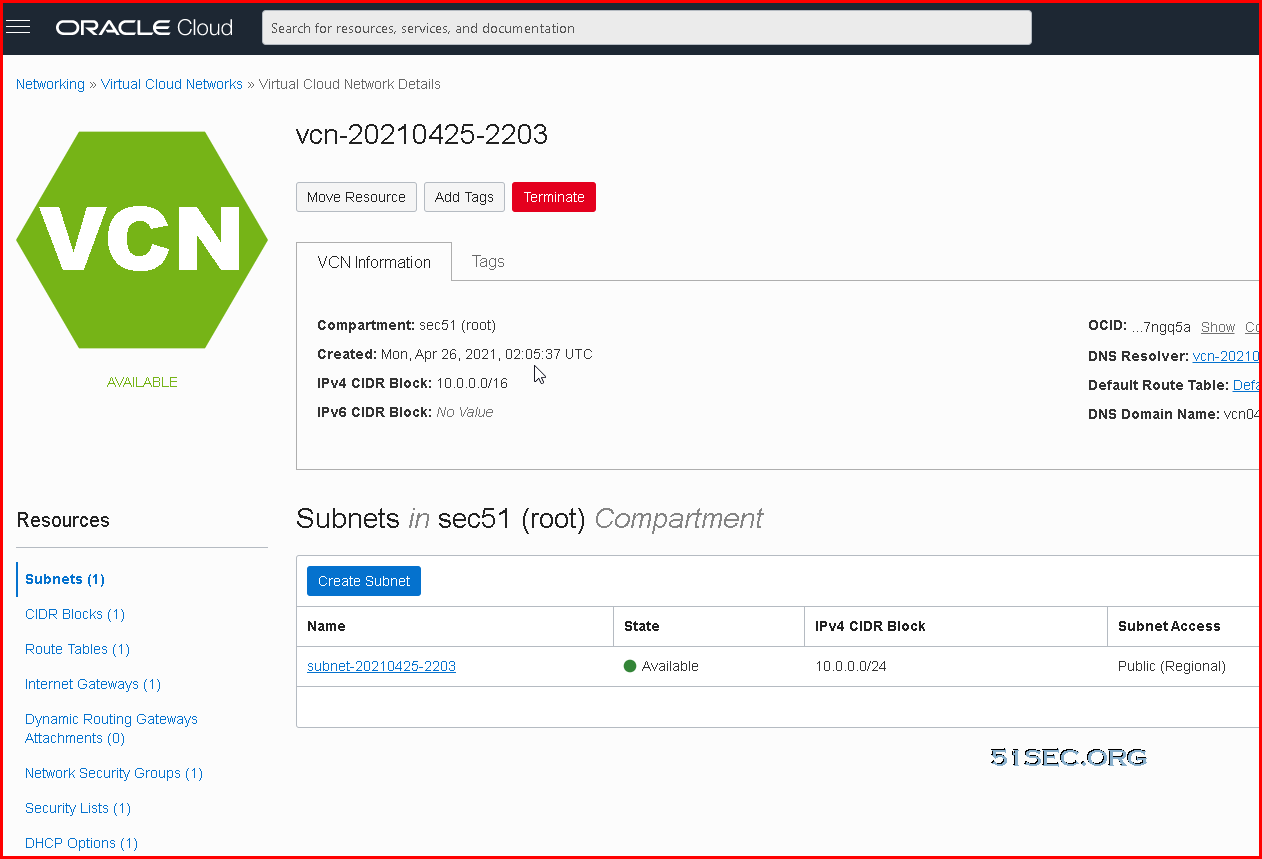
2. Find out your existing VCN (Virtal Cloud Networks), Click it.
3. You should land on VCN's Subnets page as show below:
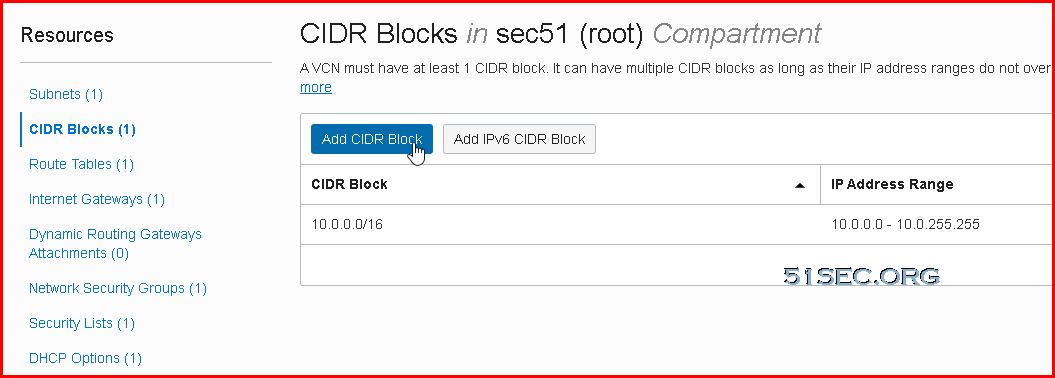
4. Change to CIDR Blocks page , then click Add IPv6 CIDR Block button to add a new IPv6 block in.
You will get a pop up window to confirm you want to enable ipv6. Click Confirm to continue.
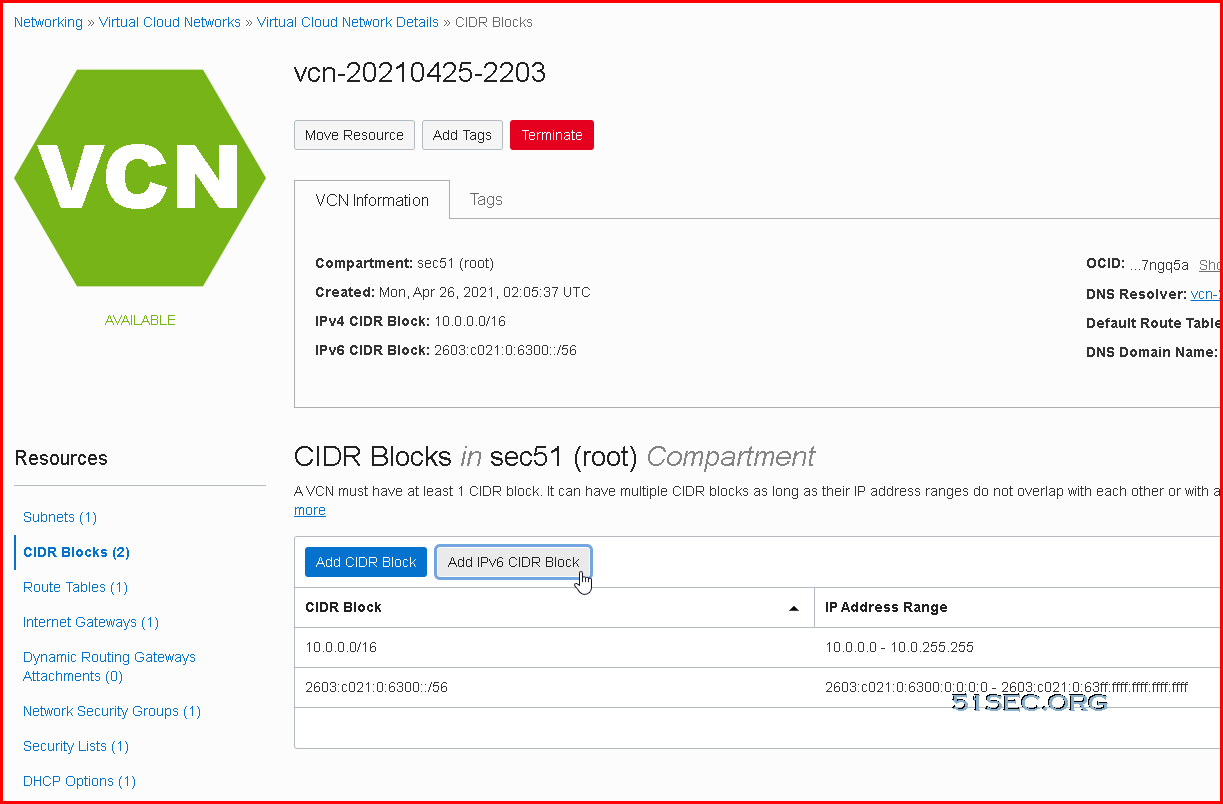
5. After you confirmed to enable ipv6 support, a new ipv6 segment (/56 block) will be assigned to you.
Create IPv6 Subnet
1.Click the existing subnet for Resources panel's Subnets page:
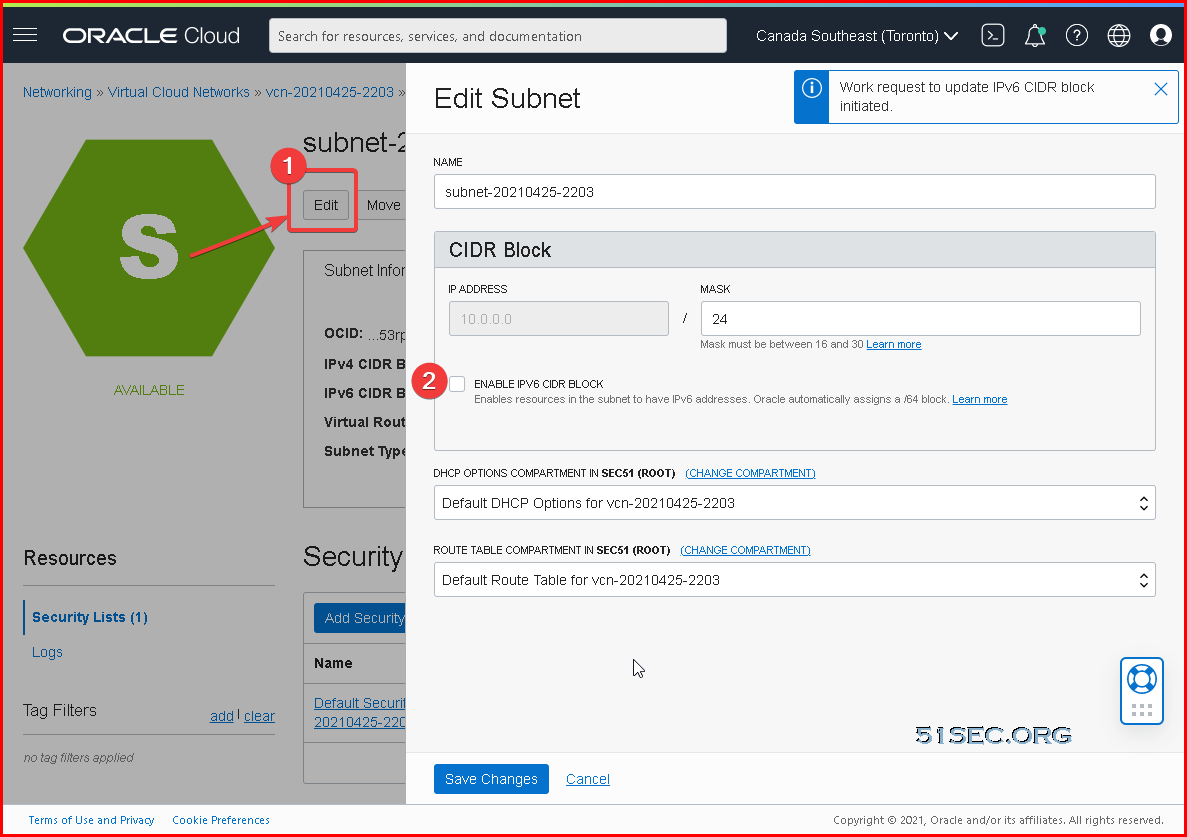
3. Enter a new HEX character between 00-FF to assign a /64 subnet from a block /56.
Create Security Rules for Ingress and Egress IPv6 Traffic
Ingress rule for all IPv6 Traffic:
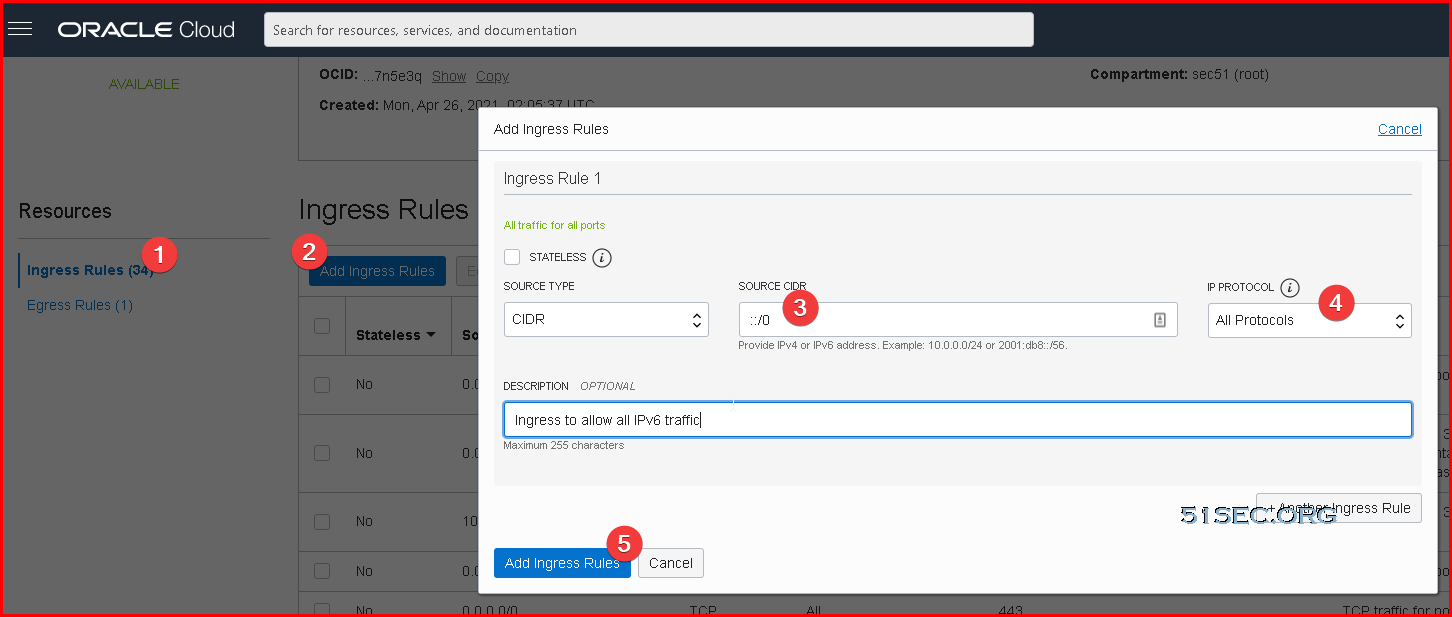
Egress rule for all IPv6 Traffic

Default IPv6 Route
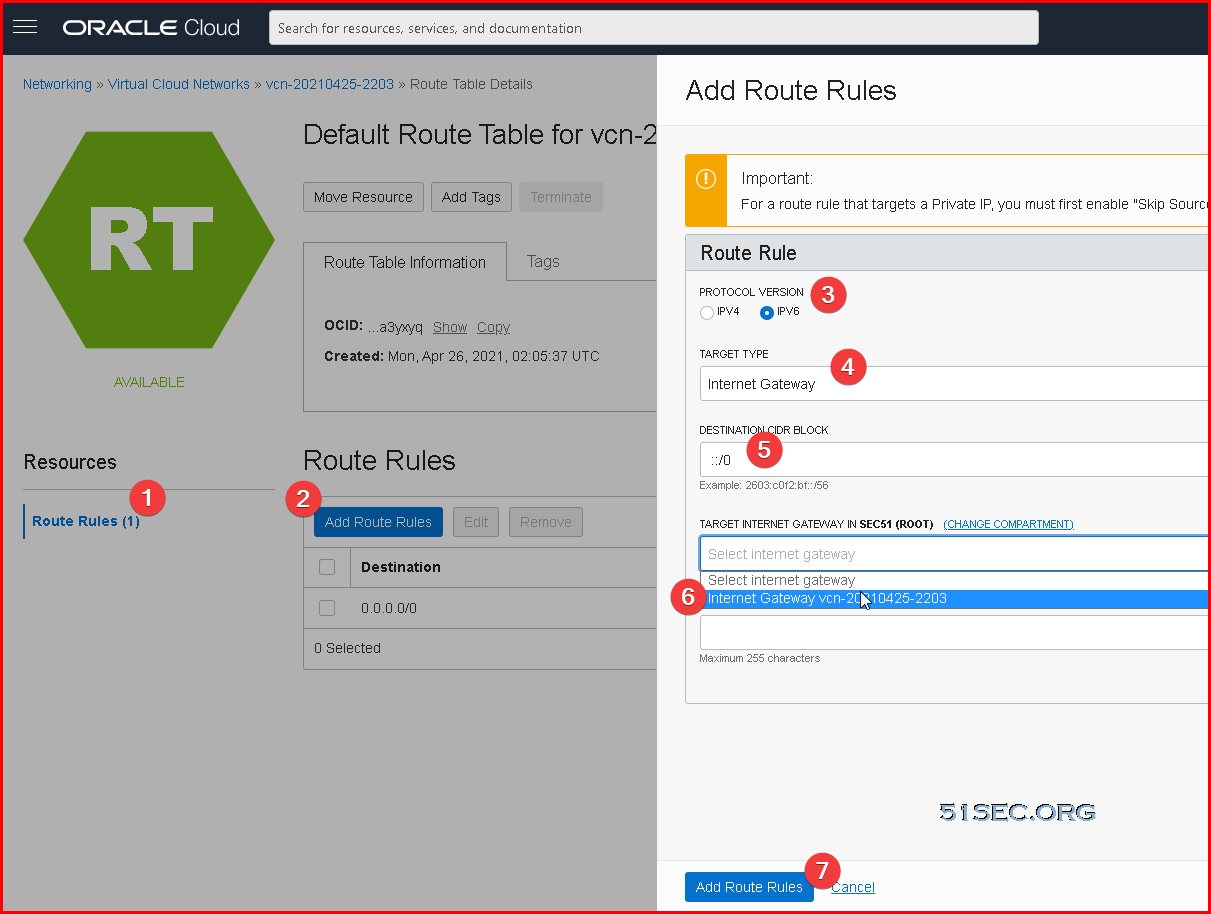
In your Route Rules, there is already one IPv4 default route in place.
We will also need to add a default IPv6 route in. The option is same concept as your ipv4 default route.
Since it is for all ipv6 traffic, destination CIDR block is ::/0.
Assign An IPv6 Address to your instance
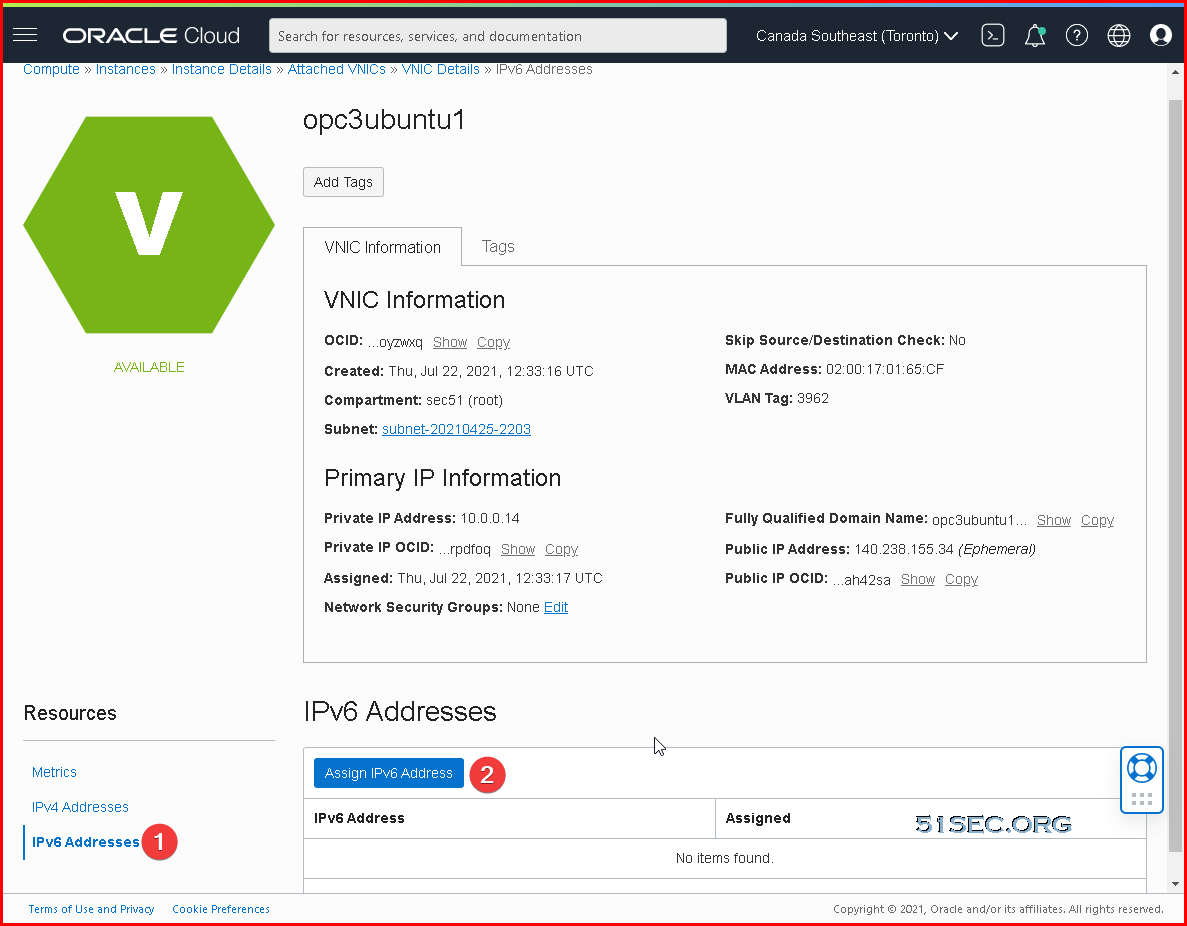
You can assign a new ipv6 or randomly let OCI assign one for you without entering anything, just click Assign button:
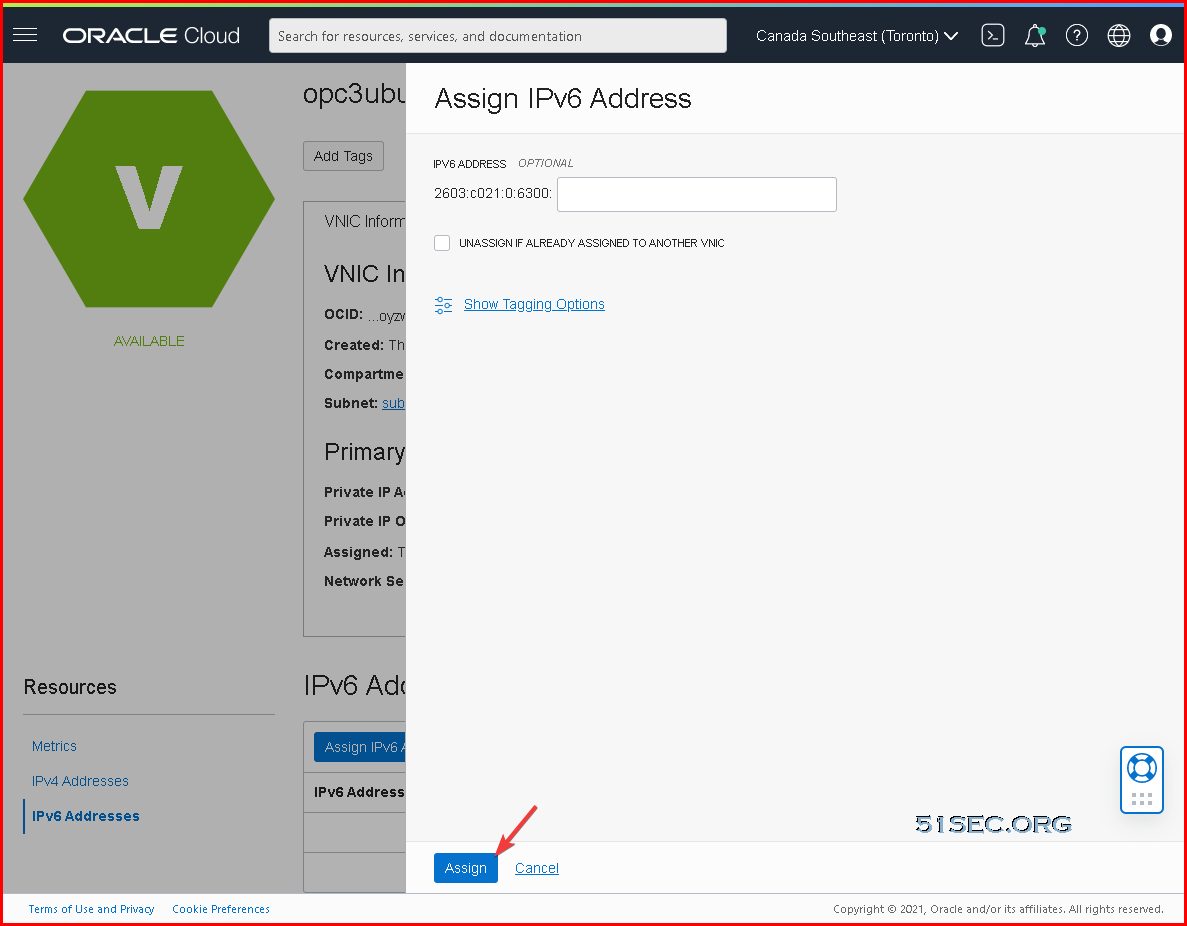
After a couple of seconds, one IPv6 address will be assigned to your VNIC.
Acquire This IPv6 Address From Your VPS
Last step is to fetch this ipv6 address by your VPS's OS.
For CentOS:
Restarting networking will not work. We can using following command:
① Fetch IPv6(Oracle Cloud CentOS default network card name is ens3)
②Check if fetched IPv6 address
③Test your IPv6 address
④Add Fetch IPv6 Command into Startup
After CentOS restarted, IPv6 will not be fetched again. We will let rc.local this automatic boot process to start fetching IP address command.
For Ubuntu:
IPv6 address will be automatically fetched by network card ens3:
root@opc3ubuntu1:~# ip a
1: lo: <LOOPBACK,UP,LOWER_UP> mtu 65536 qdisc noqueue state UNKNOWN group default qlen 1000
    link/loopback 00:00:00:00:00:00 brd 00:00:00:00:00:00
    inet 127.0.0.1/8 scope host lo
       valid_lft forever preferred_lft forever
    inet6 ::1/128 scope host
       valid_lft forever preferred_lft forever
2: ens3: <BROADCAST,MULTICAST,UP,LOWER_UP> mtu 9000 qdisc pfifo_fast state UP group default qlen 1000
    link/ether 02:00:17:01:65:cf brd ff:ff:ff:ff:ff:ff
    altname enp0s3
    inet 10.0.0.14/24 brd 10.0.0.255 scope global ens3
       valid_lft forever preferred_lft forever
    inet6 2603:c021:0:6300:728f:b425:2843:b9b2/128 scope global dynamic noprefixroute
       valid_lft 7164sec preferred_lft 6864sec
    inet6 fe80::17ff:fe01:65cf/64 scope link
       valid_lft forever preferred_lft forever
References
via Blogger https://ift.tt/3jNVp42
September 07, 2021 at 11:13AM Cloud

 RSS Feed
