
Use Azure File Sync to centralize your organization's file shares in Azure Files, while keeping the flexibility, performance, and compatibility of an on-premises file server. Azure File Sync transforms Windows Server into a quick cache of your Azure file share. You can use any protocol that's available on Windows Server to access your data locally, including SMB, NFS, and FTPS. You can have as many caches as you need across the world.
Microsoft documents to read:
- Planning for an Azure Files deployment
- Planning for an Azure File Sync deployment
- Deploy Azure File Sync
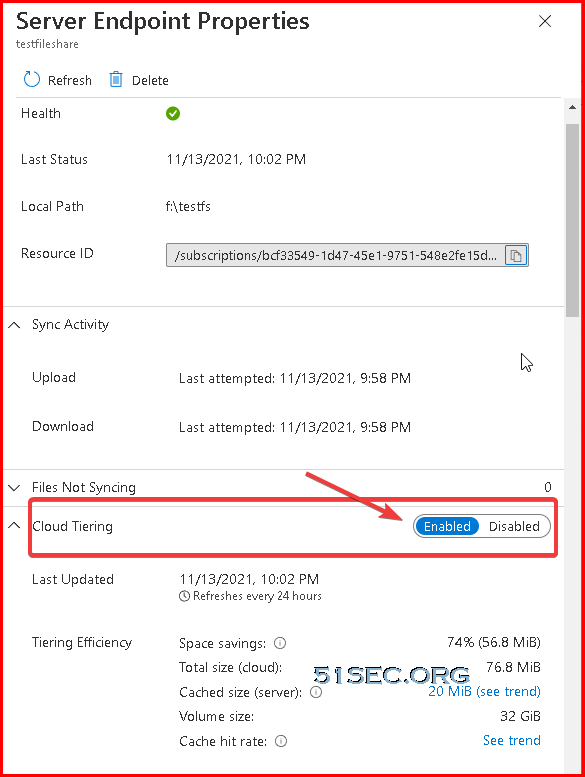
Cloud tiering, an optional feature of Azure File Sync, decreases the amount of local storage required while keeping the performance of an on-premises file server.
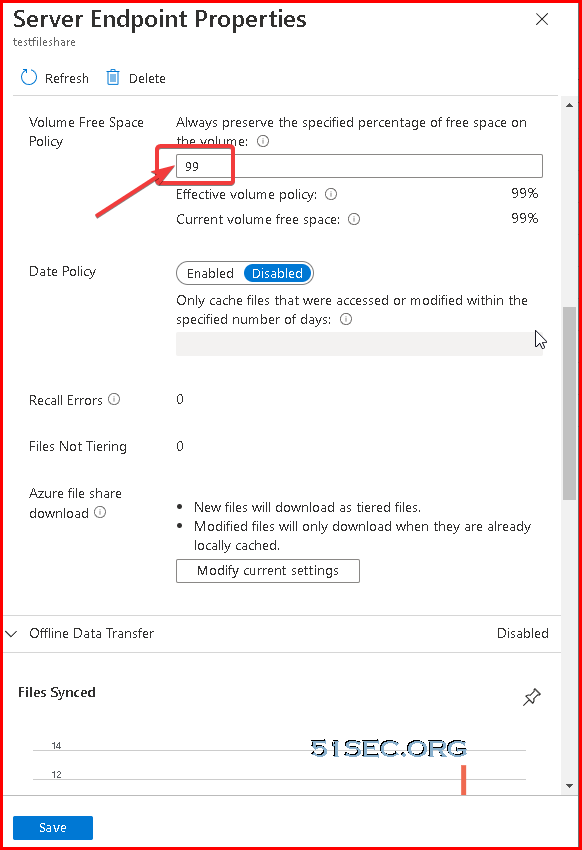
When enabled, this feature stores only frequently accessed (hot) files on your local server. Infrequently accessed (cool) files are split into namespace (file and folder structure) and file content. The namespace is stored locally and the file content stored in an Azure file share in the cloud.
When a user opens a tiered file, Azure File Sync seamlessly recalls the file data from the file share in Azure.
Create a Storage Account
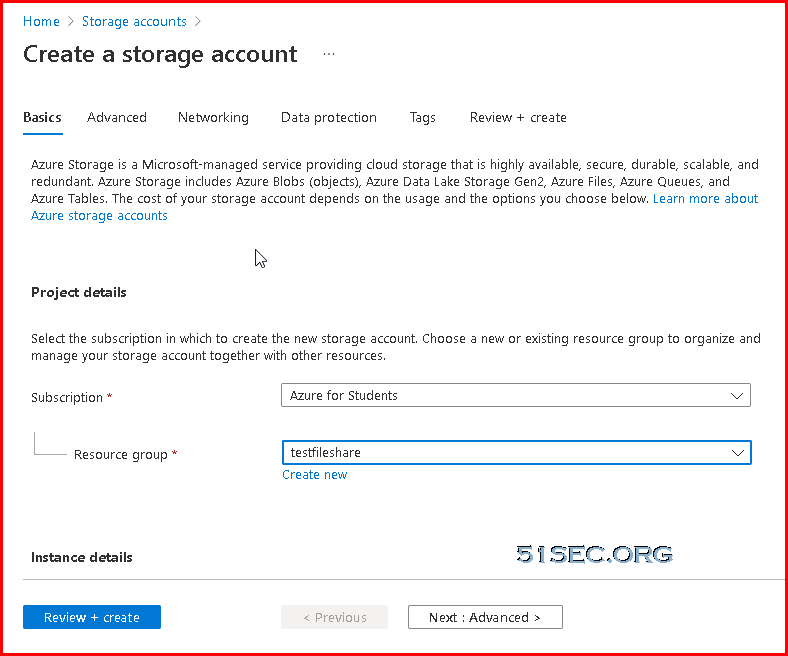
Create a storage account :
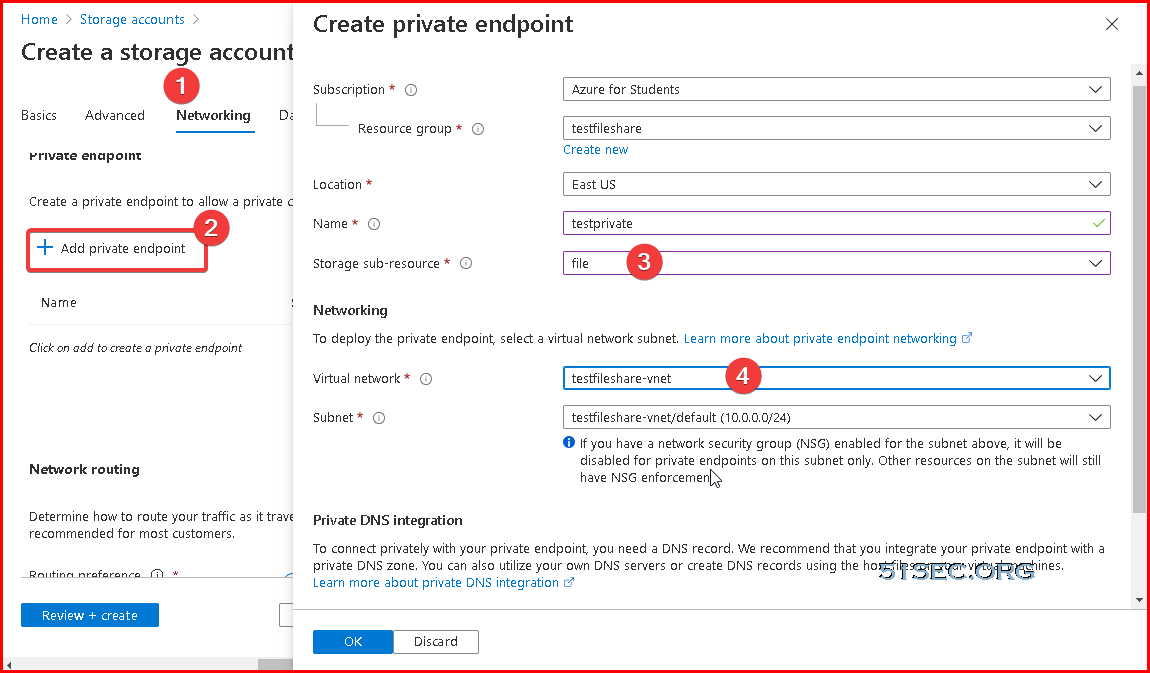
Create a private endpoint:
Create A VM and Add One More Hard Drive for Sync
Azure Storage Sync Service
Azure Storage Sync Agent Installation
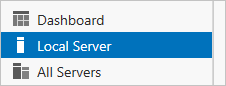
- Open Server Manager.
- Click Local Server:
- On the Properties subpane, select the link for IE Enhanced Security Configuration.
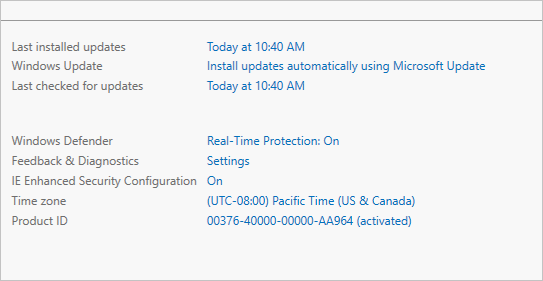
- In the Internet Explorer Enhanced Security Configuration dialog box, select Off for Administrators and Users:

Install the Azure File Sync agent
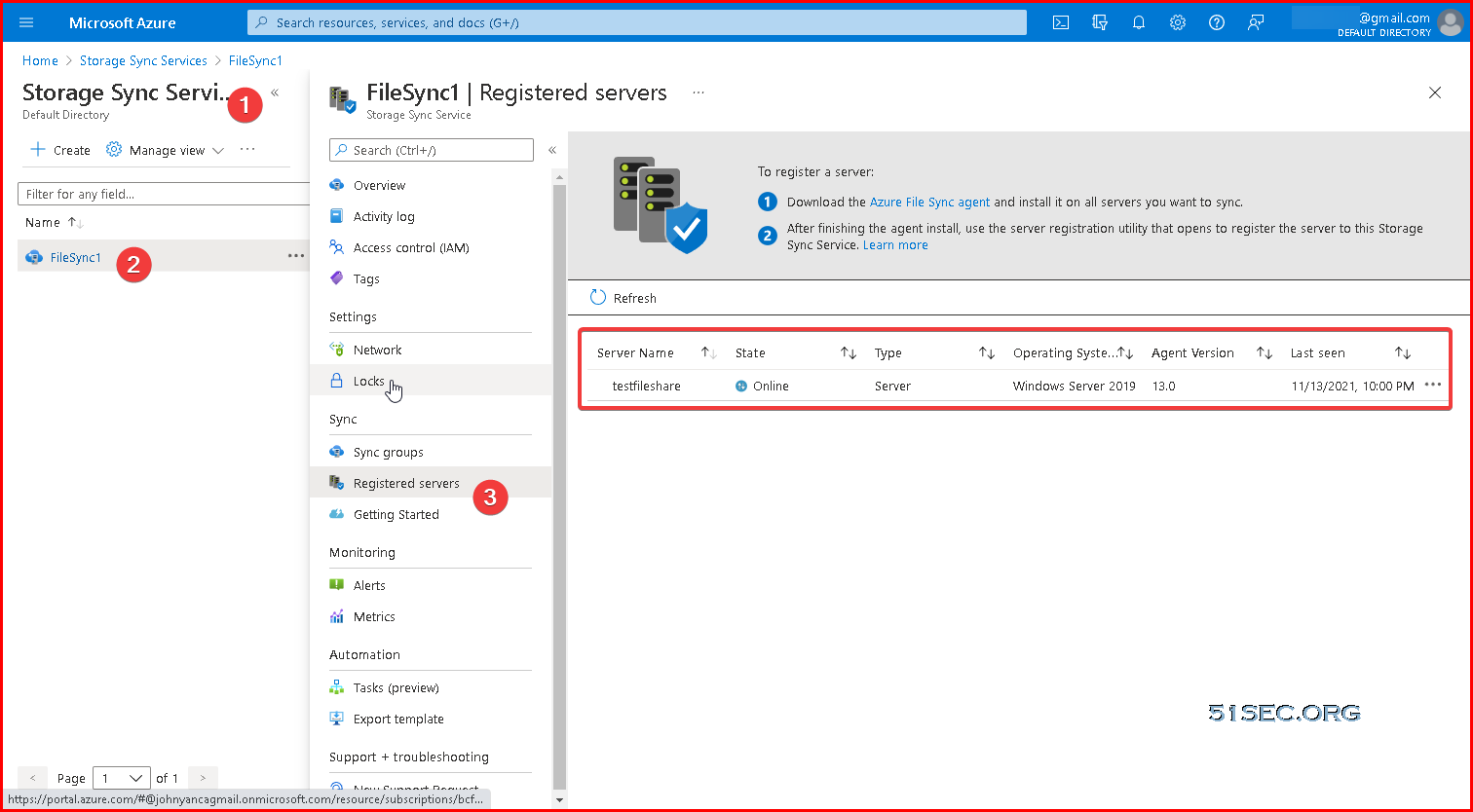
Registered Servers
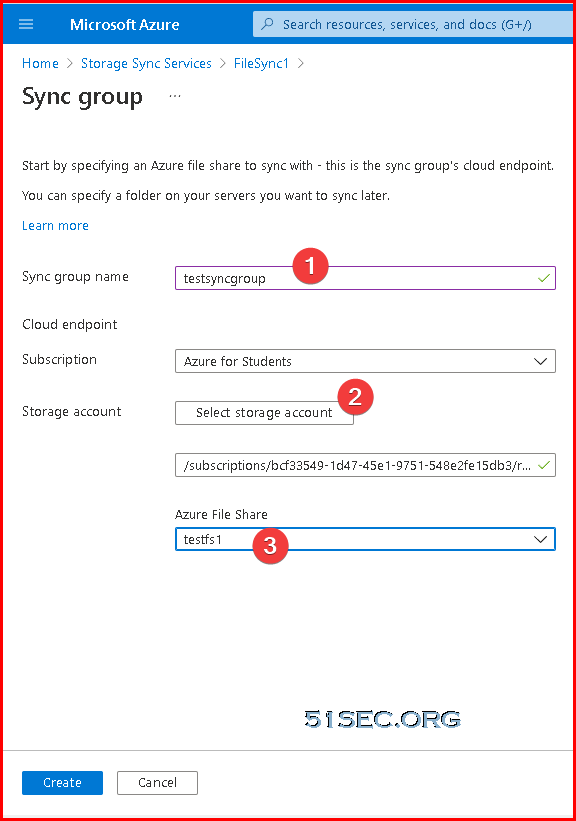
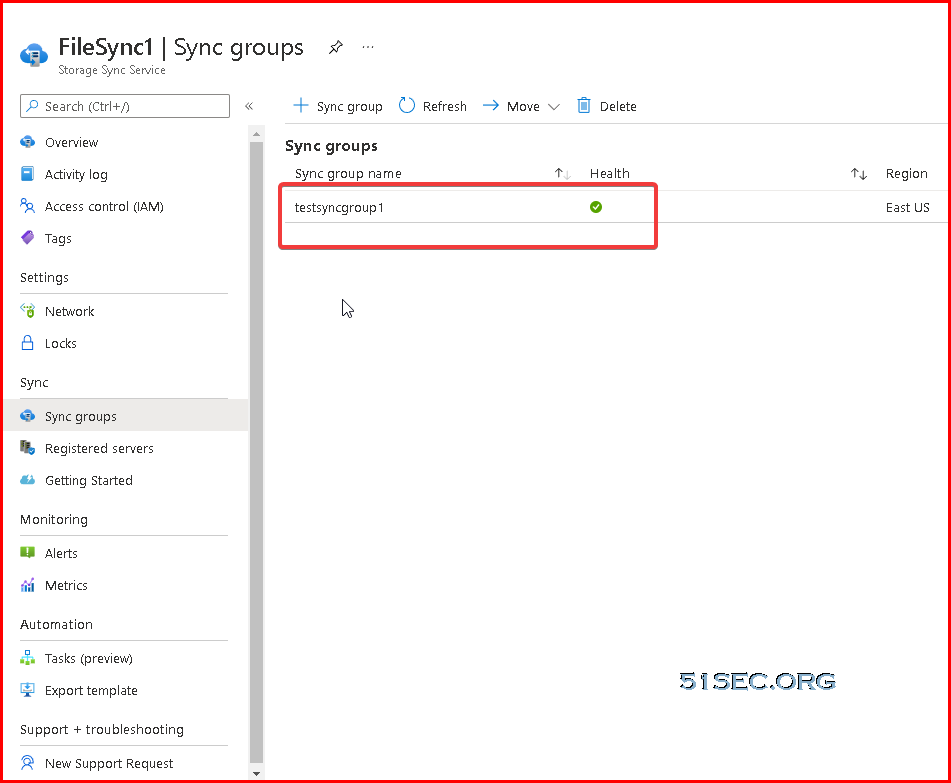
Sync Groups
Add server endpoint
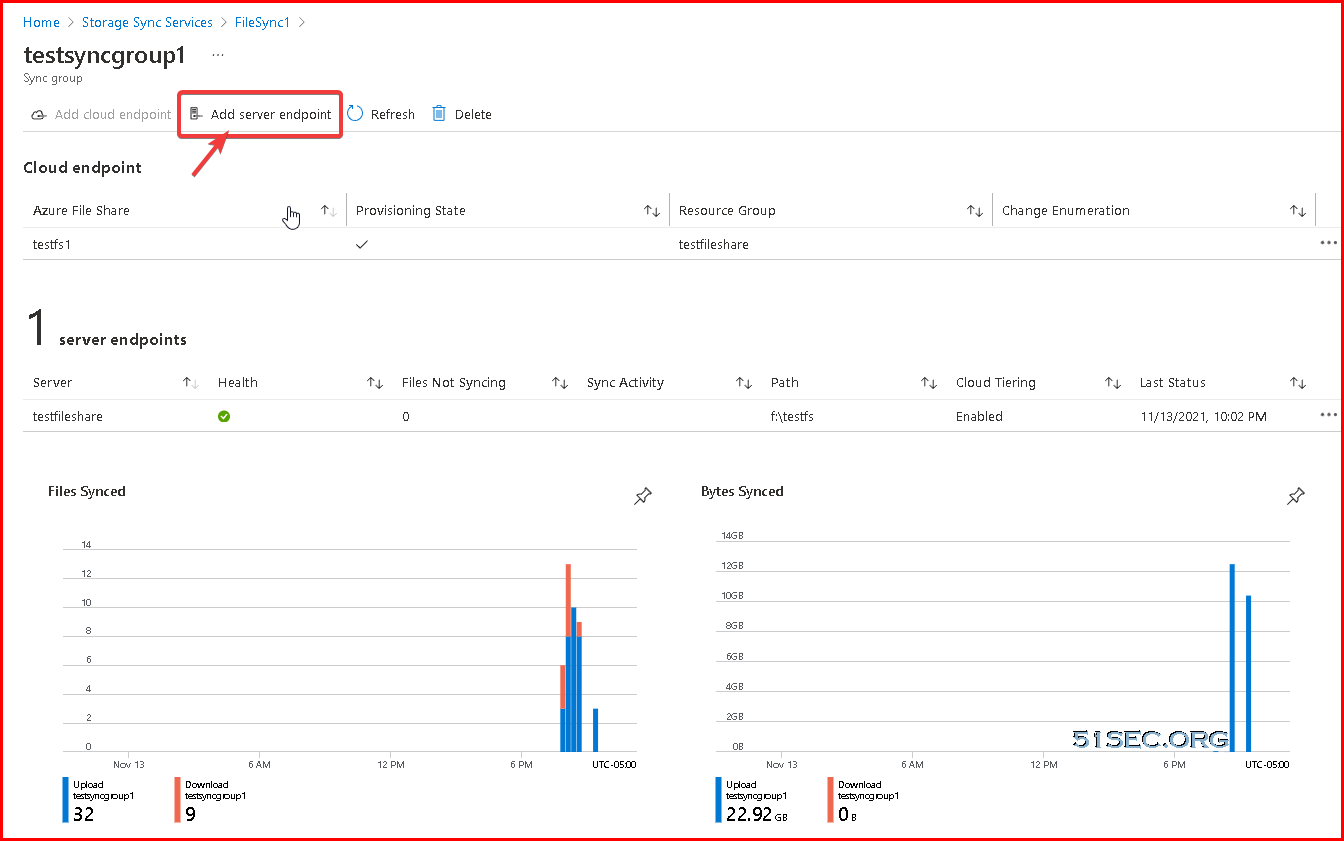
Cloud Tiering
Server endpoint creation fails, with this error: "MgmtServerJobFailed" (Error code: -2134375898 or 0x80c80226)
This error occurs if the server endpoint path is on the system volume and cloud tiering is enabled. Cloud tiering is not supported on the system volume. To create a server endpoint on the system volume, disable cloud tiering when creating the server endpoint.
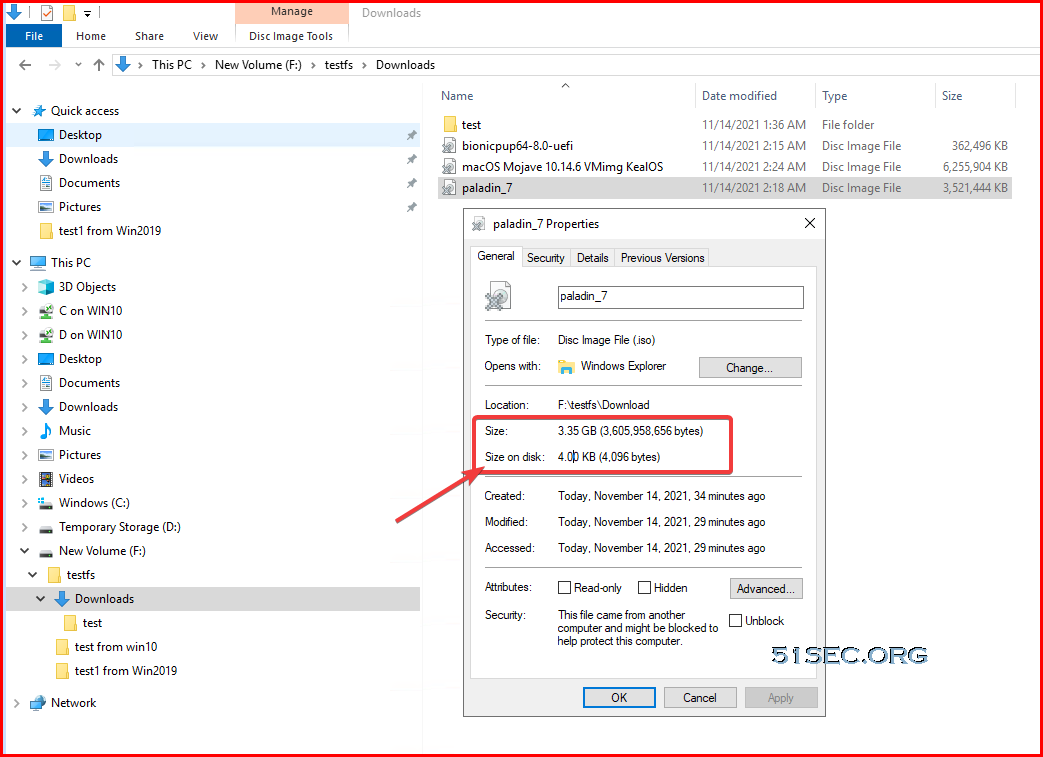
Tiered file
For tiered files, the size on disk is zero since the file content itself isn't being stored locally. When a file is tiered, the Azure File Sync file system filter (StorageSync.sys) replaces the file locally with a pointer (reparse point). The reparse point represents a URL to the file in the Azure file share. A tiered file has both the "offline" attribute and the FILE_ATTRIBUTE_RECALL_ON_DATA_ACCESS attribute set in NTFS so that third-party applications can securely identify tiered files.
Mount Azure File Sync Folder to Local Without Port 445
PS C:\Users\test> Test-NetConnection -ComputerName 20.121.195.14 -Port 445Test-NetConnection -ComputerName 20.121.195.14 -Port 445                                                                                                              PS C:\Users\test> Test-NetConnection -ComputerName 20.121.195.14 -Port 445                                              WARNING: TCP connect to (20.121.195.14 : 445) failed
WARNING: Ping to 20.121.195.14 failed with status: TimedOut


ComputerName           : 20.121.195.14
RemoteAddress          : 20.121.195.14
RemotePort             : 445
InterfaceAlias         : Ethernet0
SourceAddress          : 192.168.2.141
PingSucceeded          : False
PingReplyDetails (RTT) : 0 ms
TcpTestSucceeded       : False
Microsoft Windows [Version 10.0.19042.685]
(c) 2020 Microsoft Corporation. All rights reserved.

C:\WINDOWS\system32>netsh interface portproxy delete v4tov4 listenaddress=10.255.255.1 listenport=445


C:\WINDOWS\system32>netsh interface portproxy show all


C:\WINDOWS\system32>
References
via Blogger http://blog.51sec.org/2021/11/deploy-azure-file-sync-on-cloud-vm-and.html
November 15, 2021 at 04:09PM Cloud

 RSS Feed
