
Deploy A Python App Free into Cloud to Show Visitor's Public IP
Here are steps to create your own Github repository, folder structure and file you will need:
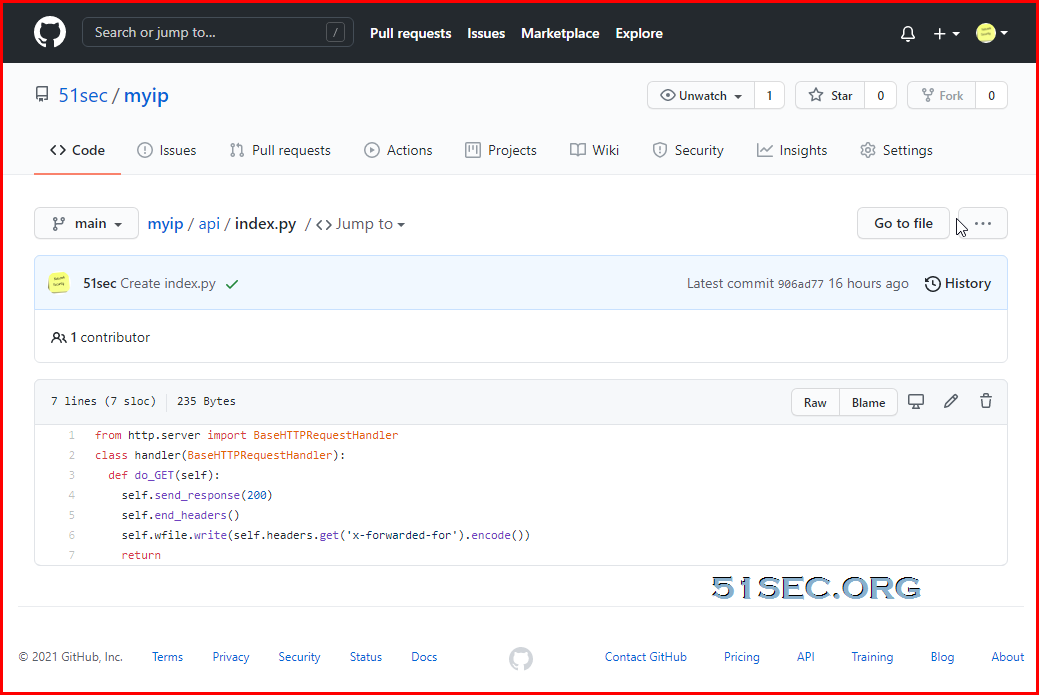
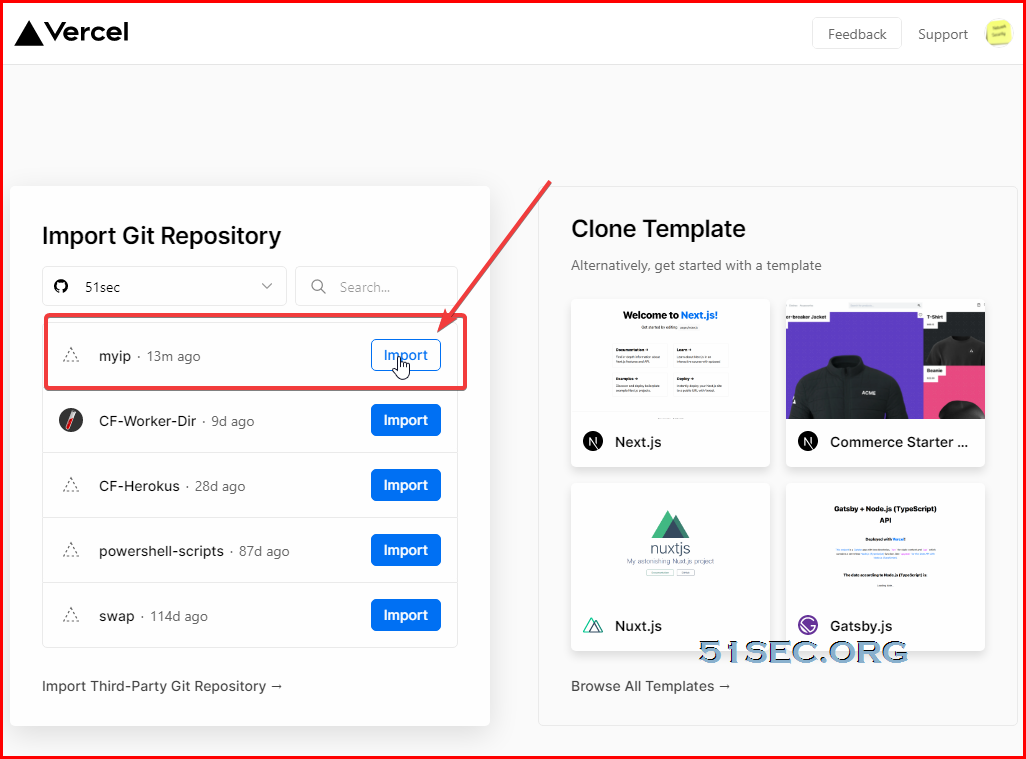
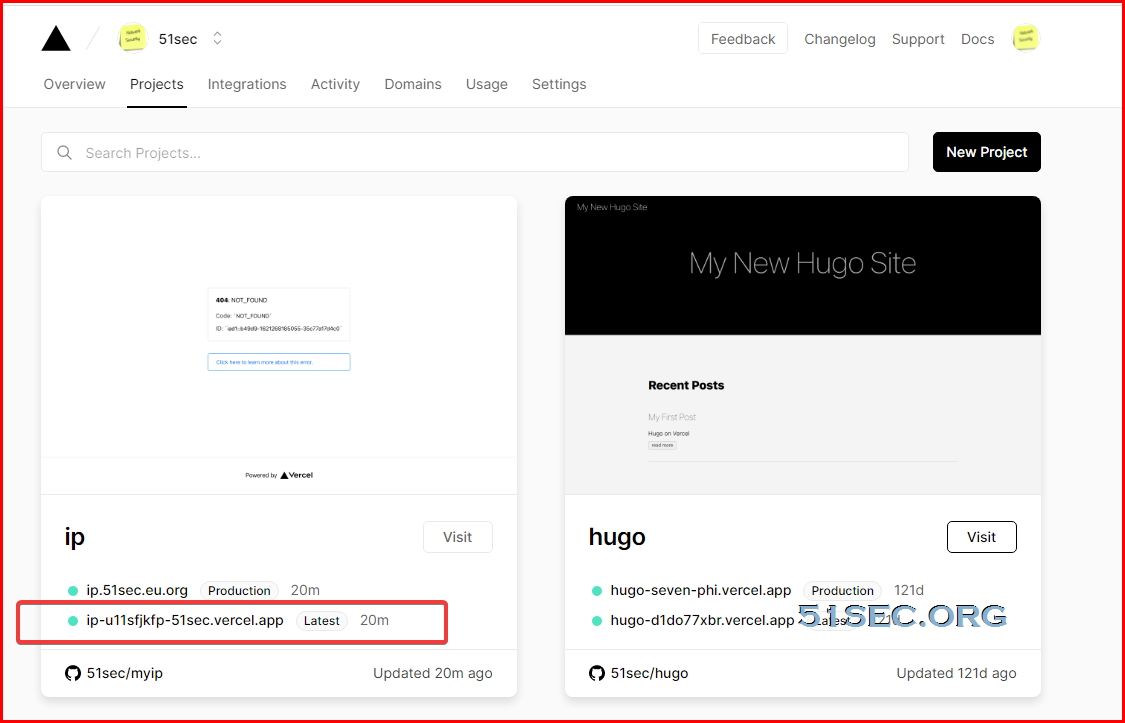
Here are steps to deploy the Github myip project:
via Blogger https://ift.tt/3fnL9w9
May 17, 2021 at 04:27PM Python
It is pretty easy to deploy a simple serverless script into cloud. Following three vendors are providing a free service for that"
- Heroku - is a platform that lets developers deploy, manage, scale web apps. It provides its own CLI which lets you use your terminal to track changes or deploy your code directly to Heroku after logging in.
- Netlify - is a saas platform to build, deploy and host your static site or app with a drag and drop interface and automatic delpoys from GitHub or Bitbucket. Netlify is smart enough to process your site and make sure all assets gets optimized and served with perfect caching-headers from a cookie-less domain.
- Vercel - is also a platform to deploy and manage your web apps but the front-end part only. Though the steps are very easy. You just need to connect your Github account with Vercel and then choose the repository which has the project you wish to deploy. Once added, it will also keep track of any changes you’ll do in your master branch and will keep re-deploying the app with those changes.
In this post, I am going to use Vercel as the platform to run my small Python web app to show the visitor's public ip.
What you will need is only a Github account and a Vercel account.
Create a Python script at GitHub
- Log into Github account
- Create repository
- Create folder , api
- Create a file and name it as index.py
Or, you can direct folk my project from https://ift.tt/2STpdRP o your account
from http.server import BaseHTTPRequestHandler
class handler(BaseHTTPRequestHandler):
  def do_GET(self):
    self.send_response(200)
    self.end_headers()
    self.wfile.write(self.headers.get('x-forwarded-for').encode())
    return
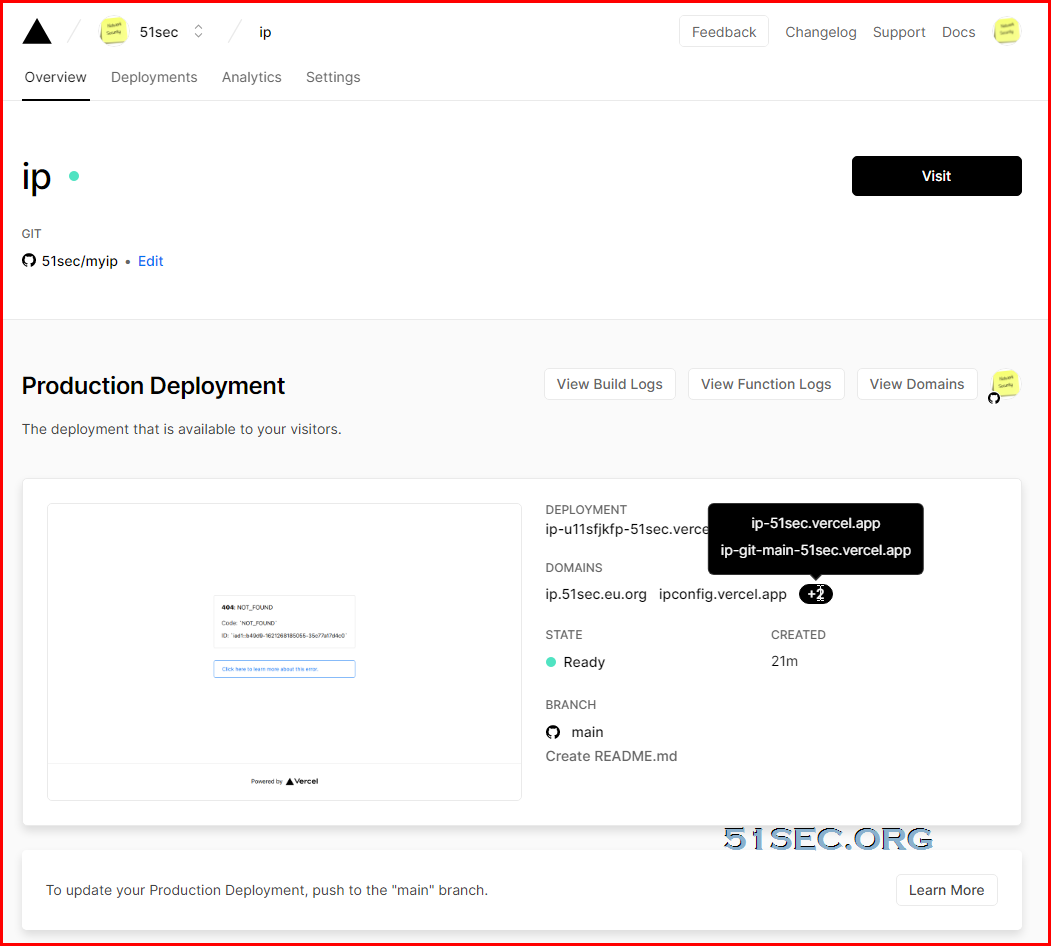
Create Your Vercel Account and Deploy Github project
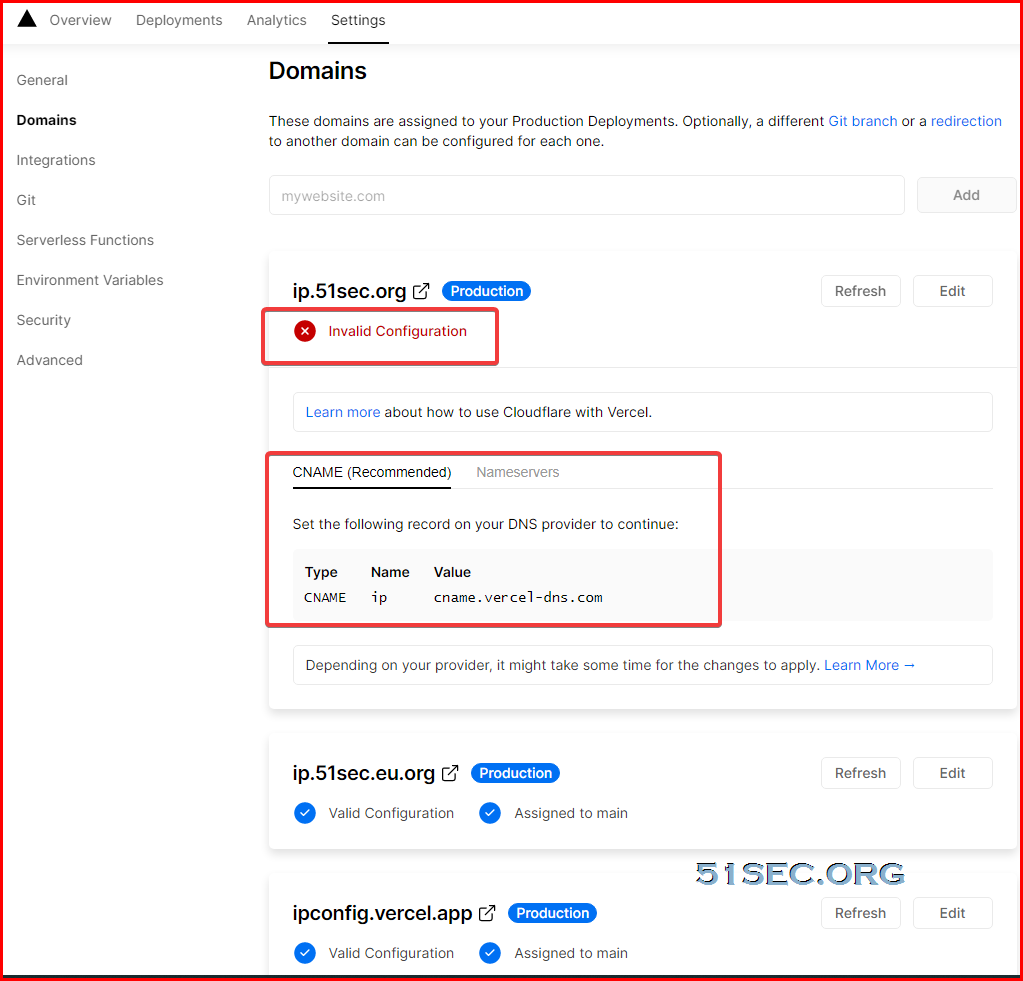
Add Your Own Domain for Vercel Project
You can also add your own domain into your project. You will get invalid configuration errors if you did not set up cname record or a record firstL
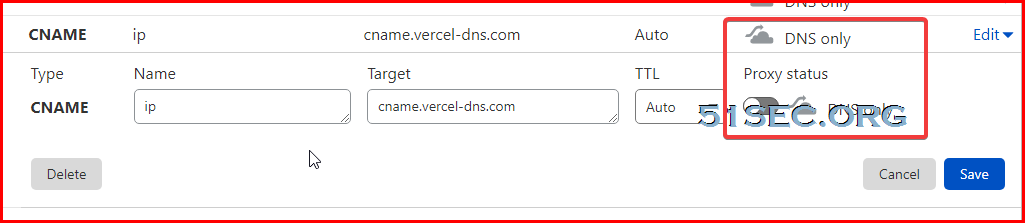
Cloudflare configuration, Proxy Status has to be DNS Only:
Now we can get this app working by browsing to https://ift.tt/2QpSGlt
The reason for api folder is to let Vercel python to run your script at api page. Basically "the only requirement is to create an
api directory at the root of your project directory, placing your Serverless Functions inside" based on Vercel documentation.
via Blogger https://ift.tt/3fnL9w9
May 17, 2021 at 04:27PM Python

 RSS Feed
