
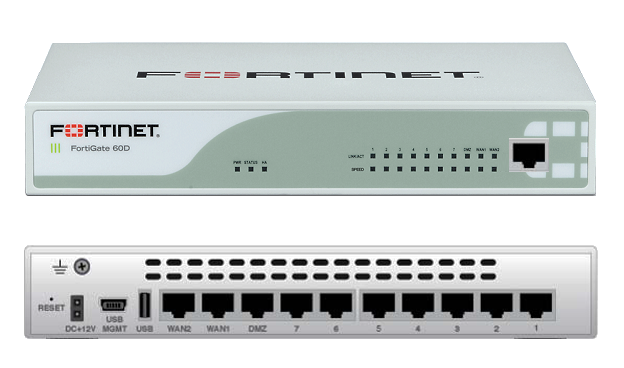
 Fortigate firewall 60D has been used in our environment because of performance and cost. It is small, powerful, rich feature also cost effective. Usually 60D is reliable and sitting quietly in the corner of server room.
Today during a regular check, File System Check Recommended message pop-ed up when I logged into Web Interface. It prompted a file system check recommended window as show below:

It seems Power Failure Detected during last power outage. Obviously Firewall itself is still running well. It is not down and nothing scary happened yet. Should I directly go ahead to click "Check file system" button?
There is one thing you will have to remember is this option to check file system will reboot your devices. If your device is in the production, you will have to let it remind you later. If you hit the Check file system button, you will have to wait 5-8 minutes for this job done, which also means your production will be down for 5-8 minutes. I would suggest the button name should change from "Check file system" to "Check file system and Reboot", just for those impatient person not to read all messages on the screen.
Based on FortiOS knowledge article,
"In FortiOS 5.2 patch3, the file system check dialogue was introduced in the GUI and it offers the options to restart the unit and perform a file system check or, if desired, to be reminded later for performing the action in a maintenance window.
File System check is a feature that is checking if the device was not shutdown properly. It will do a disk scan when the system boots up to avoid any potential file system errors. In fact, if the unit was shutdown without using the proper command (#execute shutdown), during the booting sequence, the FortiGate will check internal files for this log event and, if it cannot find it, the message will be shown.
This behavior is by design and there is no option to disable this message.
The message should no longer be seen once the following actions have been completed:
- Check of the file system.- Reboot of the device."
I have connected the console to this Fortigate 60D device to see the console outputs during system check. After that, I did a firmware upgrade and here are what I got from console.
|
FORTIGATE60D login:
The system Please stand by while rebooting the system. Restarting system. FORTIGATE60D-60D (17:26-02.19.2014) Ver:04000023 Serial number: FGT60D4614011953 CPU(00): 800MHz Total RAM: 2GB Initializing boot device... Initializing MAC... nplite#0 Please wait for OS to boot, or press any key to display configuration menu...... Booting OS... Reading boot image... 1278219 bytes. Initializing firewall... System is starting... Scanning /dev/sdb1... (100%) FORTIGATE60D login: |
I did firmware upgrade to v5.2.4, build688 from the web UI system information section. It took about five minutes to finish upgrading.

The following console output is recorded during firmware upgrading process:
|
FORTIGATE60D login:
Firmware upgrade in progress ... Done. The system is going down NOW !! Please stand by while rebooting the system. Restarting system. FORTIGATE60D-60D (17:26-02.19.2014) Ver:04000023 Serial number: FGT60D4614011953 CPU(00): 800MHz Total RAM: 2GB Initializing boot device... Initializing MAC... nplite#0 Please wait for OS to boot, or press any key to display configuration menu...... Booting OS... Reading boot image... 1278067 bytes. Initializing firewall... System is starting... FORTIGATE60D login: admin Password: *********** Welcome ! FORTIGATE60D # execute ping 10.4.1.1 PING 10.4.1.1 (10.4.1.1): 56 data bytes 64 bytes from 10.4.1.1: icmp_seq=1 ttl=255 time=18.9 ms 64 bytes from 10.4.1.1: icmp_seq=2 ttl=255 time=1.5 ms --- 10.4.1.1 ping statistics --- 3 packets transmitted, 2 packets received, 33% packet loss round-trip min/avg/max = 1.5/10.2/18.9 ms FORTIGATE60D # |

 RSS Feed
