
Create UptimeRobot Monitoring Status Page
With UptimeRobot's free plan, you will get 50 monitors with 5 minutes monitoring interval, and 5 public status pages, weekly reports etc. It is usually enough for someone like me. I just used following two different ways to get my own UptimeRobot Monitoring Status Page set up. The whole process was easy and the result is fantastic.
Pre-requirements:
*UptimeRobot account
*Github Account
*Heroku Account
*Own Domain (Option)
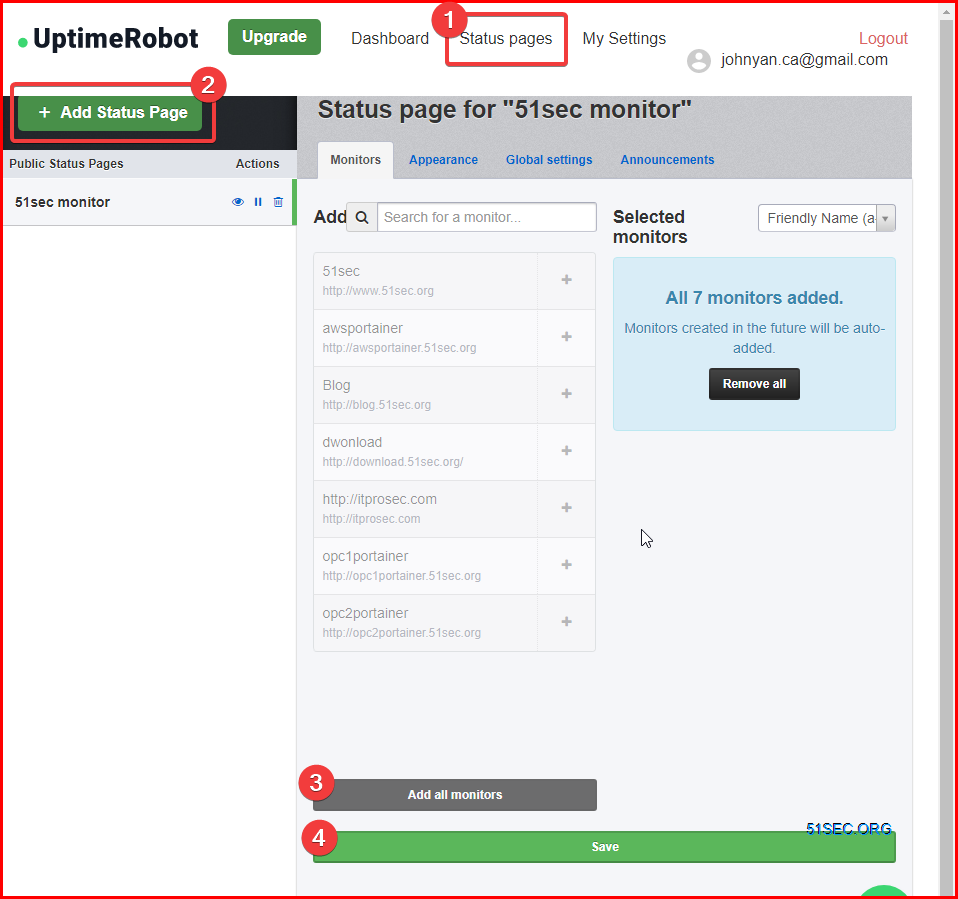
This will be easiest way to do but you wont be able to get much customization other than using your own logo and domain. There are some themes for you to choose and also you can control which monitor can show on the page. For security, you can put an password on your page to make it not public.
I forked yb/uptim-status and made a Deploy to Heroku button to make this project can be quickly and easily deployed.
From Heroku app's settings, go to domain and get your Heroku's url. You also can add your own domain as long as you have a cname pointing to Heroku.

via Blogger https://ift.tt/2LEJxCM
January 10, 2021 at 05:27PM Cloud
With UptimeRobot's free plan, you will get 50 monitors with 5 minutes monitoring interval, and 5 public status pages, weekly reports etc. It is usually enough for someone like me. I just used following two different ways to get my own UptimeRobot Monitoring Status Page set up. The whole process was easy and the result is fantastic.
Pre-requirements:
*UptimeRobot account
*Github Account
*Heroku Account
*Own Domain (Option)
From UptimeRobot Website Status Page
This will be easiest way to do but you wont be able to get much customization other than using your own logo and domain. There are some themes for you to choose and also you can control which monitor can show on the page. For security, you can put an password on your page to make it not public.
GitHub Project - Uptime-status
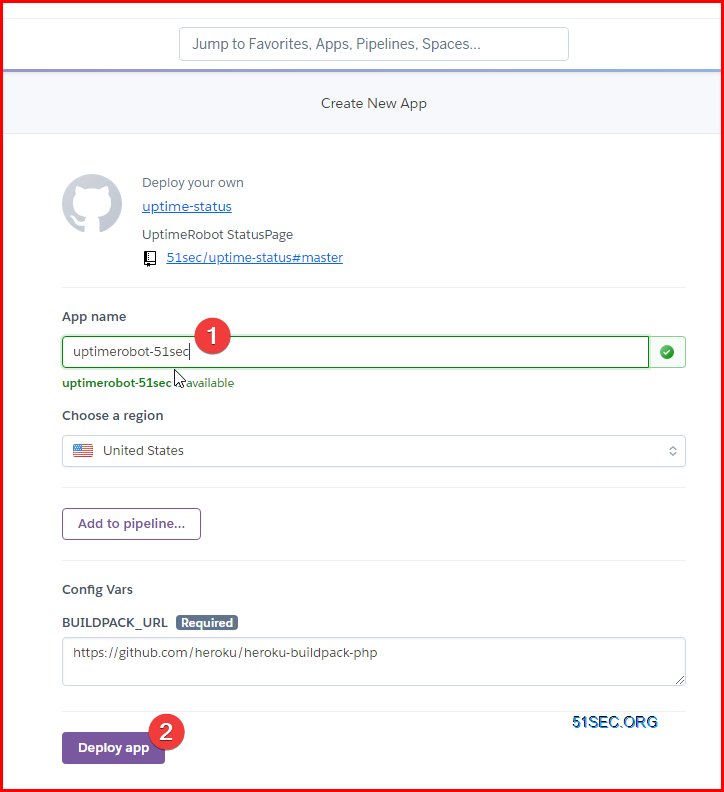
I forked yb/uptim-status and made a Deploy to Heroku button to make this project can be quickly and easily deployed.
1 Deploy to Heroku button
Modify README.md file and add following code in:
[](https://dashboard.heroku.com/new?template=https://github.com/51sec/uptime-status/master)
2 Create a index.php file to load home.html static web page
also rename index.html file to home.html. You can not use index.php to load index.html.
<?php include_once("home.html"); ?>
3 Create a composer.json file including {}
{}
4 Create a app.json file:
Change it accordingly based on your configuration.
{
    "name": "uptime-status",
    "description": "UptimeRobot StatusPage",
    "keywords": [
        "UptimeRobot",
        "StatusPage",
        "Uptime",
        "Robot"
    ],
    "website": "https://github.com/51sec/uptime-status",
    "repository": "https://github.com/51sec/uptime-status",
    "env": {
        "BUILDPACK_URL": "https://github.com/heroku/heroku-buildpack-php"
    }
}
5 Click button to deploy
6 Get your Heroku App Link
Demo site:https://myuptimerobot.herokuapp.com/
Notes:
Latest release from yb/uptime-status : https://ift.tt/3bsjSbi
References
via Blogger https://ift.tt/2LEJxCM
January 10, 2021 at 05:27PM Cloud

 RSS Feed
