Info Security Memo
  • Blog
  • Sitemap
    • Categories
  • Contact
  • About
  • Resources
  • Tools
  • 51sec.org

Build Confidence

Focusing on Information Security 

Info Security Notes

Create OpenWRT Virtual Machine in Azure Cloud

12/16/2021

0 Comments

 
Create OpenWRT Virtual Machine in Azure Cloud

There are many reasons you might want to put OpenWRT into Azure Cloud. For me, I was looking for a free and light weight solution which can do routing, NAT, port forwarding, firewall with Web GUI management for my Azure cloud. I tried VNS3 NATe solution which works fine. Only restriction bothers me for production usage is throughput limited at 50Mbps. 

Deploy a Free NAT Gateway, Firewall and Router in Azure - VNS3 NATe

I had some posts regarding OpenWRT running in my VMWare environment. Is it possible to run it in Azure cloud? I managed to try using an OVA package found from Openwrt.org website and it works. 

Just in case you have same need and here are the steps I am following to spin up an OpenWRT VM in Azure Cloud. 


Topology


Download and Unzip OpenWRT OVA package

OVA file download links: 
19.07.5 - https://www.dropbox.com/s/4b0dy8d8iqf8a91/OpenWRT_x86_64_19.07.05.ova?dl=0

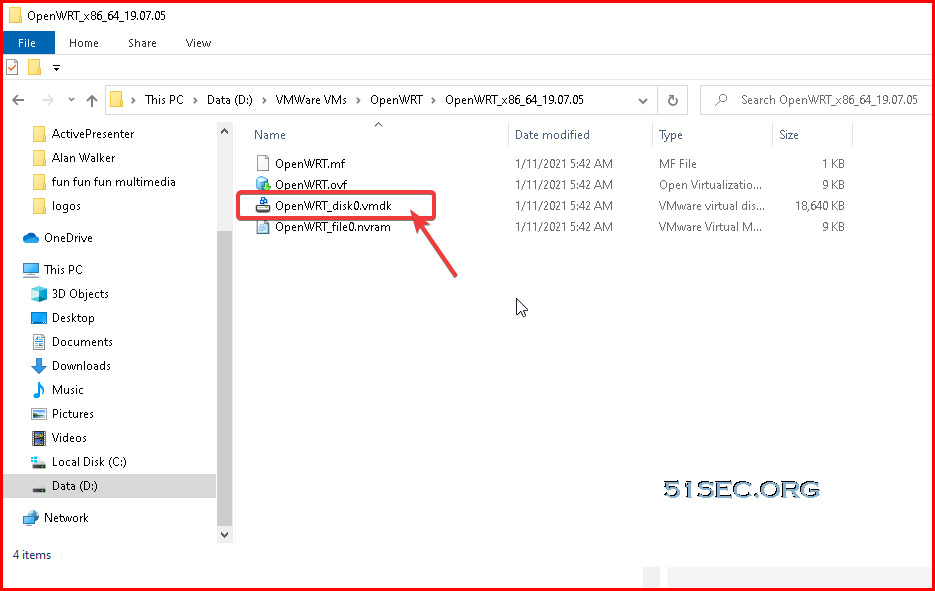
We can use winzip or 7zip this kind of software to unzip OVA file to a folder. There is vmkd file which we will need to process to next step. 


Convert VMDK file to VHD format

There are a couple of ways to do that. The easiest way for me is to download StarWindConverter from https://www.starwindsoftware.com/starwind-v2v-converter

After installed the software, following those steps to convert it to VHD format which can be used by Azure cloud.

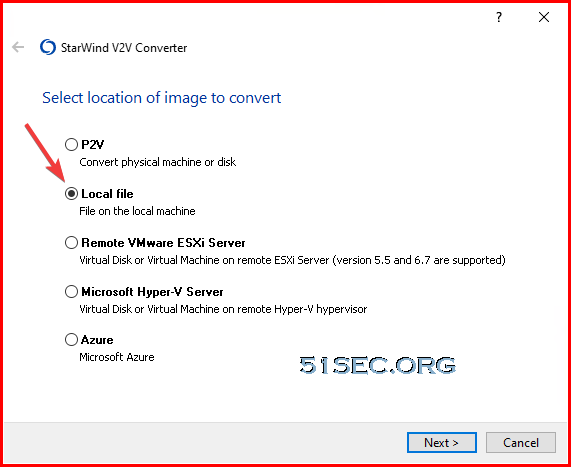
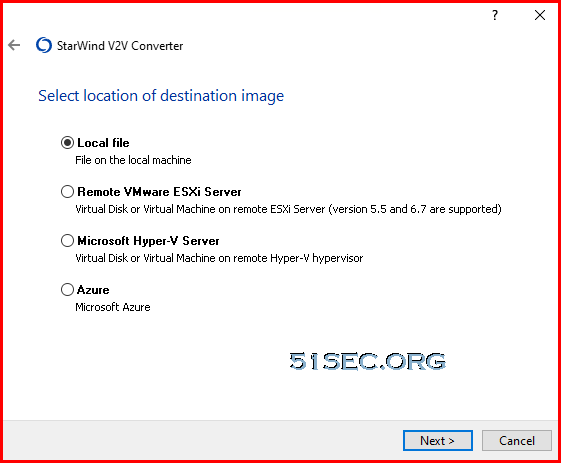
1 Choose local file to start


2 select the vmdk file we extracted from ova file.
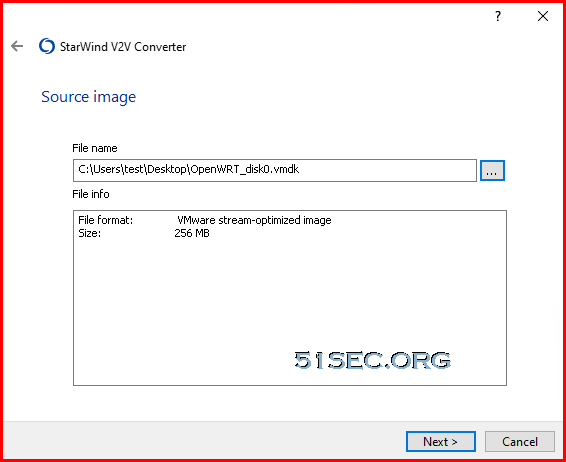


3 choose where to save your converted file.


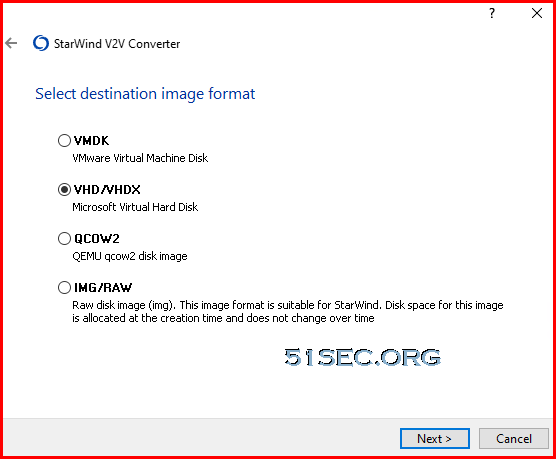
4 choose the vhd / vhdx as destination image format.


5 Choose VHD pre-allocated image
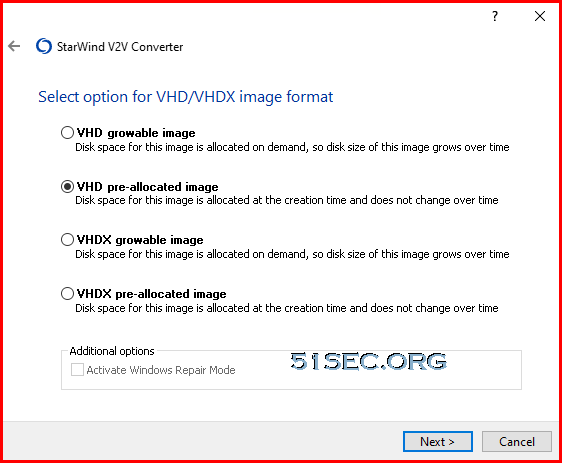

Then you can start converting. You will get a 256MB size VHD file. 

Just in case you do not want to install StarWind V2V software, I have a converted VHD file for downloading: https://od.51sec.org/T51SecEU/Sharing/VM/OpenWRT/


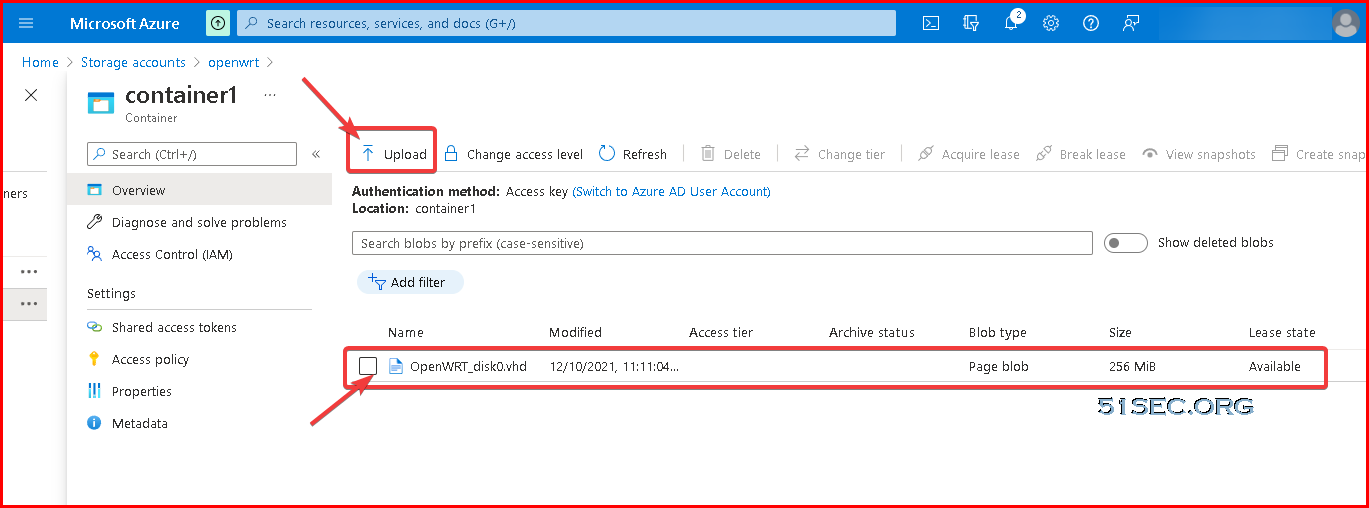
Upload VHD File to Azure Storage

If you have not create a storage account, you will need to create one. You will also need to create a container to store this VHD file.


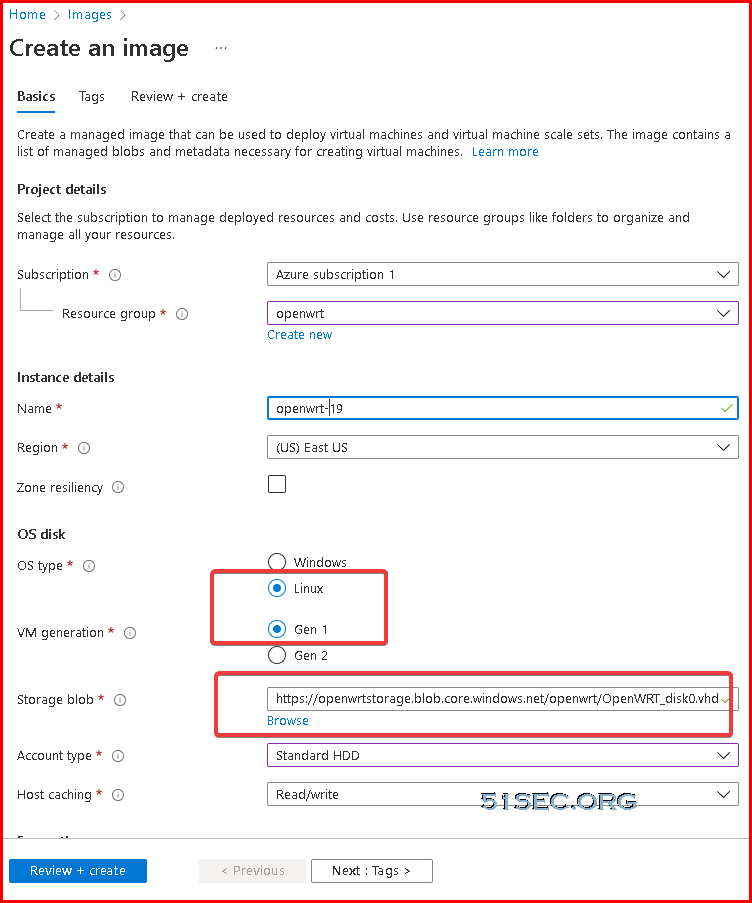
Create OpenWRT Image from VHD File in Blob Storage


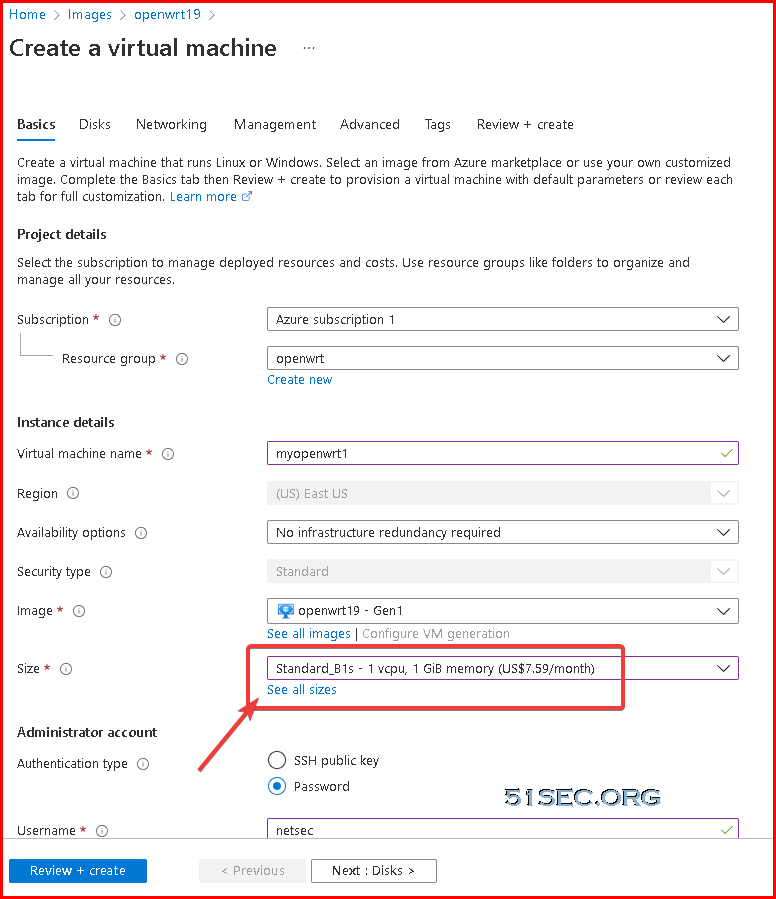
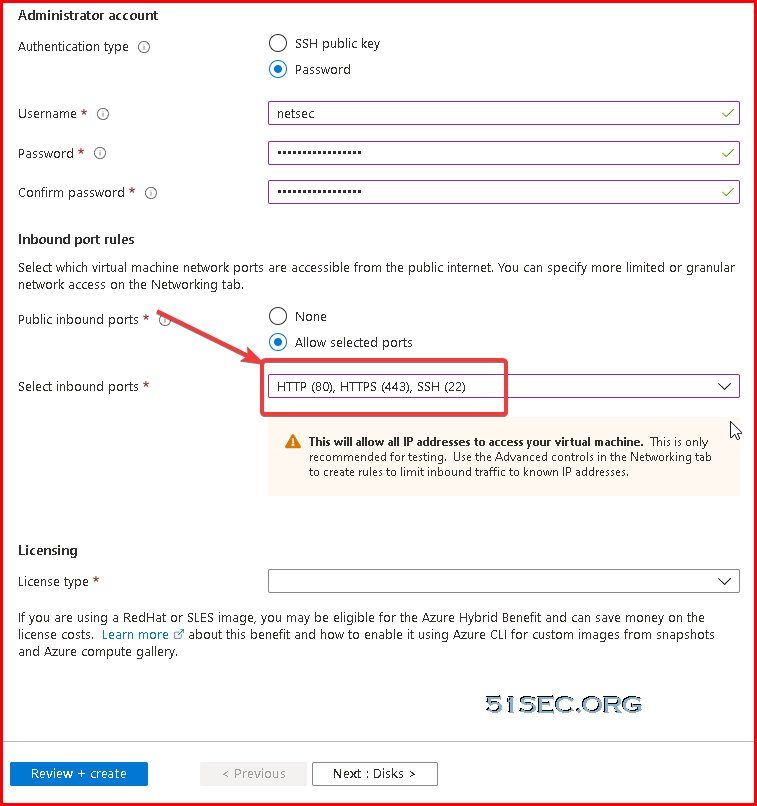
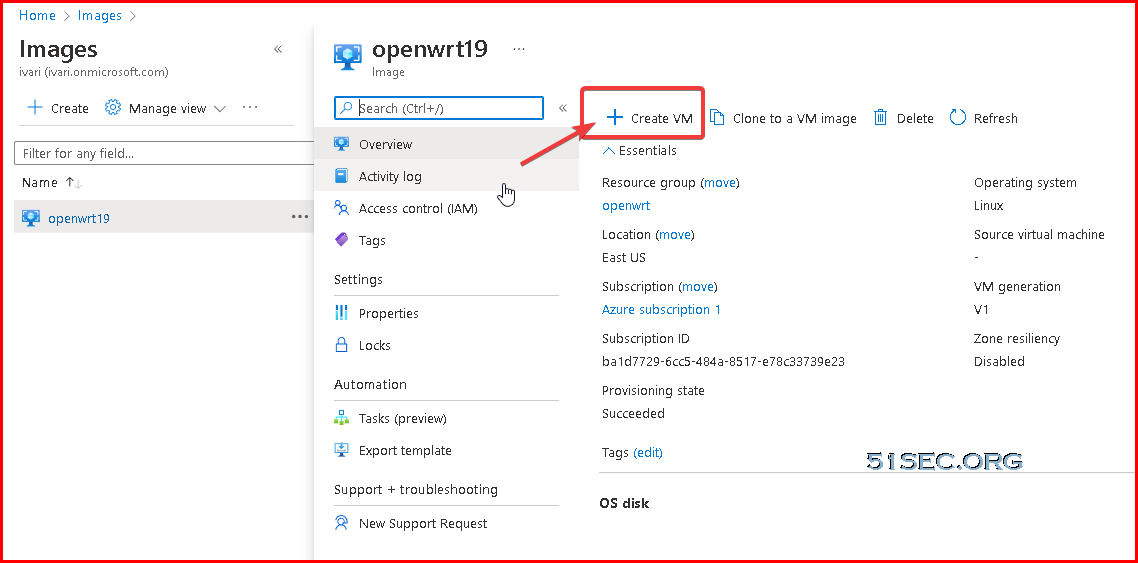
Create OpenWRT VM Based on New Created OpenWRT Image


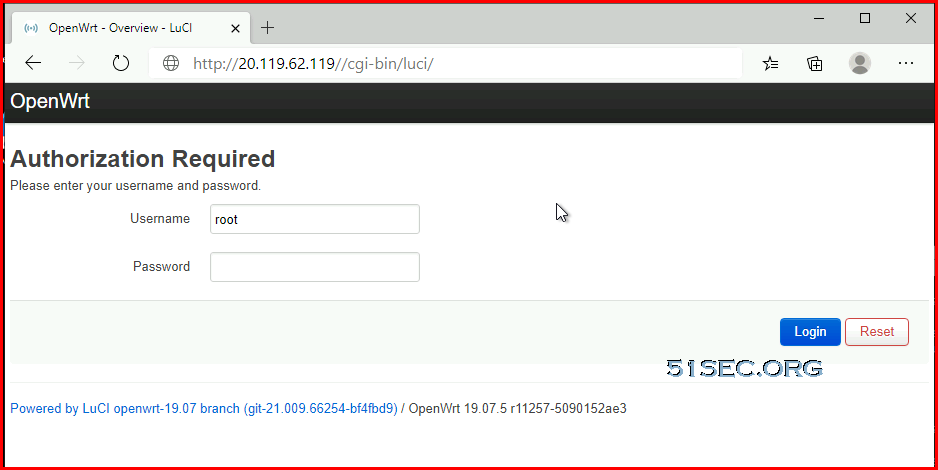
Log in to OpenWRT to Confirm Connection

Default username is root and password is null, no password.


Stop VM to Add a new interface

Since default image is only have one interface which is connecting to Internet and it is the interface we are connecting to, we are going to add second interface for LAN network, which is behind this OpenWRT appliance.

We will need to stop this virtual appliance before we can add a new interface to this VM. 


Stop-AzVM -ResourceGroupName "RG-OpenWRT" -Name "OpenWRT-1" -Force


Log in to OpenWRT to Modify Interfaces
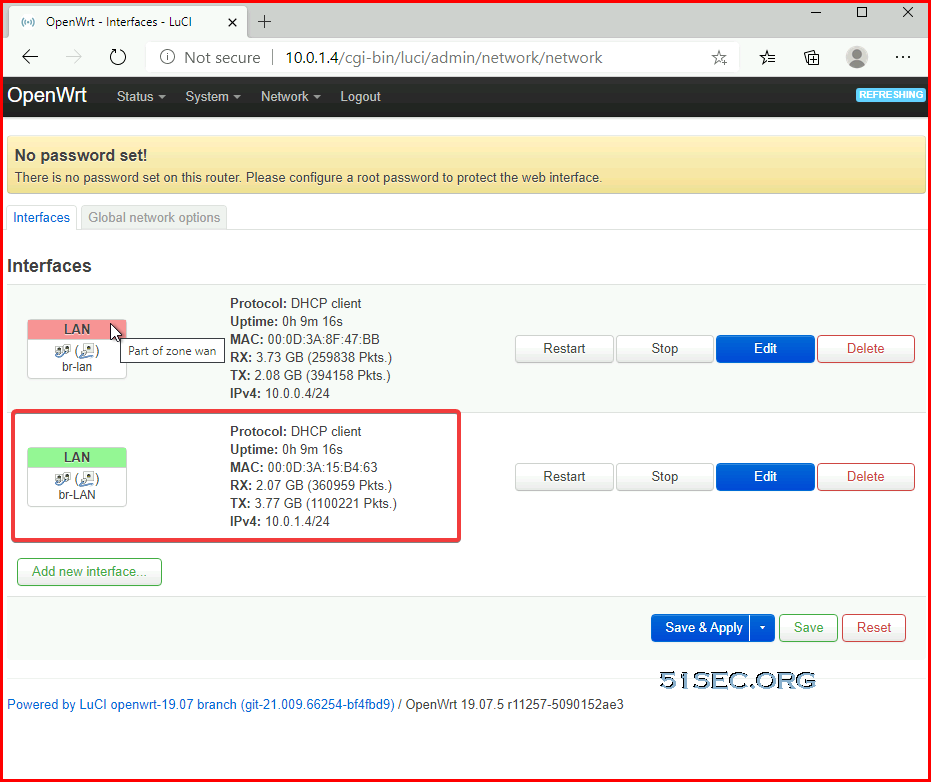

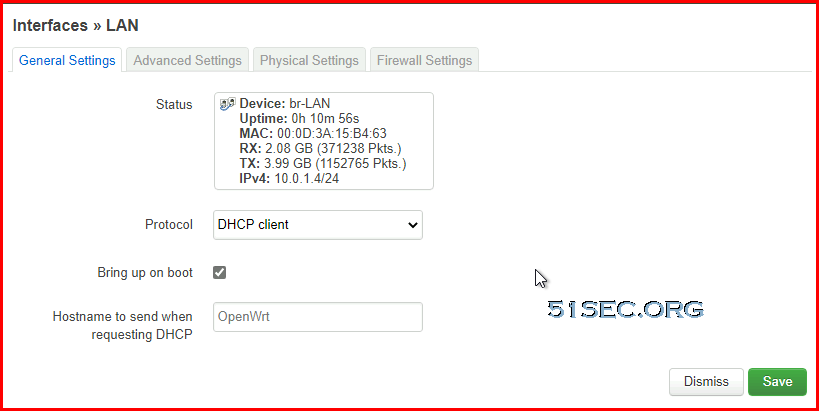
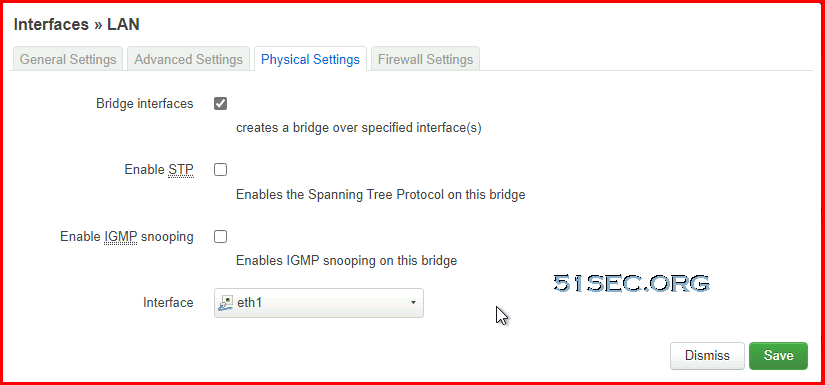
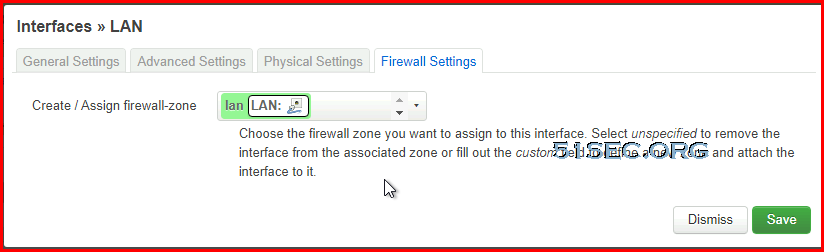
We are going to change first interface to zone WAN. For second interface, we will put it into LAN zone. 


Add New Route Table and Route


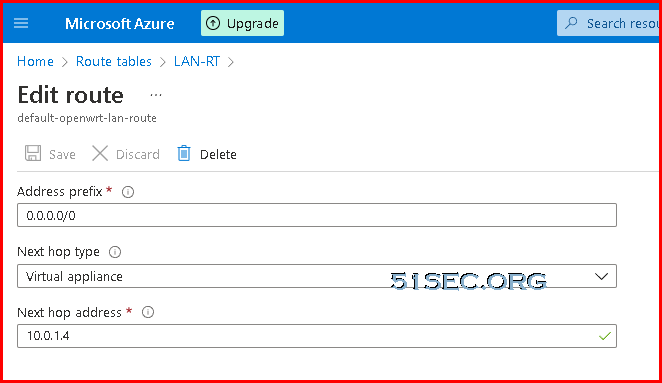
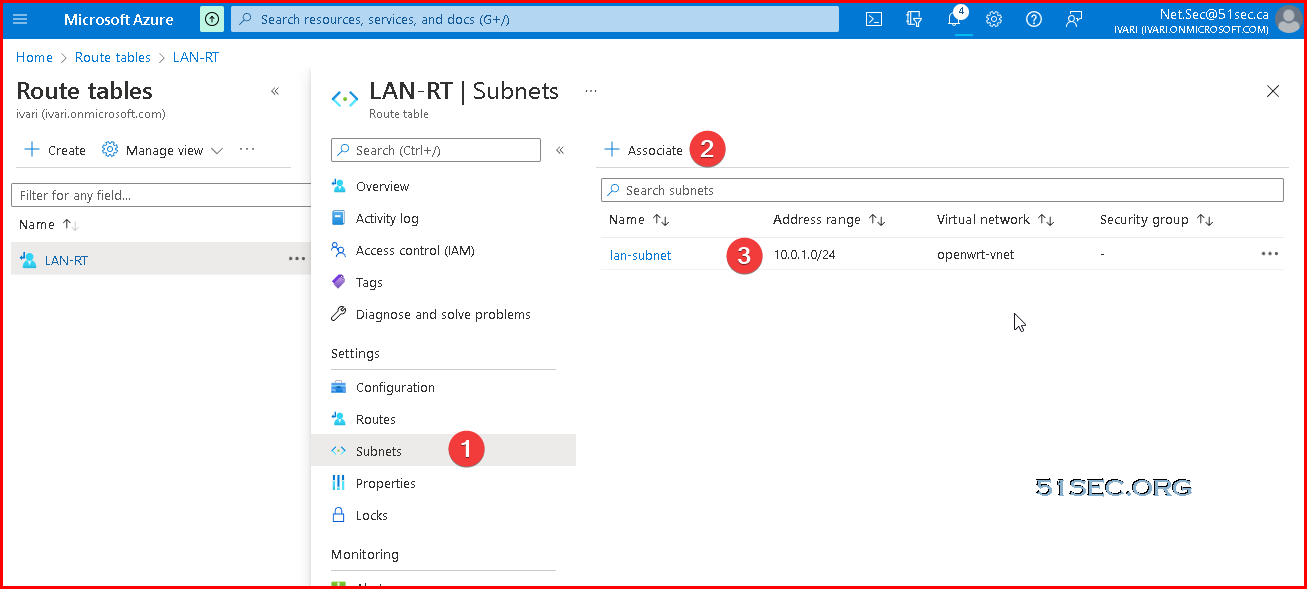
Last configuration is to add a new route table for Azure LAN subnet. A new route will be created to make sure all traffic in LAN subnet will be sent to our OpenWRT LAN interface, which is 10.0.1.4.


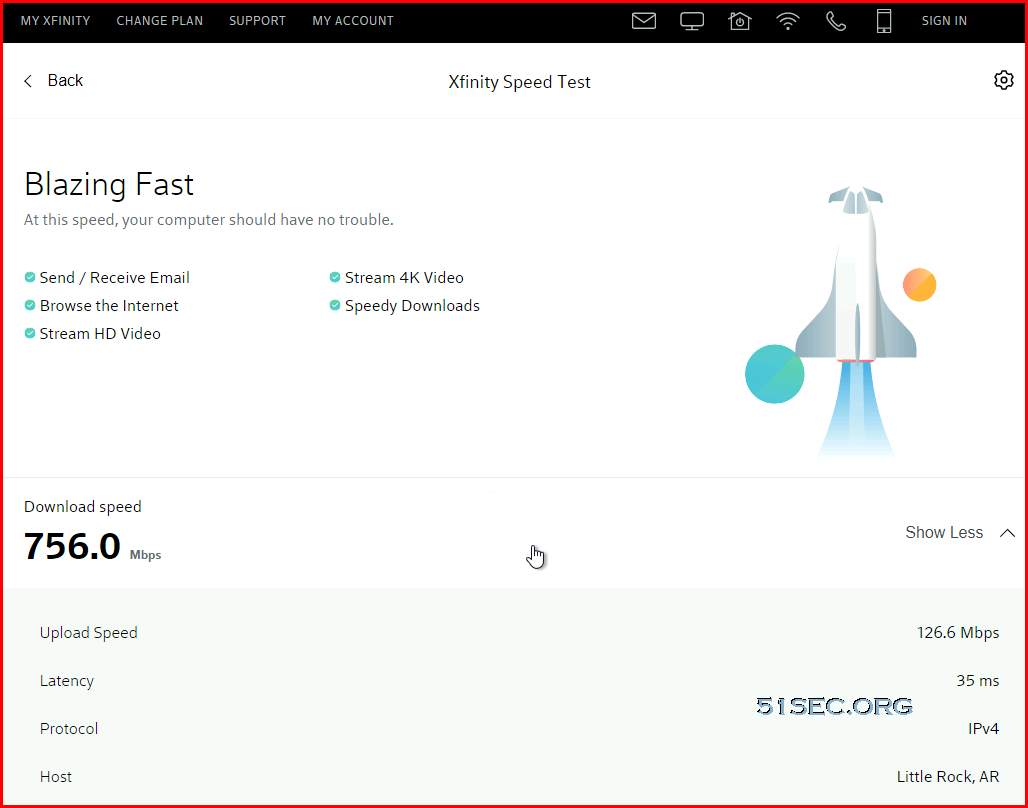
Spin Up Win10 Machine to Test Speed


Finally we completed all configuration and we can use a Win10 VM for testing. We will test network throughput and Internet access. 


C:\Users\netsec>tracert 8.8.8.8

Tracing route to dns.google [8.8.8.8]
over a maximum of 30 hops:

  1     1 ms    <1 ms    <1 ms  10.0.1.4
  2     *        *        *     Request timed out.
  3     *        *        *     Request timed out.
  4     *        *        *     Request timed out.
  5     *        *        *     Request timed out.
  6     *        *        *     Request timed out.
  7     *        *        *     Request timed out.
  8     *        *        *     Request timed out.
  9     *        *        *     Request timed out.
 10     *        *        *     Request timed out.
 11     *        *        *     Request timed out.
 12     2 ms     2 ms     3 ms  dns.google [8.8.8.8]

Trace complete.


References

  • OpenWrt on VMware HowTo
  • OpenWRT x86-64 running on AWS


via Blogger http://blog.51sec.org/2021/12/create-openwrt-virtual-machine-in-azure.html
December 16, 2021 at 09:06PM Cloud
0 Comments


Leave a Reply.

    Categories

    All
    Architecture
    Blog
    Checkpoint
    Cisco
    Cloud
    CyberArk
    F5
    Fortigate
    Guardium
    Juniper
    Linux
    Network
    Others
    Palo Alto
    Qualys
    Raspberry Pi
    Security
    SIEM
    Software
    Vmware
    VPN
    Wireless

    Archives

    March 2024
    February 2024
    January 2024
    December 2023
    November 2023
    October 2023
    September 2023
    August 2023
    July 2023
    June 2023
    May 2023
    April 2023
    March 2023
    February 2023
    January 2023
    December 2022
    November 2022
    October 2022
    September 2022
    August 2022
    July 2022
    June 2022
    May 2022
    April 2022
    March 2022
    February 2022
    January 2022
    December 2021
    November 2021
    October 2021
    September 2021
    August 2021
    July 2021
    June 2021
    May 2021
    April 2021
    March 2021
    February 2021
    January 2021
    December 2020
    November 2020
    October 2020
    September 2020
    August 2020
    July 2020
    October 2019
    September 2019
    June 2019
    July 2018
    May 2018
    December 2017
    August 2017
    April 2017
    March 2017
    January 2017
    December 2016
    November 2016
    October 2016
    September 2016
    August 2016
    July 2016
    June 2016
    May 2016
    April 2016
    March 2016
    February 2016
    January 2016
    December 2015
    November 2015
    October 2015
    September 2015
    August 2015
    July 2015
    June 2015
    May 2015
    April 2015
    March 2015

    Print Page:

    RSS Feed

    Email Subscribe
Powered by Create your own unique website with customizable templates.
  • Blog
  • Sitemap
    • Categories
  • Contact
  • About
  • Resources
  • Tools
  • 51sec.org