Info Security Memo
  • Blog
  • Sitemap
    • Categories
  • Contact
  • About
  • Resources
  • Tools
  • 51sec.org

Build Confidence

Focusing on Information Security 

Info Security Notes

Create IPSec Site to Site VPN Between Palo Alto and Fortigate Firewalls

5/21/2022

0 Comments

 
Create IPSec Site to Site VPN Between Palo Alto and Fortigate Firewalls

This post is to record all steps to configure a ipsec site to site IPSec VPN tunnel between Palo Alto Firewall and Fortigate Firewall,


Diagram

 Online Updated Diagram:
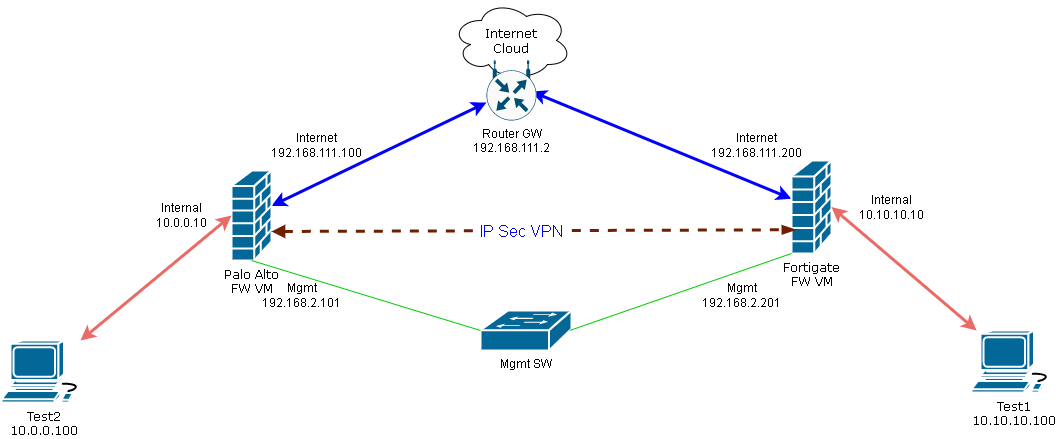


PNG image for the diagram:


Configure Basic settings of Palo Alto Firewall 

More details can be found from following posts: 
  • https://blog.51sec.org/2015/01/configure-palo-alto-vm-60-in-vmware.html
  • https://blog.51sec.org/2021/12/deploy-palo-alto-vm-series-firewall.html

1 Download Palo Alto Image

2 Import Image and Configure VM

3 Connect to Mgmt Interface

4 Configure Internal/Internet interfaces.

5  Configure Security Zone and Virtual Router

6  Configure Security policy and NAT

7  Test


Configure Basic settings of Fortigate Firewall 

More details can be found from this post: https://blog.51sec.org/2022/01/download-and-launch-fortigate-virtual.html

1 Download VM image

2 Import into VMWare Workstation lab environment

3 Configure static ip and http access for mgmt interface and using HTTP to connect to mgmt interface

4 Config LAN/WAN/DMZ interfaces

5 Config basic security policy and nat

6 Test


Configure VPN tunnel in Palo Alto Firewall 


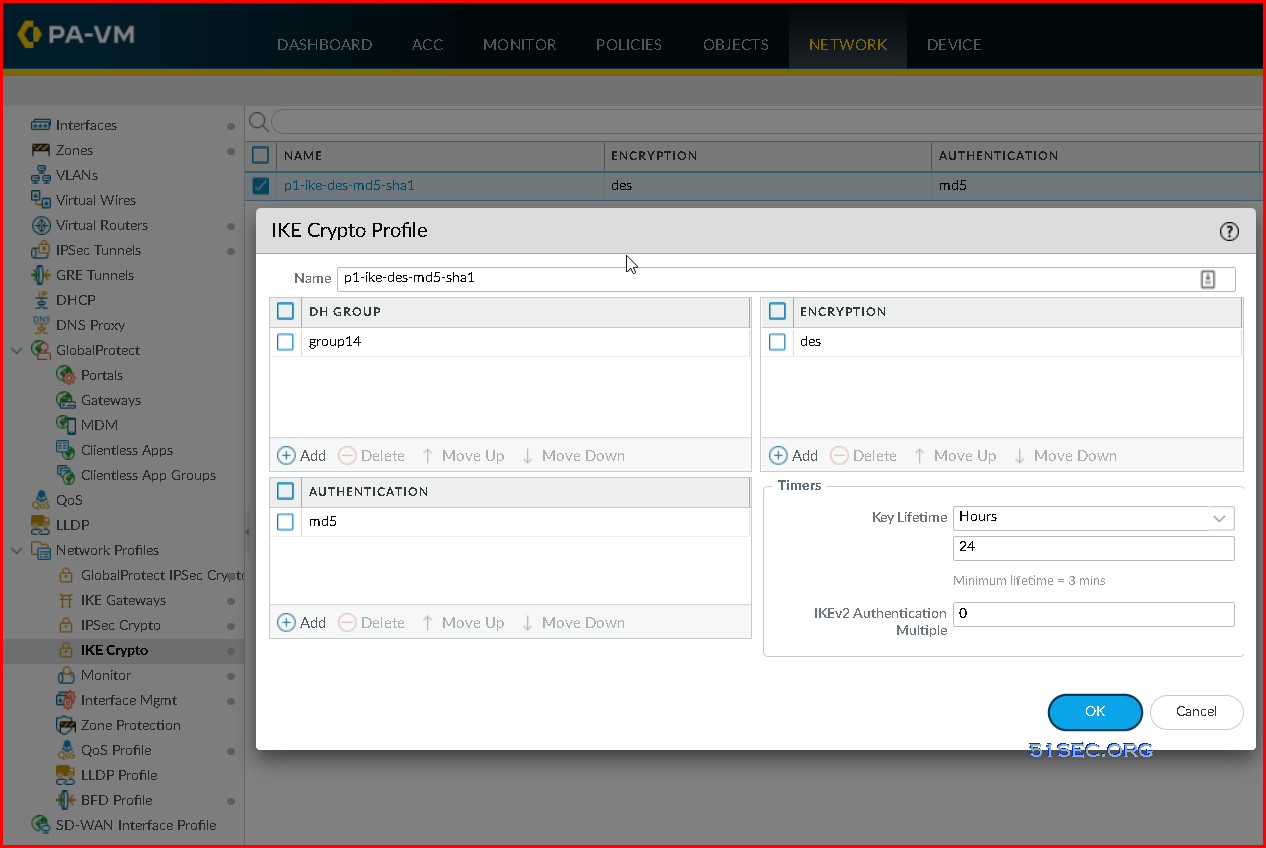
1 Create IKE Crypto Profile


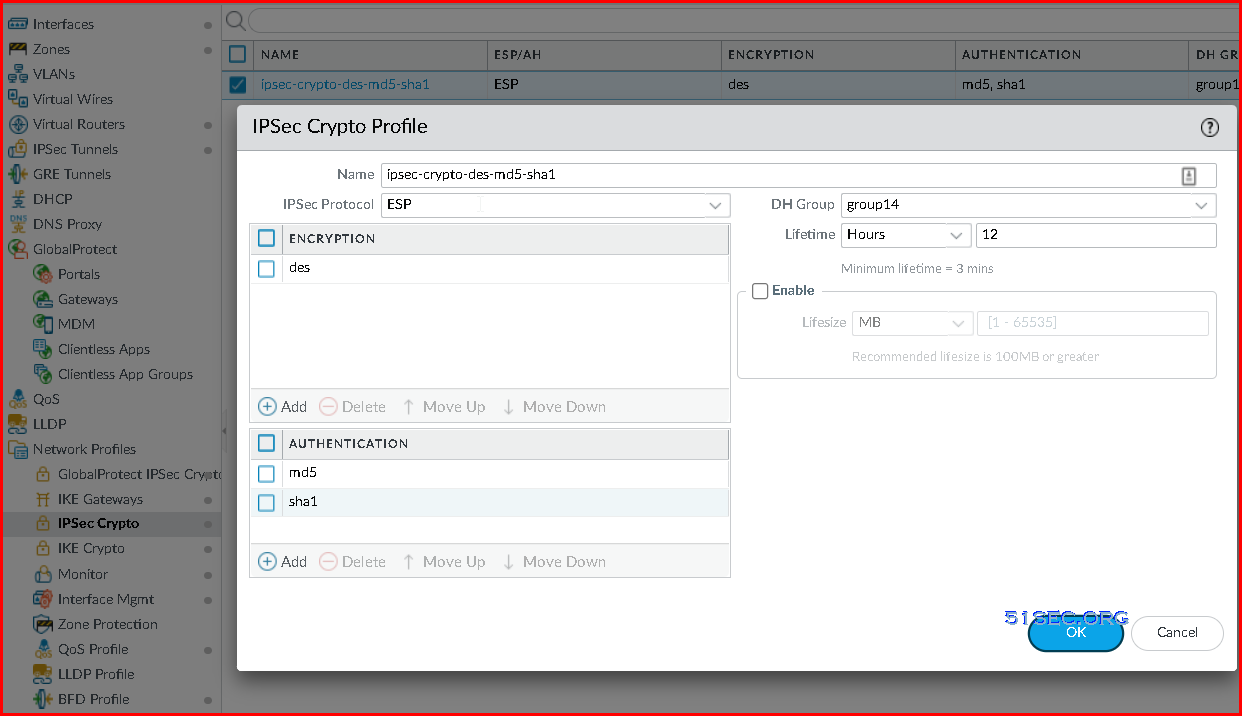
2 Create IPSec Crypto Profile


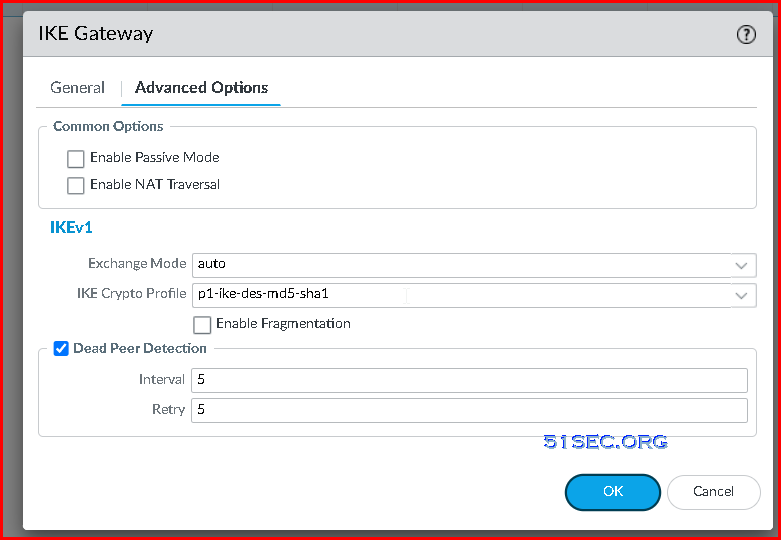
3 Create IKE Gateway
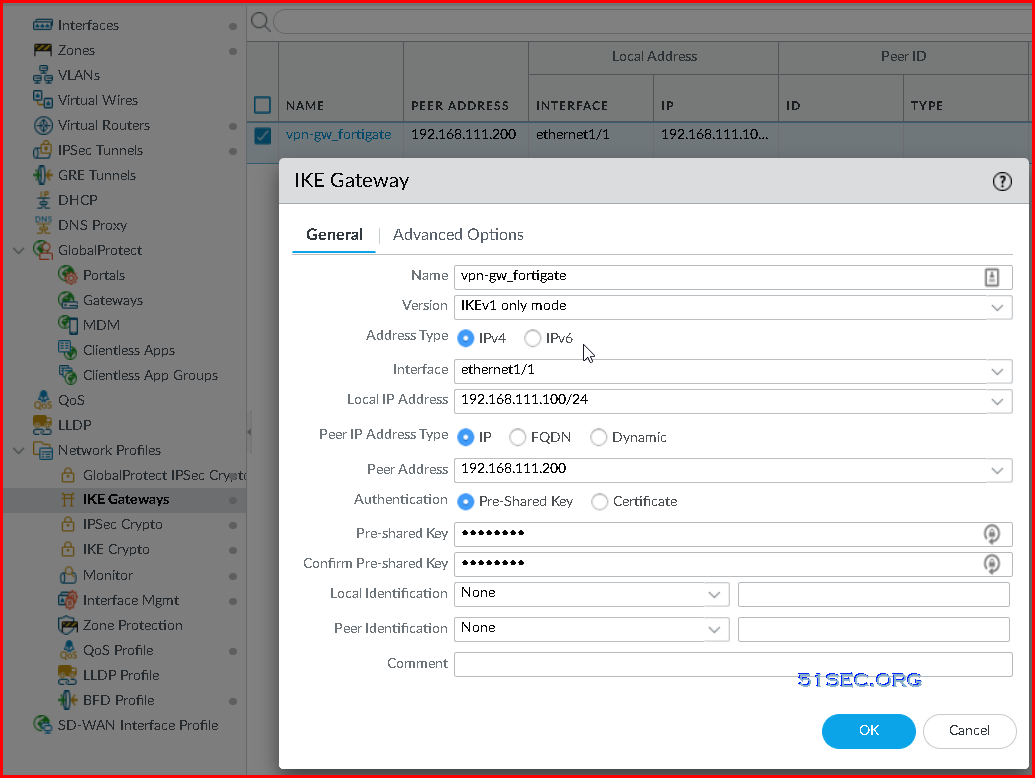

Assign your IKE Crypto profile to your IKE Gateway

4 Create tunnel interface
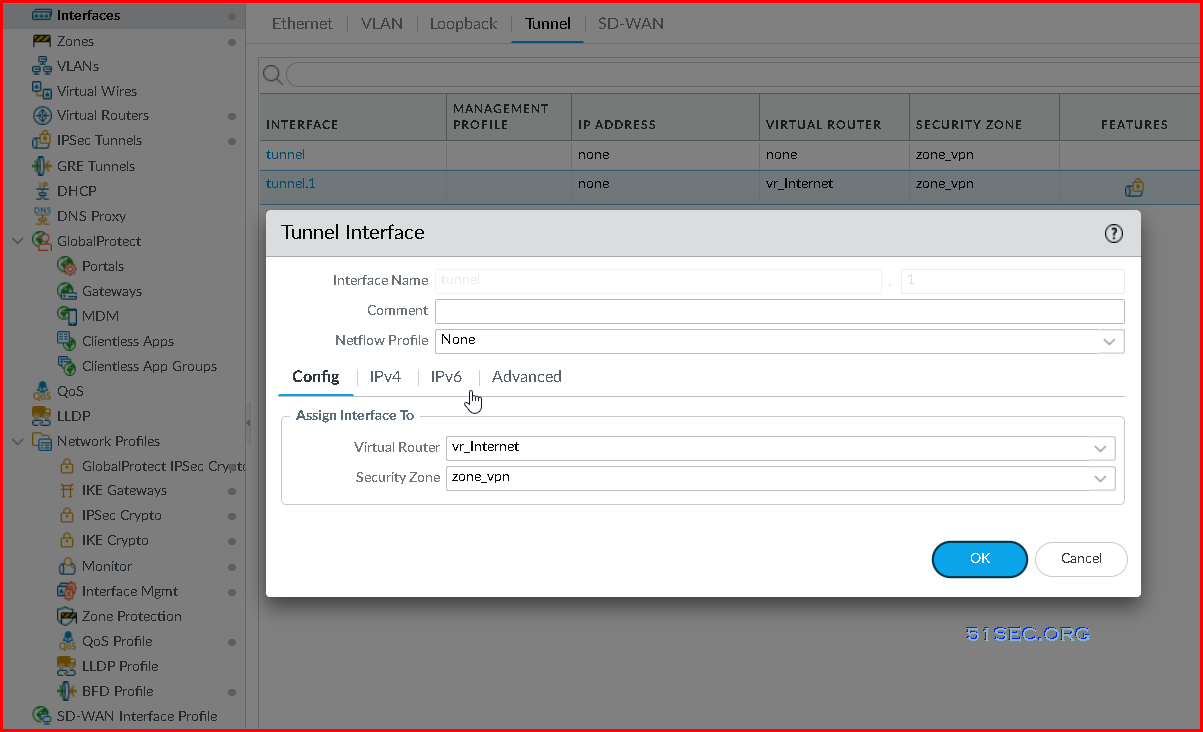

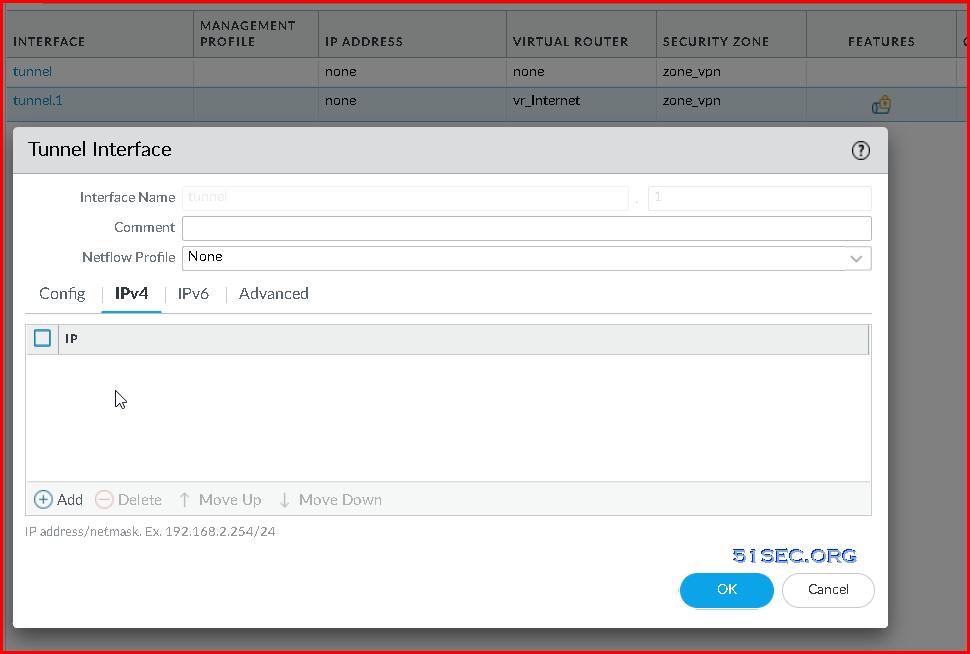
You do not have to assign an ip address for your tunnel interface. But if assigned, it can be used to monitor tunnel. 


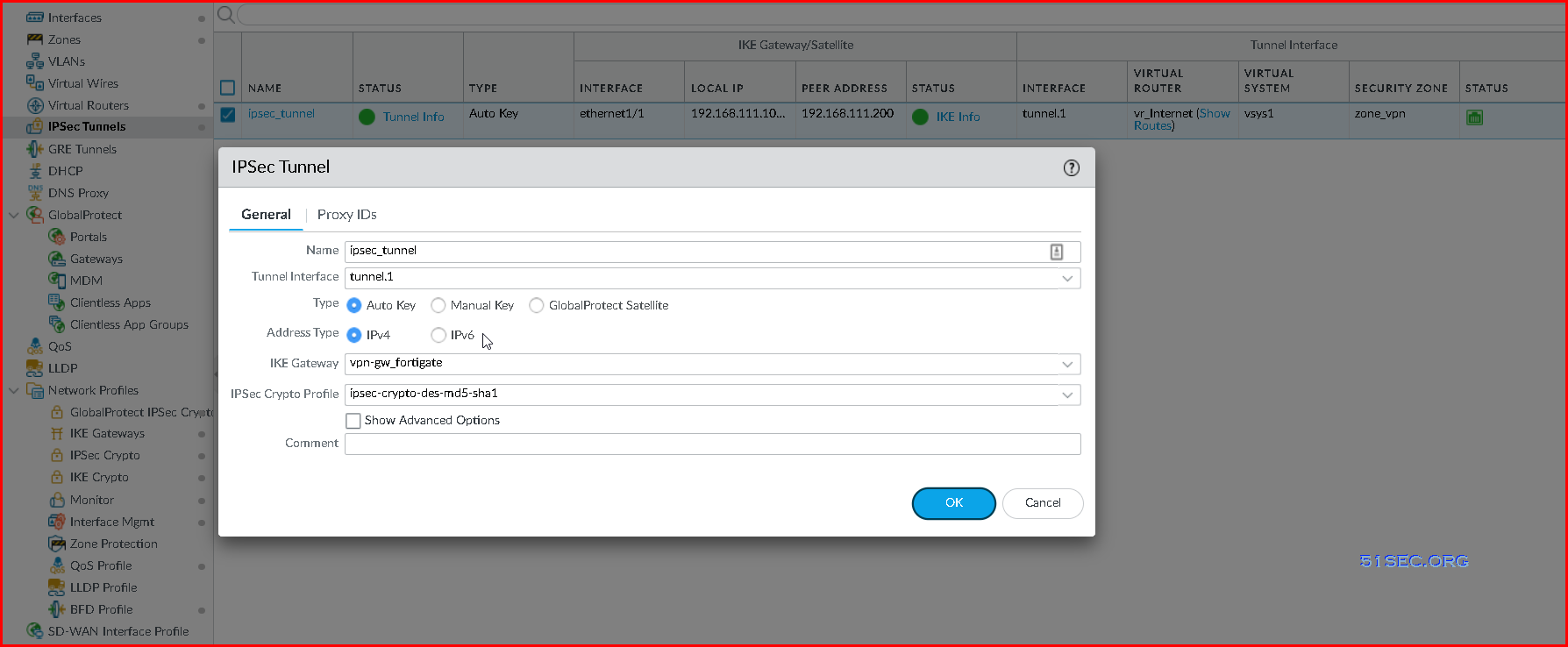
5 Create IPSec Tunnel


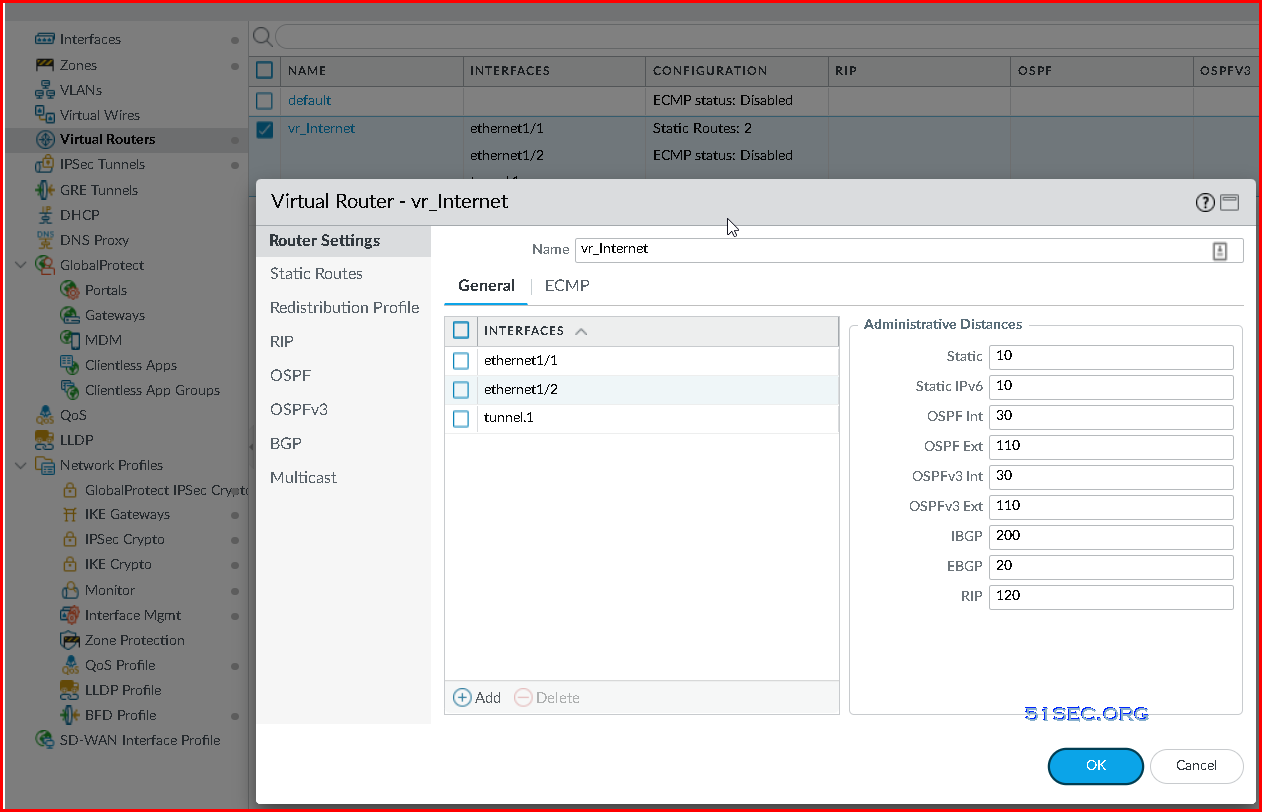
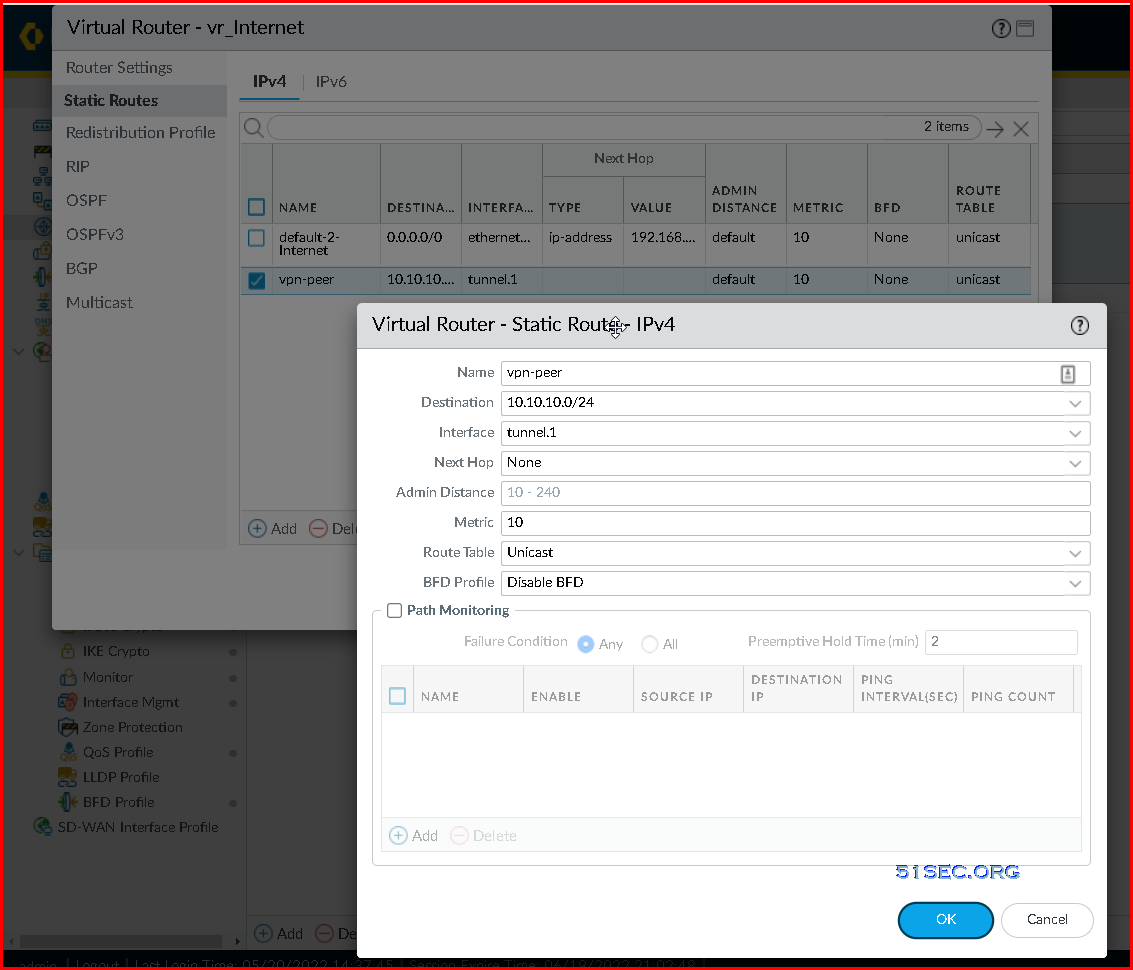
6 Virtual Router Static Route configuration

Depends on how you routing your traffic, after you add your tunnel interface into your virtual router, you might need to create a couple static routes.


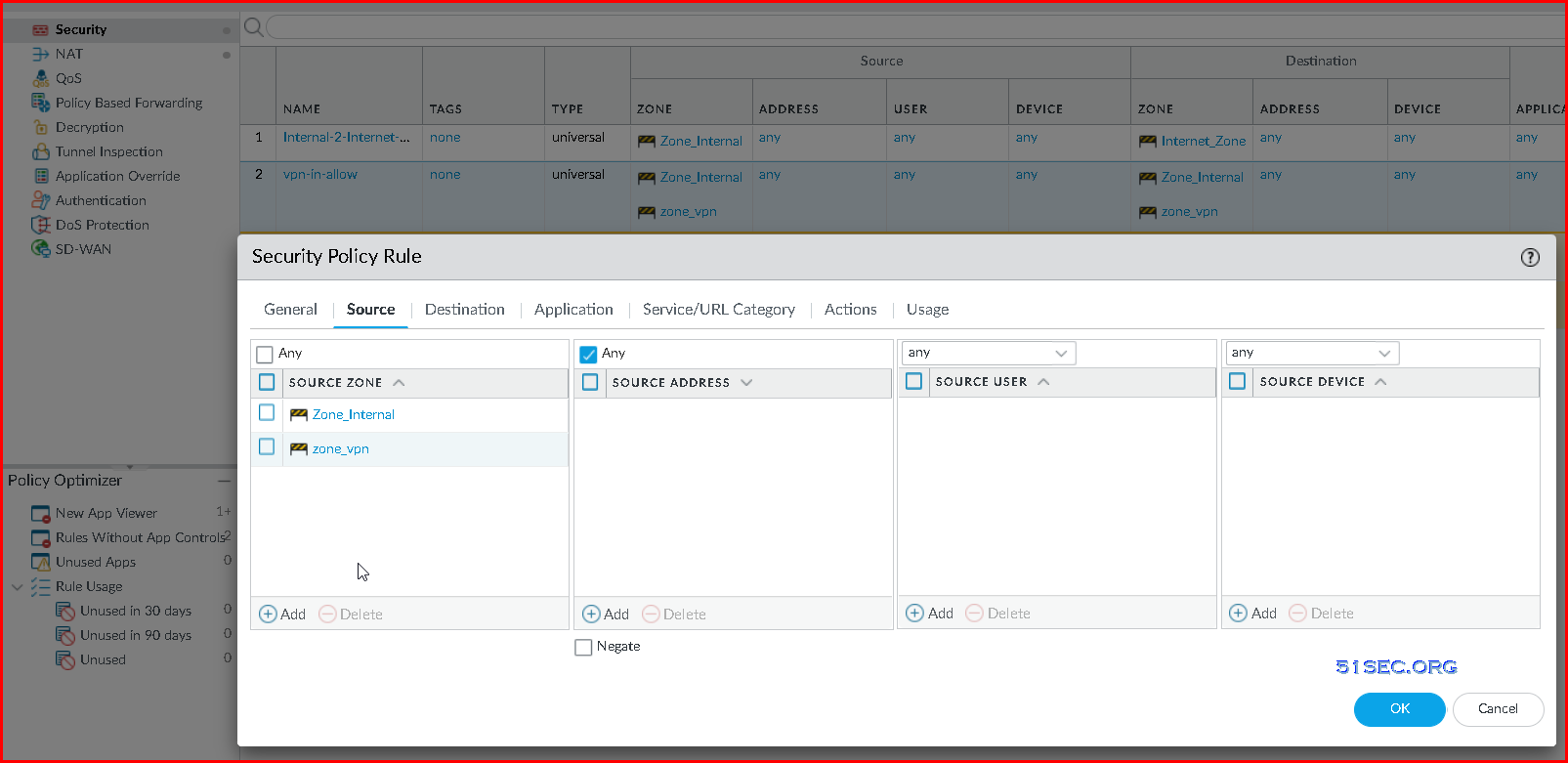
7 Create security policy rule to allow VPN networks to access each other.


Configure VPN tunnel in Fortigate Firewall 


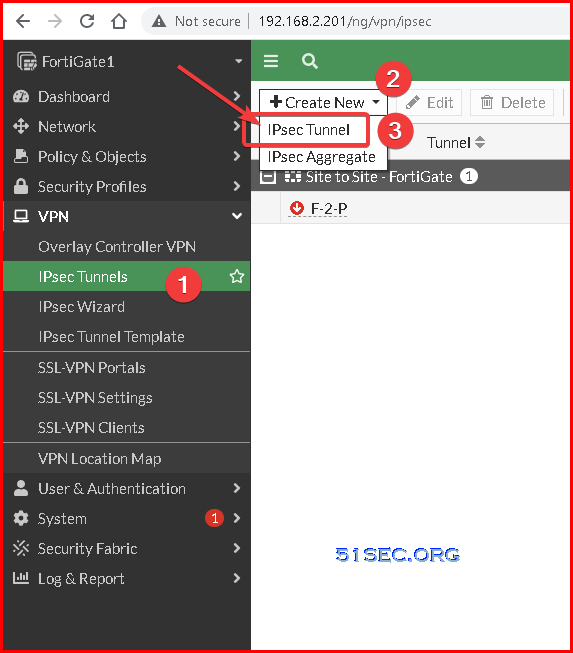
1 Go to VPN section, choose IPsec Tunnels and click Create New IPsec Tunnel


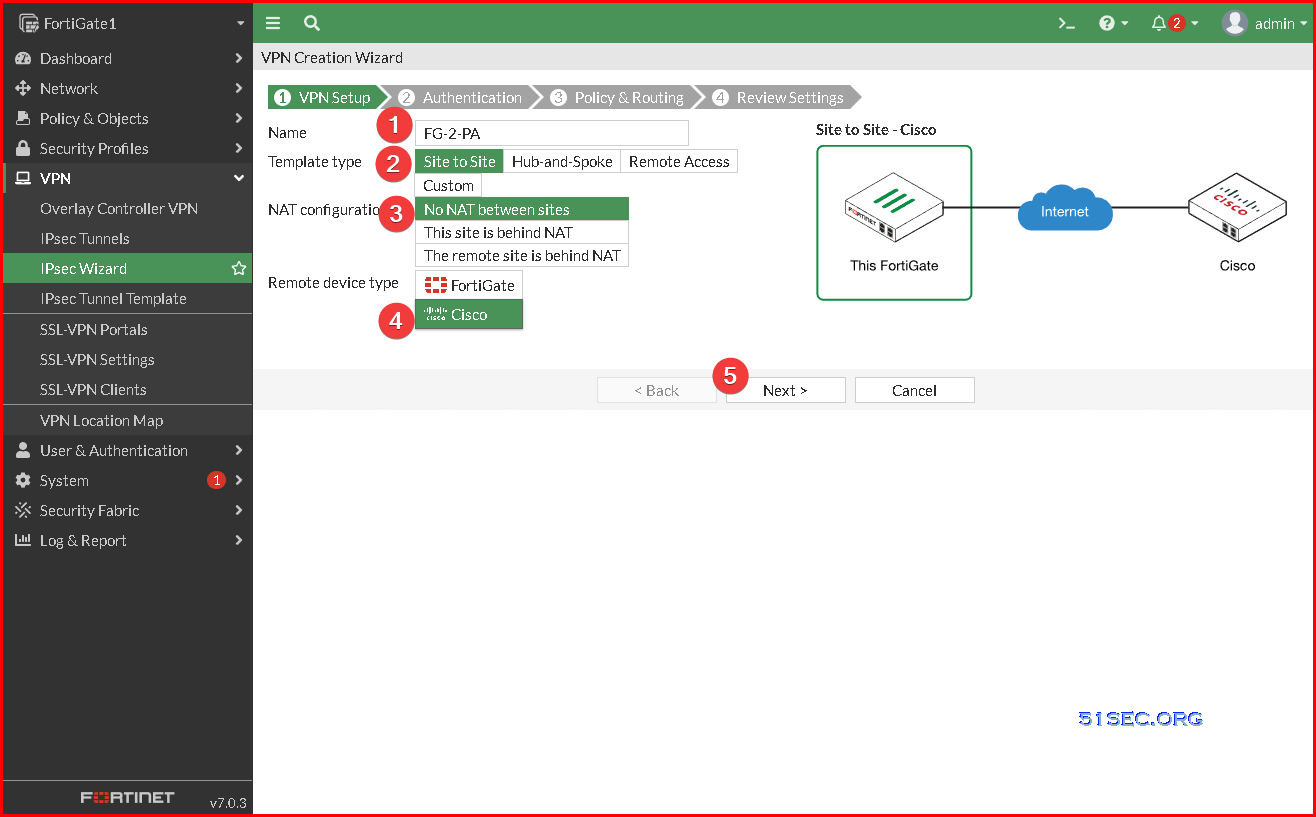
2 Start VPN setup. Put name, choose template type, if need NAT, and select remote device type

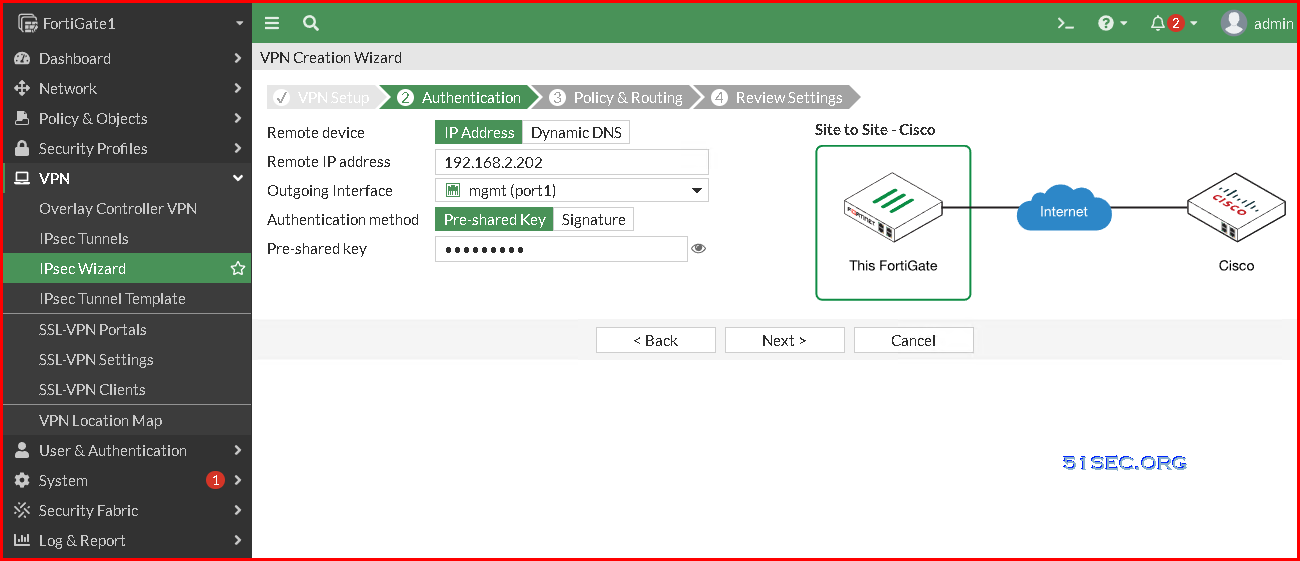
3 Configure Authentication method and remote gateway information


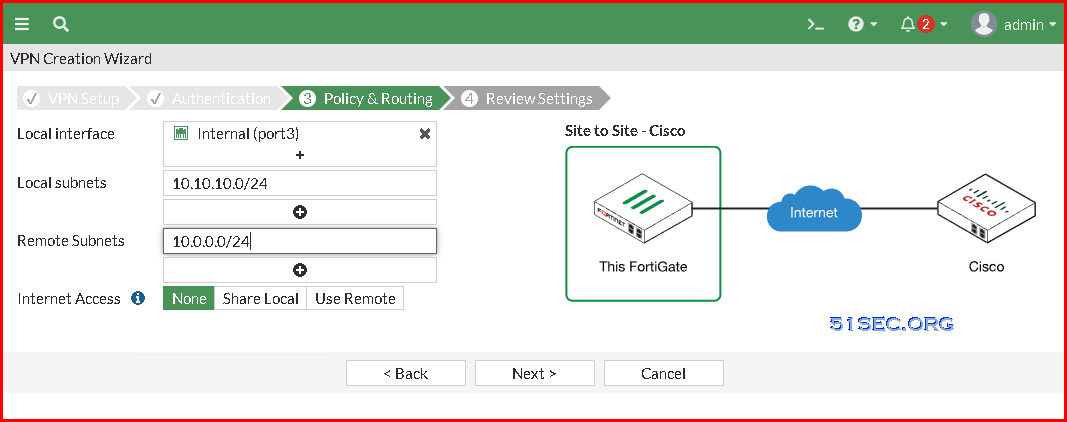
4 Choose local ip segment and configure remote ip segment. This traffic will be your interest traffic which will be sent to VPN tunnel.

5 Review and create tunnel configuration


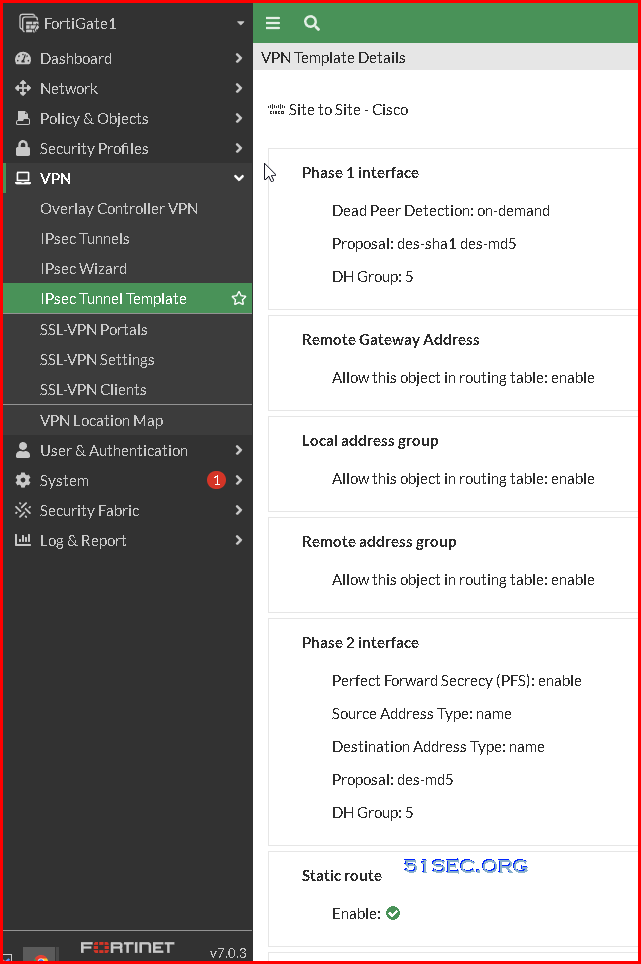
VPN Template Details for phase 1 and phase 2

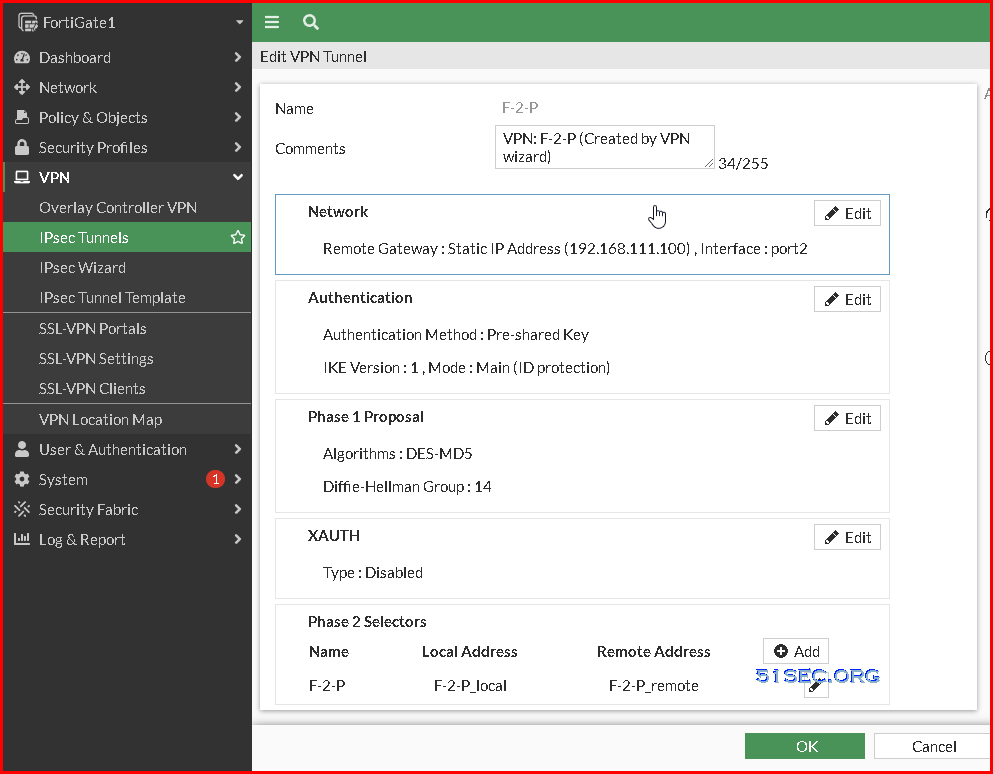
You can edit VPN tunnel details to change phase 1 and phase 2 encryption and authentication information.
Note: Trial license only has DES for encryption, not 3DES and AES. 

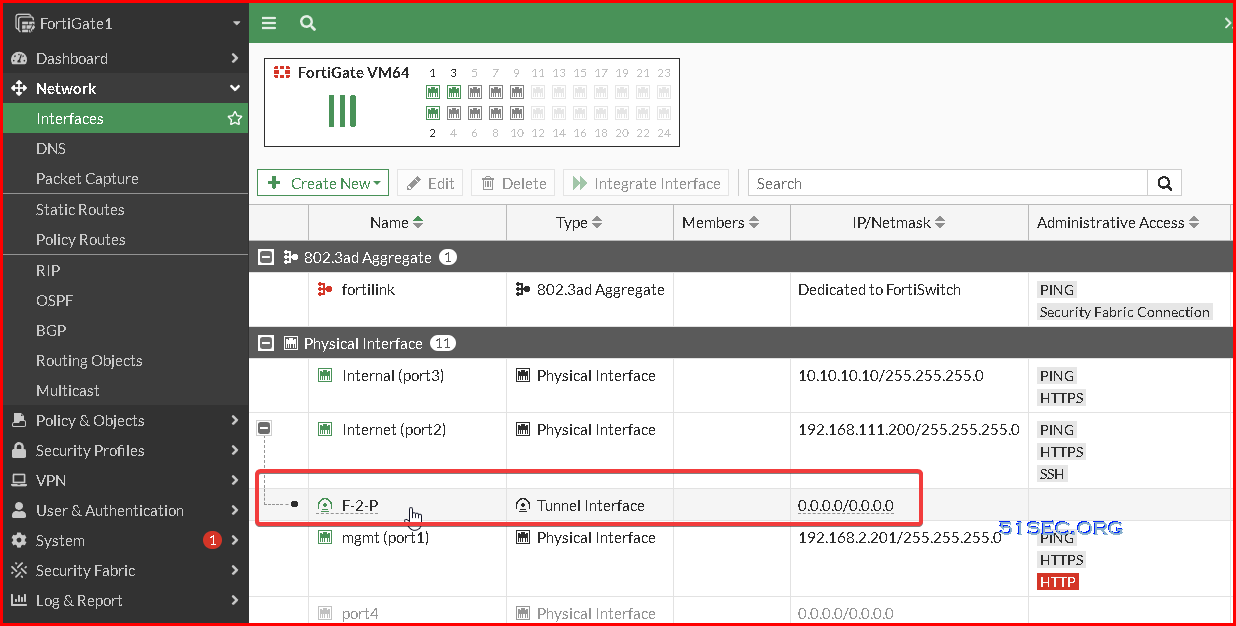
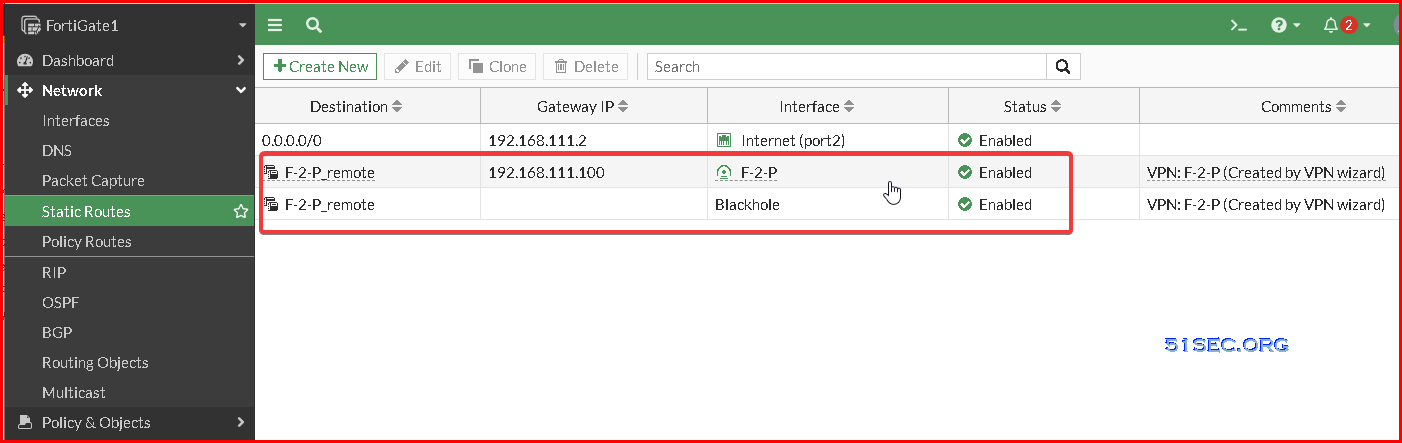
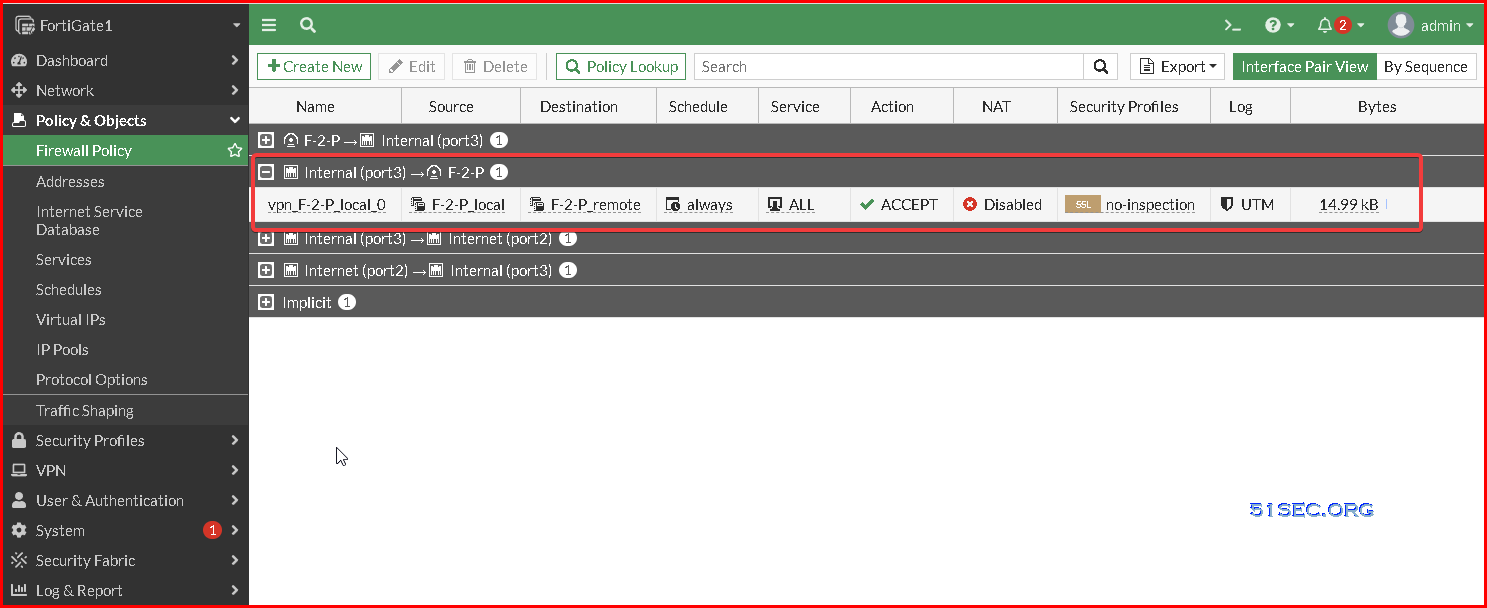
6 Fortigate VPN Wizard will auto-generate tunnel interface, static route to tunnel, and policy rule to allow traffic between vpn networks.


Test


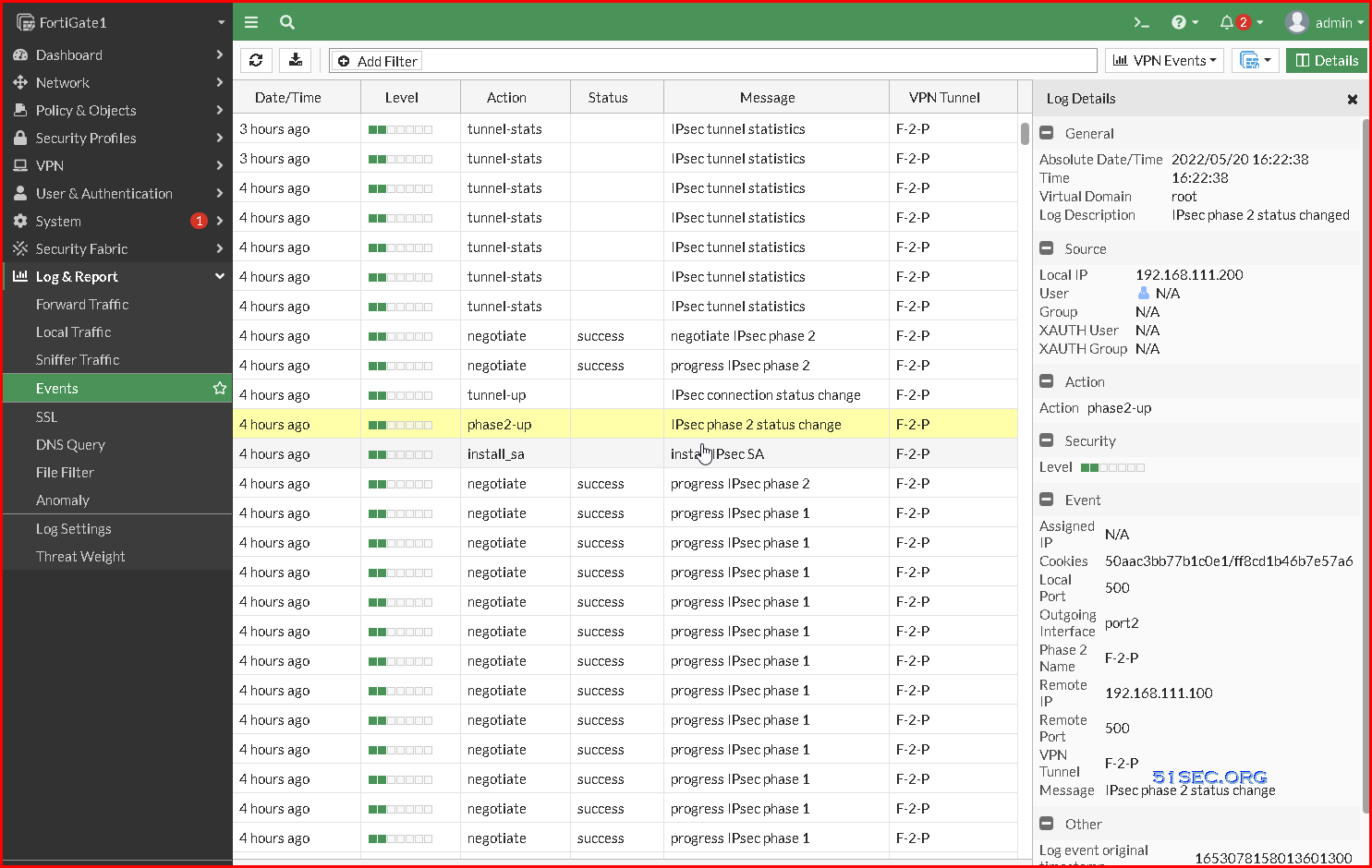
On Fortigate, 
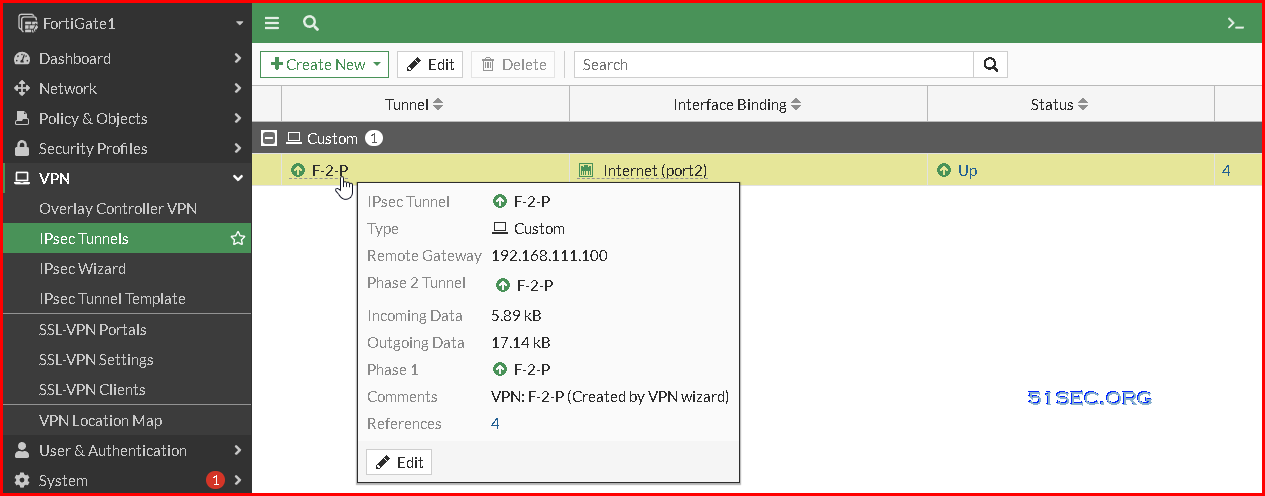
check IPsec Tunnel status:

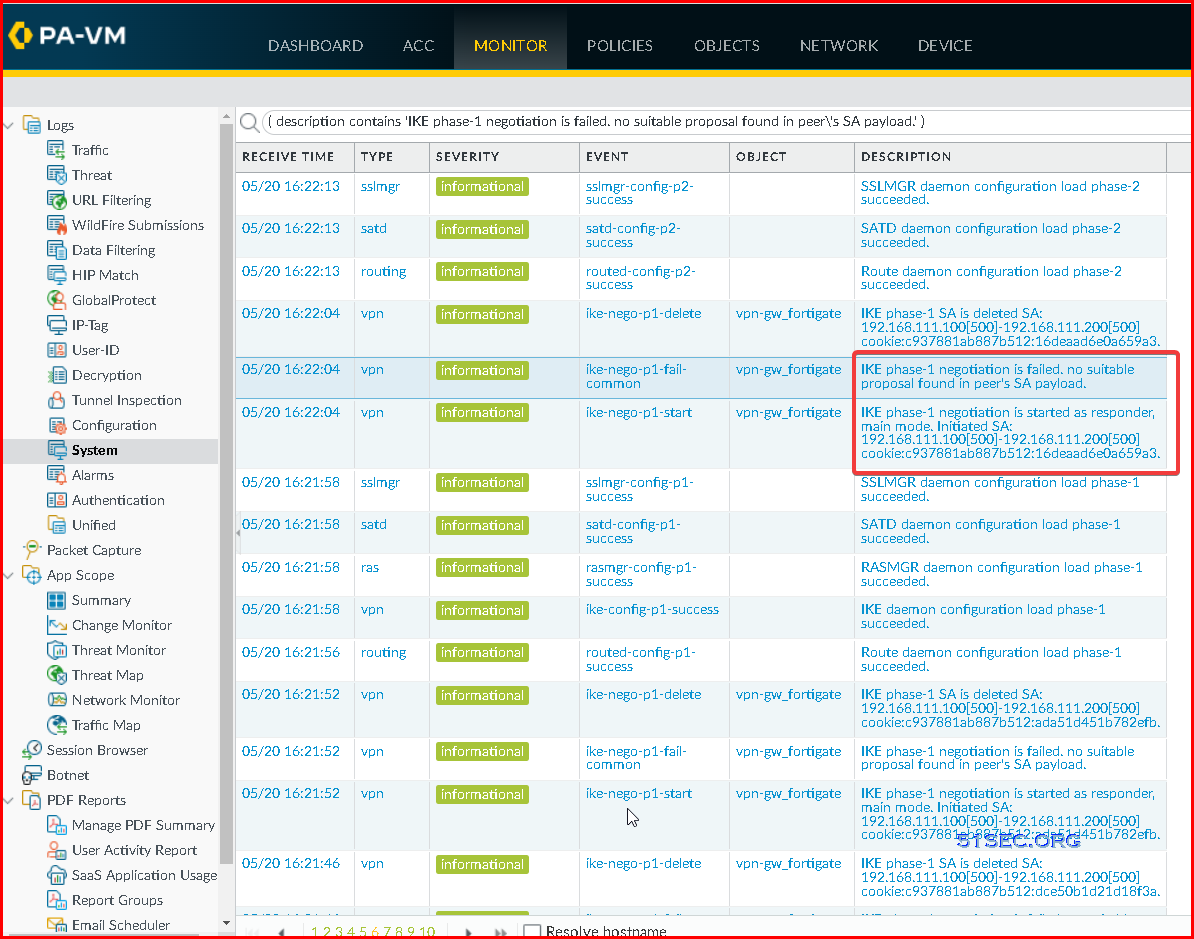
Check Log & Report - Events - VPN Events


On Palo Alto:


Videos


References

  • Document:PAN-OS® Administrator’s Guide: Site-to-Site VPN with Static Routing
  • How to Configure IPSec VPN


via Blogger http://blog.51sec.org/2022/05/create-ipsec-site-to-site-vpn-between.html
May 21, 2022 at 04:44PM VPN
0 Comments


Leave a Reply.

    Categories

    All
    Architecture
    Blog
    Checkpoint
    Cisco
    Cloud
    CyberArk
    F5
    Fortigate
    Guardium
    Juniper
    Linux
    Network
    Others
    Palo Alto
    Qualys
    Raspberry Pi
    Security
    SIEM
    Software
    Vmware
    VPN
    Wireless

    Archives

    March 2024
    February 2024
    January 2024
    December 2023
    November 2023
    October 2023
    September 2023
    August 2023
    July 2023
    June 2023
    May 2023
    April 2023
    March 2023
    February 2023
    January 2023
    December 2022
    November 2022
    October 2022
    September 2022
    August 2022
    July 2022
    June 2022
    May 2022
    April 2022
    March 2022
    February 2022
    January 2022
    December 2021
    November 2021
    October 2021
    September 2021
    August 2021
    July 2021
    June 2021
    May 2021
    April 2021
    March 2021
    February 2021
    January 2021
    December 2020
    November 2020
    October 2020
    September 2020
    August 2020
    July 2020
    October 2019
    September 2019
    June 2019
    July 2018
    May 2018
    December 2017
    August 2017
    April 2017
    March 2017
    January 2017
    December 2016
    November 2016
    October 2016
    September 2016
    August 2016
    July 2016
    June 2016
    May 2016
    April 2016
    March 2016
    February 2016
    January 2016
    December 2015
    November 2015
    October 2015
    September 2015
    August 2015
    July 2015
    June 2015
    May 2015
    April 2015
    March 2015

    Print Page:

    RSS Feed

    Email Subscribe
Powered by Create your own unique website with customizable templates.
  • Blog
  • Sitemap
    • Categories
  • Contact
  • About
  • Resources
  • Tools
  • 51sec.org