Info Security Memo
  • Blog
  • Sitemap
    • Categories
  • Contact
  • About
  • Resources
  • Tools
  • 51sec.org

Build Confidence

Focusing on Information Security 

Info Security Notes

Convert Cisco ASA Firewall Show Run Configuration File to Excel

6/5/2021

0 Comments

 
Convert Cisco ASA Firewall Show Run Configuration File to Excel

It is not always to have ASDM access to your ASA files. Sometimes, you only got show run configuration files to check the rules, which is big pain for searching and filtering the rules you want to check.

I did find a easy way to convert ASA run configuration files to Excel spreadsheet for searching,filtering and reporting using a third party software tool , Wallparse Firewall Autdit tool from https://ift.tt/3ie2ryO. 

Main Features for this software:
- Gives an overview of Network Objects in the firewall configuration.
- Can compare a configuration with a previous configuration marking what has been changed (really useful for firewall audits).
- Gives automatic warnings for common configuration mistakes.
- Exports to CSV or SQL-lite database for processing in for instance Excel
- Allows for searching for specific ACL rules using SQL Queries
- Use the command line for executing SQL-queries and export results.

Download
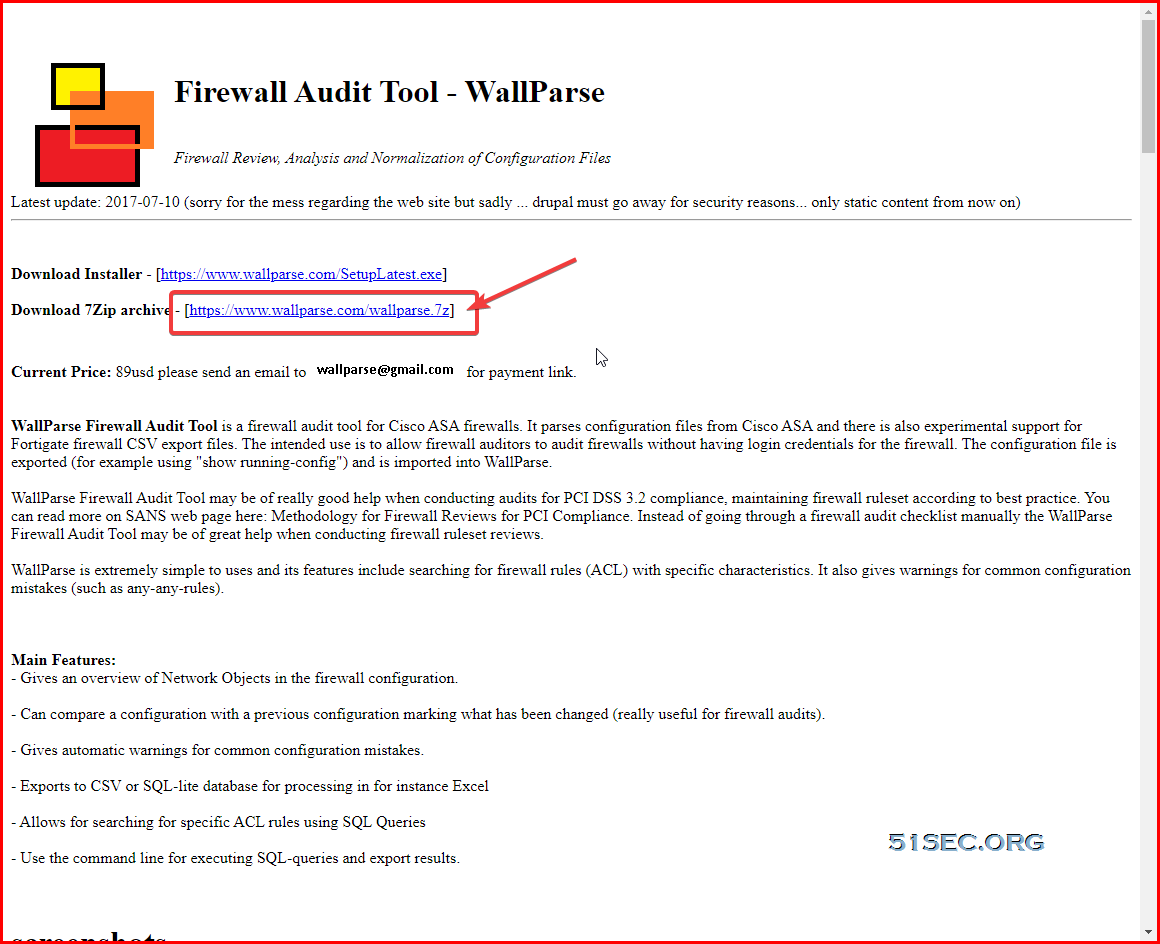
From its website, you can find there are two download links, one for exe installation file, the other is 7z package. You can directly download 7z package and unpack it using 7zip software. The tool can be directly run from unpacked folder without installation,


Run 

Double click  WallParse.exe file from unpacked file folder. 

From File menu to select Open config-file.. 

Choose your Cisco ASA Show Run Configuration file to open. Here is an example for what you will get.
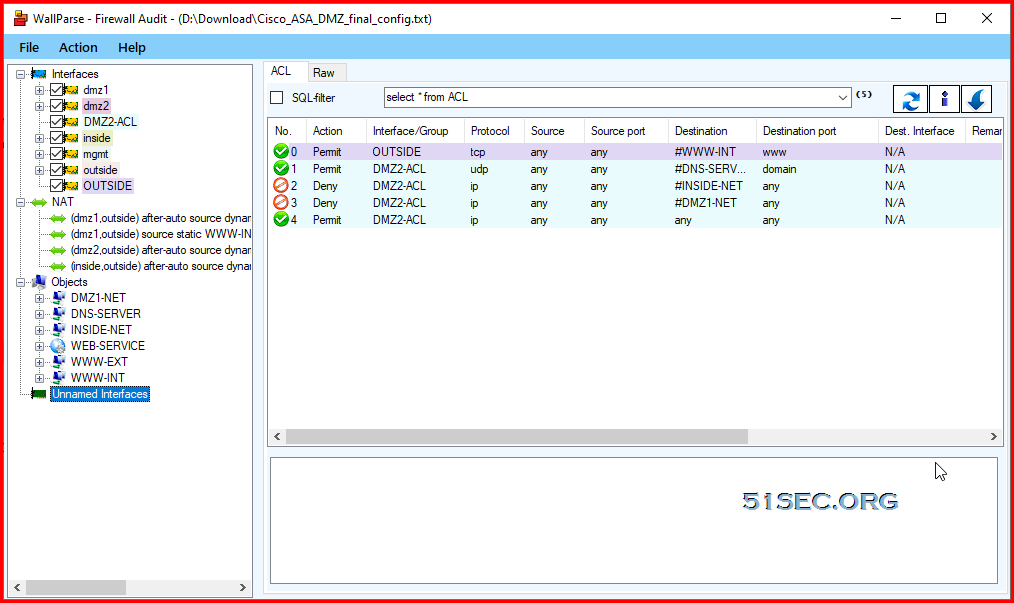

It will parse all your interfaces, objects, groups, nat fules, and firewall rules. It covers most of  important configurations for your asa and provide it a intuitive way to show you. 

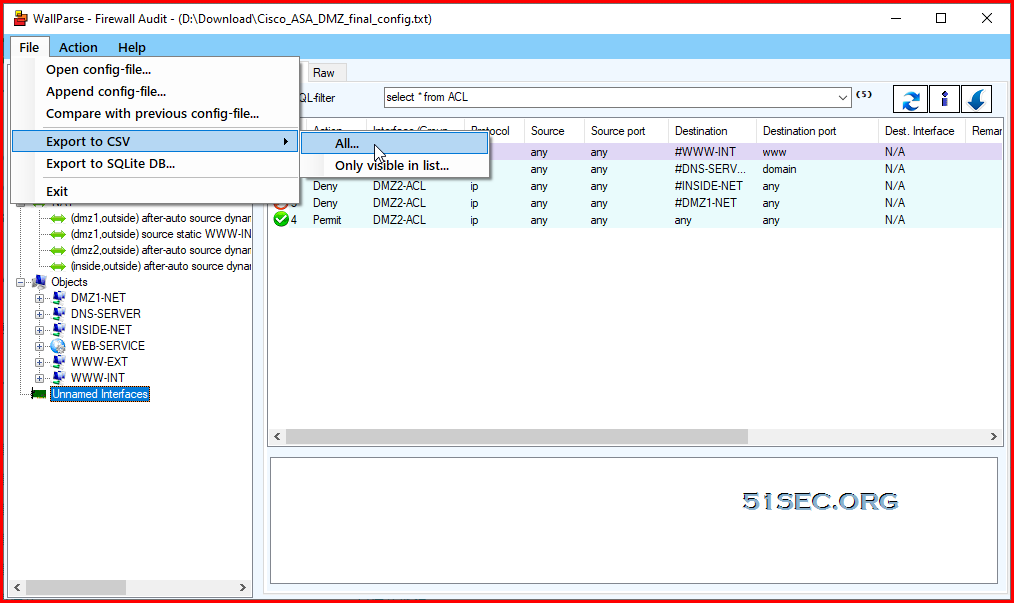
If you know SQL language well, you can directly search and filter from this application. Or we can export it to a CSV file and let Excel handle it. 


Export to CSV file


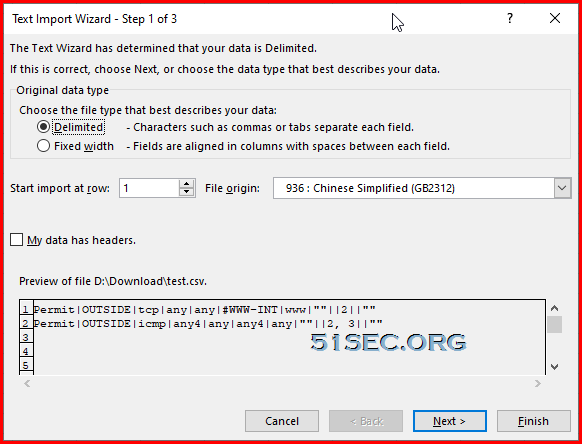
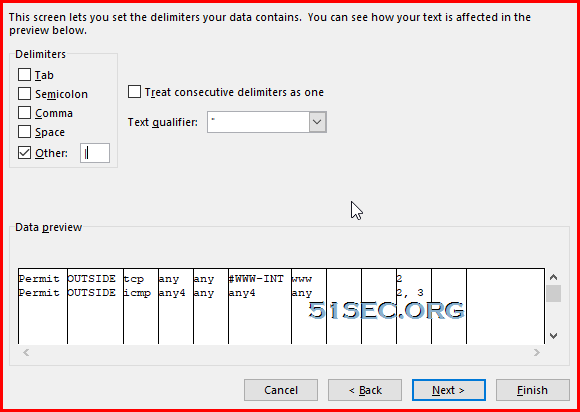
Import it into Excel
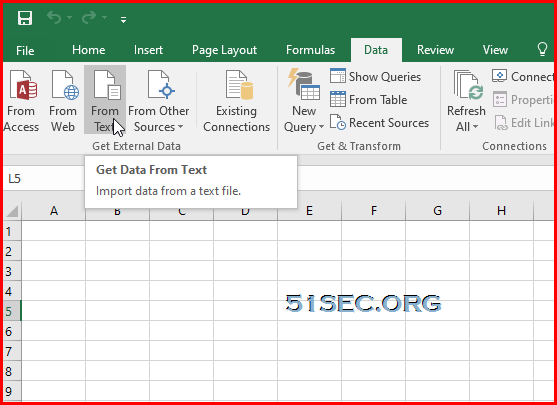


From Excel's Data tab, choose From Text:


Follow wizard and click Next until Finish. 

You will get all columns with firewall rules data into your Excel. Header for each column will have to manually add in though. 


via Blogger https://ift.tt/3fQKc0z
June 04, 2021 at 09:38PM Cisco
0 Comments


Leave a Reply.

    Categories

    All
    Architecture
    Blog
    Checkpoint
    Cisco
    Cloud
    CyberArk
    F5
    Fortigate
    Guardium
    Juniper
    Linux
    Network
    Others
    Palo Alto
    Qualys
    Raspberry Pi
    Security
    SIEM
    Software
    Vmware
    VPN
    Wireless

    Archives

    March 2024
    February 2024
    January 2024
    December 2023
    November 2023
    October 2023
    September 2023
    August 2023
    July 2023
    June 2023
    May 2023
    April 2023
    March 2023
    February 2023
    January 2023
    December 2022
    November 2022
    October 2022
    September 2022
    August 2022
    July 2022
    June 2022
    May 2022
    April 2022
    March 2022
    February 2022
    January 2022
    December 2021
    November 2021
    October 2021
    September 2021
    August 2021
    July 2021
    June 2021
    May 2021
    April 2021
    March 2021
    February 2021
    January 2021
    December 2020
    November 2020
    October 2020
    September 2020
    August 2020
    July 2020
    October 2019
    September 2019
    June 2019
    July 2018
    May 2018
    December 2017
    August 2017
    April 2017
    March 2017
    January 2017
    December 2016
    November 2016
    October 2016
    September 2016
    August 2016
    July 2016
    June 2016
    May 2016
    April 2016
    March 2016
    February 2016
    January 2016
    December 2015
    November 2015
    October 2015
    September 2015
    August 2015
    July 2015
    June 2015
    May 2015
    April 2015
    March 2015

    Print Page:

    RSS Feed

    Email Subscribe
Powered by Create your own unique website with customizable templates.
  • Blog
  • Sitemap
    • Categories
  • Contact
  • About
  • Resources
  • Tools
  • 51sec.org