
Configure OpenWRT Allow All Traffic (Routing All Traffic with Stateful Firewall)
The OpenWrt Project is a Linux operating system targeting embedded devices. Instead of trying to create a single, static firmware, OpenWrt provides a fully writable filesystem with package management. This frees you from the application selection and configuration provided by the vendor and allows you to customize the device through the use of packages to suit any application.
I had a old post regarding how to install OpenWRT into VMWare.
For me, OpenWRT is a perfect solution to run in my virtual environment. It can be ran as a light weight router to connect two different networks simulating two offices.
It also can act as an Firewall to filter the traffic crossing OpenWRT. It took a little resources fro your CPU, Memory and Hard Drive.
There are lots of situations when I created my lab, I will need only a small device acting as an router. All traffic has to be passed but two networks are having completely two different network addresses.
1 Interfaces configuration
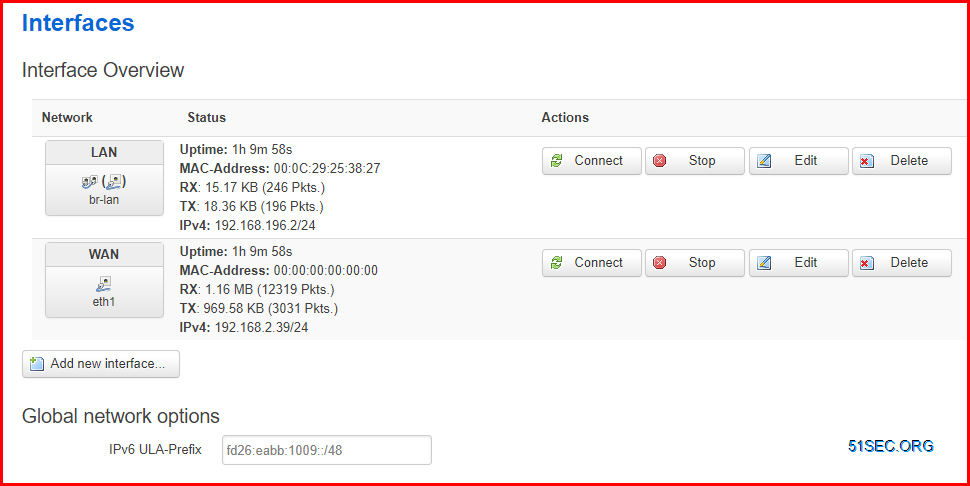
LAN interface has an ip : 192.168.196.2/24.
via Blogger https://ift.tt/2Ml8pQl
January 01, 2021 at 10:56PM Network
The OpenWrt Project is a Linux operating system targeting embedded devices. Instead of trying to create a single, static firmware, OpenWrt provides a fully writable filesystem with package management. This frees you from the application selection and configuration provided by the vendor and allows you to customize the device through the use of packages to suit any application.
I had a old post regarding how to install OpenWRT into VMWare.
For me, OpenWRT is a perfect solution to run in my virtual environment. It can be ran as a light weight router to connect two different networks simulating two offices.
It also can act as an Firewall to filter the traffic crossing OpenWRT. It took a little resources fro your CPU, Memory and Hard Drive.
There are lots of situations when I created my lab, I will need only a small device acting as an router. All traffic has to be passed but two networks are having completely two different network addresses.
Here is an example topology:
192.168.196.0/24 -------- (192.168.196.2/24 OpenWRT 192.168.2.39/24) --------- 192.168.2.0/24
I do not need NAT since both network should see each other's real IP.
Firewall can be disabled, but I am not sure how to do it from OpenWRT. So here are some of my steps I did to allow all traffic passing through OpenWRT.
1 Interfaces configuration
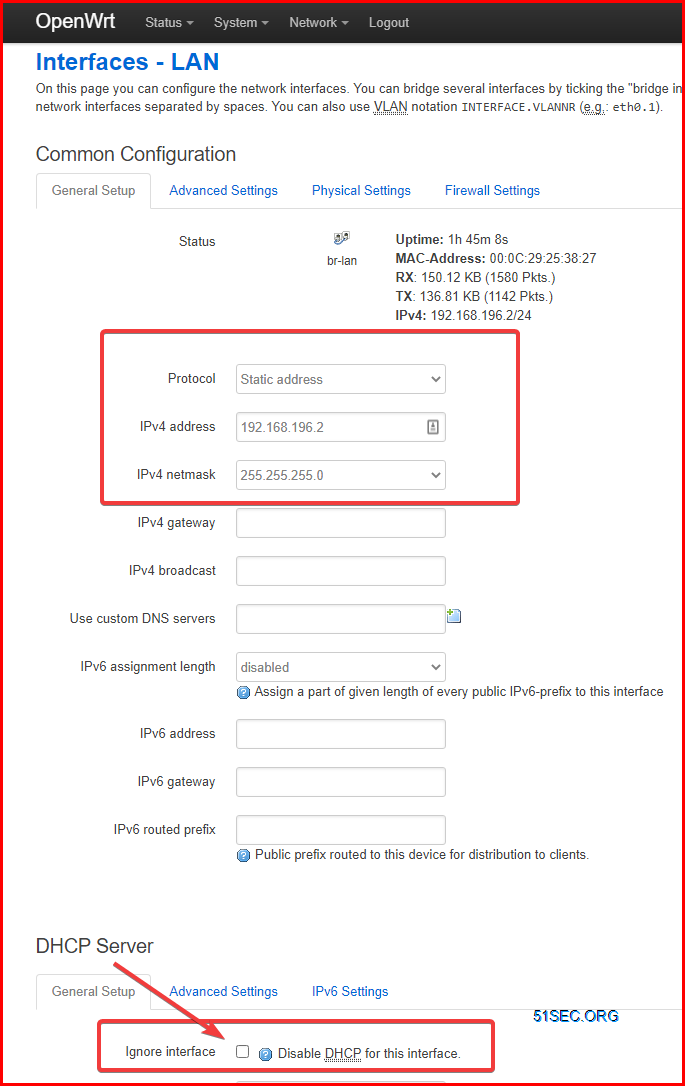
LAN interface has an ip : 192.168.196.2/24.
WAN interface has an ip: 192.168.2.39/24 with gateway 192.168.2.1 and DNS: 8.8.8.8
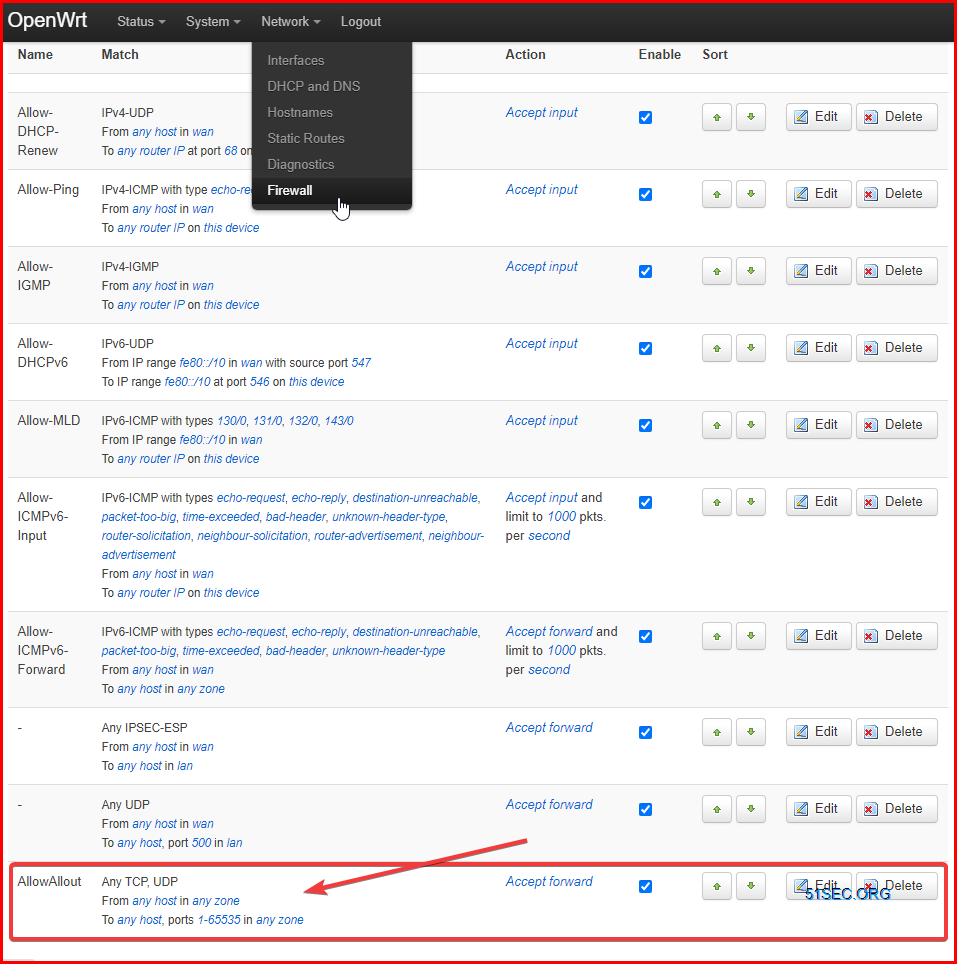
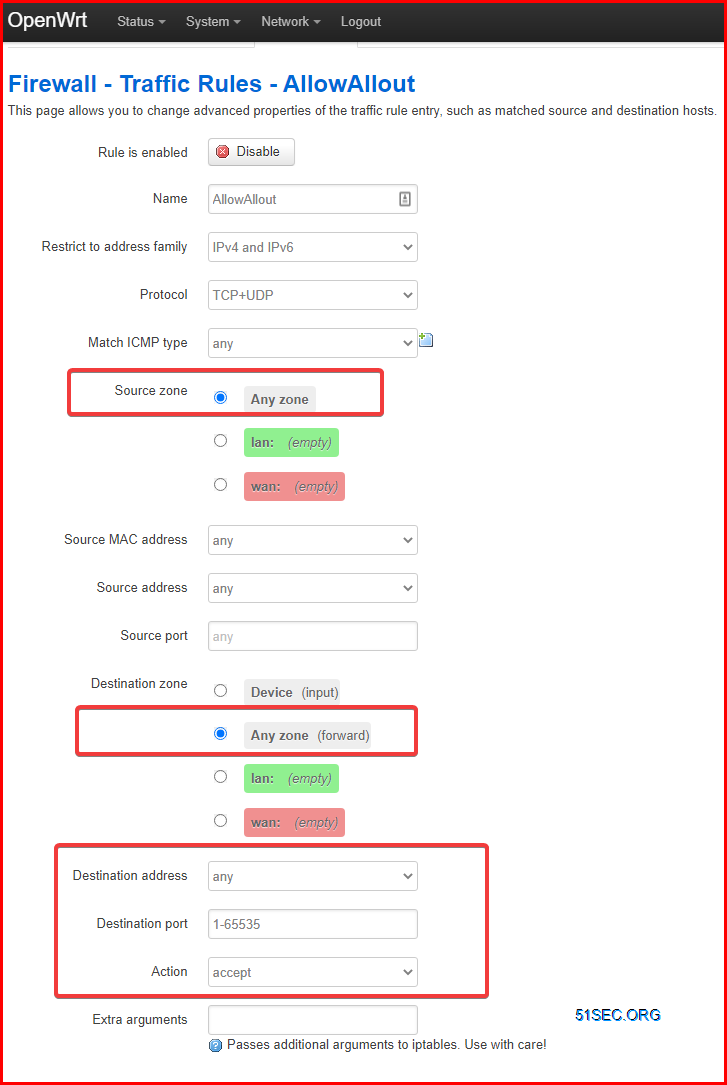
One firewall rule created to allow traffic from any host in any zone to any zone on ports range from 1 to 65535.
References:
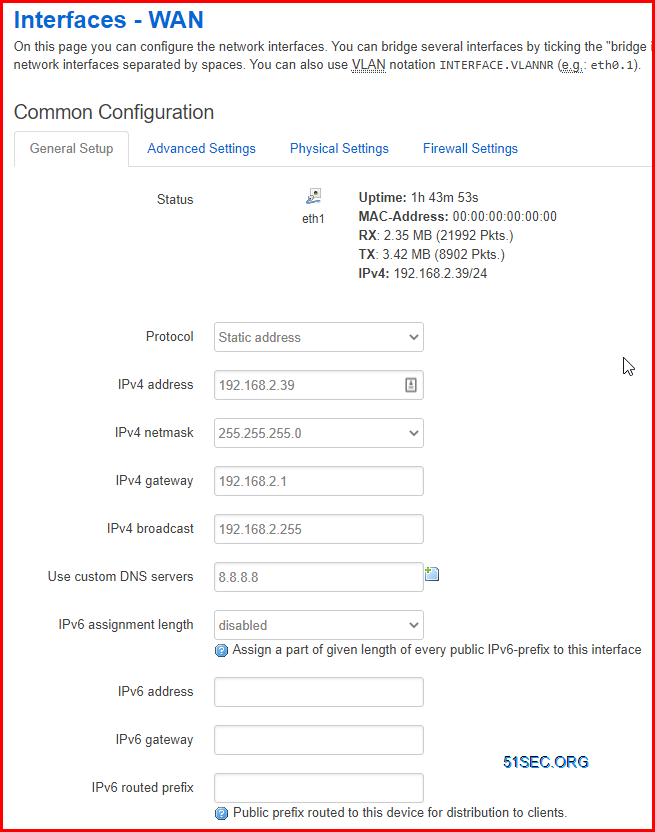
For LAN interface, I also disabled DHCP to simplify configuration.
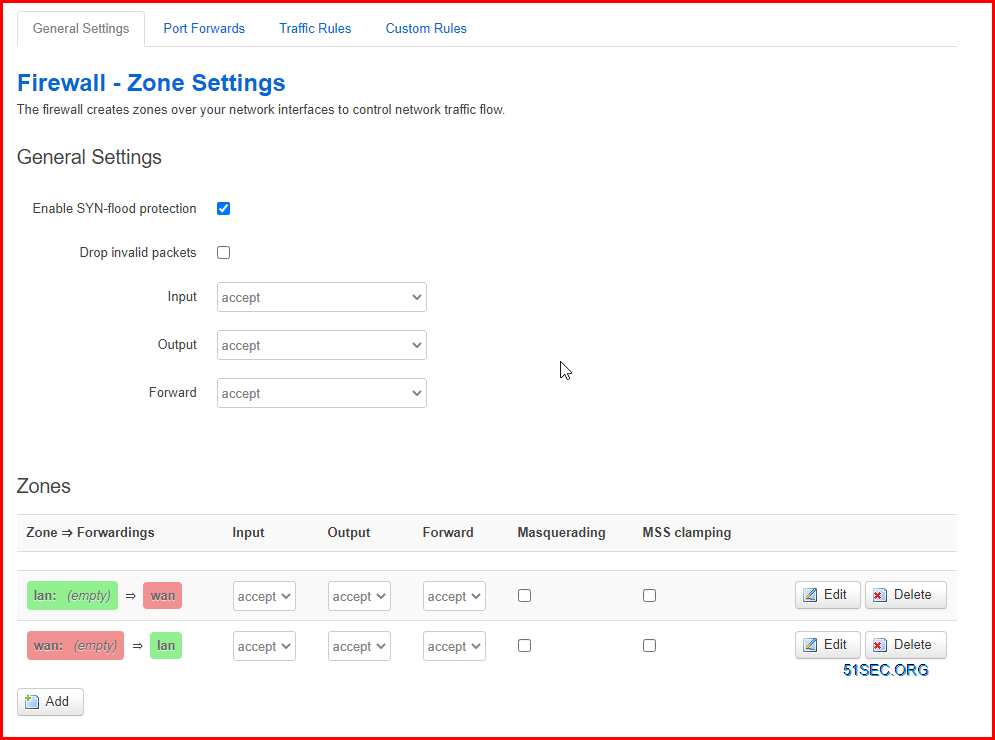
2 Firewall Configuration
Zone to Zone firewall configuration has been changed to accept for all, no masquerading and MSS Clamping.
The firewall rule details show in the following screenshot:
References:
via Blogger https://ift.tt/2Ml8pQl
January 01, 2021 at 10:56PM Network

 RSS Feed
