
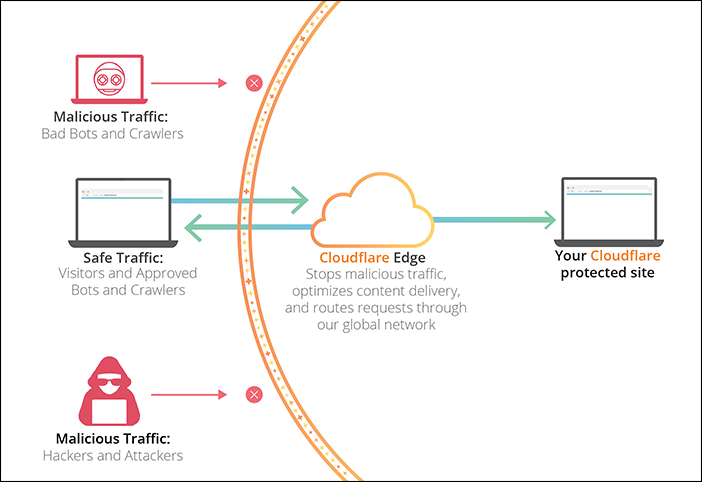
Cloudflare is designed for easy setup. Anyone with a website and their own domain can use Cloudflare regardless of their platform choice. Cloudflare doesn’t require additional hardware, software, or changes to your code. Cloudflare stops malicious traffic before it reaches your origin web server. Cloudflare analyzes potential threats in visitor requests based on a number of characteristics:
- visitor's IP address,
- resources requested,
- request payload and frequency, and
- customer-defined firewall rules.
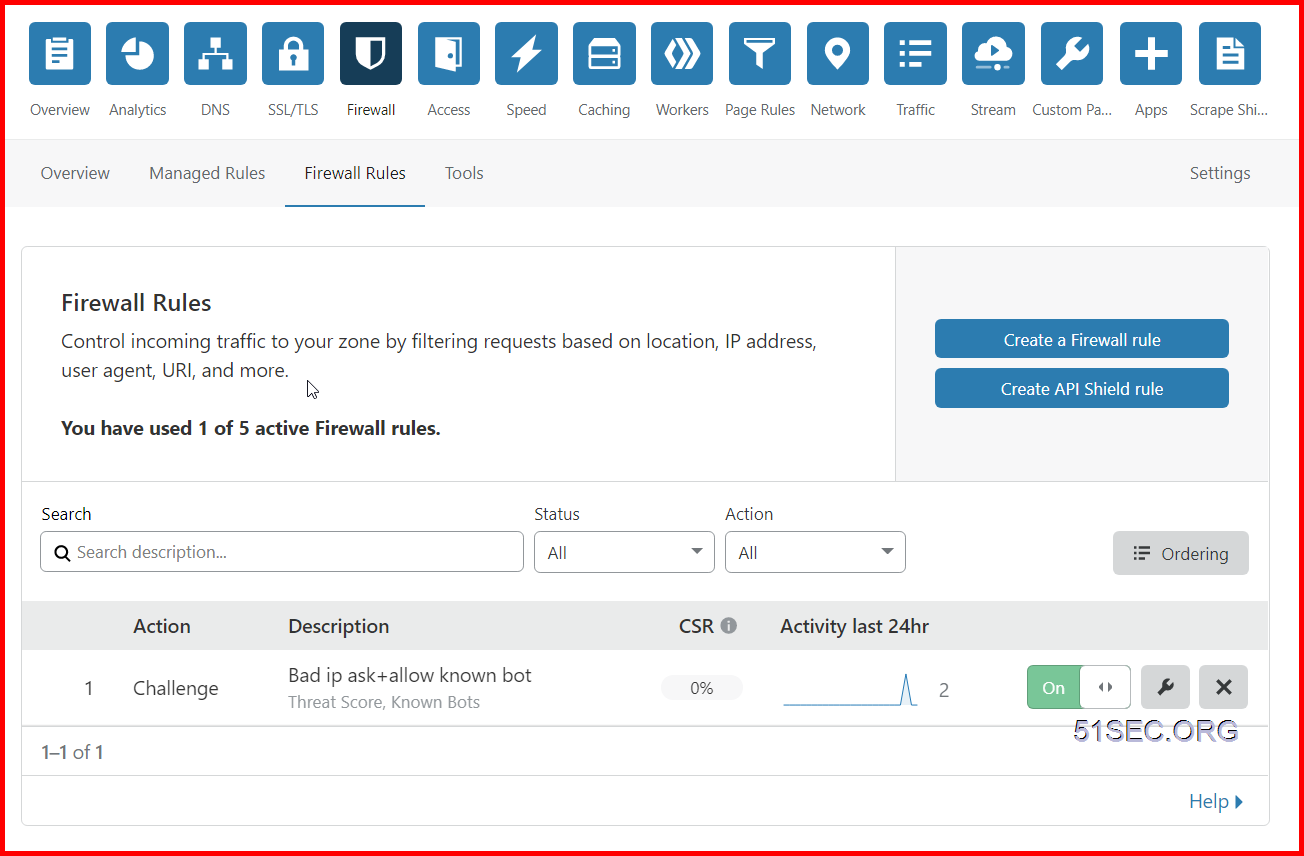
By default, Cloudflare allows you to create five active firewall rules. In this post, I lists some useful firewall rules for different use cases.
Cloudflare security diagram:
Access Cloudflare Dashboard - Firewall Page
- Login your Cloudflare dashboard
- Select the domain name you want to configure Firewall Rules
- Click Firewall from the tools at the top
- Click Firewall Rules
Firewall Page at Cloudflare dashboard:
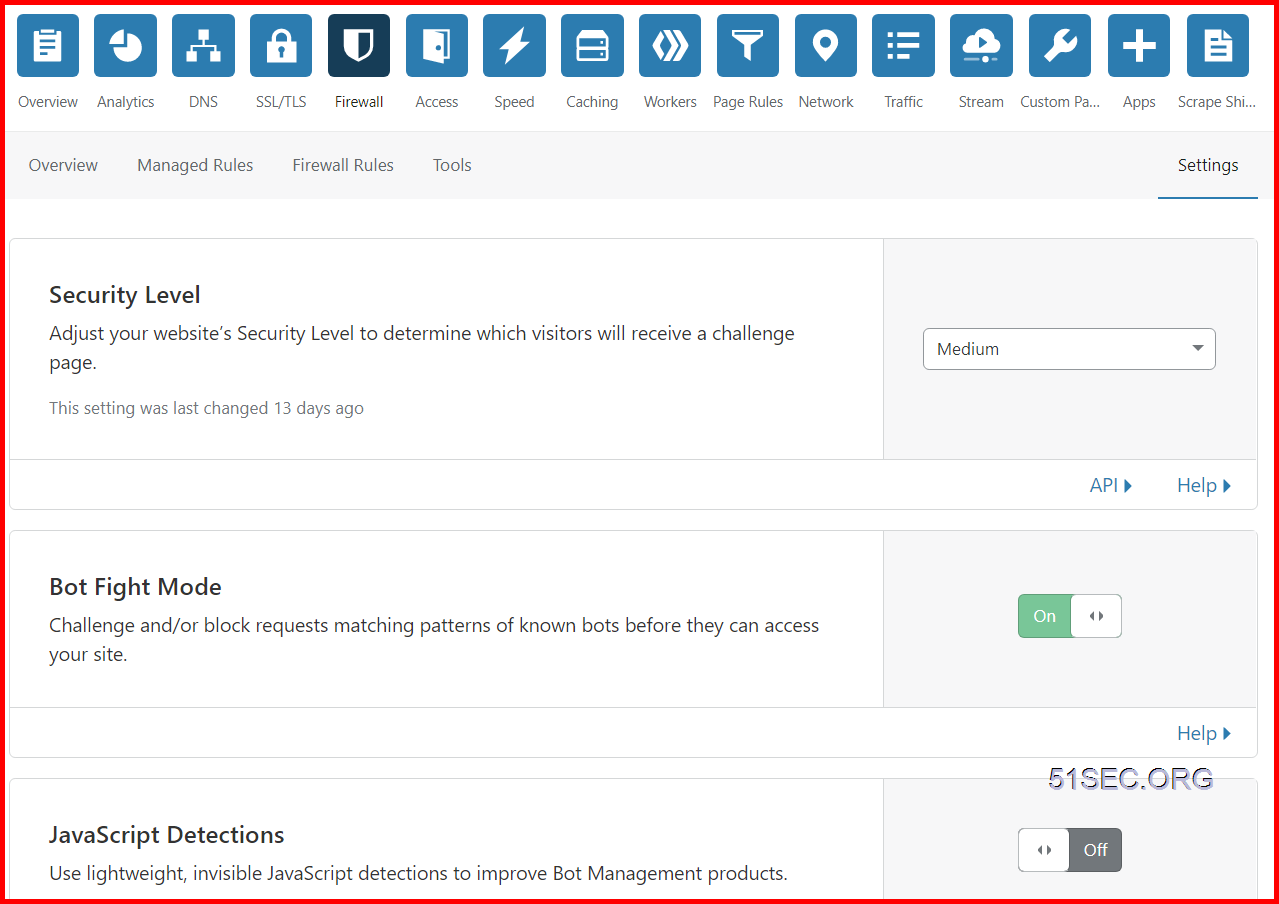
Firewall Settings - Security Level Explaination
Threat Score based on Cloudflare Doc as configured by Security Level is based on:
| Security Level | Threat Scores | Description |
|---|---|---|
| Essentially off | greater than 49 | Only challenges IP addresses with the worst reputation. |
| Low | greater than 24 | Challenges only the most threatening visitors. |
| Medium | greater than 14 | Challenges both moderate threat visitors and the most threatening visitors. |
| High | greater than 0 | Challenges all visitors that exhibit threatening behavior within the last 14 days. |
| I’m Under Attack! | N/A | Only for use if your website is currently under a DDoS attack. |
Cloudflare sets Security Level to Medium by default. Change the Security Level settings via the Cloudflare Firewall app under the Settings tab.
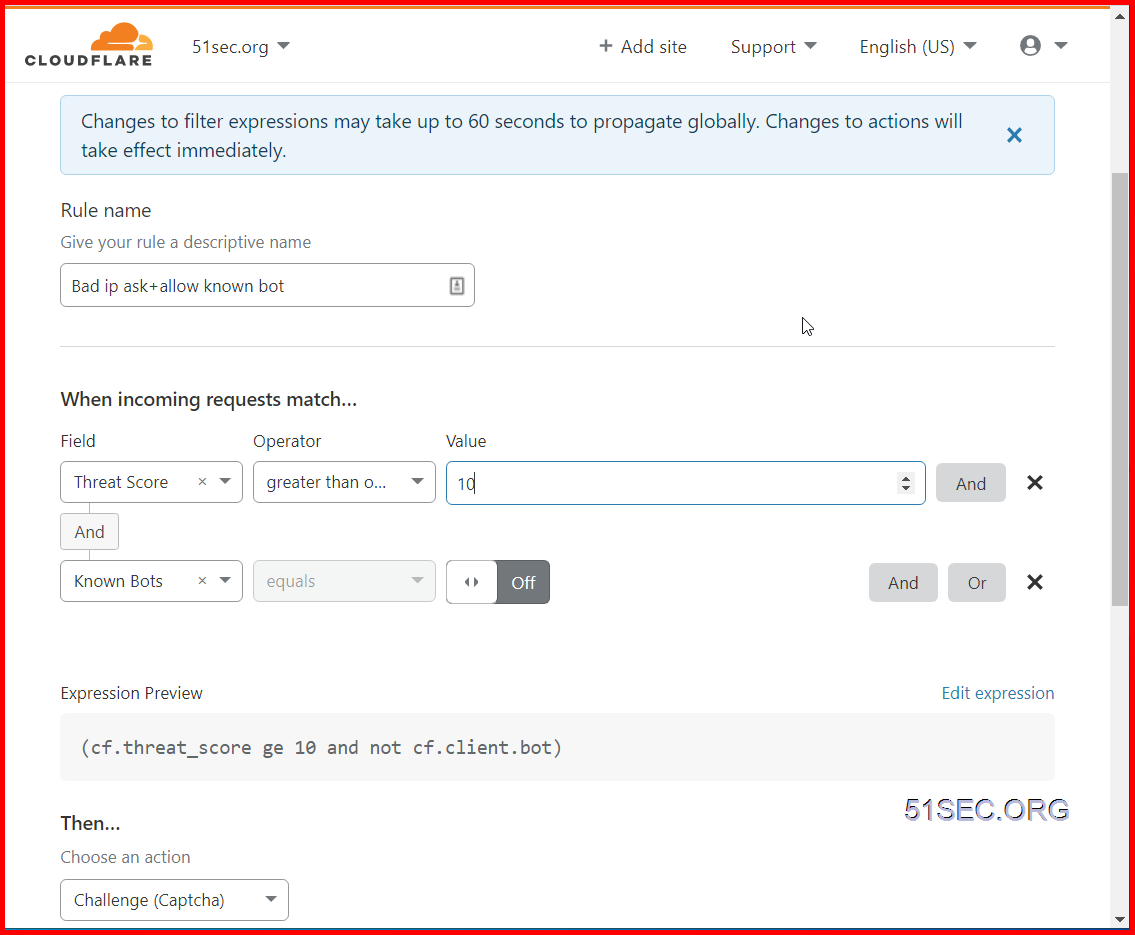
Challenge Low Risk and Higher IP but Allow Known Bots
Bad IP:
A request that came from an IP address that is not trusted by Cloudflare based on the Threat Score.
Based on default settings (Medium security level):
Challenges both moderate threat visitors and the most threatening visitors which threat score is higher than 14.
Here are some common agreed in Cloudflare community when using Threat score to create firewall rule
0 indicates low risk as determined by Cloudflare. Values above 10 may represent spammers or bots, and values above 40 point to bad actors on the Internet. It is rare to see values above 60, so tune your firewall rules to challenge those above 10, and to block those above 50.
My rule setting:
If access request is having Threat Score greater than or equal to 10, and it is not from Known bots, the access request will be challenged by Captcha.
References
via Blogger https://ift.tt/2VHg7pF
December 05, 2020 at 11:43PM Cloud

 RSS Feed
