
In my previous post "Cisco ASAv 9.4.1 and ASDM 7.4.1 in Workstation / ESXi (1)", I tested the importing both OVA and VMDK file into Workstation and ESXi, but both ways failed. Those files are found and downloaded from Internet for only testing purpose. I believe those are good files and somebody has tested them. The only reason for my failure is because I am not using a right way to do it. In my old testing posts I have tested other versions such as 9.2.1, 8.42 and 8.02. All were successful loaded in either Vmware Workstation or ESXi.
To find out the why this time failed I searched online again. My searching is based on error message I got from ESXi:
"
The OVF package requires support for OVF Properties
Line 264: Unsupported element 'Property'.
"
Following two links explains why , also both gives a solution , which is Vmware vCenter will be able to help load ASAv 9.4.1 into ESXi or ESX. Actually Vmeare vSphere Client has to connect to vCenter first then deploy this asav941.ova into ESX/ESXi host.


 When license agreement window popped up, accept it then next.


There are some basic configuration to get you SSH session enabled on your ASAv.
To find out the why this time failed I searched online again. My searching is based on error message I got from ESXi:
"
The OVF package requires support for OVF Properties
Line 264: Unsupported element 'Property'.
"
Following two links explains why , also both gives a solution , which is Vmware vCenter will be able to help load ASAv 9.4.1 into ESXi or ESX. Actually Vmeare vSphere Client has to connect to vCenter first then deploy this asav941.ova into ESX/ESXi host.
- http://www.cisco.com/c/en/us/td/docs/switches/datacenter/dfa/troubleshooting/guide/b-dfa-trouble/b-DFA-Troubleshooting_chapter_0100.html
- https://www-304.ibm.com/support/knowledgecenter/SSCR9A_2.0.0/doc/ICON/topics/tsicn_ovafailsproperty.html
Here are the procedures when I were using vCenter to help load ASAv 9.4.1 into ESXi. (I will have another post to present how to install vCenter into ESXi. I did meet lots of challenges and I spent almost whole day to figure them out. Some are quite tricky.)
1. ESXi vSphere Client connecting to vCenter5.5.
I am assuming you have installed vCenter as I did. If not, you can wait my next post to show you how to do it. I managed to install vCenter Appliance into my ESXi server.

2. File -> Delply OVF Template...
Acutally if you have vCenter in your environment, all procedures are same as deploying other virtual machines.

3. Choose downloaded asav941.ova file as the template.
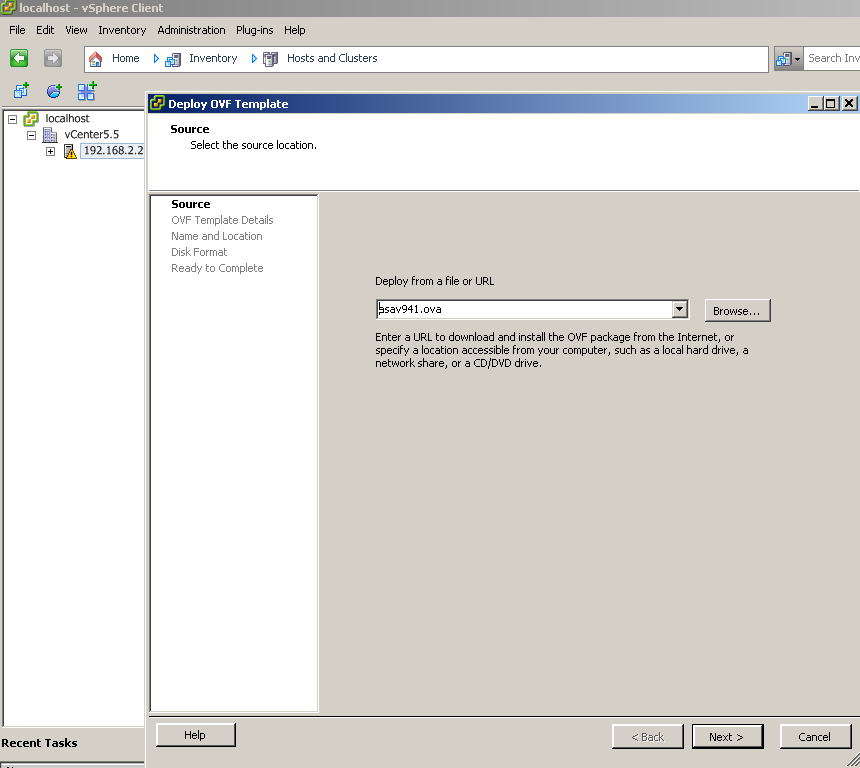
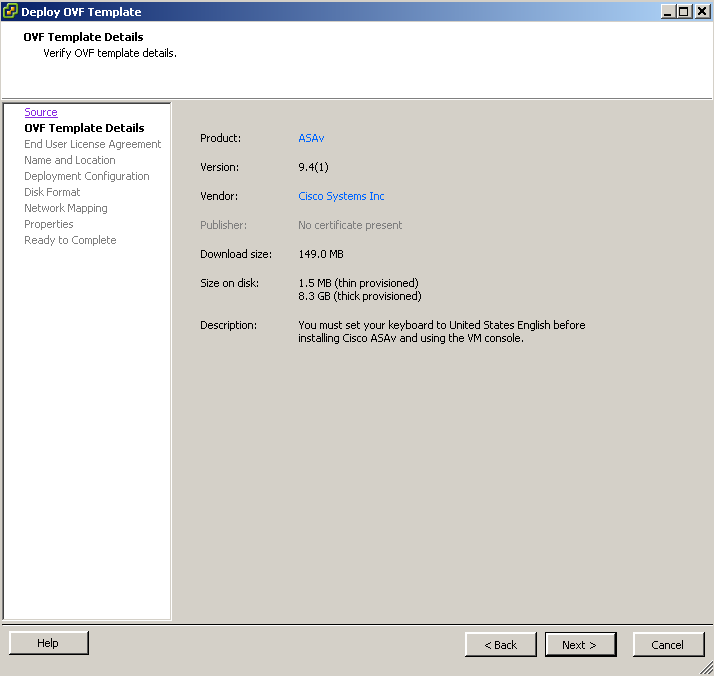
4. Choose vm's name

5. NICs configuration.
By default, there are 10 NICs and all of them are in same virtual network. In my case, it automatically set to connect to VM DMZ network.
6. Some other parameters.
You can customize some or leave them as default. I did not tell too much difference for those settings.
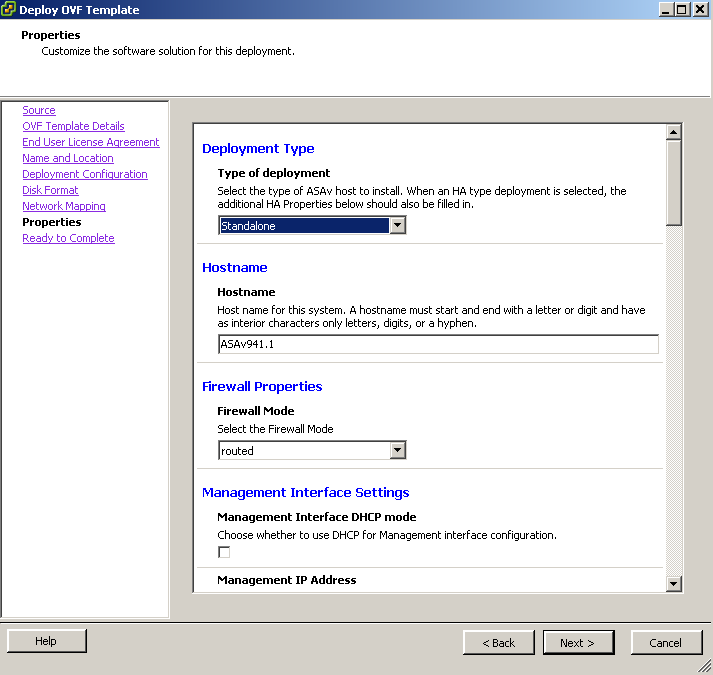
7. Review all configuration

8. After 3-5 minutes importing process deponding on your connection speed, you should get a new VM in your ESXi.
And you can power VM on and get booting window from console.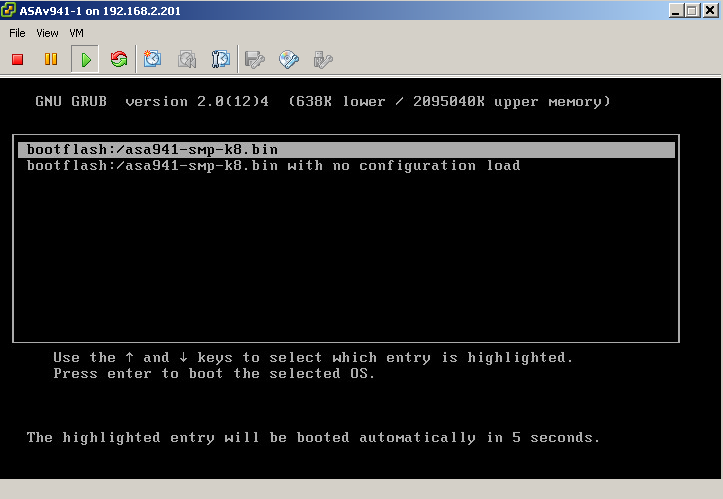
9. VM will reboot itself once then you will get this lovely ciscoasa prompt
During my full rebooting process, it will reboot itself once because some information is not consistent. I will try to record it next time.

10. Basic configuration for SSH
Interface management 0/0 is Network adapter 1. I changed it to VM Internet network to make management interface connect to my client pc network.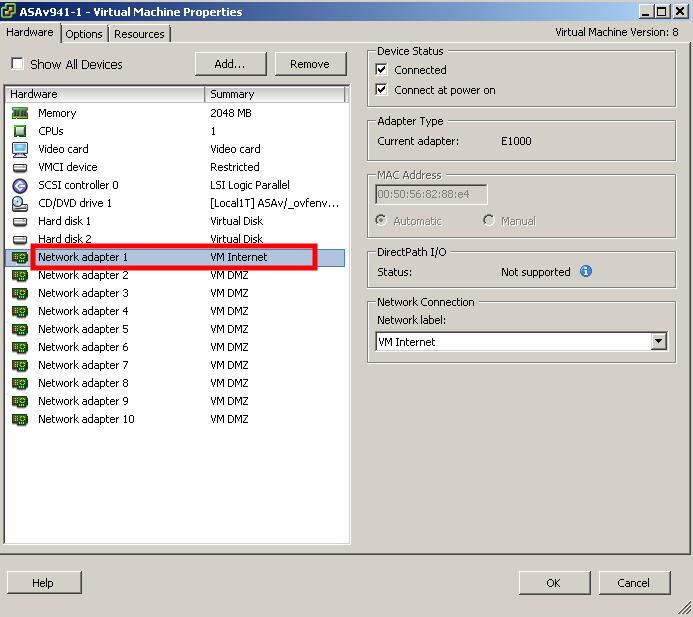
There are some basic configuration to get you SSH session enabled on your ASAv.
interface Management0/0
ip address 192.168.2.12 255.255.255.0
!
ip address 192.168.2.12 255.255.255.0
!
ssh 192.168.2.0 255.255.255.0 management
ssh version 2
username admin password cisco
aaa authentication ssh console LOCAL
ciscoasa# sh ver
Cisco Adaptive Security Appliance Software Version 9.4(1)
Device Manager Version 7.4(1)
Compiled on Sat 21-Mar-15 11:43 PDT by builders
System image file is "boot:/asa941-smp-k8.bin"
Config file at boot was "startup-config"
ciscoasa up 7 hours 11 mins
Hardware: ASAv, 2048 MB RAM, CPU Xeon 5500 series 2294 MHz,
Internal ATA Compact Flash, 256MB
Slot 1: ATA Compact Flash, 8192MB
BIOS Flash Firmware Hub @ 0x0, 0KB
0: Ext: Management0/0 : address is 0050.5682.88e4, irq 10
1: Ext: GigabitEthernet0/0 : address is 0050.5682.6bf2, irq 5
2: Ext: GigabitEthernet0/1 : address is 0050.5682.7af1, irq 9
3: Ext: GigabitEthernet0/2 : address is 0050.5682.6bce, irq 11
4: Ext: GigabitEthernet0/3 : address is 0050.5682.55a3, irq 10
5: Ext: GigabitEthernet0/4 : address is 0050.5682.837f, irq 5
6: Ext: GigabitEthernet0/5 : address is 0050.5682.969e, irq 9
7: Ext: GigabitEthernet0/6 : address is 0050.5682.d2a0, irq 11
8: Ext: GigabitEthernet0/7 : address is 0050.5682.435c, irq 10
9: Ext: GigabitEthernet0/8 : address is 0050.5682.3b99, irq 5
License mode: Smart Licensing
ASAv Platform License State: Unlicensed
Active entitlement: ASAv-STD-100M, enforce mode: Eval period
Licensed features for this platform:
Maximum Physical Interfaces : 10 perpetual
Maximum VLANs : 50 perpetual
Inside Hosts : Unlimited perpetual
Failover : Active/Standby perpetual
Encryption-DES : Enabled perpetual
Encryption-3DES-AES : Enabled perpetual
Security Contexts : 0 perpetual
GTP/GPRS : Disabled perpetual
AnyConnect Premium Peers : 2 perpetual
AnyConnect Essentials : Disabled perpetual
Other VPN Peers : 250 perpetual
Total VPN Peers : 250 perpetual
Shared License : Disabled perpetual
AnyConnect for Mobile : Disabled perpetual
AnyConnect for Cisco VPN Phone : Disabled perpetual
Advanced Endpoint Assessment : Disabled perpetual
Total UC Proxy Sessions : 2 perpetual
Botnet Traffic Filter : Enabled perpetual
Cluster : Disabled perpetual
Licensing mode is Smart Licensing
Serial Number: 9ACPEXD4VEW
Image type : Release
Key version : A
Configuration last modified by enable_15 at 02:21:28.579 UTC Mon Jun 1 2015

 RSS Feed
