
CIS CAT Pro Installation and Configuration for CIS Benchmark Assessment
The CIS Benchmarks are a powerful set of best practices to help your organization ensure its IT systems, software, networks, and cloud infrastructure are securely configured. Testing those configurations can be a labor-intensive process – and that can be a challenge for many organizations.CIS-CAT® Pro A powerful tool for automating CIS Benchmark assessment and reporting
via Blogger http://blog.51sec.org/2022/12/cis-cat-pro-installation-and.html
December 04, 2022 at 09:14PM Security
The CIS Benchmarks are a powerful set of best practices to help your organization ensure its IT systems, software, networks, and cloud infrastructure are securely configured. Testing those configurations can be a labor-intensive process – and that can be a challenge for many organizations.CIS-CAT® Pro A powerful tool for automating CIS Benchmark assessment and reporting
In this post, I am going to list the basic steps to install CIS-CAT Pro components and use it to execute your assessment.

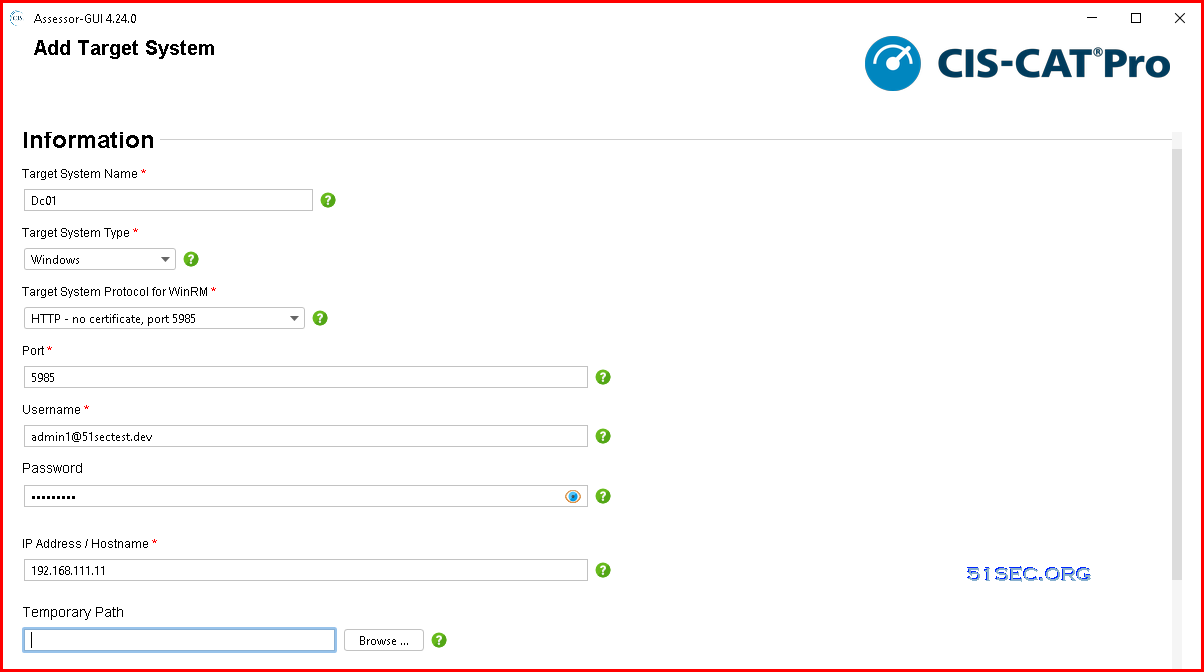
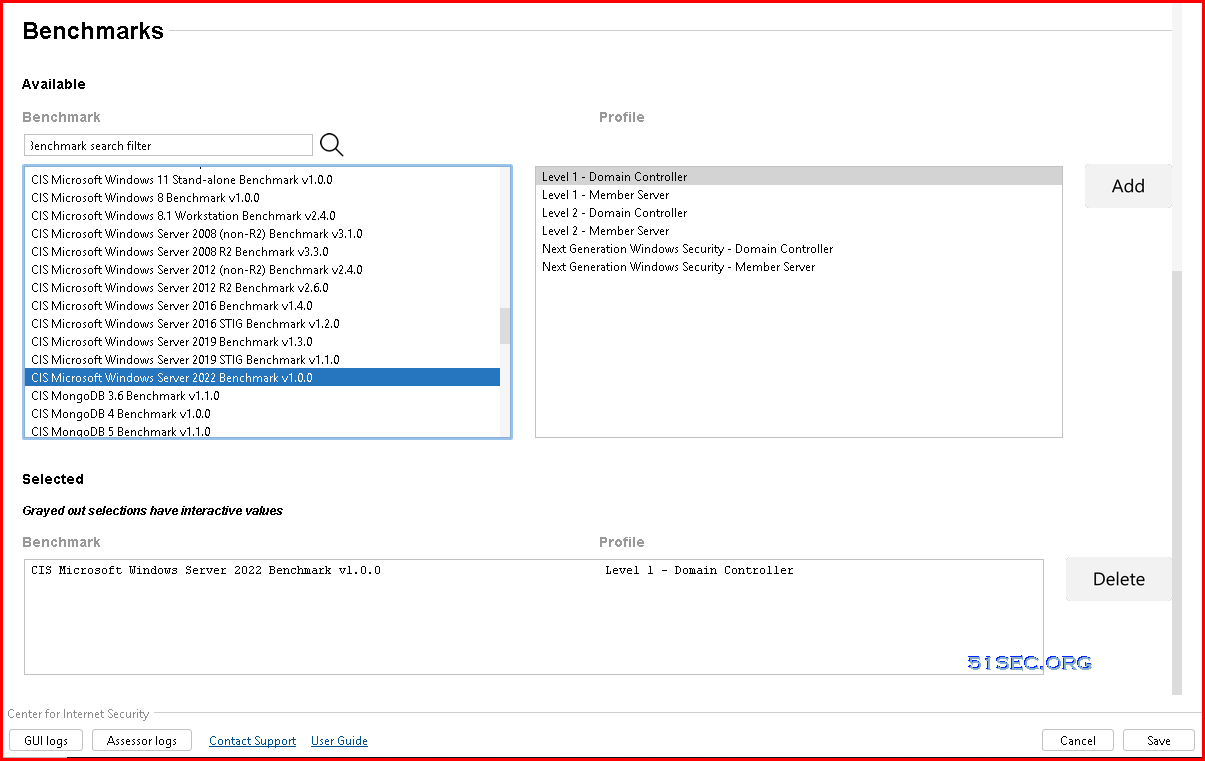
Add necessary information for your Target System:
CIS-CAT Pro has two parts:
1. CIS-CAT Pro Assessor
2. CIS-CAT Pro Dashboard
Get CIS-CAT Pro Assessor
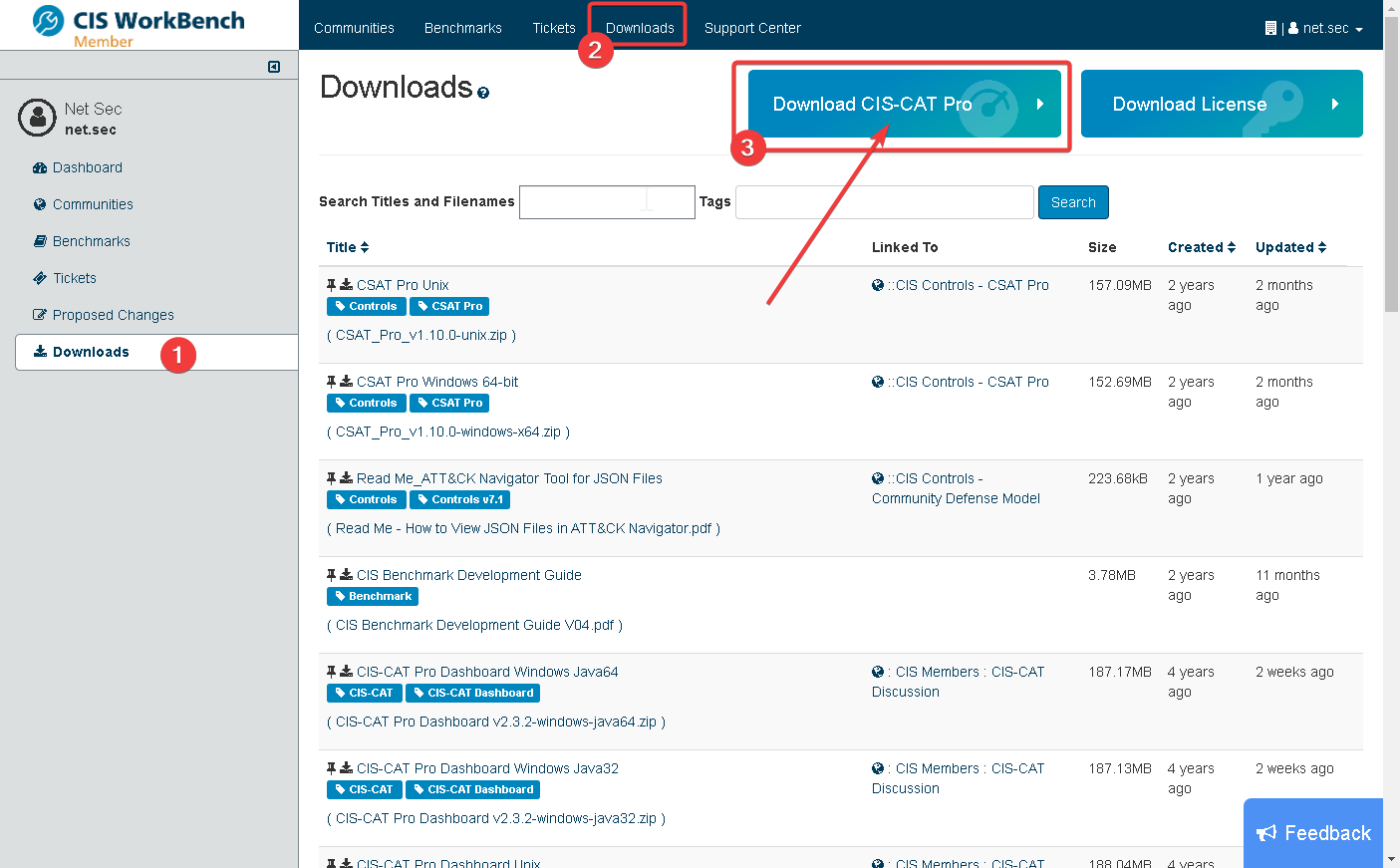
CIS-CAT Pro Assessor is available to CIS SecureSuite Members. As a Member, organizations may navigate to CIS WorkBench to obtain the CIS-CAT tools.
Click Download CIS CAT Pro button at the top of page then Select the operating system that will host CIS-CAT Pro Assessor and the preferred interface.

Make sure you will choose the one with GUI.
Suggestions
- The application requires a Java Runtime Environment (JRE) to run. Choose a download with GUI will avoid downloading and installing JRE for your host machine.
- To allow the greatest flexibility for configuring server performance, CIS recommends installing CIS-CAT Pro Assessor v4 on a host separate from hosts supporting CIS-CAT Pro Dashboard.
- Remote scanning requires unrestricted access from the CIS-CAT host system to the assessed target system
- Windows remote and local assessments require a 64 bit operating system
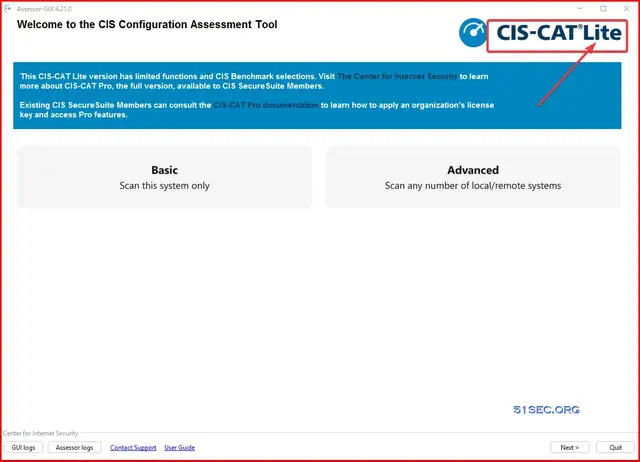
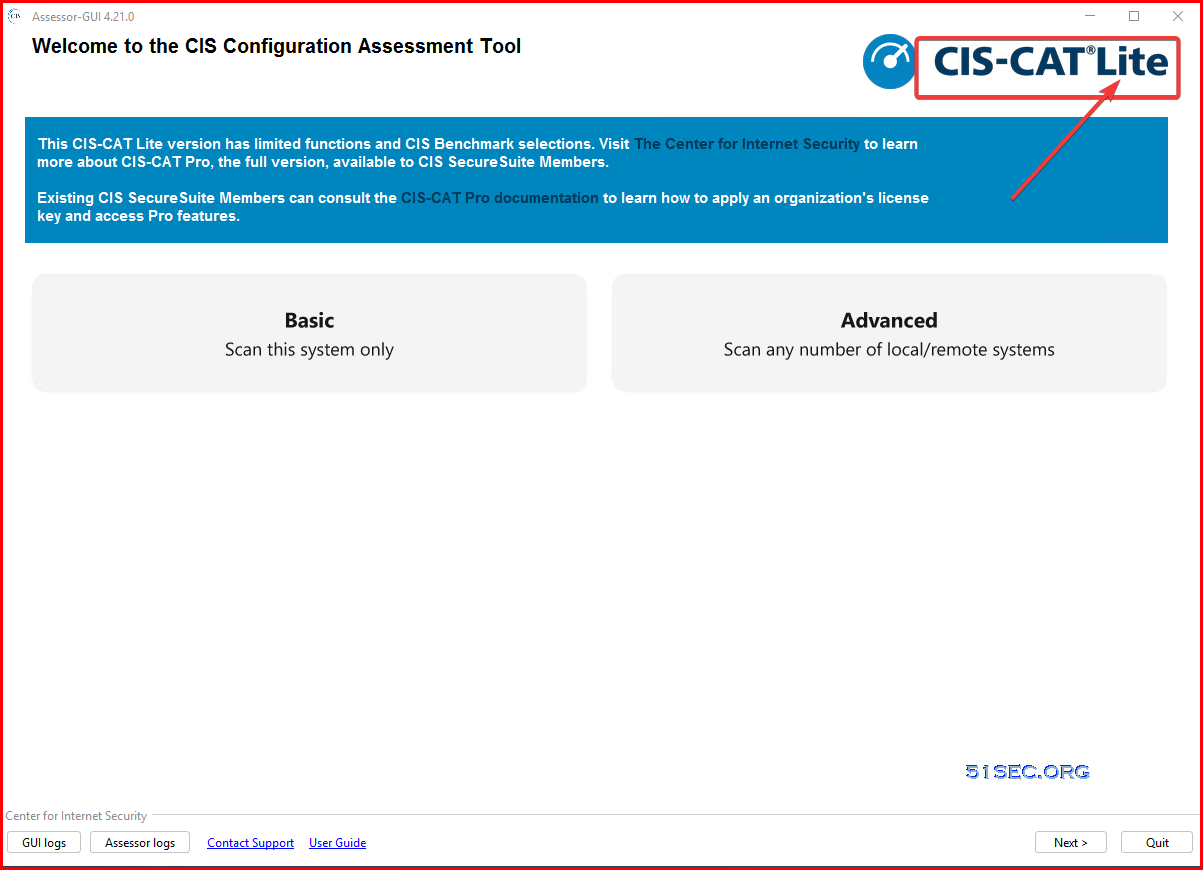
- If a valid license is not present in the defined location, CIS-CAT Pro Assessor will be limited to Lite functionality where only HTML output can be produced for a limited set of CIS Benchmark automated assessment content.
Installation and Launch Application
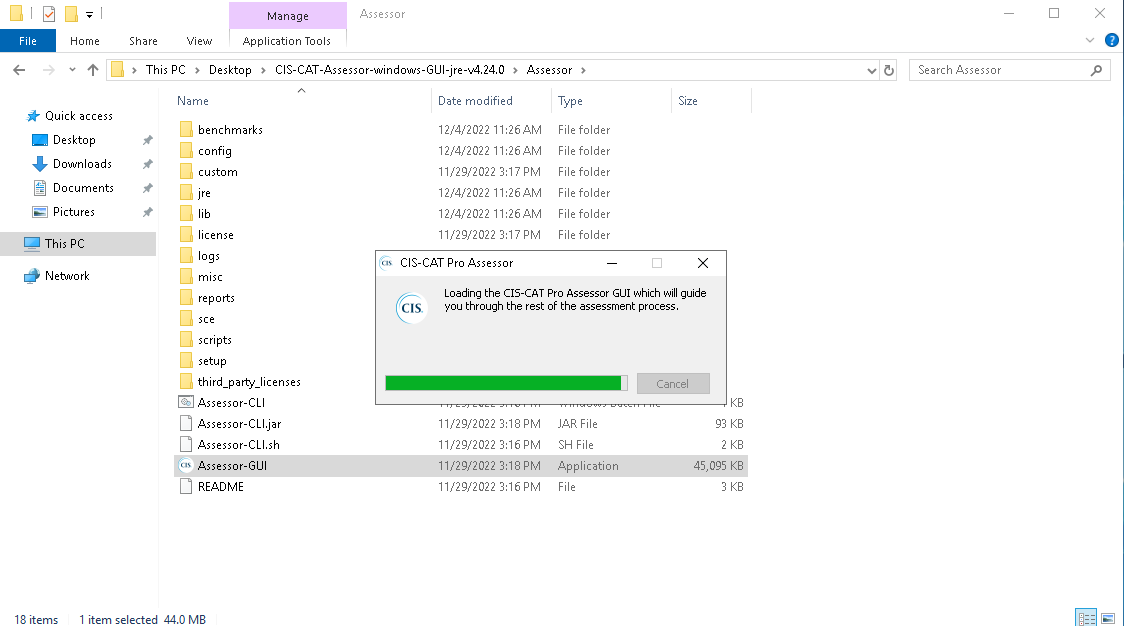
Unzip downloaded file.
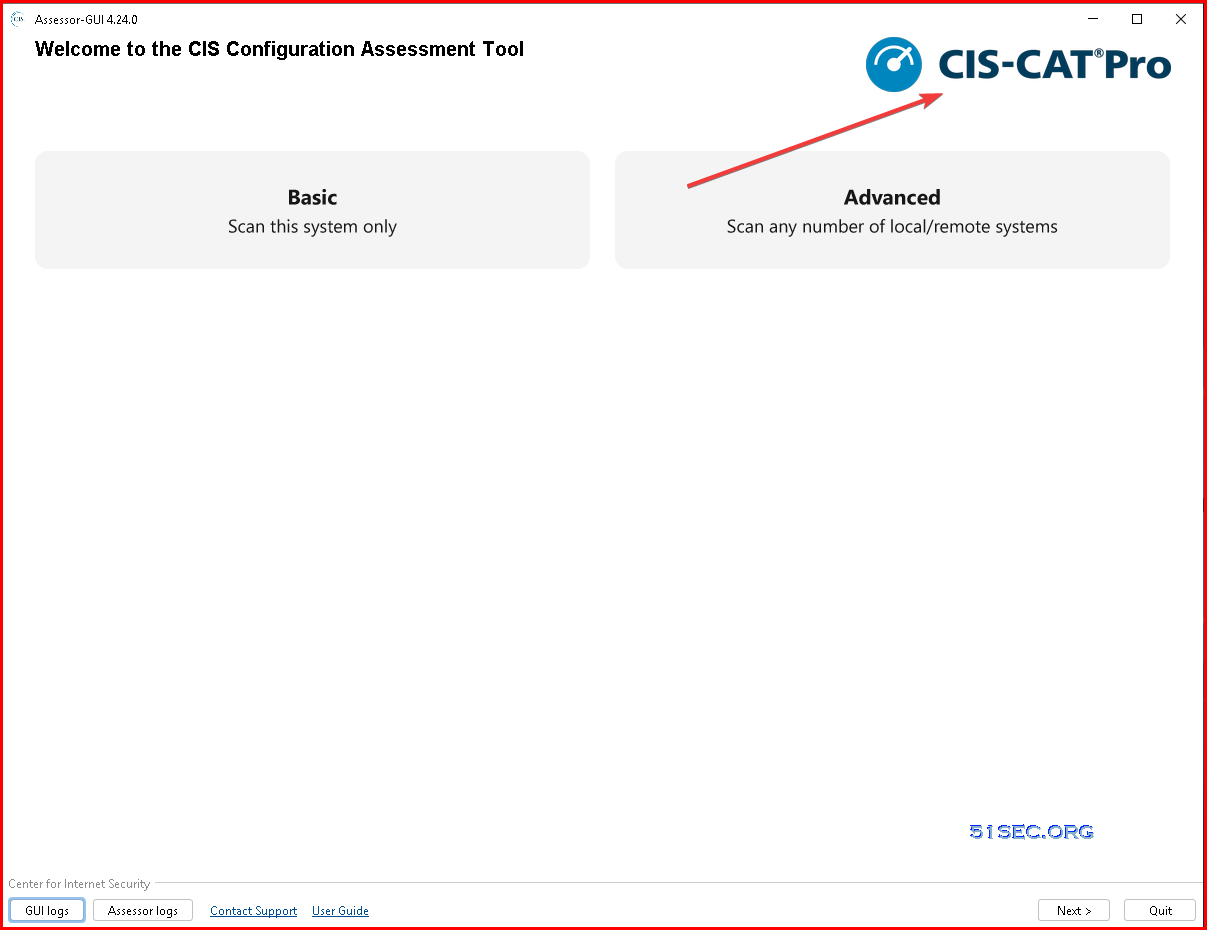
From unzipped file list, double click to run Assessor-GUI.exe application
Main Window shows Lite version
Get License and Apply It To Enable Pro Version
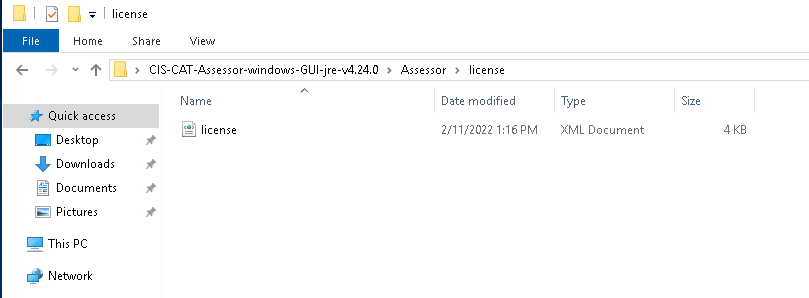
Download the license file from member portal. Unzip the downloaded file then copy the license xml file into application's license folder.
Restart the application to apply this license. Once valid the file, it will show Pro.
Scan Remote Windows Server
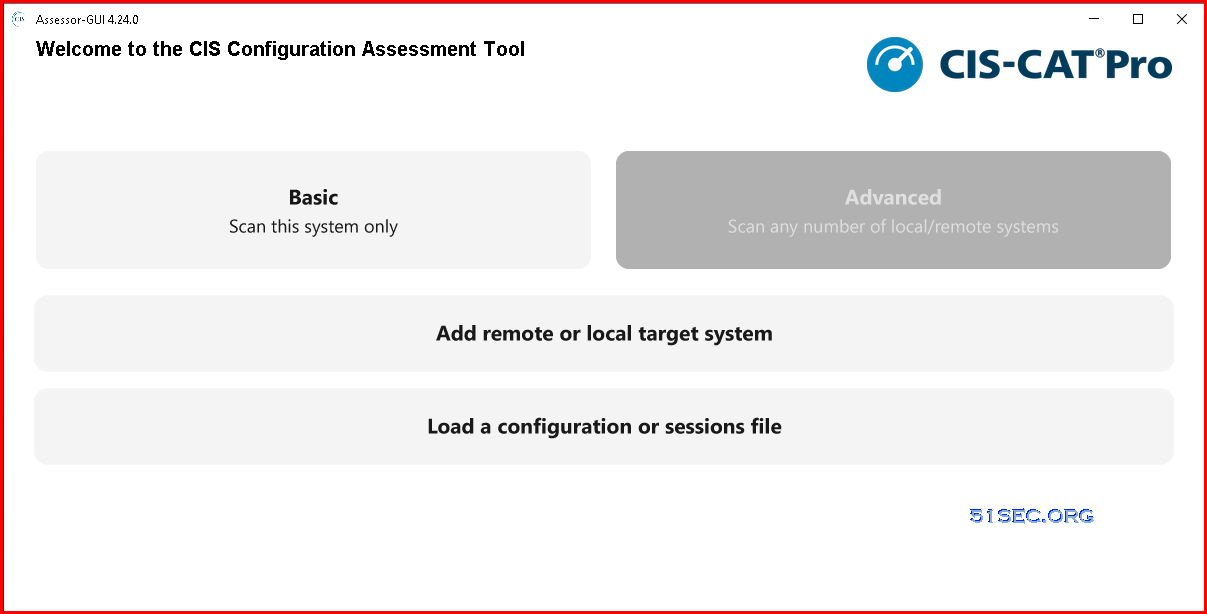
Click Advanced, then select Add remote or local target system.
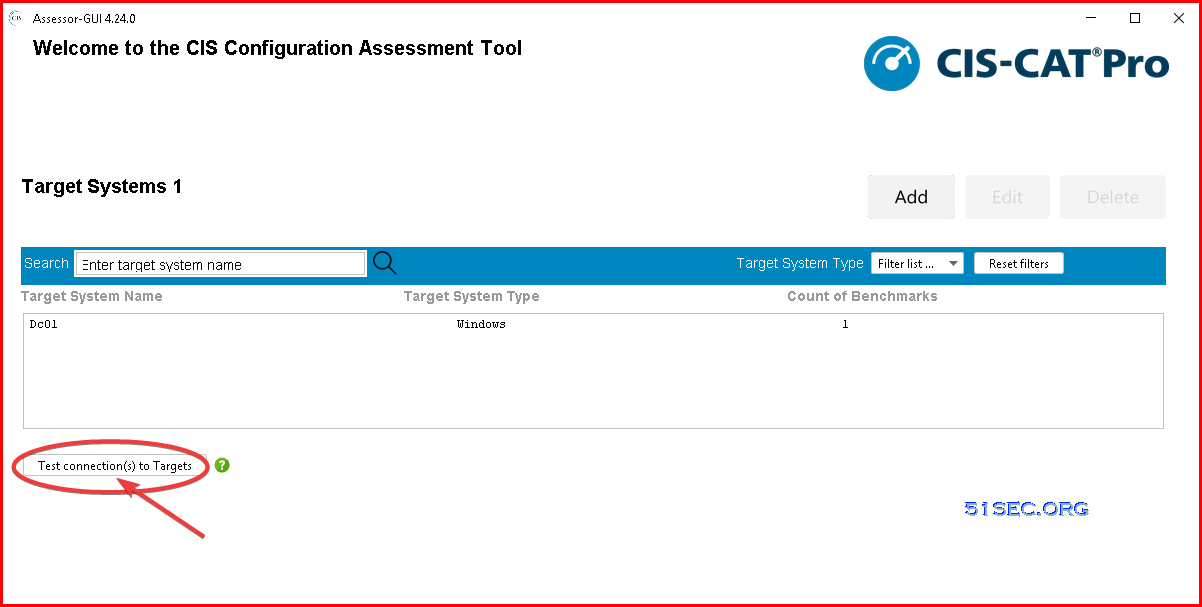
You also can test connection from your assessor to your target system:
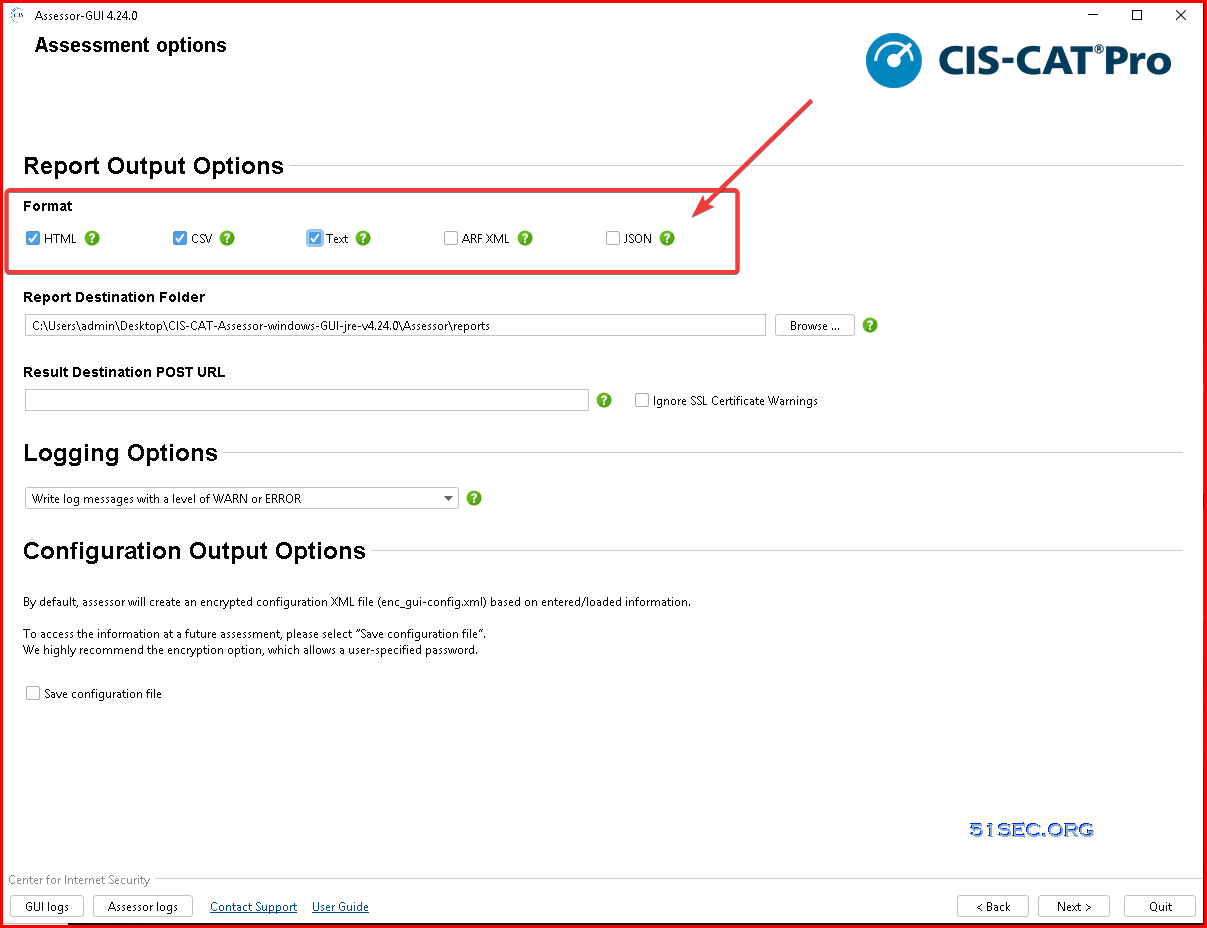
You can have multiple output options in Pro version:
Click Next to start the Assessment.
Once all assessment done, you will be able to view a HTML report.
Videos
References
via Blogger http://blog.51sec.org/2022/12/cis-cat-pro-installation-and.html
December 04, 2022 at 09:14PM Security

 RSS Feed
