
Not sure how many home users are experiencing wireless router coverage issue. Your wireless home router is set at living room, but at the certain location of your home, the wireless signal is quite weak. It will be painful especially when you found this fact on the bed with your tablet devices. Upgrade a more powerful wireless routers, or buy another router repeater?Actually the router vendors have implemented a "bridge" technology which can enable wireless connection between multi-vendor's routers. Here is Wikepedia's explanation about Bridging (networking):
.png)




"Network bridging is the action taken by network equipment to create an aggregate network from either two or more communication networks, or two or more network segments. If one or more segments of the bridged network are wireless, it is known as wireless bridging. Bridging is distinct from routing, which allows multiple different networks to communicate independently while remaining separate."
This post is my weekend task to get my living room's wireless signal to cover the corner of my bed room better. In the bedroom's far end from wireless router's location, the signal is always not enough to keep my ipad/cell phone persistently connected. To stop my family's complain, I decided to set up secondary router as a bridge Access Point at second floor, which will provide strong signal to upper floors.
Topology:
1. Main Router's Configuration
Main router is from isp, and this Adsl device model is HG-A800. This router's configuration is not any special. You just need to enable wireless security, LAN network and DHCP.
Wireless basic configuration:
Wireless Security:
LAN and DHCP Setup (LAN IP is 192.168.2.1):
2. Secondary Router's Configuration:
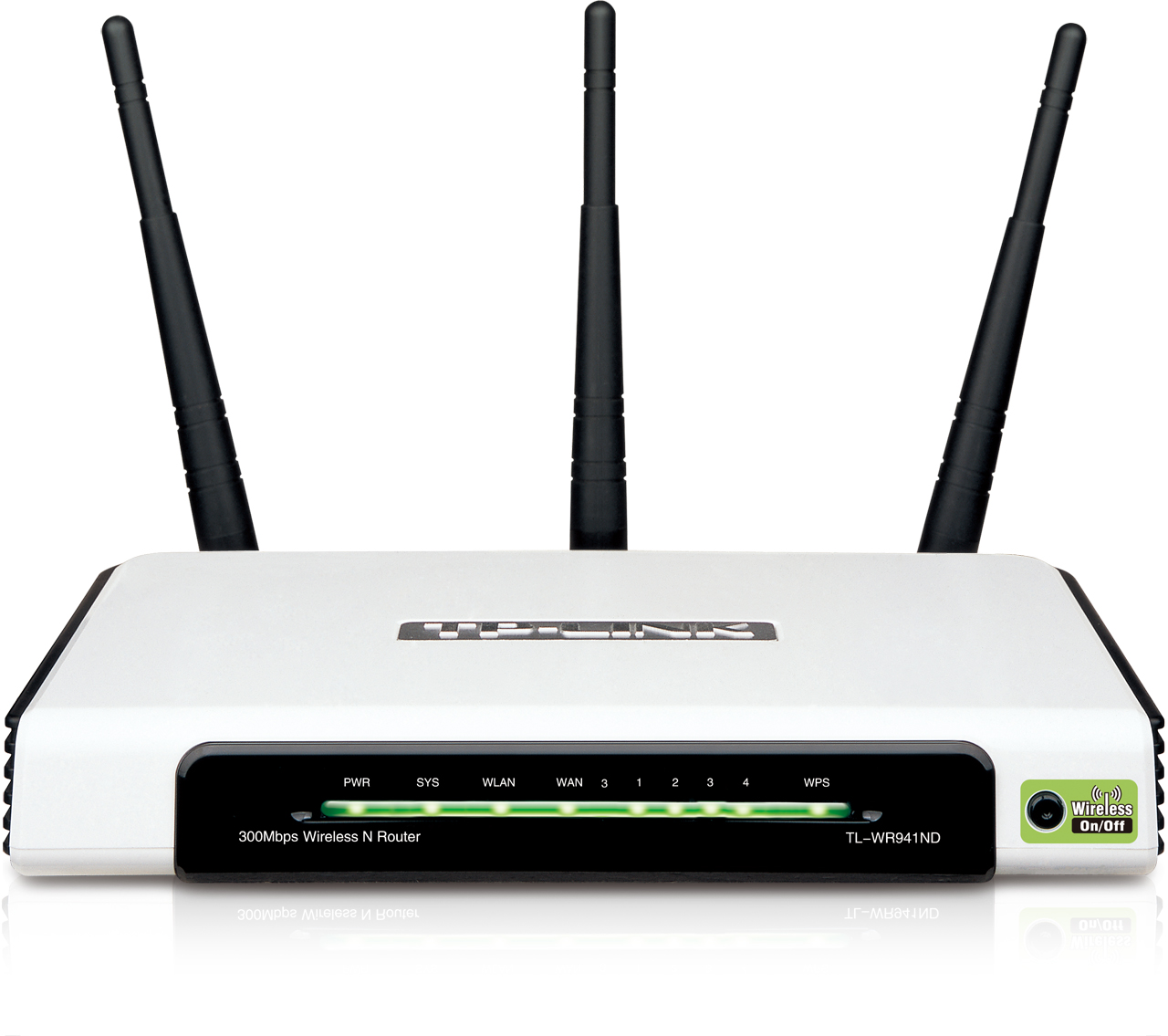
TP-LINK WR941ND is used as secondary router for bridge Access Point purpose.
There is no connection on WAN port since it is secondary router which is not directly connecting to Internet. LAN port can be used to connect local network devices such as media player, game console or desktop.WAN configuration type for this secondary router will be Dynamic IP. LAN IP will be 192.168.2.2. DHCP Scope is from 192.168.2.151 to 192.168.2.199. As you tell, The DHCP Scope of Primary router and Secondary router is not overlapping, which is easier for us to identify which device your system is logged in by wireless later.
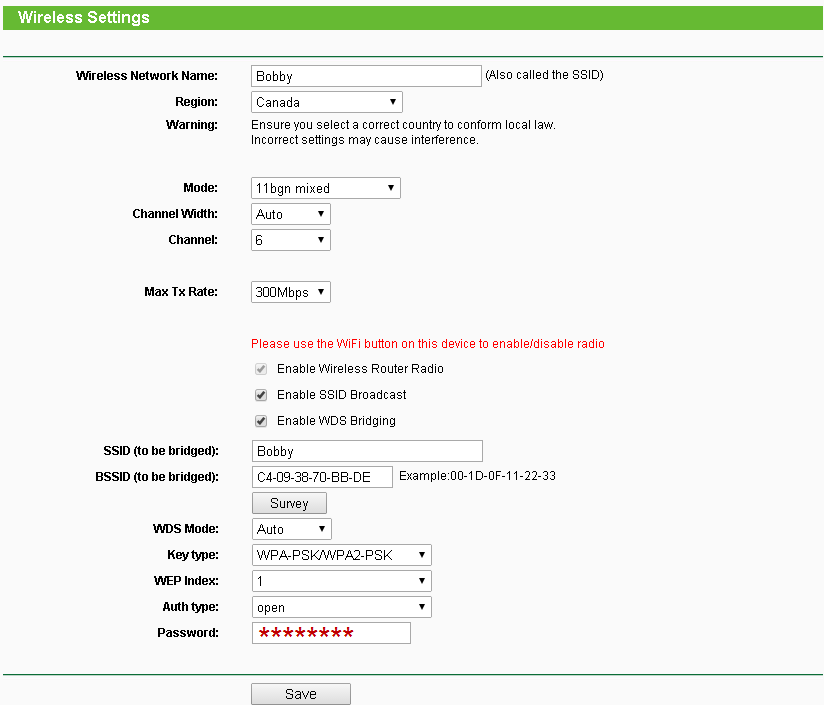
The most important part is Wireless Settings in secondary router. You had better set up same wireless SSID and password as Primary router, especially at SSID (to be bridged) section.
3. Test Result
My ISP is providing 15 mbps downloading speed and 1 mbps uploading speed. From the speedtest.net's result, it shows pretty good result from Secondary router, almost no loss from this set up.


 RSS Feed
