
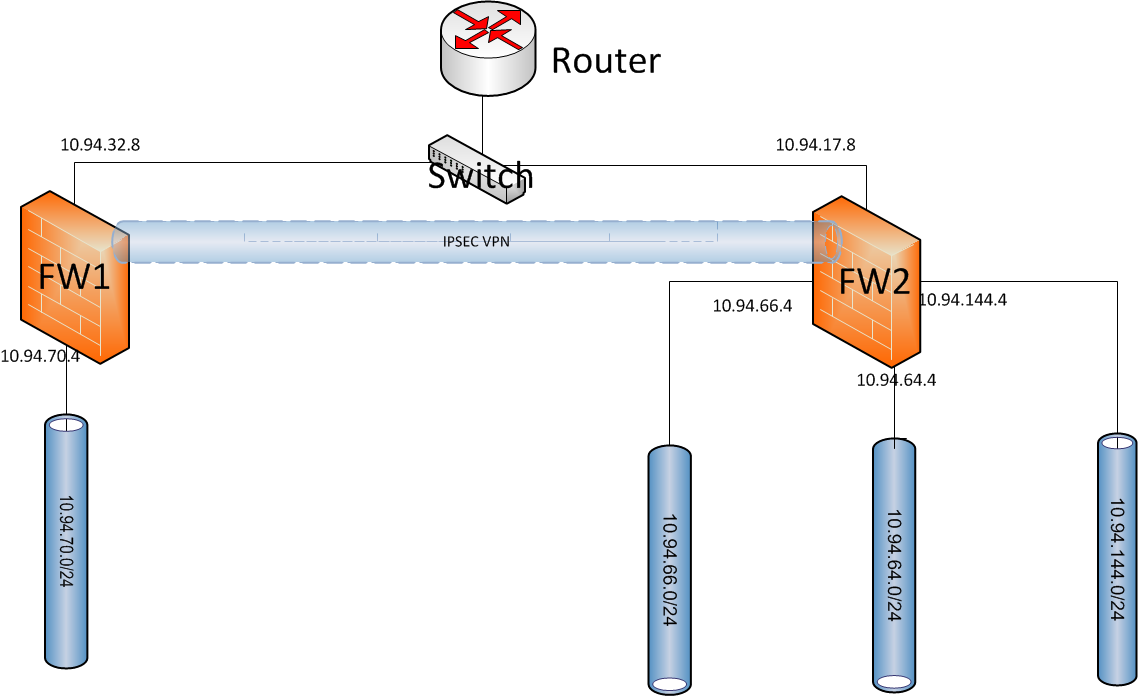
This is the second post for Fortigate IPSec VPN configuration. It will use same topology as previous one.
The implementation will be set up policy based IPSec VPN between two sites.



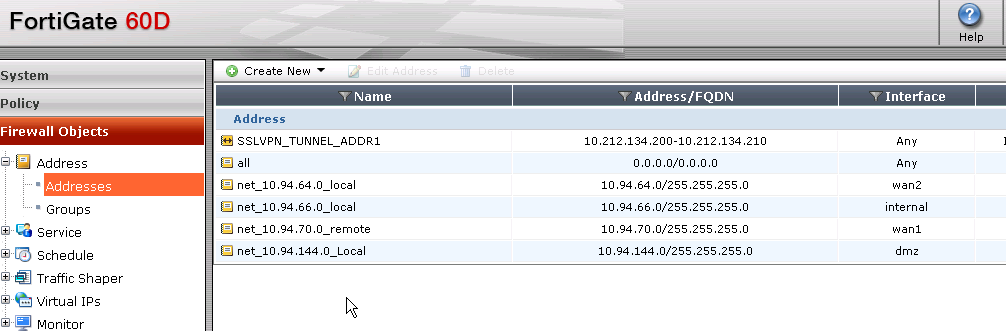
There are three local networks defined in here, including all local subnets 10.94.64.0/24, 10.94.66.0/24 and 10.94.144.0/24
 b. Three policy rules defined for three different local networks. Remote destination network are same, which is 10.94.70.0/24. All those three rules are using same IPSec vpn tunnle f2-f1, which is defined in step 4.

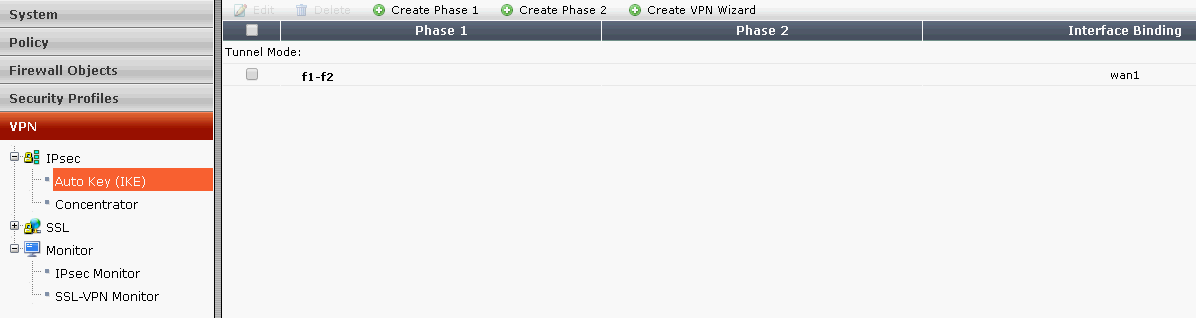 Note: There is no phase 2 in the Auto Key (IKE) configuration.
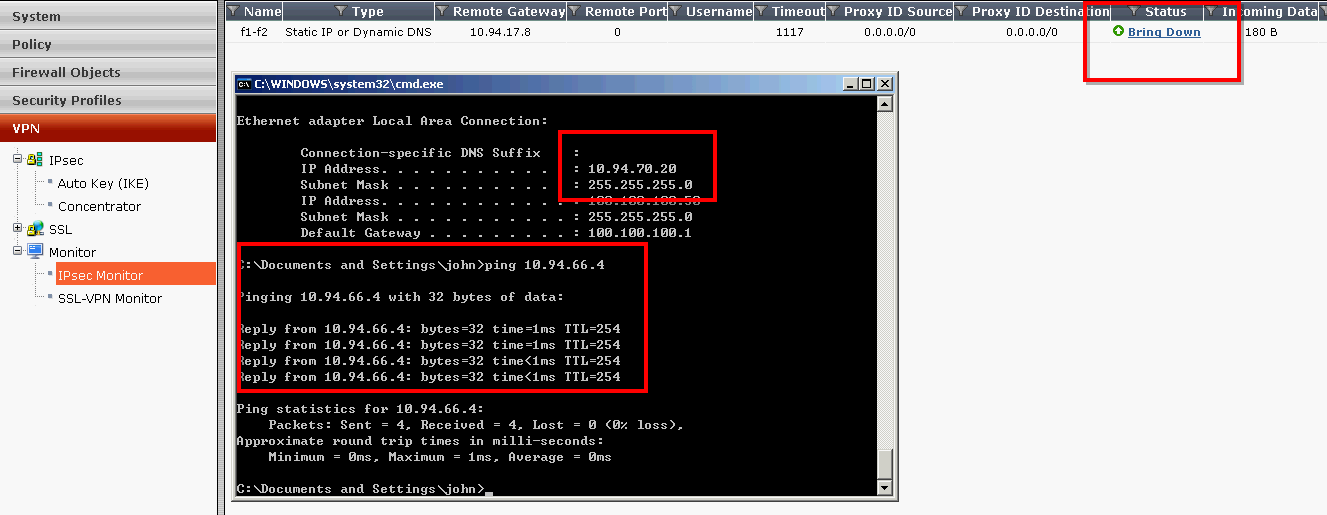
Verified ping from 10.94.70.20 to 10.94.66.4
The implementation will be set up policy based IPSec VPN between two sites.
Topology:
Configuration Steps:
1. Enable Policy Based VPN feature:
By default, Policy-Based IPSec VPN feature is not enabled. We will have to go to System-Config-Feature-Show More to enable it.
2. Go to: Firewall Objects > Address > Address
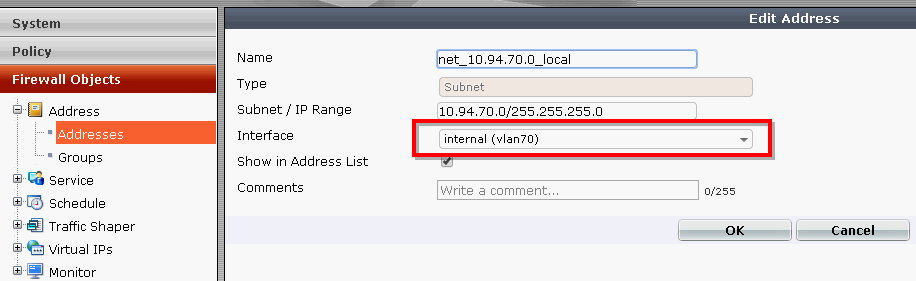
- Create New Address – Internal Subnet - Name it as net_10.94.70.0_local
- Enter local subnet: 10.94.70.0/24
- Select internal interface
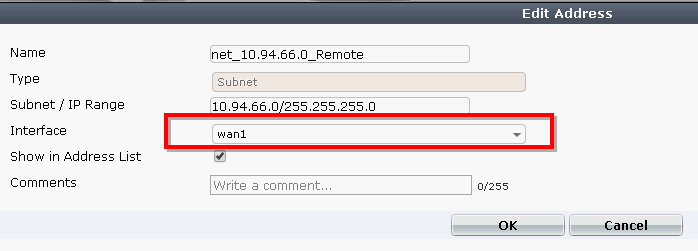
3. Create New Address – Remote Subnet - Name it as net_10.94.66.0_Remote
- Enter Remote Subnet: 10.94.66.0/24
- Enter wan1 Interface
4. Go to Policy > Policy > Policy
- Create New
- Select VPN Policy Type
- Select IPsec Subtype
- Select the local interface - internal, and Local Protected Subnet net_10.94.70.0_local
- Select the wan interface - wan1, and remote protected Subnet net_10.94.66.0_remote
- Set service to all
- Select create new VPN Tunnel.
- Choose Site-to-Site and Name it as f1-f2
- Put FW2's wan1 ip 10.94.17.8 as Remote FortiGate IP.
- Enter Preshared Key
- Check the box to allow traffic to be initiated from the remote site
5. Move the policy to the top of the list
6. FW2's Configuration
a. FW2's Firewall Objects - Address-AddressesThere are three local networks defined in here, including all local subnets 10.94.64.0/24, 10.94.66.0/24 and 10.94.144.0/24
7. Verify VPN Configuration and Monitoring VPN Tunnel
Verified ping from 10.94.70.20 to 10.94.66.4

 RSS Feed
