
I have been looking for a free online web service which can aggregate the updates from hundreds of websites I collected in my bookmark. I even built my own bookmark site for easily managing the collections. Click through hundreds of website to see the updates is a really pain to me and since lots of websites are not updating that often, but once they updated , I really want to check out their contents since that is usually interesting to me.
I found RSS aggregator service could help for my this problem. But all of this kind of online service are not free or not free enough for me to get what I need. I decided to look for a self-hosted RSS aggregator solution. That is how I started this post.
I have searched online and found following two posts helps me to narrow down the scope for the applications.
- Tiny Tiny RSS
- FreshRSS
- miniflux
- Stringer
miniflux
- Github page: https://github.com/miniflux/v2
- Official website: https://miniflux.app
- Documentation site: https://miniflux.app/docs/ (Man page)
- Installation : https://miniflux.app/docs/installation.html
Installation from Docker
Docker Registries:
-
Docker Hub Registry:
docker.io/miniflux/miniflux -
GitHub Container Registry:
ghcr.io/miniflux/miniflux
Docker Architectures:
amd64arm64arm/v7arm/v6
1 Log in to Play With Dcker website and create a new instance
URL: https://labs.play-with-docker.com/
2 In the new instance session command line, create a new file: basic.yml
You can find out this basic.yml file and other version's yml file from this url:
https://github.com/miniflux/v2/tree/master/contrib/docker-compose
- vi basic.yml
3 In this new basic.yml file, paste into follow text:
version: '3.4'
services:
  miniflux:
    image: miniflux/miniflux:latest
    ports:
      - "80:8080"
    depends_on:
      - db
    environment:
      - DATABASE_URL=postgres://miniflux:secret@db/miniflux?sslmode=disable
      - RUN_MIGRATIONS=1
      - CREATE_ADMIN=1
      - ADMIN_USERNAME=admin
      - ADMIN_PASSWORD=test123
  db:
    image: postgres:15
    environment:
      - POSTGRES_USER=miniflux
      - POSTGRES_PASSWORD=secret
    volumes:
      - miniflux-db:/var/lib/postgresql/data
    healthcheck:
      test: ["CMD", "pg_isready", "-U", "miniflux"]
      interval: 10s
      start_period: 30s
volumes:
  miniflux-db:
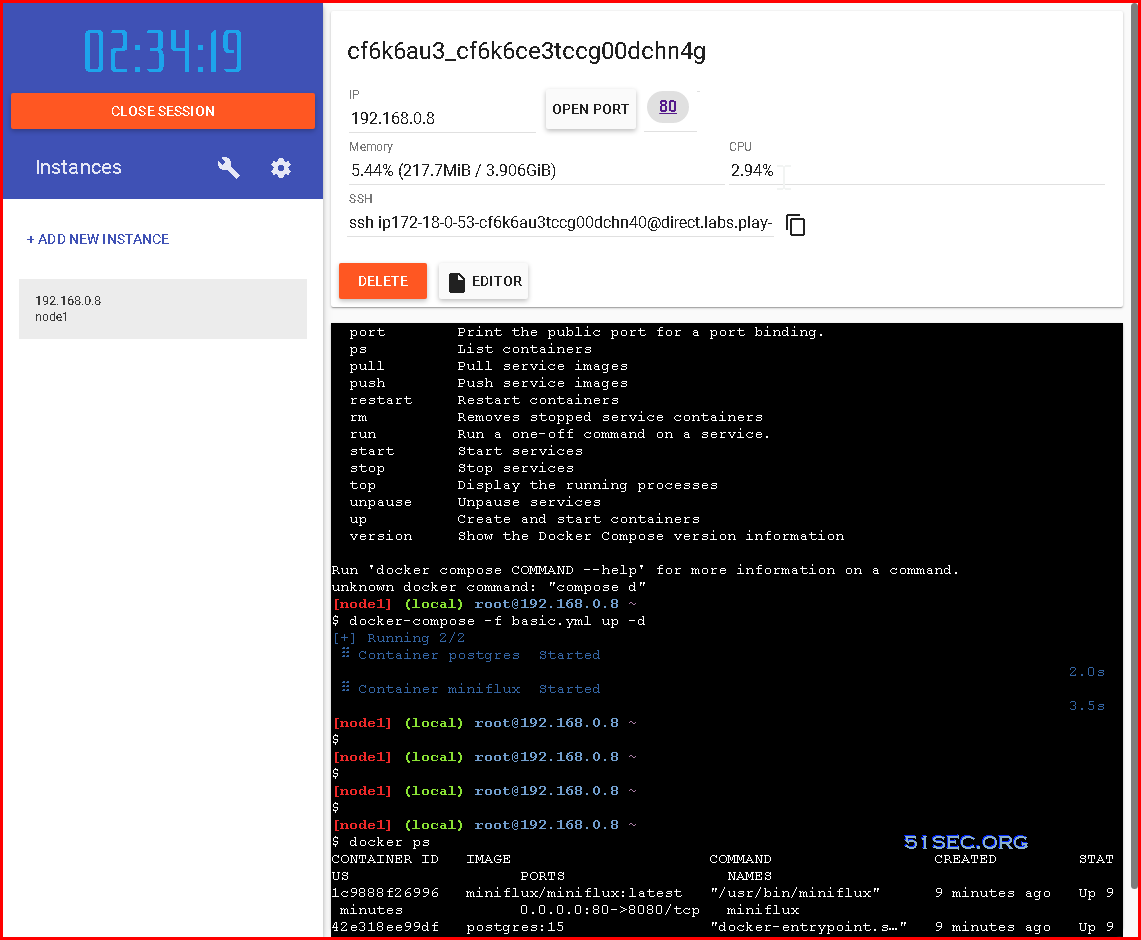
4 start dockers
[node1] (local) [email protected] ~
$ docker-compose -f basic.yml up -d
[+] Running 2/2
 ⠿ Container postgres  Started                                                                                                   2.0s
 ⠿ Container miniflux  Started                                                                                                    3.5s
[node1] (local) [email protected] ~
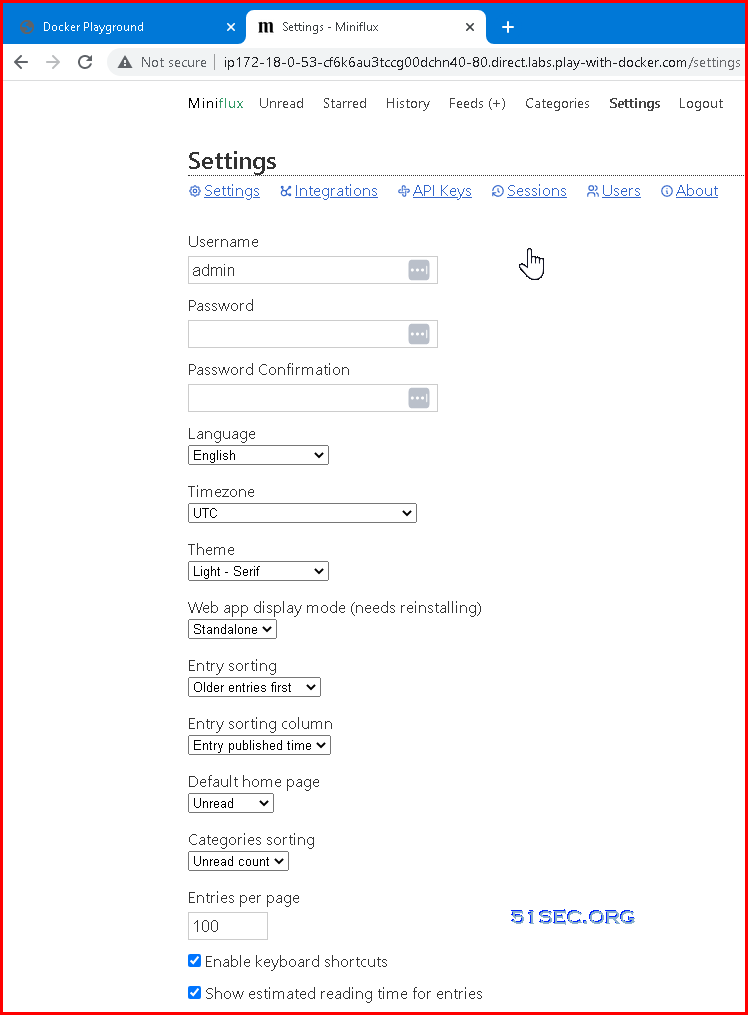
5 Open Port 80 to visit this website

Installation from Portainer
version: '3.4'
services:
  miniflux:
    image: ${MINIFLUX_IMAGE:-miniflux/miniflux:latest}
    container_name: miniflux
    restart: always
    ports:
      - "8010:8080"
    depends_on:
      - db
    environment:
      - DATABASE_URL=postgres://miniflux:secret@db/miniflux?sslmode=disable
      - RUN_MIGRATIONS=1
      - CREATE_ADMIN=1
      - ADMIN_USERNAME=admin
      - ADMIN_PASSWORD=test123
      - DEBUG=1
    # Optional health check:
    # healthcheck:
    #  test: ["CMD", "/usr/bin/miniflux", "-healthcheck", "auto"]
  db:
    image: postgres:15
    container_name: postgres
    environment:
      - POSTGRES_USER=miniflux
      - POSTGRES_PASSWORD=secret
    volumes:
      - miniflux-db:/var/lib/postgresql/data
    healthcheck:
      test: ["CMD", "pg_isready", "-U", "miniflux"]
      interval: 10s
      start_period: 30s
volumes:
  miniflux-db:

- Ports: default port is 80, you might already used 80 for something else, I would suggest change it to others, such as , 8010.
-
- You might also need to change your VPS's firewall port to allow 8010
- Default password for user admin.
Videos
References
via Blogger http://blog.51sec.org/2023/01/5-minutes-docker-series-deploy-free-rss.html
January 22, 2023 at 10:45AM Docker

 RSS Feed
