
[5 Minutes Docker] Deploy Memos to Record Your Life
via Blogger http://blog.51sec.org/2023/02/5-minutes-docker-deploy-memos-to-record.html
February 24, 2023 at 11:14PM Docker
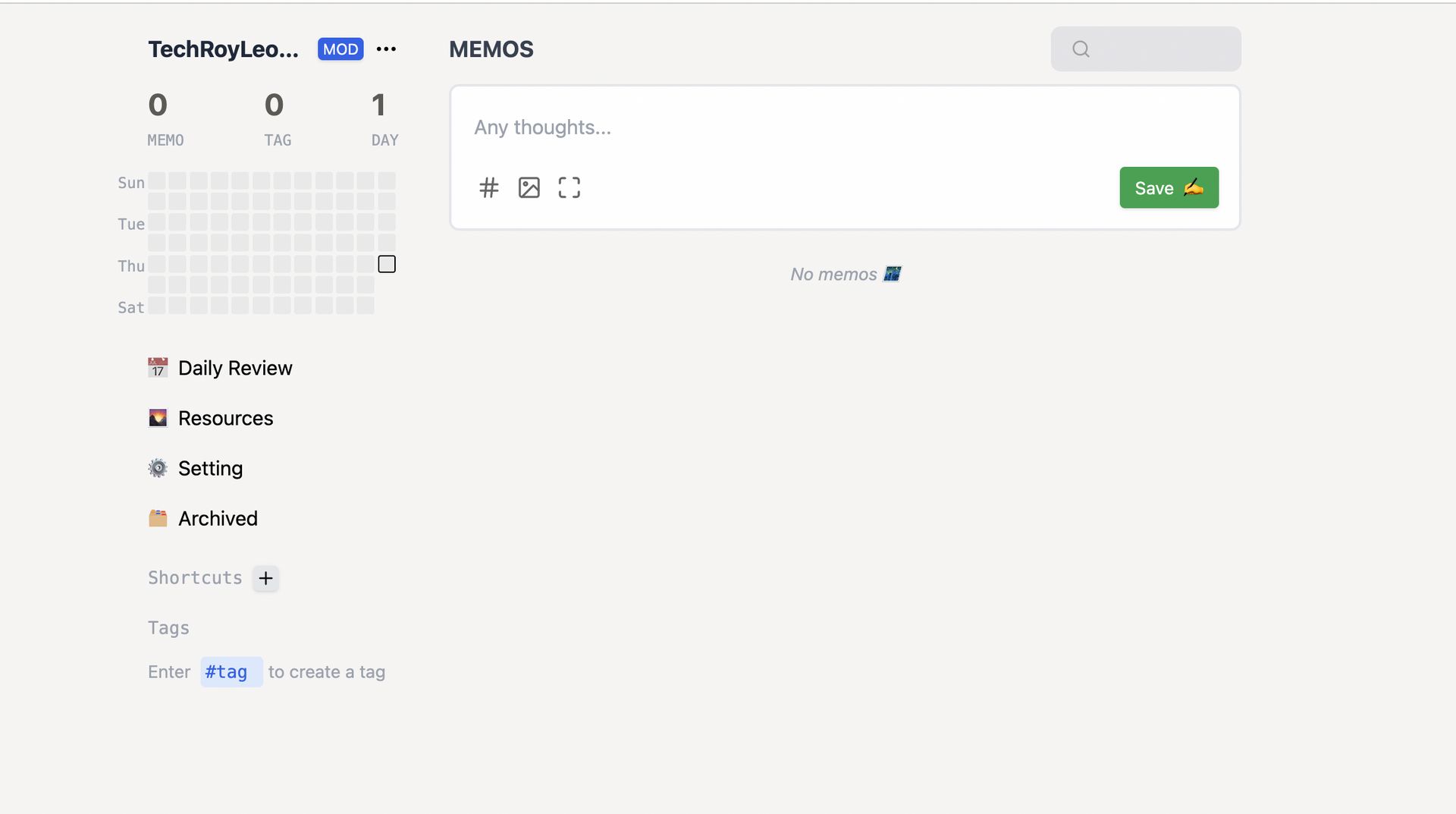
Memos is a Github project which you can deploy it easily in 5 minutes and use it ro record some of your thinking, or record some interesting things. In this post, I am going to show you a couple of ways to deploy it quickly and easily.
- ? Easy to record daily/weekly plan
- ? Convenient to record some whimsical ideas
- ? You can write your reflections by hand
- ?️ Sometimes it can replace the "file transfer assistant" often used on WeChat, the memo of the mobile phone
- ? You can create your own lightweight "card" notebook
Features
- Open source and free forever
- Support for self-hosting with
Dockerin seconds - Plain textarea first and support some useful Markdown syntax
- Set memo private or public to others
- RESTful API for self-service
- Embed memos on other sites using iframe
- Hashtags for organizing memos
- Interactive calendar view
- Easy data migration and backups
Deploy with Docker Run Command
Check if Port 5230 Used
lsof -i:5230 #Check if tcp port 5230 occupied by other application.
If the output shows command not found, you can use following command to install lsof
- apt install lsof
Docker Run
docker run -d --name memos -p 5230:5230 -v ~/.memos/:/var/opt/memos neosmemo/memos:latest
~/.memos/will be used as the data directory in your machine and/var/opt/memosis the directory of the volume in Docker and should not be modified.
Upgrade:
docker stop memos
docker rm -f memos
cp -r /root/data/docker_data/memos/.memos /root/data/docker_data/memos/.memos.archive  # backup data
docker pull neosmemo/memos:latest  # pull latest image

docker run -it -d \
  --name memos \
  --publish 5230:5230 \
  --volume /root/data/docker_data/memos/.memos/:/var/opt/memos \
  neosmemo/memos:latest \
  --mode prod \
  --port 5230
Access application using http://<public ip>:5230
You can find your public ip using the following commands :
- curl ip.sb
Deploy Using Docker Compose File
- vi docker-compose.yaml
version: "3.0"
services:
  memos:
    image: neosmemo/memos:latest
    container_name: memos
    volumes:
      - ~/.memos/:/var/opt/memos
    ports:
      - 5230:5230
- docker-compose up -d
Upgrade to latest version memos
- docker-compose down && docker image rm neosmemo/memos:latest && docker-compose up -d
cd /root/data/docker_data/memos
docker-compose down
cp -r /root/data/docker_data/memos/.memos /root/data/docker_data/memos/.memos.archive  # backup

docker-compose pull

docker-compose up -d

docker image prune  # prune comand to clearn up not used docker images。Delete all images not been tagged or not been used by docker container.
Remove / Uninstall memos application
docker stop memos

docker rm -f memos  # remove container memos, but will not delete mapped volumes

rm -rf /root/data/docker_data/memos  # remove all mapped volumes
Deploy To Fly.io
https://github.com/hu3rror/memos-on-fly- Follow the instructions to install fly's command-line interface
flyctl. - log into flyctl.
1 flyctl auth login
2 flyctl launch
This command creates a fly.toml file.
3 Edit your fly.toml
# fly.toml file generated for memos

app = "memos_example"                                               # change to whatever name you want if the name is not occupied
kill_signal = "SIGINT"
kill_timeout = 5
processes = []

[build]
  image = "hu3rror/memos-fly:latest"                                # Do not change unless you build your own image

[env]
  DB_PATH = "/var/opt/memos/memos_prod.db"                          # do not change

  # Details see: https://litestream.io/guides/backblaze/
  LITESTREAM_REPLICA_BUCKET = "your_bucket_name"                    # change to your litestream bucket name
  LITESTREAM_REPLICA_ENDPOINT = "s3.us-west-000.backblazeb2.com"    # change to your litestream endpoint url
  LITESTREAM_REPLICA_PATH = "memos_prod.db"                         # keep the default or change to whatever path you want

[mounts]
  source="memos_data"                                               # change to your fly.io volume name
  destination="/var/opt/memos"                                      # do not change

[experimental]
  allowed_public_ports = []
  auto_rollback = true

[[services]]
  http_checks = []
  internal_port = 5230                                              # change to port 5230
  processes = ["app"]
  protocol = "tcp"
  script_checks = []
  [services.concurrency]
    hard_limit = 25
    soft_limit = 20
    type = "connections"

  [[services.ports]]
    force_https = true
    handlers = ["http"]
    port = 80

  [[services.ports]]
    handlers = ["tls", "http"]
    port = 443

  [[services.tcp_checks]]
    grace_period = "1s"
    interval = "15s"
    restart_limit = 0
    timeout = "2s"
[build]
  image = "hu3rror/memos-fly:latest"
[env]
  DB_PATH = "/var/opt/memos/memos_prod.db"  # do not change
  LITESTREAM_REPLICA_BUCKET = "<filled_later>"  # change to your litestream bucket name
  LITESTREAM_REPLICA_ENDPOINT = "<filled_later>"  # change to your litestream endpoint url
  LITESTREAM_REPLICA_PATH = "memos_prod.db"  # keep the default or change to whatever path you want
flyctl volumes create memos_data --region <your_region> --size <size_in_gb>
For example:
flyctl volumes create memos_data --region hkg --size 1
[mounts]
  source="memos_data"
  destination="/var/opt/memos"
[[services]]
  internal_port = 5230
4 flyctl deploy
Videos
via Blogger http://blog.51sec.org/2023/02/5-minutes-docker-deploy-memos-to-record.html
February 24, 2023 at 11:14PM Docker

 RSS Feed
