
 Basic Installation
The IBM Guardium V10.1 Software Appliance Technical Requirements can be found here: http://ibm.co/2gd5ZRq. Additional installation detail can be found here: http://ibm.co/2h0exMw.
- Load the Guardium ISO.
- When the system boots, you will be presented with the following screen.
- Choose "Standard Installation (non CM)" for the collectors
- Choose "Aggregator or Central Manager (CM)" for the Central Manager
The installation process will take about 15 minutes
- After the installation completes, login from the console as cli (password=guardium)
- Reset and make note of the cli password
- Perform the following configuration commands:
store network interface ip <ip_address>
store network interface mask <subnet_mask>
store network routes defaultroute <default_router_ip>
store system hostname <host_name>
store system domain <domain_name>
store network interface mask <subnet_mask>
store network routes defaultroute <default_router_ip>
store system hostname <host_name>
store system domain <domain_name>
- Confirm that you configured each setting correctly.
show network interface all
show network routes def
show system hostname
show system domain
- Enter "restart system" to reboot the VM
- Confirm that you can access the machine via ssh
VM Cloning instructions:
The notes above were derived from these instructions (http://www-01.ibm.com/support/docview.wss?uid=swg21985657). Feel free to review the link but please follow the instructions listed in the order below.
- On the existing collector VM, run "store network interface reset". This instructs the collector to reset the NIC/MAC information upon reboot.
- Shutdown the collector by running "stop system".
- Clone the collector
- Bring up the new VM. If it asks if you moved or copied the VM, please answer with "copy", as this will enable the virtualization software to configure new parameters like MAC address for the clone.
- Log into the appliance as user CLI
- Run "show network macs". The MAC address should match the MAC address assigned by VMWare. If this returns an empty string, the MAC address has not been properly setup for the clone.
- Set the IP address, defaultroute, hostname, etc. and resolver as necessary (see Appendix B)
- You may need to re-run the commands on the original VM because of the "store network interface reset" command.
- Restart the system by running "restart system"
- Log into the appliance again as user CLI
- Store the global ID by running store product gid <gid_value>
- The Global ID can be any number, so long as it is unique. During the cloning process this unique number is necessary. Please obtain the Global IDs from your other appliances and arrive at a number that is unique for this clone.
- Verify the global ID by running show product gid
- Restart the system if requested
If changing backup location, change the following
- System backup
- archive (collectors)
- Results archive
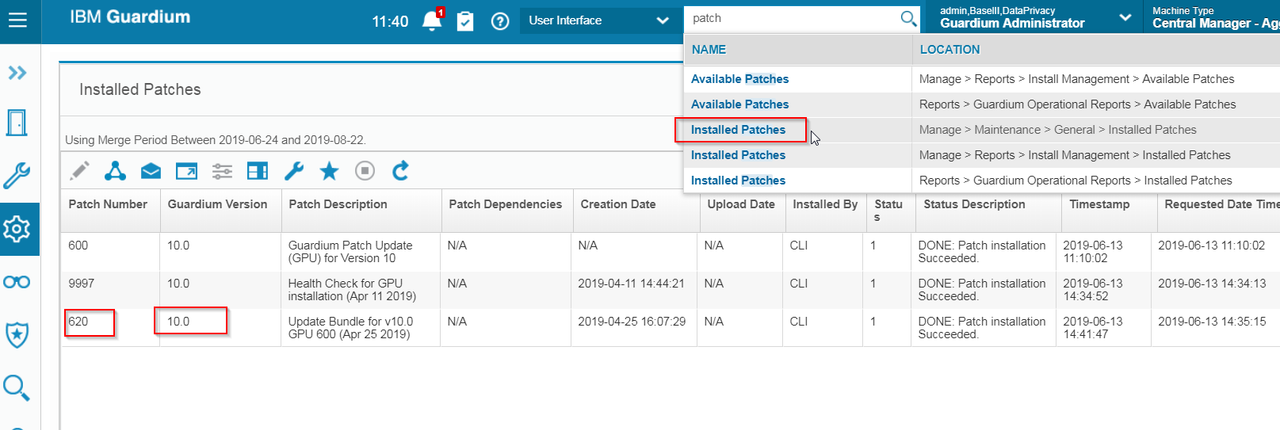
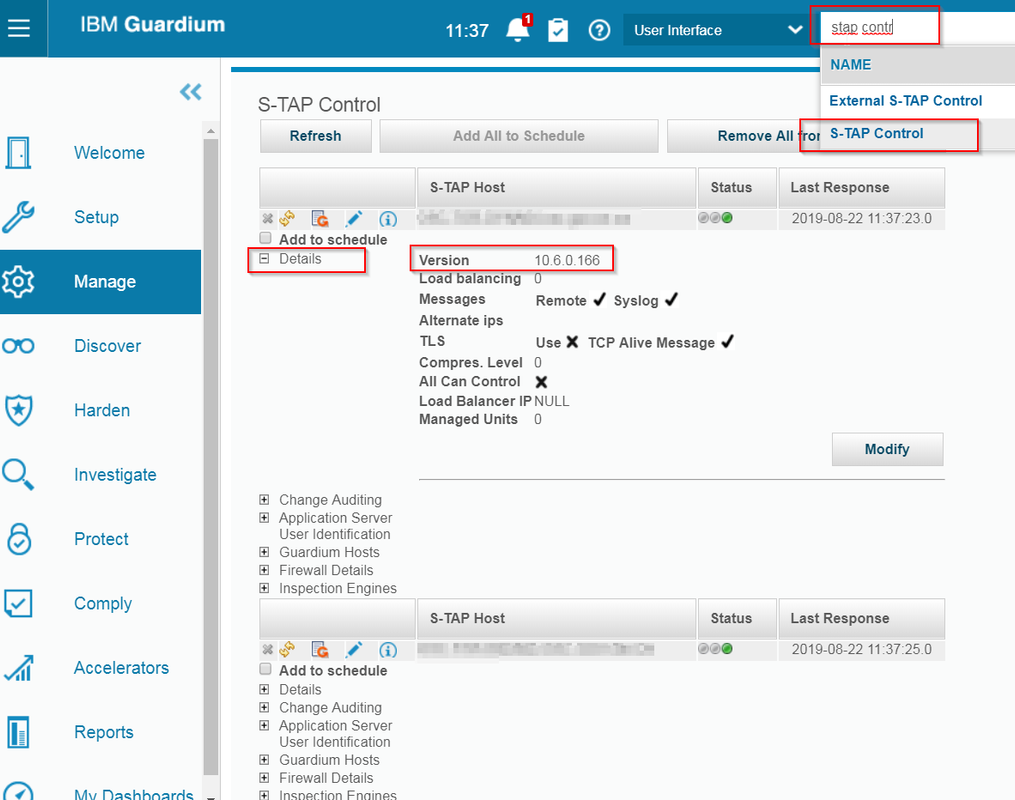
Check IBM Guardium Appliance and Agent Version
Install a Patch for Guardium
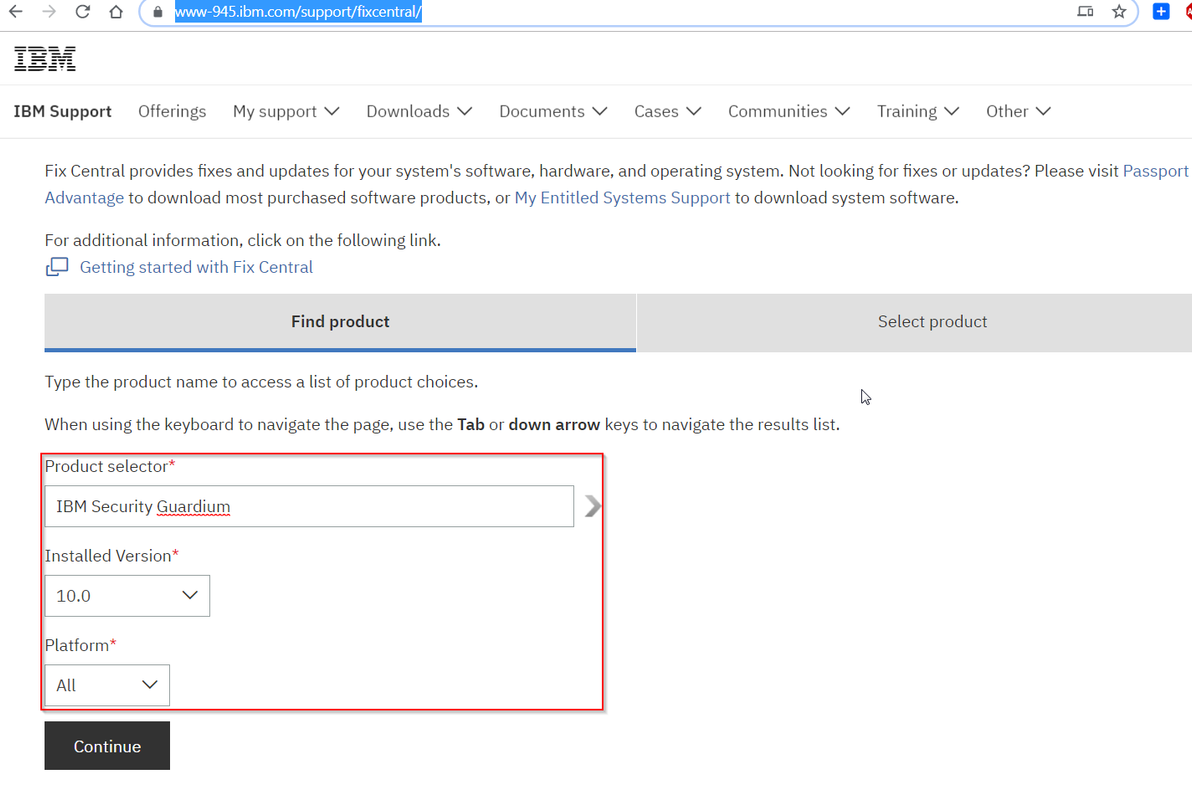
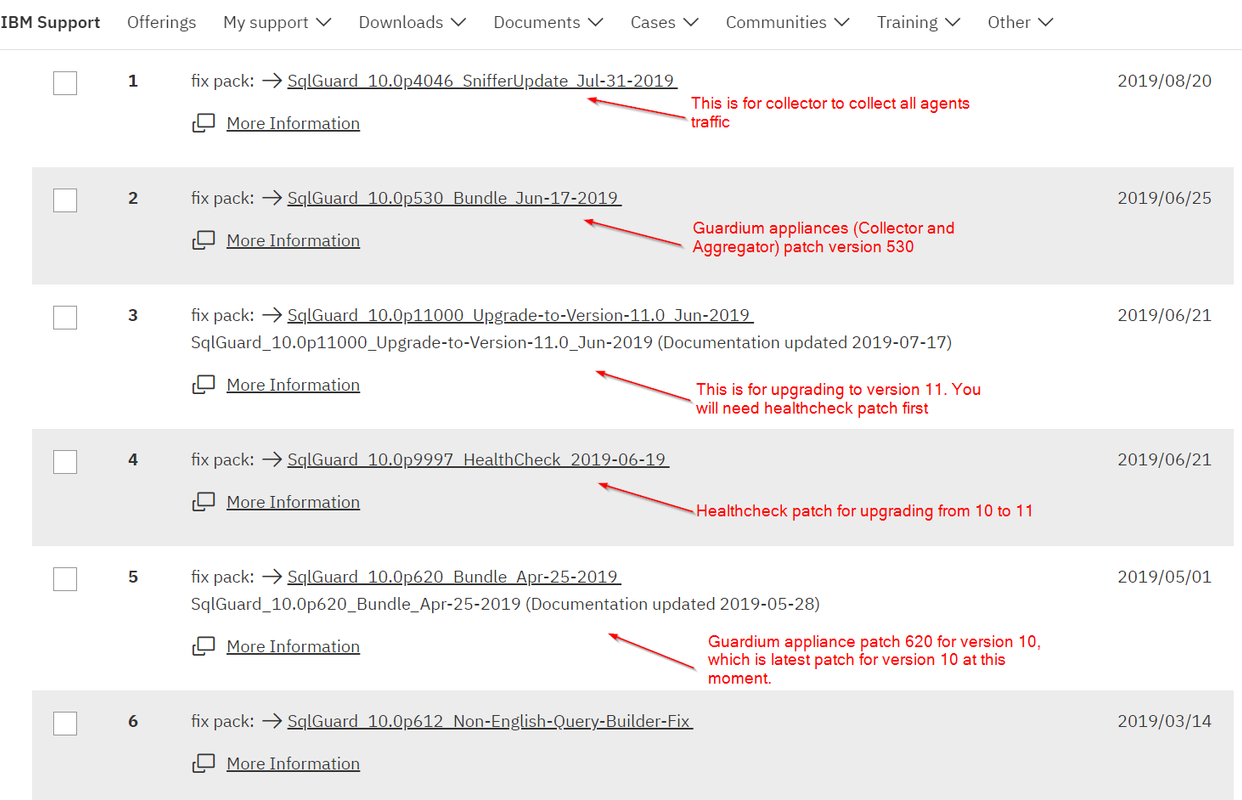
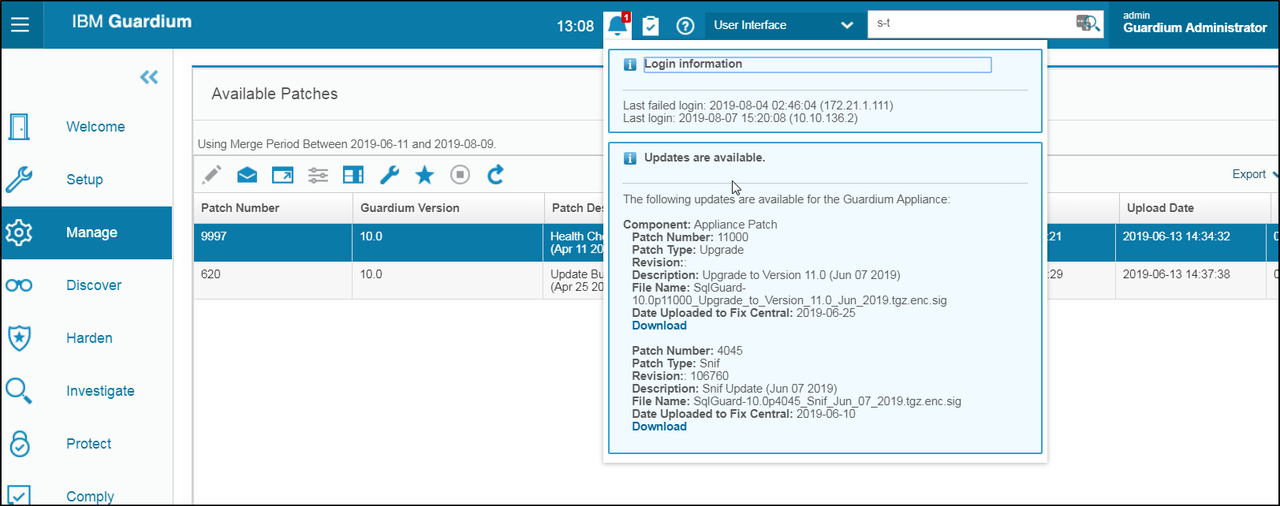
Once the patch is downloaded, the patch should be uploaded to the Guardium environment. Based on the environment, the patch should either be uploaded to either the Central Manager or the individual collector
It is strongly suggested to have a complete system backup prior to installing a patch
- Login to the applicance as 'cli'
- Type the command 'fileserver <<ip_address>> <<duration>> '. This will enable a web server
-
- Once the fileserver command is executed, from the web browser, connect to the appliance http://<<appliance_name_or_ip>>
1. Browse the local filesystem to find the downloaded patch file
2. Click the upload button to upload the patch file to the appliance
- Once the patch is uploaded, close the 'fileserver' by simply hitting 'enter'
- In the cli window, use the patch installation commands to install the patch
-
- Show system install patch available ¡Vshows the available patches that can be installed
- Store system patch install sys now
- This will start the wizard to install the available patches.
References:

 RSS Feed
